
Doruva SEO
Version 1.0.6 · Free
A connected schema graph, language-aware content analysis, sitemaps, redirects and local SEO in one plugin. Switch from Yoast SEO or Rank Math in a few clicks.


WORDPRESS BACKUP & MIGRATION PLUGIN · FREE
 Doruva Migrate
From a local development setup to the client's domain, from http to https, from a subfolder to the root: URLs, paths and the table prefix are adapted automatically. Free, unlimited, designed for agencies.
DORUVA MIGRATE
Doruva Migrate puts your site's database, media library, themes and plugins into a single .doruva archive and unpacks that archive into another WordPress installation. Because the work runs in short steps, it doesn't time out even on shared hosting, and large archives are uploaded in small chunks whatever the upload limit. The riskiest part of a migration, changing addresses and paths, is done for you without breaking serialized data.
Archives upload in 2–5 MB chunks. The only limit is your server's disk space.
The old address is found in every form; serialized data is recalculated at byte level.
The archive is checked block by block; the database goes live from temporary tables in one move.
FEATURES
Backups, safe bulk search-and-replace, and a recovery script for the worst day.
EXPORT & IMPORT
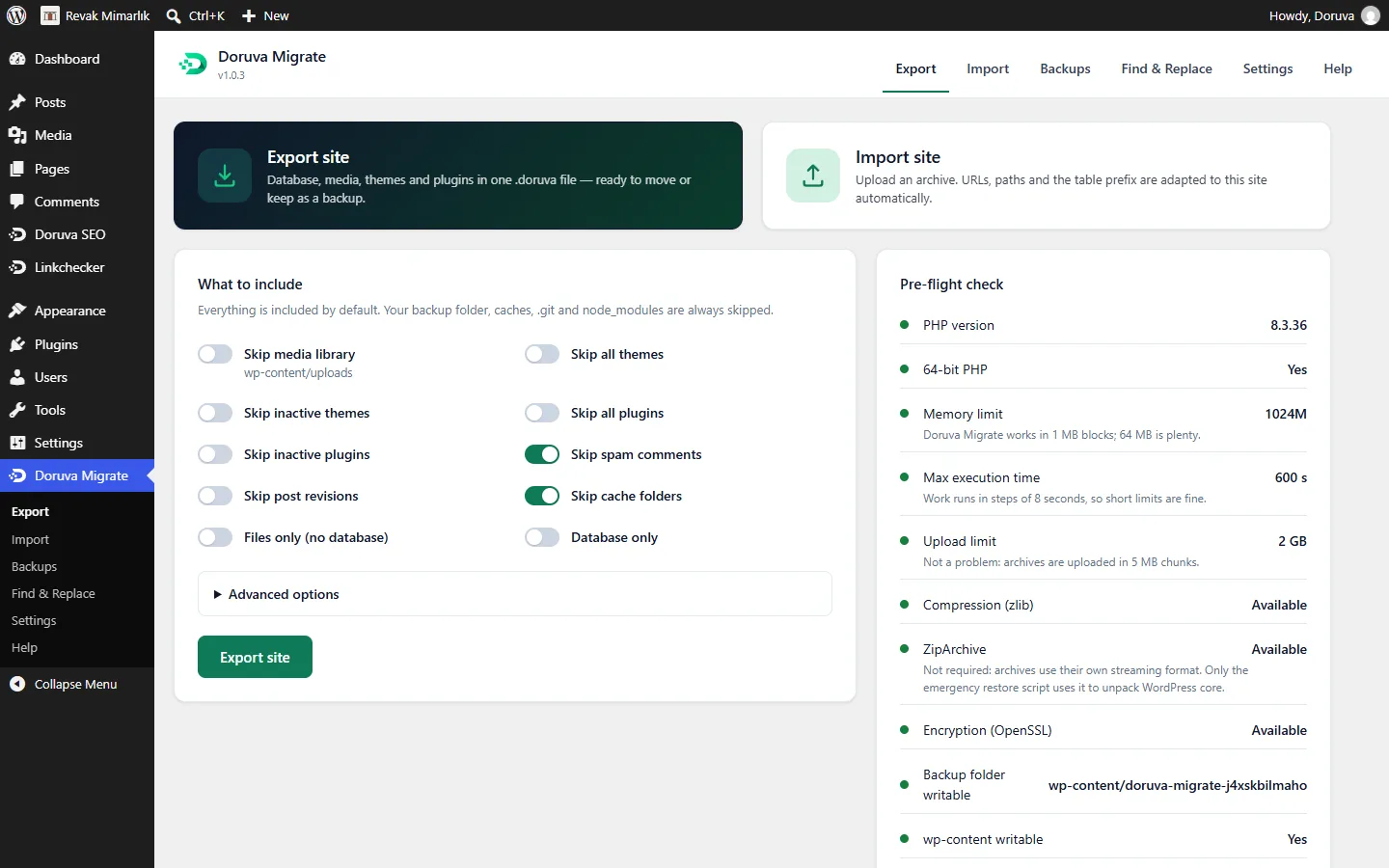
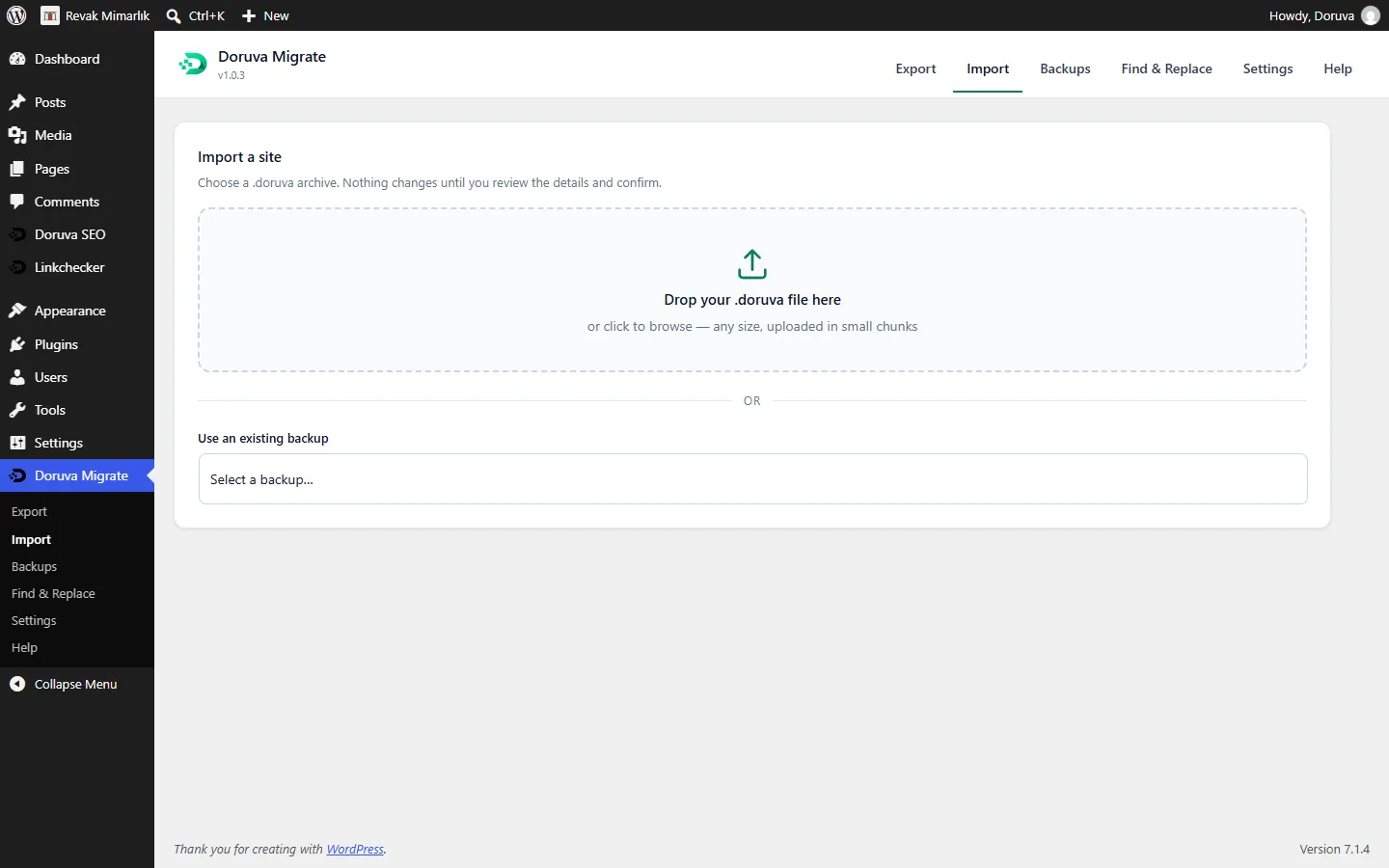
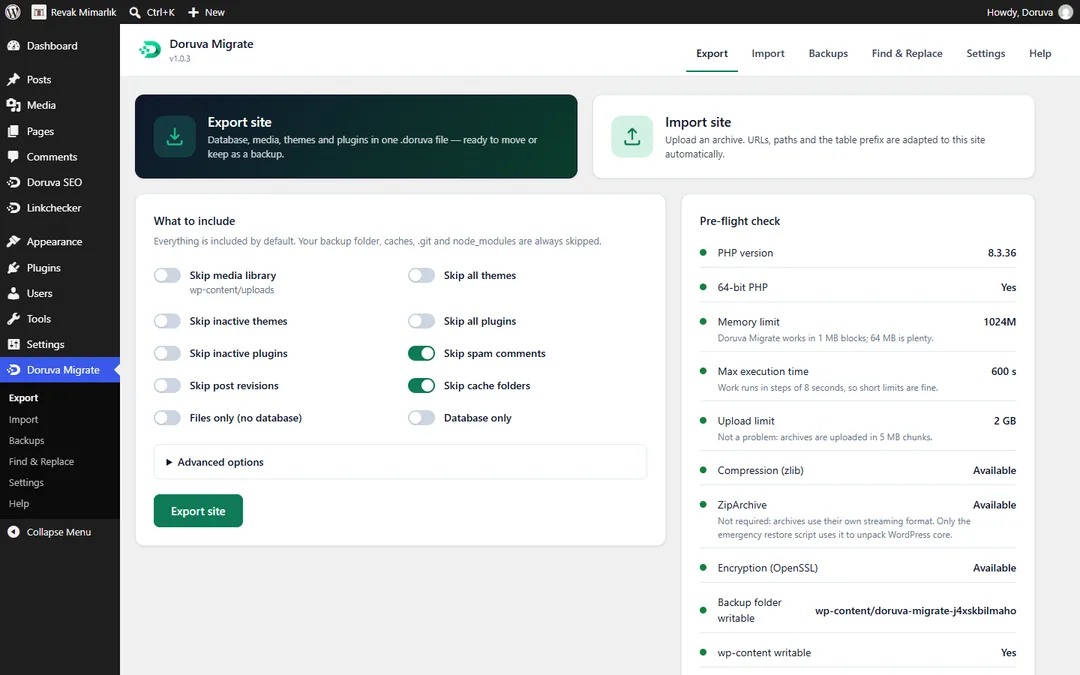
The database, media, themes, plugins and other wp-content folders go into one .doruva archive. On the target site you drag and drop the file; review the summary, confirm, and the site is in place.
Exclude media, themes, plugins, inactive plugins/themes, spam comments and revisions as you like, and add your own path patterns. Cache folders, .git and node_modules are skipped automatically.
Archives are uploaded in 2–5 MB chunks. We uploaded a 140 MB archive to a server with a 2 MB upload_max_filesize without trouble. Interruptions are retried step by step.
The work runs in short steps, so it stays within the server's execution time limit. Follow progress live and cancel whenever you want.
URL & PATH REPLACEMENT
When you move a site, the real problem is not the files but the thousands of old URLs and paths in the database. Doruva Migrate finds them in every form, replaces them safely and tells you exactly what it did.
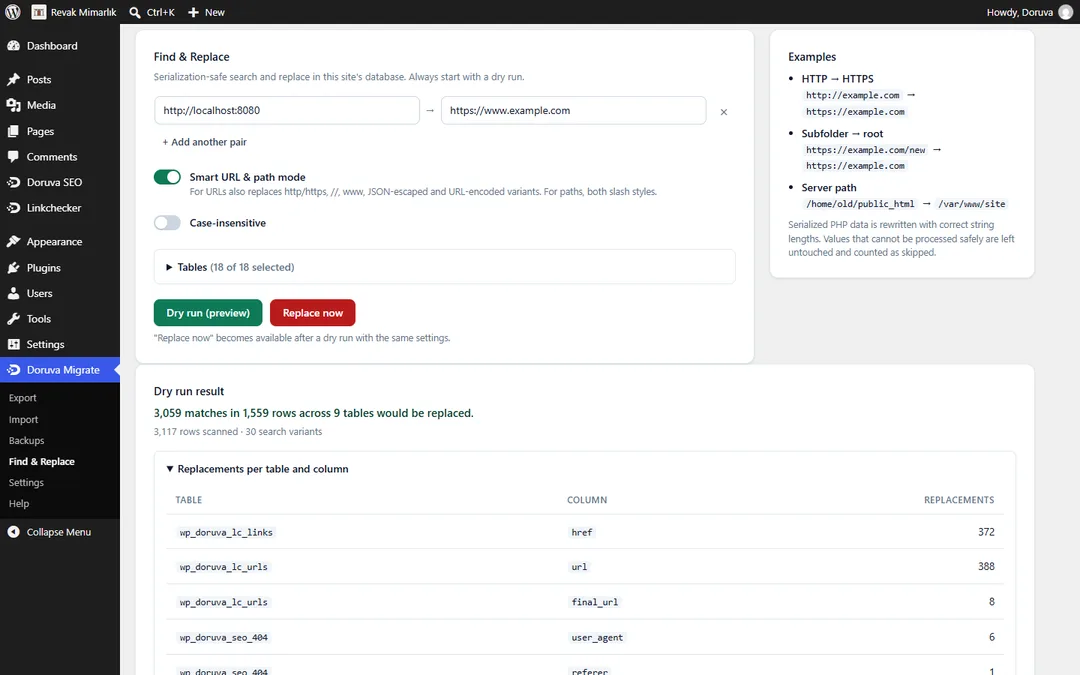
http and https, with and without www, protocol-relative //, the JSON-escaped form used by Elementor and Gutenberg, URL-encoded and double-encoded forms. Server paths are replaced with forward and back slashes, so moving from Windows to Linux is fine.
PHP serialized data is parsed at byte level and string lengths are recalculated. Objects are never instantiated; the rare values that can't be handled safely are left as they are and reported.
Every block of the archive is checked with a checksum; a corrupt or half-downloaded file is rejected before your site is touched. The database is imported into temporary tables first and goes live in one move at the end.
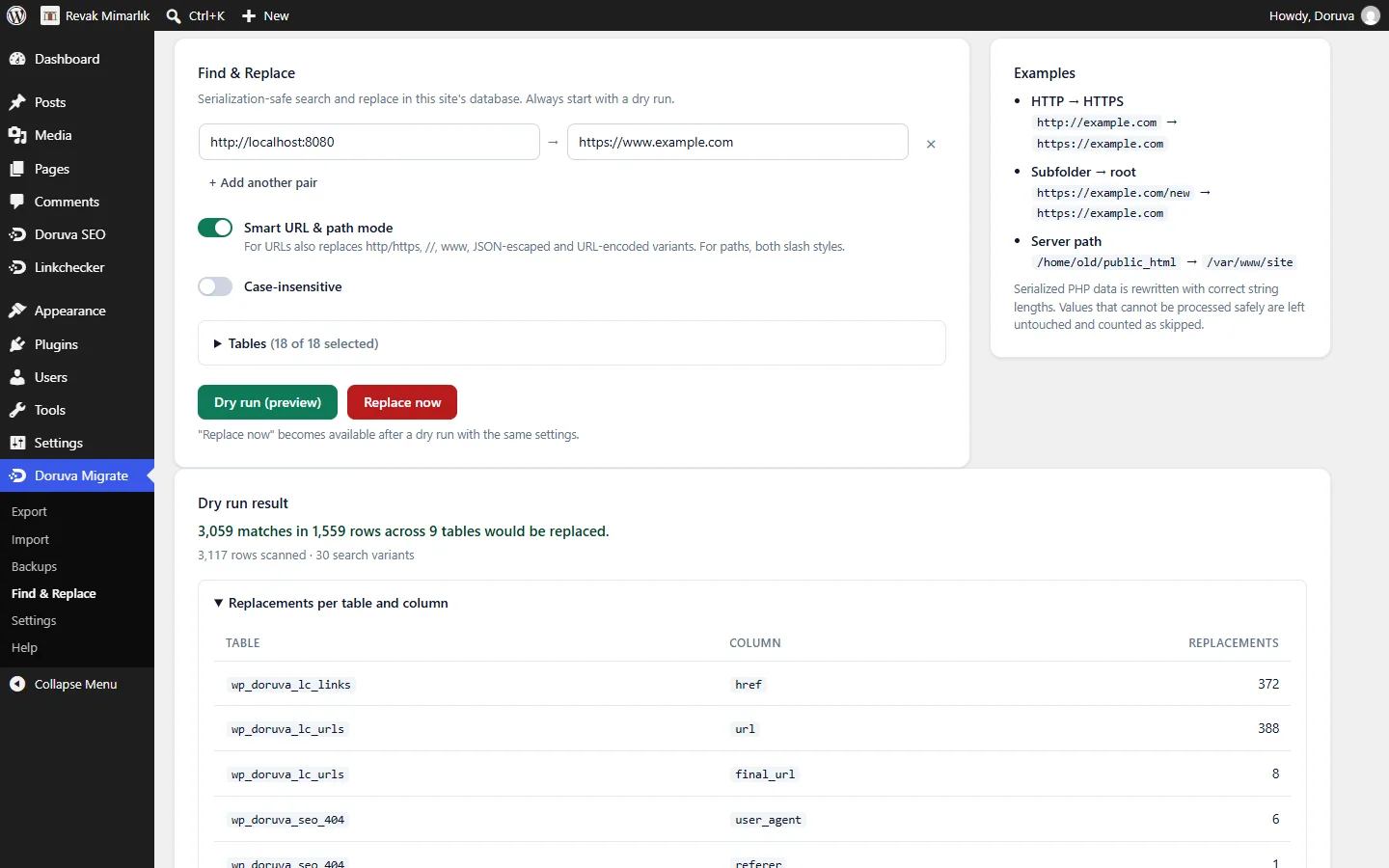
At the end you get a clear summary such as "localhost:8091 → https://client.com, 4,383 replacements in 7 tables", with per-table and per-column detail. Permalinks, caches and Elementor CSS are refreshed automatically.
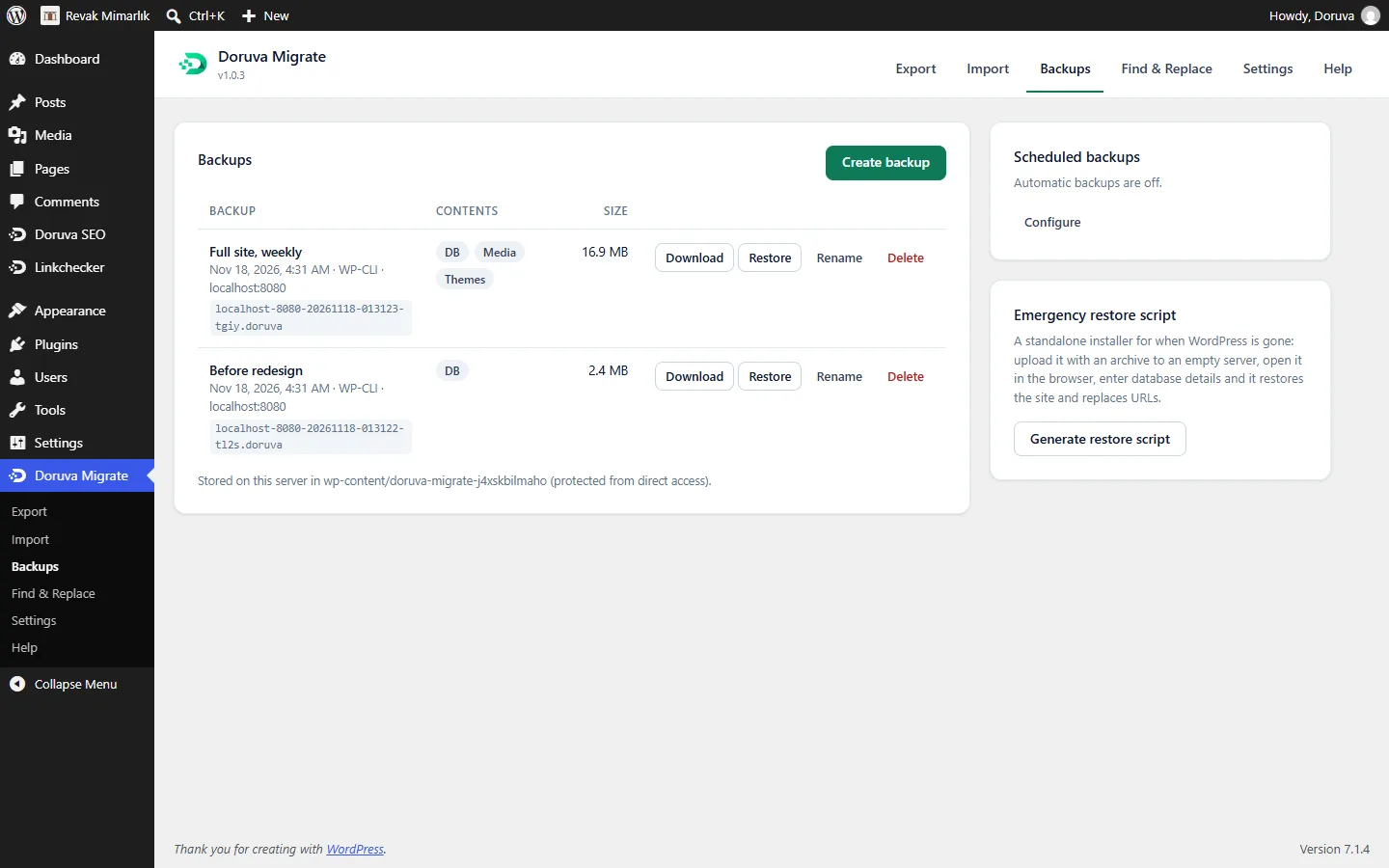
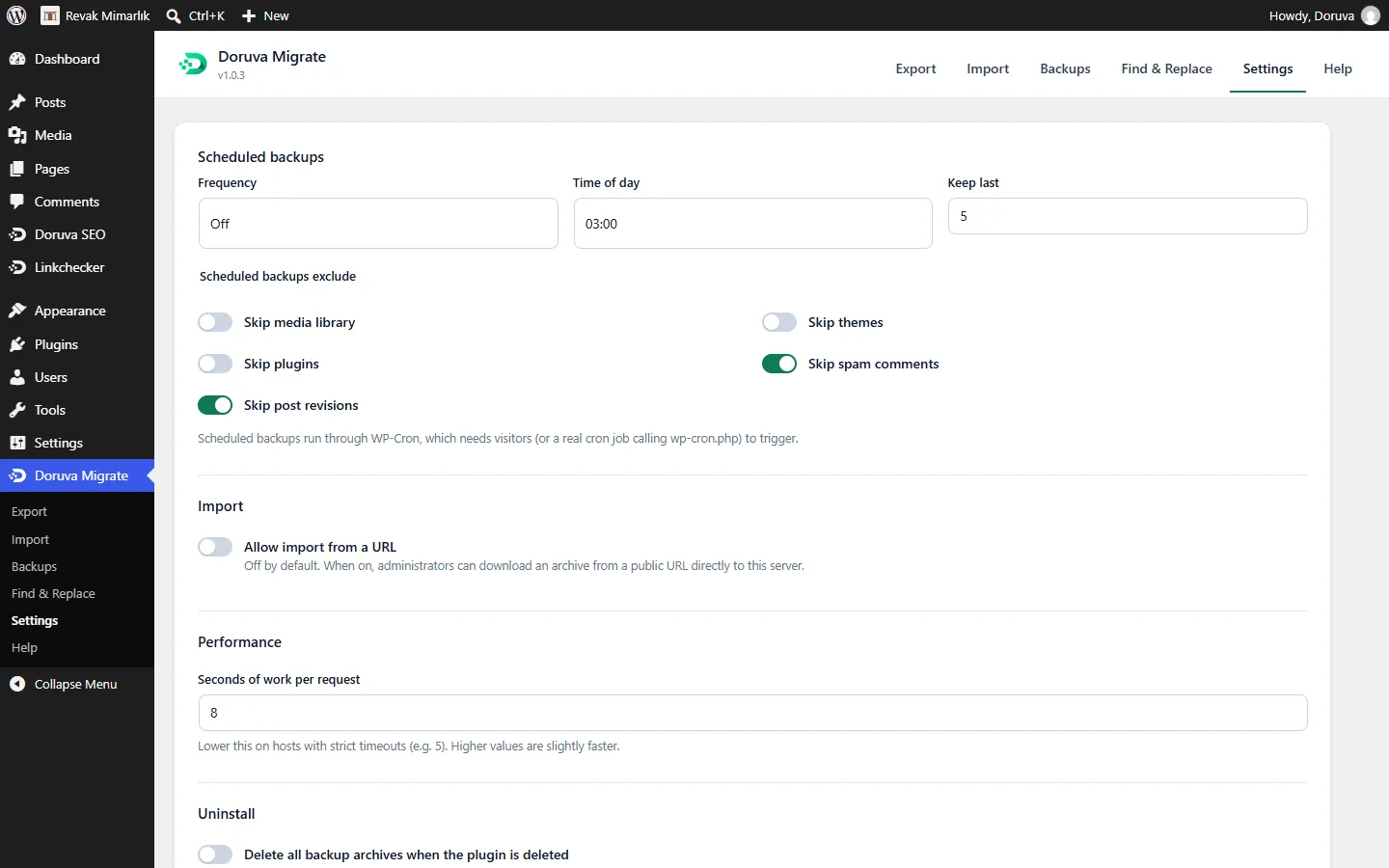
All backups are listed with date, size, contents and labels; download, restore, rename or delete them. Take daily, weekly or monthly automatic backups and keep the last N. The backup folder has a random name and blocks direct access.
A serialization-safe search-and-replace tool you can use outside migrations too. Run a dry run first to see how many changes each table will get, then apply.
If WordPress is completely down: create a standalone script protected by a one-time password, upload it with the archive to an empty server and open it in the browser. It unpacks the files, imports the database, replaces URLs, writes wp-config.php and deletes itself.
Create password-protected archives with AES-256 if you like. Run everything on the server with wp doruva-migrate commands. Sites on SQLite are supported, and you can migrate between MySQL and SQLite.
SCREENSHOTS
These captures were taken from the WordPress admin of Doruva Migrate 1.0.x. Open any screen at full size.
COMPARISON
Side by side with the free versions of the most used migration plugins.
| Doruva Migrate | All-in-One WP Migration (free) | Duplicator (free) | WPvivid (free) | |
|---|---|---|---|---|
| Price | Free | Free; paid extension for large sites | Free; advanced features in Pro | Free; some features in Pro |
| Import size limit | None (chunked upload) | Limited in the free version | Via the installer script | Depends on server limits |
| Archive verification before import | Yes, per-block checksums | — | Partly | — |
| Safe database swap via temporary tables | Yes | — | — | — |
| JSON/URL-encoded variant replacement | Yes | Yes | Partly | Partly |
| Find & Replace (with dry run) | Yes | No | No | No |
| Standalone installer script | Yes (password-protected) | No | Yes | No |
| Scheduled backups | Yes | Paid | Pro | Yes |
| WP-CLI | Yes | Paid | Pro | Partly |
| Encryption | Yes (AES-256) | Yes | Pro | Pro |
| Cloud storage | Not yet (groundwork in place) | Paid extensions | Pro | Yes |
| Multisite | Not yet | Paid | Pro | Pro |
The comparison is based on the publicly available features of the competitors' free versions and may change between versions. Check each plugin's current feature list before you decide.
SETUP
Once the plugin is published on WordPress.org, search for "Doruva Migrate" under Plugins > Add New in your WordPress dashboard and install it (or upload the zip file).
Activate the plugin; Doruva Migrate appears in the left menu.
Click Export > Export site and download the .doruva file.
Install the plugin on the target site, drag the file into Import, review the summary and confirm.
Users now come from the archive: log in with the source site's username and password.
The plugin is being added to the WordPress.org plugin directory. Once it is published, the download link opens on this page and you can install it straight from your WordPress dashboard.
REQUIREMENTS
| Requirement | Value |
|---|---|
| WordPress | 6.4 or later (tested with 7.1) |
| PHP | 7.4–8.4 (64-bit PHP for archives over 2 GB) |
| Database | MySQL 5.7+ / MariaDB 10.3+ or SQLite Database Integration |
| PHP extensions | zlib (standard); OpenSSL for encryption (optional) |
| Disk space | Free space equal to the archive size |
Current version: 1.0.3
GUIDES
Step-by-step WordPress guides from our blog, useful whether or not you use the plugin.
FAQ
Yes, it is completely free and there is no artificial size limit. The only limit is your server's disk space.
Users now come from the archive. Log in with the source site's username and password.
Yes. Addresses with ports such as localhost:8080, subfolders and http/https switches are adapted automatically.
No. Escaped URLs in Elementor data are replaced and the Elementor CSS cache is regenerated automatically.
The database is imported into temporary tables, so your live database doesn't change until the last step. If you cancel, the temporary tables are removed.
No problem. The prefix is converted to the target's prefix, together with user roles and capability keys.
On your server, in a randomly named folder that blocks direct access. Downloads are open to administrators only. You can also encrypt the archive with a password.
Not in version 1.0; the plugin says so clearly.
Base64-encoded data and root-relative links (for example /old-folder/page). Custom serialized objects are left as they are for safety and reported.
No. Import from URL is off by default; the emergency script downloads WordPress from wordpress.org only if you ask it to.
Yes. Migrations from SQLite to MySQL and from MySQL to SQLite are supported.
READ MORE
Another Doruva plugin
Version 1.0.6 · Free
A connected schema graph, language-aware content analysis, sitemaps, redirects and local SEO in one plugin. Switch from Yoast SEO or Rank Math in a few clicks.
The team behind Doruva Migrate also designs and builds business sites and handles server migrations. Tell us about your project and we'll plan it together.