

What is Staging Environment?
Definition
A staging environment is the last stop before production: a setup that mirrors the live environment as closely as possible in infrastructure, configuration and data structure, where a release is tried one final time. Problems invisible on a developer's machine, such as version mismatches, missing environment variables or failing database migrations, surface here. Staging is only as useful as its resemblance to production, and any real personal data it holds needs the same protection.
Also known as: staging, staging server, pre-production, preprod
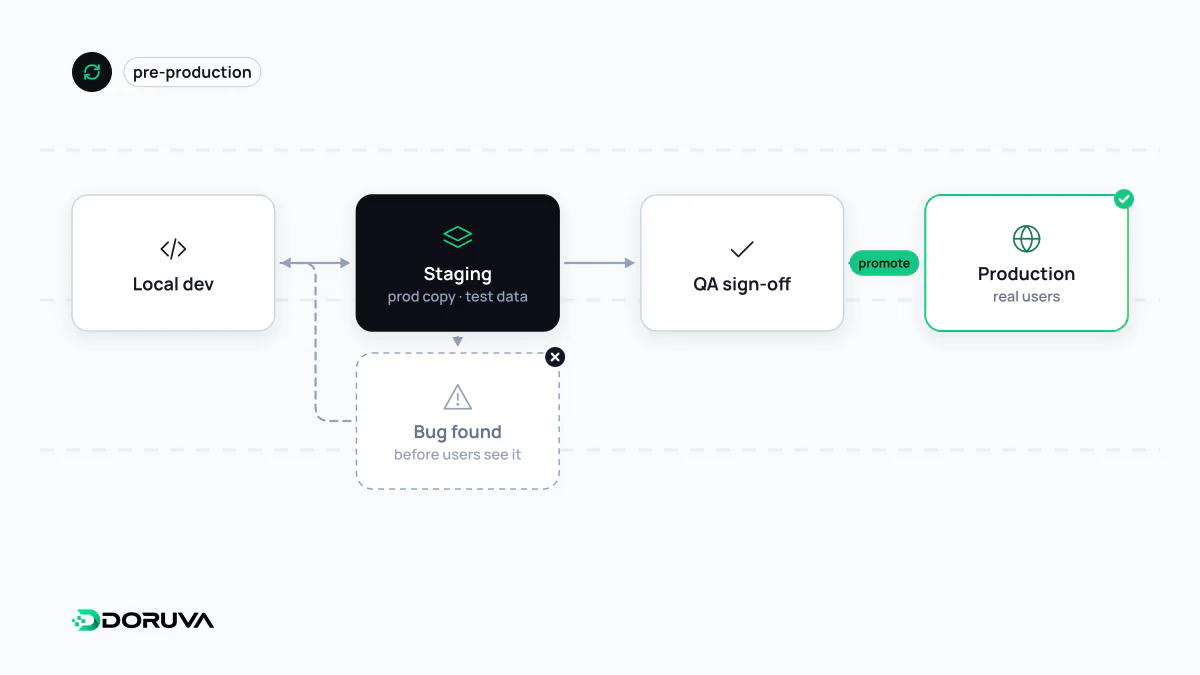
Where staging sits in the pipeline
| Environment | Purpose | Data |
|---|---|---|
| Development (local) | Where developers write and quickly try code | Small, made-up samples |
| Test / CI | Short-lived environments where automated tests run on every change | Data the tests create themselves |
| Staging | Final rehearsal and sign-off by the team or client | Production-like volume and shape, properly protected |
| Production | The system real users rely on | Real data |
Small projects often merge test and staging into one. The label matters less than the principle: code headed for production should have run at least once somewhere that closely resembles it.
Production parity
Most bugs that slip past staging come from differences between the two environments. Keep these identical:
- Operating system, runtime (Node.js, PHP and so on) and database engine versions.
- Web server and cache configuration, including redirect rules.
- The database schema and the exact migrations that will run in production.
- The build artifact itself. Build once, deploy the same package to staging and then promote it to production; rebuilding per environment is the classic source of “but it worked on staging”.
Some differences are deliberate: fewer or smaller servers, payment providers in test mode, outbound email and SMS captured so nothing reaches real customers. Manage those through environment variables while the code stays the same. A marketing email sent to real customers from staging, or a real card charged during a test, is the typical sign that environments are not separated well enough.
Test data and privacy obligations
Copying the production database into staging is a tempting shortcut to realistic testing. It also means processing customers' personal data in a second environment that is usually less well protected. Data protection laws such as GDPR and Turkey's KVKK (Law No. 6698) require personal data to be limited and proportionate to the purpose it was collected for, and require the controller to take technical and organisational measures against unauthorised access. Staging is not exempt.
In practice, prefer in this order:
- Synthetic data: realistic but entirely generated names, addresses and orders.
- An anonymised or masked copy: names, phone numbers, emails, national ID numbers and addresses irreversibly replaced. Swapping out the name column while leaving everything else is not anonymisation.
- Real data only if unavoidable: with production-level access control, logging and encryption, access limited to the people who need it, and the copy deleted when the work is done.
This is general information, not legal advice; consult a data protection specialist about a specific situation.
Keeping staging private
A publicly reachable staging site causes two problems: unfinished work and test data are visible to strangers, and search engines may index it as a duplicate of the live site. For content that must stay private, Google recommends password protection. Blocking crawling in robots.txt does not reliably keep a URL out of results if it is linked elsewhere, and noindex keeps pages out of search but does nothing to stop people reading them. HTTP authentication or an IP allowlist at the web server is the practical answer.
One more trap: if a noindex rule or password protection is copied from staging into production config, the live site can drop out of search. Tying those settings to an environment variable prevents that accident.
What staging will not catch
However carefully it is built, staging is not production. Real traffic volume, the unexpected things real users do and the live modes of third-party services cannot be fully reproduced there. Treat staging as one layer alongside end-to-end tests, production monitoring and gradual deployment strategies that allow a quick rollback. Short-lived preview environments spun up per pull request are a good complement where a single shared staging server has become a queue.