

What is Backup?
Definition
A backup is a copy of databases, files and configuration stored independently of the live system, so data can be restored after deletion, hardware failure, ransomware or a bad update. A backup plan is judged by how much data loss it accepts (the recovery point objective, RPO), how quickly service can be restored (the recovery time objective, RTO), and whether restores are actually tested on a regular schedule.
Also known as: data backup, disaster recovery, DR, RPO, RTO, 3-2-1 backup rule
Two numbers that define the plan
“We have backups” says very little on its own. A backup plan is really two commitments:
| The question | Example | |
|---|---|---|
| RPO (recovery point objective) | How much data can we afford to lose? | A shop backing up nightly can lose close to a full day of orders on a bad day. |
| RTO (recovery time objective) | How long can the service be down? | If provisioning a server, downloading the data and restoring it takes six hours, a one-hour RTO is fiction. |
RPO drives how often you back up; RTO drives how you restore. A day's RPO may be fine for a brochure site, while a system taking orders and payments may need an RPO measured in minutes.
The 3-2-1 rule
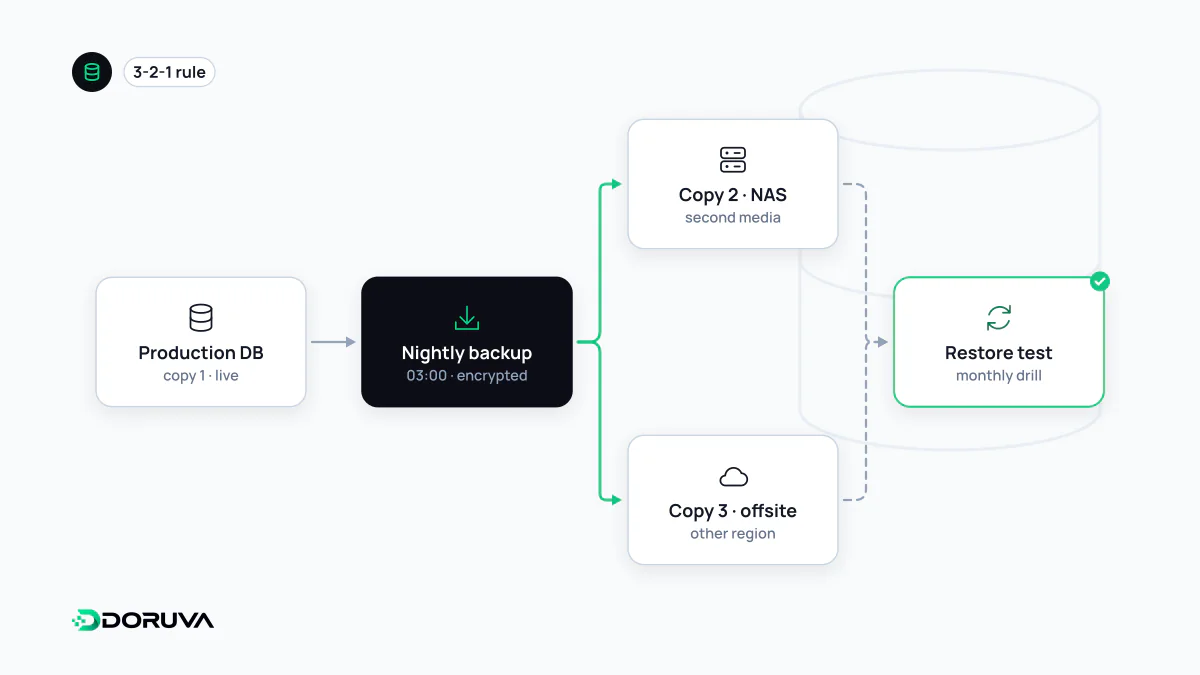
This widely used rule of thumb is about making sure one incident cannot take out every copy:
- 3 copies of the data: production plus at least two backups.
- 2 different storage types or media, for example server disk and an object storage service.
- 1 copy off-site: another data centre, region or provider.
A common modern addition is that one copy be immutable or offline. Ransomware, or an attacker with an admin account, can encrypt or delete every backup the server can reach. A backup sitting in a folder on the same server disappears with that server and shouldn't really count at all.
Everything worth restoring
- The database: usually where most of the value lives.
- User uploads: images, documents, invoices. A database dump does not include them.
- Configuration: web server config, scheduled jobs, DNS records and secrets (encrypted).
- Code: the Git repository holds code history, but it is not a backup of your data.
The PostgreSQL documentation describes three fundamental approaches: an SQL dump with pg_dump, a file-system-level backup, and continuous archiving of the write-ahead log. The last one enables point-in-time recovery and is what small RPO targets require.
# Logical backup in custom (compressed) format
pg_dump --format=custom --file=/backup/shop-2026-10-03.dump shop

# Restore into a separate database to test it
createdb shop_restore_test
pg_restore --dbname=shop_restore_test /backup/shop-2026-10-03.dump
An untested backup is a hope
Restoring is the part of backup work most often skipped. A job can report success for months while producing empty files, dumping the wrong database, or relying on an encryption key nobody can find. Only a real restore shows it:
- Restore into a separate environment on a schedule and confirm the application actually runs on that data.
- Time the restore. That number, not the one in the plan, is your real RTO.
- Alert on failed backups and on backups that are suspiciously small.
- Write the steps down so someone other than the usual person can follow them at 3 a.m.
Disaster recovery and protecting the copies
A disaster recovery plan covers bigger failures than a lost file: a server, a data centre or a whole provider account becoming unavailable. It says where replacement infrastructure comes from, how DNS gets repointed and who makes the call. Don't confuse it with high availability either: replicas built for scalability copy an accidental delete to every node just as fast as they copy good data.
Backups hold everything in one place, which makes them attractive targets. Encrypt them at rest, keep backup storage credentials separate from the production server's, and set retention periods. Backups containing personal data remain subject to data protection law such as GDPR or Turkey's KVKK: deleting a record from the live system does not mean it may live on in backups indefinitely, so retention and deletion policies have to cover backups too.