

What is Scalability?
Definition
Scalability is a system's ability to handle growing numbers of users, requests or data while keeping response times acceptable and costs roughly proportional to load. Vertical scaling adds CPU and memory to an existing server; horizontal scaling adds more servers. The closely related goal of high availability is keeping the service running when an individual component fails.
Also known as: horizontal scaling, vertical scaling, scale out, scale up, high availability, HA
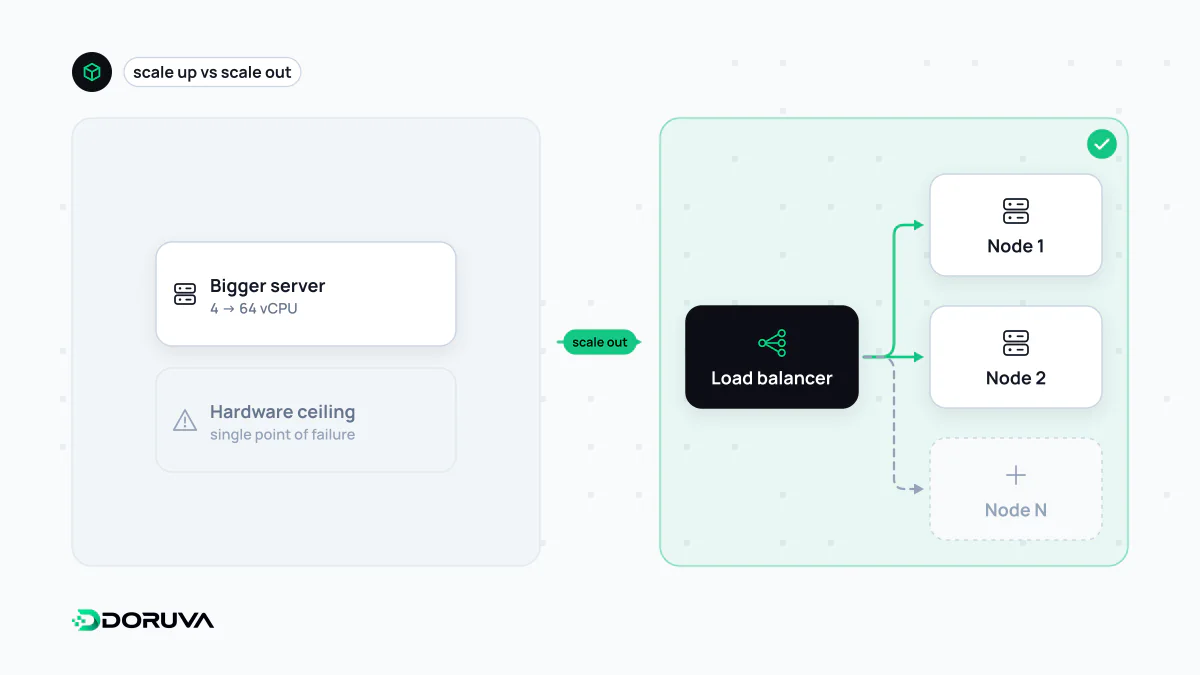
Scaling up or scaling out
| Vertical (scale up) | Horizontal (scale out) | |
|---|---|---|
| How | More CPU, memory or faster disks on the same machine | More machines running the same application |
| Code changes | Usually none | The application must be stateless |
| Ceiling | The biggest machine you can buy | Much higher, though the bottleneck moves elsewhere |
| Fault tolerance | None; one machine is still one point of failure | Other servers keep serving when one dies |
| Cost curve | Gets steep at the top end | Closer to linear, but operations get more complex |
Don't dismiss vertical scaling. For many company websites and internal tools, one bigger server is enough for years and is by far the simplest option. Horizontal scaling needs interchangeable servers behind a load balancer.
Stateless servers come first
The moment you add a second server, assumptions that were harmless on one machine break:
- Sessions held in memory vanish when the next request lands elsewhere.
- Uploads saved to local disk exist on one server only; the others return “not found”.
- Scheduled jobs run on every server and send the same email twice.
- Per-server in-memory caches serve different data to different users.
The fix is moving state out of the app server: a shared store such as Redis for sessions and cache, object storage for files, a single worker for scheduled jobs. Only then does adding a server actually add capacity.
The database is usually the real limit
Cloning app servers is easy; having all of them write to one database is not. When load grows, queries are usually the first place to look, and the order of operations tends to be:
- Find slow queries, add indexes, remove queries that shouldn't run at all.
- Cache data that is read often and changes rarely; serve static assets from a CDN.
- Cap database connections with a connection pool as the number of app servers grows.
- Move slow work such as reports, emails and image processing onto a job queue, out of the request path.
- Spread reads across read replicas.
- Only when all of that runs out, partition the data (sharding).
High availability and the nines
Scalability asks “can I handle more load?”; high availability asks “do I stay up when a part breaks?”. The core principle is no single point of failure: redundant app servers, a load balancer that is itself redundant, a database replica that can take over automatically (failover), and ideally resources spread across separate data centres.
Availability targets are usually quoted in nines. Approximate downtime allowed over a 365-day year:
| Target | Downtime budget per year |
|---|---|
| 99% | about 3.65 days |
| 99.9% | about 8.76 hours |
| 99.95% | about 4.38 hours |
| 99.99% | about 52.6 minutes |
Each extra nine makes the architecture noticeably heavier and more expensive, so pick the target from what downtime really costs the business. High availability is also not a substitute for backups: live replicas will faithfully copy an accidentally dropped table within seconds.
When to scale
Scale on evidence, not hunches. Response-time percentiles, CPU and memory use, database wait times and load tests show where the bottleneck actually is. Big architectural moves made too early, such as splitting a product with a few hundred daily users into microservices, add operational burden rather than capacity. A well-built single application with caching and a CDN comfortably carries the traffic of most businesses.