

What is CDN (Content Delivery Network)?
Definition
A CDN (Content Delivery Network) is a distributed network of servers that caches a website's content at edge locations around the world and serves each user from the nearest one. Requests reach the CDN first; if the edge cache holds a fresh copy, the response is returned without contacting the origin server. This cuts latency and origin load, and most CDNs also handle TLS termination, compression and DDoS protection.
Also known as: Content Delivery Network, edge cache, CDN cache, content distribution network
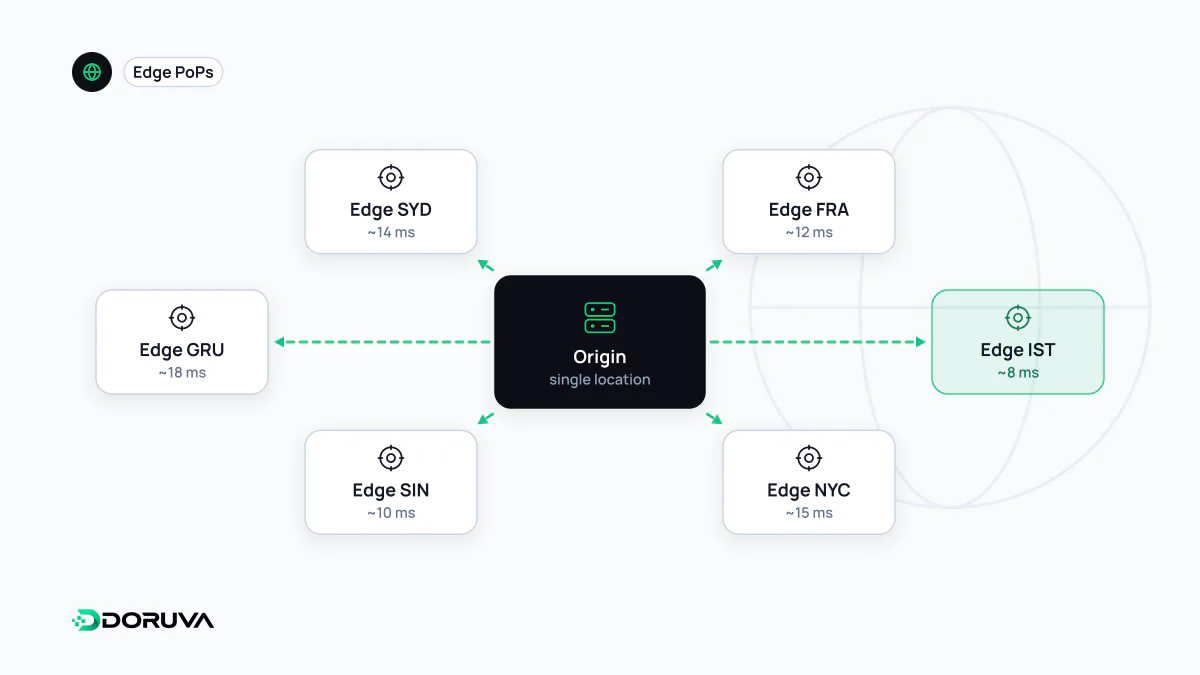
The path of a request through a CDN
Once a domain is pointed at a CDN, usually through a DNS record or by switching nameservers, a visitor's request no longer goes to the origin server. It lands at the CDN's nearest point of presence (PoP), where the edge server faces one of two situations:
- Cache hit: a fresh copy of the response is already stored at the edge, so it is served from a few milliseconds away without involving the origin.
- Cache miss: the response is missing or expired. The edge fetches it from the origin, passes it on and, if the rules allow, keeps it for the next request.
Large CDNs add a second caching tier between the edges and the origin, often called tiered caching or an origin shield, so that a miss in fifty locations does not become fifty origin requests. The number to watch is the cache hit ratio: the share of requests answered from cache.
What controls the edge cache
A CDN decides how long to keep a response primarily from the Cache-Control header sent by the origin. Shared caches can be given a different lifetime from browsers:
Cache-Control: public, max-age=60, s-maxage=600
CDN-Cache-Control: max-age=3600
Here browsers keep the response for 60 seconds and generic shared caches for 600, while a CDN that supports the CDN-Cache-Control header defined in RFC 9213 keeps it for an hour. Pairing a short browser lifetime with a long edge lifetime means a single purge request at the CDN brings everyone onto the new version when content changes.
The cache key matters as much as the lifetime. By default it is usually the URL including the query string, so if marketing parameters such as ?utm_source=… are part of the key, the same page ends up stored as hundreds of separate copies and the hit ratio collapses. The Vary header widens the key too, and something as variable as Vary: User-Agent can make caching practically useless.
Beyond static files
CDNs started out distributing images, CSS and JavaScript. Most providers can now also:
- cache full HTML pages for anonymous visitors,
- resize images on the fly and convert them to modern formats,
- run code at the edge, so redirects, A/B tests or header rewrites happen in an edge function without a trip to the origin,
- filter traffic in front of the origin and absorb DDoS attacks and abusive bots.
Providers such as Cloudflare bundle most of these functions into a single reverse proxy layer.
When it actually speeds things up
For a site hosted in Frankfurt, requests from Istanbul, Tokyo and São Paulo travel very different network distances. Serving from an edge cache shortens that distance and the resulting latency, which shows up directly in TTFB. For uncacheable pages generated per user from a database, the gain is smaller: the CDN speeds up connection setup, but the response still waits for the origin.
Misconfigurations that cause real problems
- Personal content in a shared cache: if a cart or account page is cached by mistake, one user's data can be shown to another. Mark such responses
privateorno-store. - An exposed origin: if the origin's IP address is reachable directly, attackers can bypass the CDN. Lock the origin down to the CDN's IP ranges.
- No purge after a release: without versioned file names, old CSS can linger at the edge after a deploy.
- Caching errors: a 5xx response stored for a long time during a brief outage keeps being served after the origin has recovered.
Whether a response came from cache can be read from the Age header and the provider's own cache-status header. How the visitor's browser keeps its own copy is a separate layer, covered in the browser cache entry.