

What is WordPress?
Definition
WordPress is an open-source content management system written in PHP, using a MySQL or MariaDB database and distributed under the GPL. It began as blogging software and, thanks to its theme and plugin architecture, now runs everything from company websites to online stores. The self-hosted WordPress.org software is not the same thing as WordPress.com, which is a hosted service.
Also known as: WP, WordPress.org, custom post type, CPT
WordPress.org versus WordPress.com
The name covers two different things. WordPress.org is the open-source software you download and install on your own hosting: you choose the plugins, you own the code and the database, and you are responsible for keeping it all running. WordPress.com is a hosted service Automattic runs on top of that software: server management is handled for you, but what you can install depends on your plan. When an agency or developer suggests “building it in WordPress”, they almost always mean the former.
The software is licensed under the GPLv2 or later. WordPress.org's stated position is that plugins and themes are derivative works and inherit that license.
Core, themes and plugins
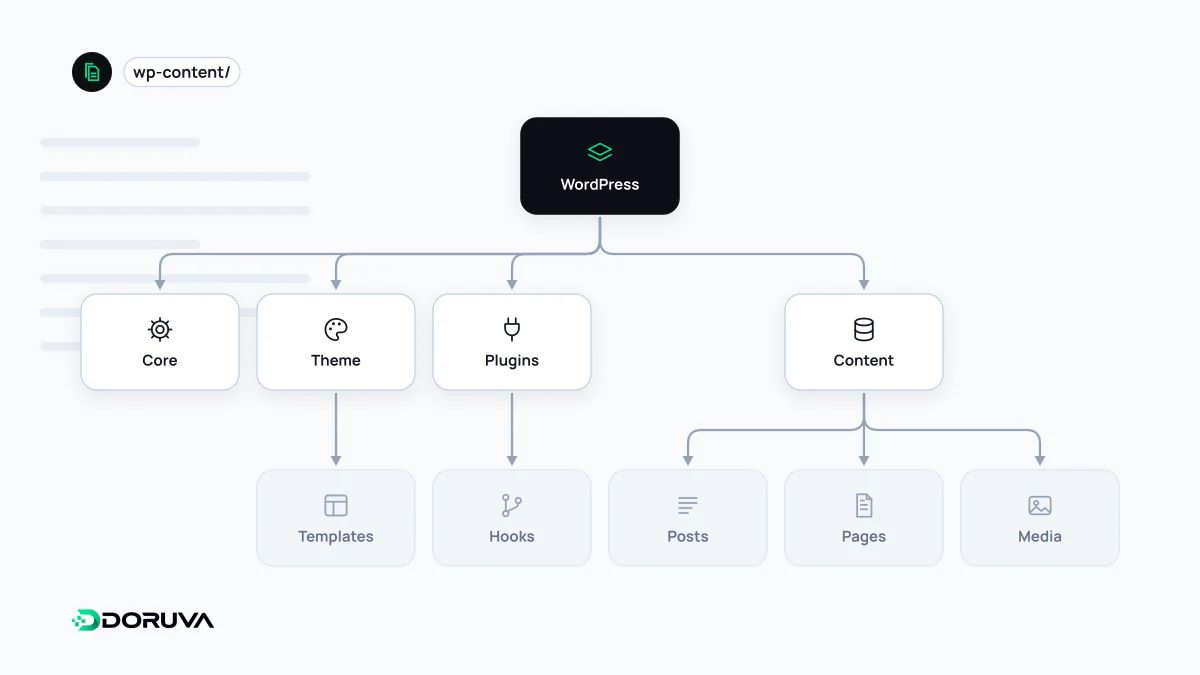
A WordPress site has three layers:
- Core: users, content storage, media, comments, the REST API and the admin dashboard. Core files are never edited; every update overwrites them.
- Theme: templates and styles that control how content looks.
- Plugins: packages of code that add functionality.
Themes and plugins attach to core through hooks. Actions run code at a given moment (say, when a post is saved); filters modify a value WordPress produces (say, post content just before it is printed). On the data side, almost everything is a “post”: posts, pages, media attachments, revisions and menu items share one table and are told apart by type. Content is written in the block editor by default.
Custom post types
Posts and pages cannot represent everything well. Case studies, team members, locations, events or products need their own fields, archive pages and URL structure. WordPress lets you register custom post types for exactly that:
<?php
add_action( 'init', function () {
    register_post_type( 'acme_case_study', array(
        'labels'       => array(
            'name'          => 'Case Studies',
            'singular_name' => 'Case Study',
        ),
        'public'       => true,
        'has_archive'  => true,
        'show_in_rest' => true, // required for the block editor
        'supports'     => array( 'title', 'editor', 'thumbnail', 'excerpt' ),
        'rewrite'      => array( 'slug' => 'case-studies' ),
    ) );
} );
A few details save trouble later. The official reference says to register types on the init hook, prefix their names and keep them within 20 characters. Without show_in_rest set to true, the type will not open in the block editor. Put the registration in a plugin, not the theme, or the content disappears from the dashboard the day the theme changes. Rewrite rules need flushing when URLs change, but only on plugin activation, never on every page load. To group items, attach taxonomies, the same mechanism behind categories and tags.
Where WordPress shines and where it struggles
The ecosystem is the main advantage: most editors already know the interface, there is a plugin for almost any need, and developers are easy to find. Because it runs on your own server, the data and the code stay with you.
The same ecosystem is the weak spot. Every plugin is another maintenance and security obligation, and outdated plugins and themes are a frequent entry point in compromised WordPress sites. Performance depends heavily on hosting quality, the theme, and what each plugin loads on every page. For projects built around complex business rules, dense data relationships or app-like workflows, forcing WordPress to fit often ends as a fragile stack of plugins.
The work that starts after launch
- Keep core, themes and plugins up to date.
- Keep PHP and database versions on the server within the supported range.
- Test updates in a staging environment first.
- Take regular backups and store them off the server.
- Review user roles and keep administrator accounts to a minimum.