

What is WordPress Theme?
Definition
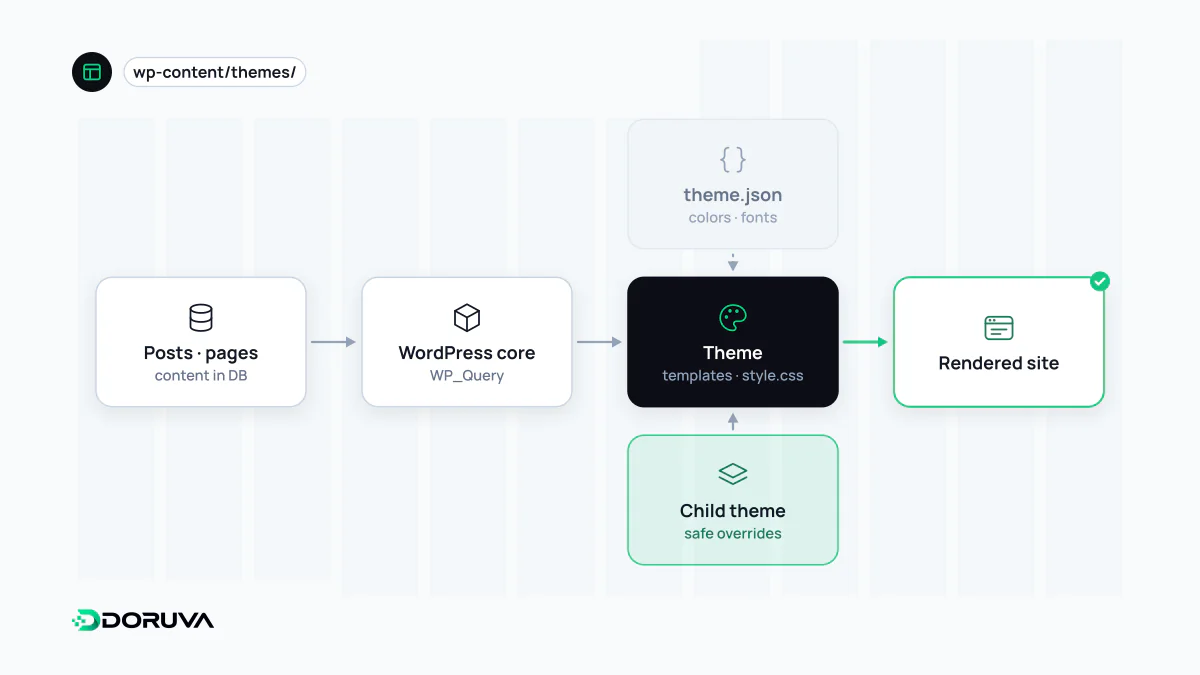
A WordPress theme is a package of templates, styles and settings that controls how a WordPress site looks and how its pages are laid out. It governs the presentation of content, not the content itself. There are two kinds today: block themes, built from HTML block templates and theme.json and customizable in the Site Editor, and classic themes, built from PHP template files.
Also known as: WP theme, block theme, classic theme, child theme
Classic themes and block themes
WordPress's theme handbook describes block themes as the modern way to build themes, while the PHP-based classic system, around since 2005, is still supported. The difference is not only technical; it changes who edits the site and where:
| Classic theme | Block theme | |
|---|---|---|
| Templates | PHP files such as header.php and single.php | HTML files with block markup in templates/ and parts/ |
| Global settings | functions.php and CSS | theme.json |
| Customization | Customizer, menu and widget screens | Site Editor: templates, header, footer and styles, all as blocks |
| Skills needed | PHP, HTML and CSS | Many changes possible without code |
The Site Editor is only available when a block theme is active; the block editor entry covers how that editing model works.
theme.json: design decisions in one file
In a block theme, the color palette, font sizes, spacing scale and which controls editors may use are defined in theme.json. A trimmed example:
{
  "settings": {
    "color": {
      "palette": [
        { "slug": "primary", "color": "#0b3d91", "name": "Primary" },
        { "slug": "surface", "color": "#f5f6f8", "name": "Surface" }
      ]
    },
    "typography": {
      "fontSizes": [ { "slug": "medium", "size": "1.125rem", "name": "Medium" } ]
    }
  },
  "styles": {
    "color": { "background": "var(--wp--preset--color--surface)" }
  }
}
The real file also carries a version field naming the schema version. WordPress turns each preset into a CSS custom property and offers it as an option in the editor. It is WordPress's take on design tokens: editors pick from the brand palette instead of any color they like.
Child themes: changes that survive updates
Editing a ready-made theme's files directly means losing every change on the next theme update. The fix is a child theme, linked to its parent by the Template line in its style.css header, which must match the parent's folder name exactly:
/*
Theme Name: Acme Child
Template: twentytwentyfive
*/
Per the child theme documentation, templates, template parts and patterns with matching names override the parent's. functions.php is the exception: both files load, the child's first. Never copy functions from the parent; duplicate function names cause fatal errors. With block themes, much customization can be done with nothing more than a theme.json in the child theme.
Judging a theme before you commit
- Themes should not own functionality. Custom post types, shortcodes or form handling written into a theme vanish when the theme changes. That code belongs in a plugin; the theme should handle presentation only.
- Performance. Do-everything themes with sliders, animation libraries and dozens of scripts on every page can drag down Core Web Vitals. Measure with your own content, not the demo.
- Bundled page builders. Some themes ship with a page builder that stores content in its own markup, which makes switching themes or tools expensive later.
- Source and upkeep. Check that the theme is actively maintained. Unlicensed “nulled” copies of premium themes frequently contain malicious code and never receive updates.