

What is Page Builder?
Definition
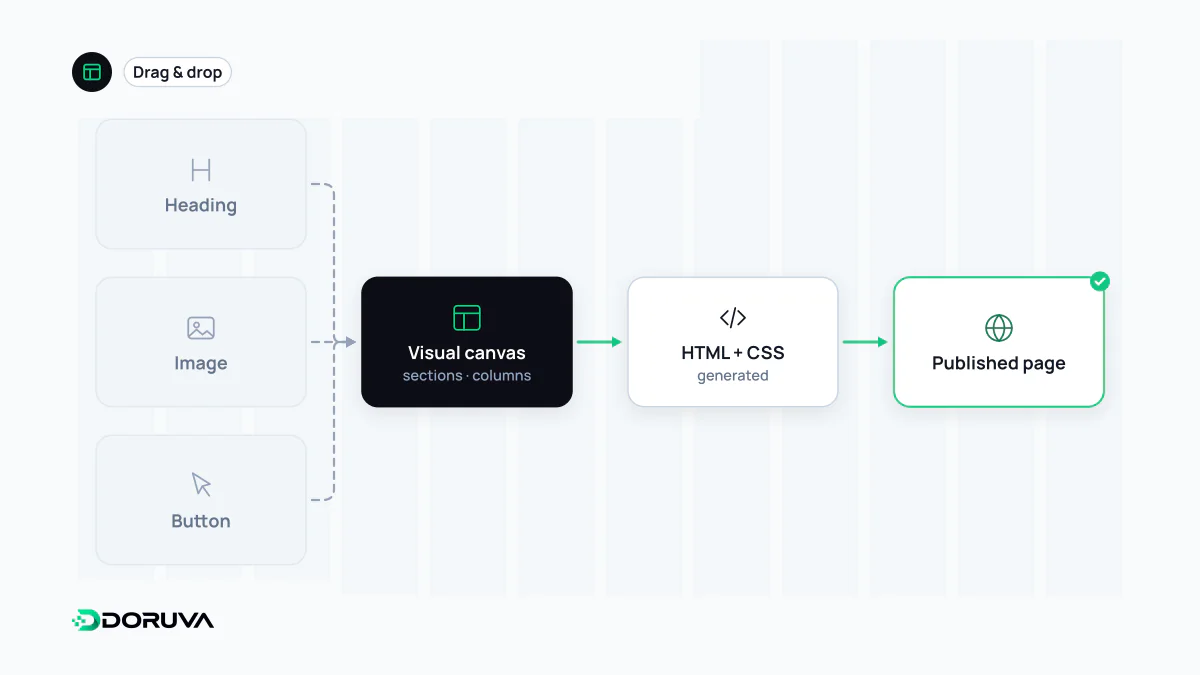
A page builder is a visual editing tool for designing web pages by dragging and dropping sections, columns and ready-made components instead of writing code. It is usually installed as a plugin for a content management system such as WordPress or built into a hosted site platform, and it manages layout, styling and content in one interface with a live preview.
Also known as: drag and drop page builder, visual page builder, drag-and-drop editor, website builder, visual editor
What is actually saved
On screen you see columns, cards and buttons; in the database there is a structure that describes them. Page builders typically store layouts in one of three ways: shortcodes, plugin-specific JSON, or blocks delimited by HTML comments. When the page is requested, the plugin turns that structure into HTML. Content saved by an older shortcode-based builder can look like this:
[section bg="#f5f5f5"][row][column width="1/2"]
[heading level="2"]Web Design for Growing Teams[/heading]
[text]Let's plan your project together.[/text]
[/column][/row][/section]
The consequence matters. Deactivate the plugin and that content no longer renders; visitors see raw shortcodes. Leaving such a builder usually means rebuilding the pages rather than switching a setting.
Page builder or block editor?
The block editor that ships with WordPress also offers visual editing, but it stores blocks as standard HTML wrapped in comments such as <!-- wp:paragraph -->. Even if the plugin that provided a block is removed, the text and basic markup remain readable. Third-party page builders bring their own layout engine, styling system and component library. They offer more visual freedom and, in exchange, tie the site more tightly to one plugin.
The performance bill
Visual flexibility has a cost you cannot see in the editor. Each section, row and column tends to add several wrapper divs, so a simple heading and paragraph can end up ten levels deep. A bloated DOM slows style calculation and layout, and performance tools flag excessive DOM size as a separate issue. Add global CSS and JavaScript loaded on every page, animation libraries, icon sets and several web fonts, and Core Web Vitals suffer, especially on mid-range phones: slower LCP, sluggish responses to taps and layout shifts.
Most current builders offer options to load assets only for the widgets in use and to output leaner markup. Whether those options are actually enabled is something to verify in the generated HTML and in field data, not assume.
When a page builder is the right tool
- Good fit: sites where a marketing team needs to ship campaign pages or landing pages often without a developer, and the page count stays manageable.
- Use with care: large corporate sites where hundreds of pages must look consistent; when every editor picks their own spacing and shades, the design drifts quickly.
- Poor fit: data-driven templates such as product and category pages, and high-traffic templates where performance directly affects revenue.
Freedom with guardrails
A page builder stays maintainable when its options are deliberately narrowed. Colours, typography and spacing are defined once in global settings, and editors assemble pages from approved, saved sections rather than free-form widgets. In effect you are bringing the rules of a design system into the visual editor. Role-based permissions can let editors change content while locking layout and style settings.