

What is Core Web Vitals?
Definition
Core Web Vitals are a set of three metrics Google defines to measure real-world user experience on a web page: Largest Contentful Paint (LCP) for loading, Interaction to Next Paint (INP) for responsiveness and Cumulative Layout Shift (CLS) for visual stability. A page meets the 'good' thresholds when, at the 75th percentile of visits, LCP is 2.5 seconds or less, INP is 200 milliseconds or less and CLS is 0.1 or less.
Also known as: CWV, Web Vitals, page experience metrics
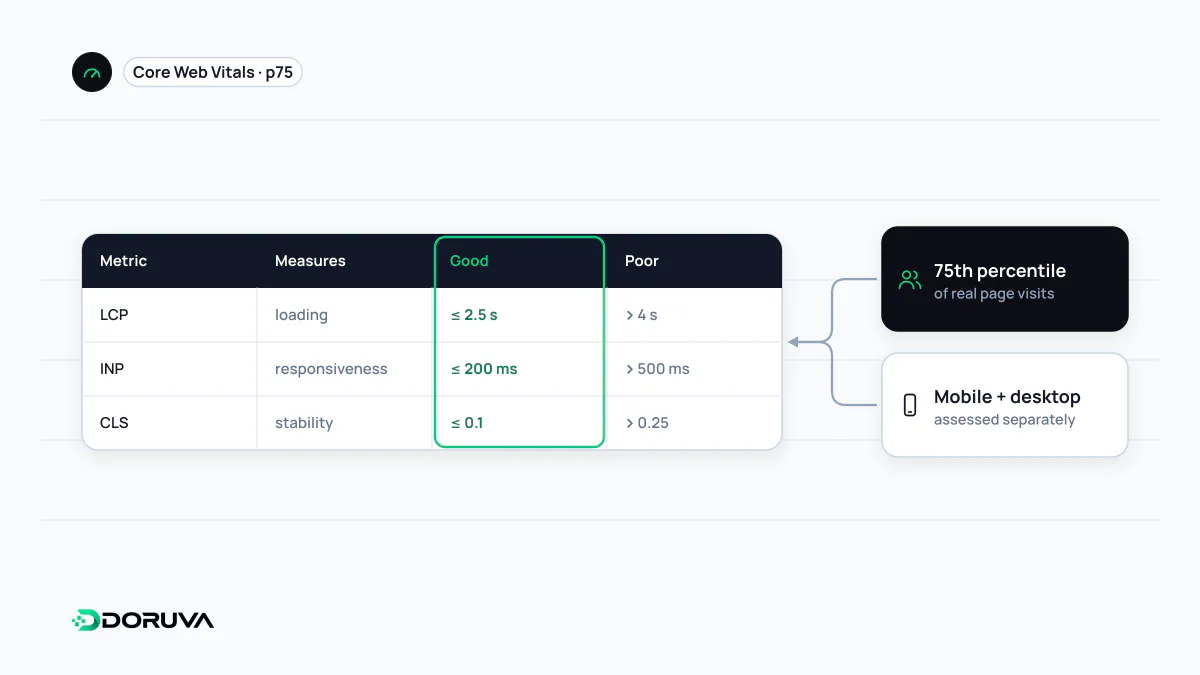
Three metrics, three questions
Instead of reducing performance to one "speed score", Core Web Vitals measure three moments a visitor actually notices. Each metric answers a different question:
- LCP: how long did it take for the main content to appear?
- INP: when the user clicked, tapped or pressed a key, how quickly did the page respond visually?
- CLS: did content jump around unexpectedly while the page loaded or was used?
| Metric | Good | Needs improvement | Poor |
|---|---|---|---|
| LCP | ≤ 2.5 s | 2.5–4 s | > 4 s |
| INP | ≤ 200 ms | 200–500 ms | > 500 ms |
| CLS | ≤ 0.1 | 0.1–0.25 | > 0.25 |
To pass, at least 75% of visits must fall within the good threshold for all three metrics, assessed separately for mobile and desktop. In March 2024 INP replaced First Input Delay (FID), which only measured the delay of the first interaction; FID is no longer a Core Web Vital.
Field data and lab data are not the same
The authoritative source is field data: anonymised measurements from real Chrome users, published in the Chrome User Experience Report (CrUX). The Core Web Vitals report in Search Console and the top section of PageSpeed Insights show this data. Lab tools such as Lighthouse simulate a single device and network; they are excellent for diagnosis but do not determine a page's official status. INP cannot be measured directly in the lab because it needs real interactions, so lab tools rely on proxies such as Total Blocking Time (TBT).
Low-traffic pages may not have enough field data. Tools then fall back to groups of similar URLs or the whole origin, or show nothing at all.
How it relates to search
Google states that Core Web Vitals align with what its core ranking systems seek to reward and recommends achieving good scores. They are, however, only one part of page experience and do not outweigh relevance: a slower page that best answers the query can still outrank a fast but thin one. There is no guarantee that all-green metrics lift rankings. The more reliable expectation is better usability and conversions.
How to check them
- Use the Core Web Vitals report in Search Console to find failing URL groups.
- In PageSpeed Insights, read the field data together with the lab diagnostics.
- Use the Performance panel in Chrome DevTools to pinpoint the slow element, the shifting region or the long task.
- For real-user monitoring, send values from the
web-vitalsJavaScript library to your analytics.
For a quick lab pass, the SEO Checker reports performance findings such as LCP and CLS; field data still decides the official status. Current metric definitions are maintained on web.dev.
Common mistakes
- Chasing the Lighthouse score while ignoring field data.
- Testing only the homepage, when problems usually live in product, category or article templates.
- Treating a good desktop result as enough; mobile CPUs and networks are far more demanding.
- Expecting fixes to show up immediately; field data covers a rolling 28-day window, so changes appear gradually.