

What is INP (Interaction to Next Paint)?
Definition
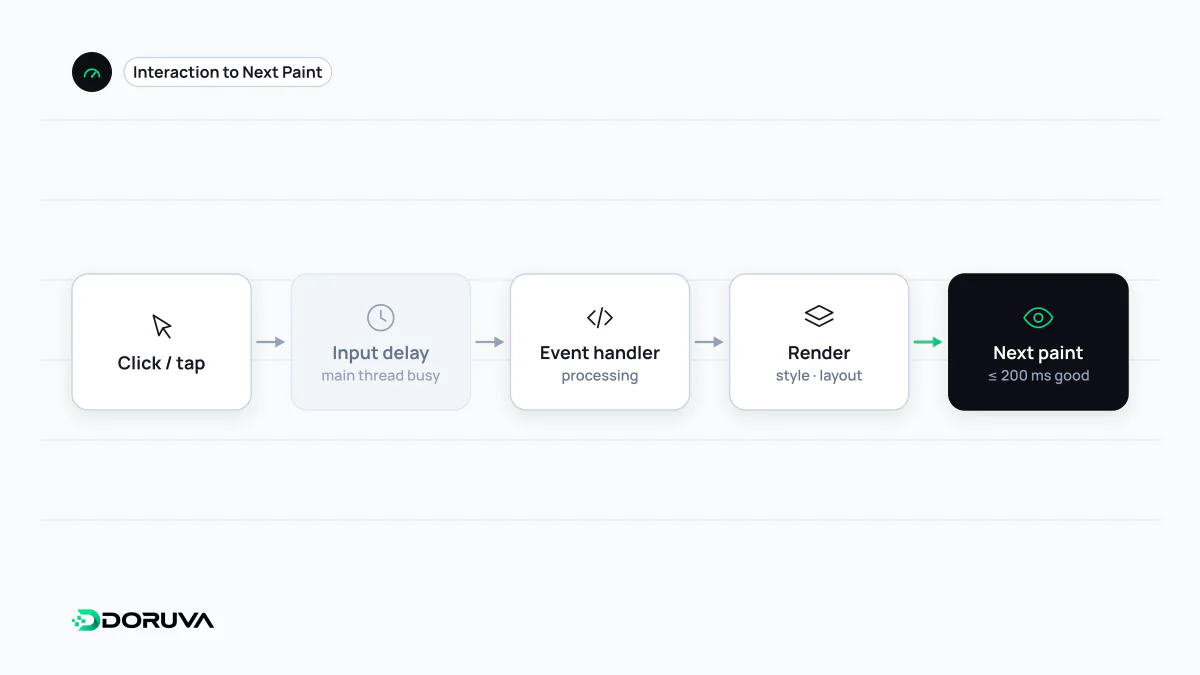
INP (Interaction to Next Paint) is the Core Web Vitals metric for responsiveness. It measures the delay between a user's clicks, taps or key presses and the next visual update on screen, and reports one of the slowest interactions observed during the page's lifetime. 200 milliseconds or less is good and more than 500 milliseconds poor. INP replaced First Input Delay (FID) in March 2024.
Also known as: Interaction to Next Paint, INP metric
Why FID was retired
Before INP, the responsiveness metric was First Input Delay. FID only measured how long the first interaction waited before the browser could start running its event handler. It ignored how long the handler itself took, when the screen actually updated and every interaction after the first. INP replaced FID in March 2024 and measures all qualifying interactions from start to finish.
What counts and what doesn't
INP observes mouse clicks, taps on touchscreens and key presses on physical or on-screen keyboards. Hovering and scrolling are not included. On pages with many interactions, one of the slowest is ignored for every 50 interactions so that a single outlier does not dominate; the slowest of the rest is reported.
The three phases of an interaction
| Phase | Typical cause |
|---|---|
| Input delay | The main thread is busy with another long task |
| Processing duration | The event handlers themselves are expensive |
| Presentation delay | A large DOM update, layout and paint cost |
What matters to the user is the total: the gap between the tap and seeing something change. A button that seems to do nothing for half a second earns a poor INP even if the eventual result is correct.
Typical causes of poor INP
- Large JavaScript bundles and hydration running during load; a user who taps then has to wait.
- One event handler that processes data, sends analytics and updates the UI all at once.
- Search and filter inputs that re-render long lists on every keystroke.
- Third-party tags such as chat widgets, ads and trackers occupying the main thread.
How to improve it
Show visual feedback first, then defer or split the heavy work.
button.addEventListener("click", async () => {
  button.classList.add("is-loading");          // immediate visual response
  await new Promise((r) => setTimeout(r, 0));  // yield to the main thread
  applyFilters();                              // heavy work in the next task
});- Break up long tasks; where supported,
scheduler.yield()is designed for this. - Ship less JavaScript and load non-critical code after interaction.
- Keep the DOM reasonably small and update only what changed.
- Debounce search inputs instead of doing heavy work on every key press.
Measuring it
Because INP needs real interactions, field data is the primary source: the Core Web Vitals report in Search Console, the field section of PageSpeed Insights, or your own data collected with the web-vitals library. Total Blocking Time in lab tools is only a proxy. In Chrome DevTools you can record an interaction and see the duration of each phase. See the web.dev INP guide for details.