

What is LCP (Largest Contentful Paint)?
Definition
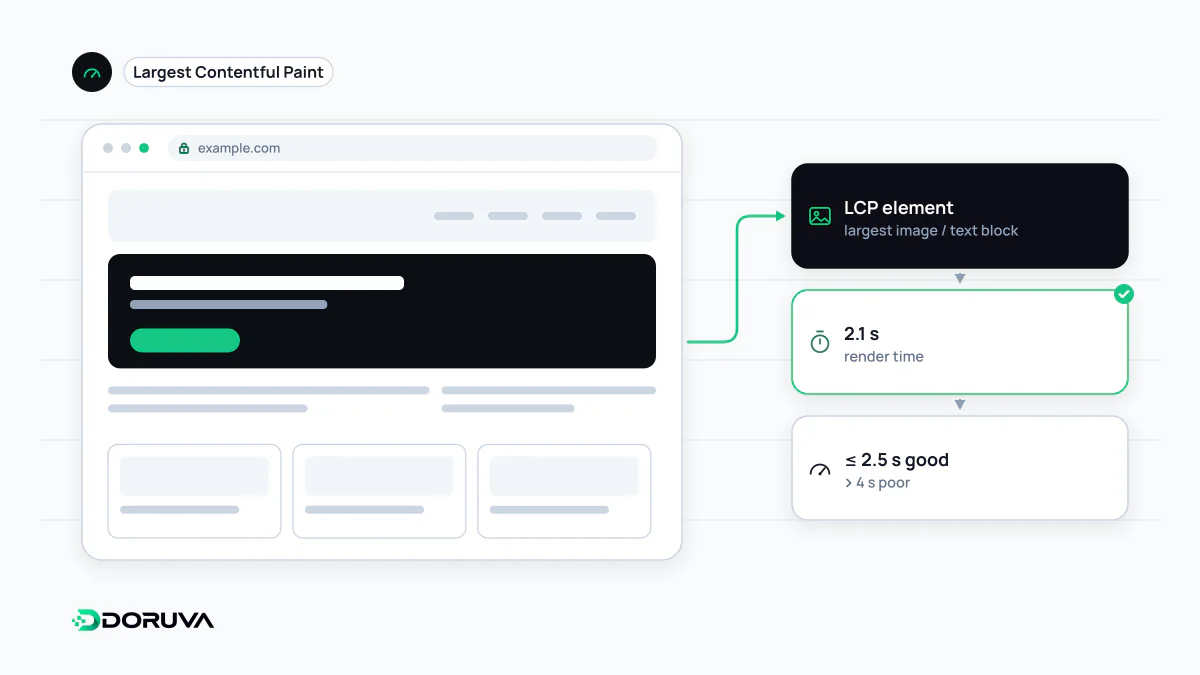
LCP (Largest Contentful Paint) is the time from when a page starts loading until the largest image or text block visible in the viewport is rendered. It approximates when the user sees the page's main content and is one of the three Core Web Vitals. At the 75th percentile of visits, 2.5 seconds or less is considered good and more than 4 seconds poor.
Also known as: Largest Contentful Paint, LCP metric
Which element counts?
While a page loads, the browser tracks the size of content elements visible in the viewport and reports the largest as the LCP candidate. Only certain element types qualify:
<img>elements and<image>elements inside SVG,- the poster image or first frame of a
<video>, - elements with a background image loaded via CSS
url(), - block-level elements containing text, such as a large heading or paragraph.
If a larger element renders later, the candidate changes. Once the user interacts (tap, scroll or key press), the browser stops reporting new candidates. On most pages the LCP element is the hero image or the main heading above the fold.
Where the time goes
The most effective way to improve LCP is to break it down. web.dev splits it into four subparts:
| Subpart | What it covers |
|---|---|
| TTFB | Time until the server delivers the first byte of HTML |
| Resource load delay | Gap between TTFB and the moment the LCP image starts downloading |
| Resource load duration | Time spent downloading the LCP resource itself |
| Element render delay | Time from the resource being ready until the element is painted |
A late-discovered image (injected by JavaScript or set as a CSS background) inflates the second row; an oversized file the third; render-blocking CSS and scripts the fourth.
Practical fixes
- Put the LCP image in the HTML as a real
<img>and give it a priority hint. - Never lazy-load the LCP image; reserve lazy loading for content further down.
- Serve correctly sized images in efficient formats such as WebP or AVIF, with
srcsetso each device picks a suitable file. - Cut server response time with caching and a CDN; on client-rendered pages, make sure the main content arrives in the HTML.
- Stop non-critical CSS and JavaScript from blocking the first render.
<img src="/images/cover-1200.webp"
     srcset="/images/cover-800.webp 800w, /images/cover-1200.webp 1200w"
     sizes="100vw" width="1200" height="630"
     fetchpriority="high" alt="Product team in a meeting">
Measuring it honestly
LCP is officially assessed on real-user data; a single Lighthouse run on a fast machine and network can make things look better than they are. Chrome DevTools' Performance panel and the diagnostics in PageSpeed Insights show which element is the LCP element. The full definition and subpart breakdown are in the web.dev LCP guide.