

What is CLS (Cumulative Layout Shift)?
Definition
CLS (Cumulative Layout Shift) is a unitless score that measures how much visible content moves unexpectedly on a page, without the user causing it. It is the visual-stability metric of the Core Web Vitals. At the 75th percentile of visits, a CLS of 0.1 or less is considered good and anything above 0.25 poor.
Also known as: Cumulative Layout Shift, layout shift, layout instability
The problem users notice
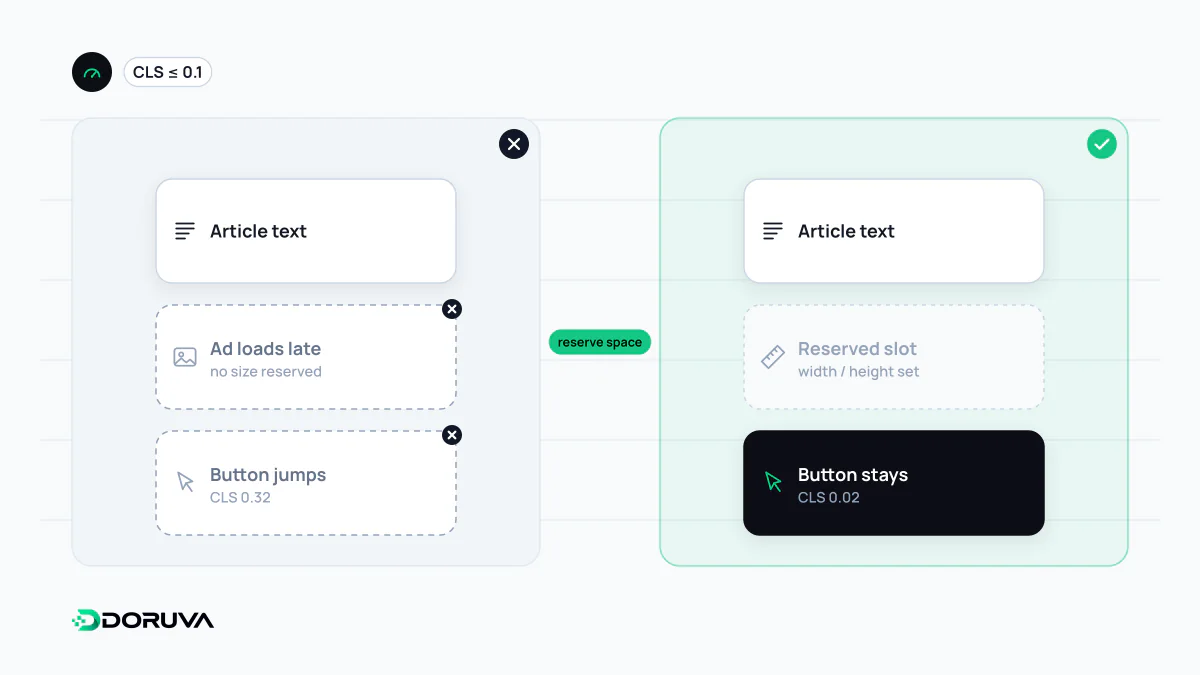
You are about to tap a headline when an ad loads above it, the text jumps down and you hit a different link. CLS puts a number on exactly that experience. It measures stability, not speed: a page can load quickly and still score badly if its content jumps.
How the score is calculated
For each individual shift the browser multiplies two ratios: the share of the viewport affected by the moving elements (impact fraction) and how far they moved relative to the viewport's larger dimension (distance fraction). Shifts that happen less than one second apart are grouped into a "session window" lasting at most five seconds. A page's CLS is the total of its worst session window over the page's whole lifetime.
Shifts within 500 milliseconds of a click, tap or key press are treated as expected and excluded, so a section opened by a "Read more" button does not count. Scrolling does not qualify for this exclusion.
Common causes
- Images and videos without dimensions: the browser cannot reserve space until the file arrives.
- Ads, embeds and iframes: third-party slots that load late and resize themselves.
- Injected DOM content: cookie banners, promo bars or notices inserted above existing content.
- Web fonts: lines reflowing when the fallback font is swapped for the web font.
Prevention
The principle is simple: reserve space before the content arrives.
<img src="/product.webp" width="800" height="600" alt="Product photo">

/* CSS keeps the ratio while the image stays flexible */
img { max-width: 100%; height: auto; }
.ad-slot { min-height: 250px; }- Give images and videos
width/heightattributes or a CSSaspect-ratio; this is also how responsive layouts keep their proportions. - Set a minimum height for ad and embed slots.
- Show banners as overlays rather than pushing content down.
- Reduce font-swap reflow with
font-displayand fallback font metric overrides. - Animate with
transforminstead oftop/left; transforms do not cause layout shifts.
Lazy loading does not cause CLS on its own; the problem is a lazy-loaded image with no reserved dimensions.
Finding the culprit
The "Layout shifts" track in Chrome DevTools' Performance panel shows which element moved and when. If field data shows a problem that the lab does not, the shift probably happens after load, for example during scrolling or when late ads arrive. Calculation details are in the web.dev CLS guide.