

What is Hydration?
Definition
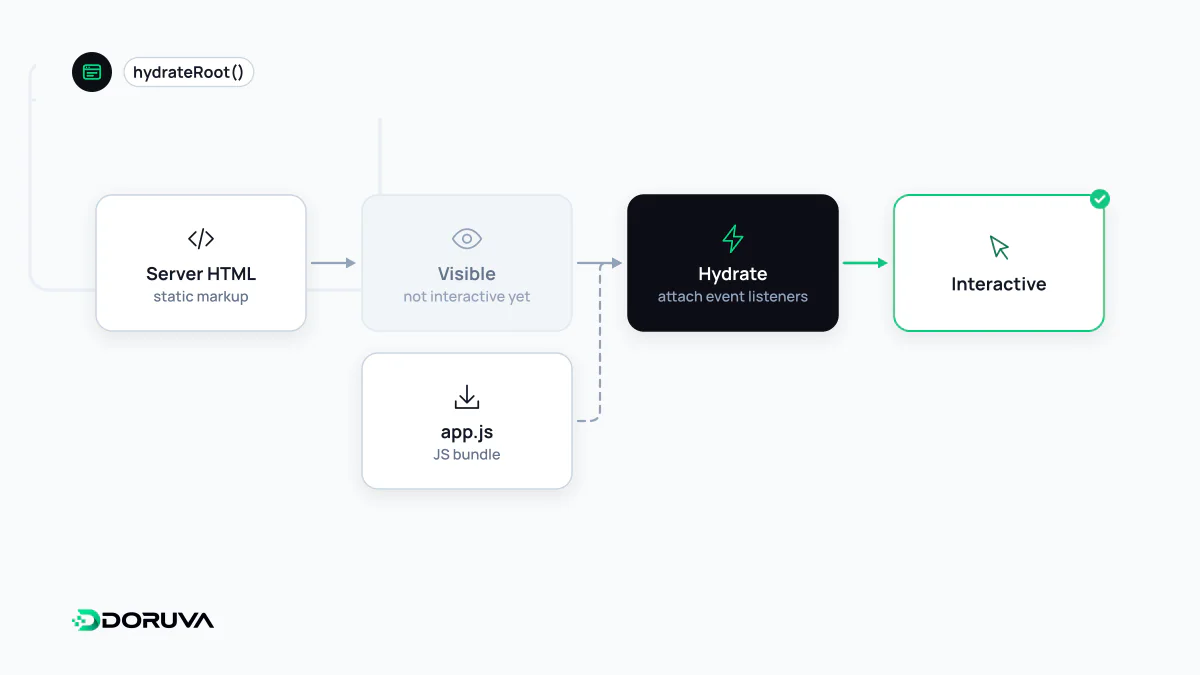
Hydration is the process of making HTML that was generated on the server (SSR) or at build time (SSG) interactive in the browser with JavaScript. The framework re-runs the component code on the client, matches the result against the existing HTML and attaches event listeners, rather than redrawing the page from scratch. Frameworks such as React, Vue, Svelte and Angular use it for server-rendered pages.
Also known as: rehydration, client-side hydration
Why it's needed
HTML delivered via SSR appears in the browser right away, but on its own it's little more than a picture: button click handlers, form validation and dropdown state don't exist yet. Hydration fills that gap. The framework re-runs on the client the components it rendered on the server and matches the resulting component tree against the existing DOM nodes. If they match, it doesn't recreate the nodes; it only attaches event listeners and component state. In React this is done by hydrateRoot, which frameworks like Next.js call for you:
import { hydrateRoot } from "react-dom/client";
import App from "./App";

hydrateRoot(document.getElementById("root"), <App />);
The cost: visible but not yet interactive
To hydrate, the browser has to download, parse and execute the code for the page's interactive components. On a large page or a slow device, users see content but nothing happens when they tap. While the main thread is busy with this work, interactions are delayed, which can show up as a poor INP. In short, SSR gets content on screen early, but it doesn't by itself reduce how much JavaScript is shipped.
Hydration mismatch
Hydration assumes the client's first render produces the same output as the server did. When it doesn't, React warns in development and recovers from some errors by re-rendering the affected part on the client. The React documentation is clear that these should still be fixed like any other bug: at best they slow the page down; at worst, event handlers can end up attached to the wrong elements. Common causes:
- Values that differ on every run, such as
Date.now()orMath.random(), used during render - Branching on
typeof window !== "undefined"to render different content on server and client - Date and number formatting that depends on time zone or browser locale
- Invalid HTML nesting, such as a
divinside ap: the browser fixes it while parsing, so the DOM no longer matches what the server produced - Browser extensions or third-party scripts that modify the page before hydration
The general fix is to keep browser-specific values out of the first render and apply them after mount (in React, inside useEffect). For unavoidable differences like timestamps, React offers suppressHydrationWarning, but it only works one level deep and is an escape hatch, not a fix.
Approaches that hydrate less
- Partial hydration ("islands"): most of the page stays static HTML and only the interactive islands, such as a form or a gallery, are hydrated. Astro uses this model by default.
- Progressive hydration: components are hydrated in priority order or as they become visible, not all at once. React 18's selective hydration hydrates sections separated by
Suspenseboundaries independently and prioritises the part the user is interacting with. - React Server Components: some components run only on the server; their code isn't sent to the browser and they aren't hydrated. Only client components marked with
"use client"take part in hydration. This can cut the JavaScript shipped, but because client components are still hydrated, it narrows hydration rather than eliminating it.
Some frameworks, such as Qwik, replace hydration with what they call "resumability": application state is serialised into the HTML, and code loads only when an interaction occurs, picking up where the server left off. Which approach fits depends on how interactive the page is; there is no single right answer for every project.
Relation to SEO
Because the content is already in the HTML, hydration usually doesn't affect how search engines read a page, and Google lists hydration alongside server-side and static rendering among its recommended approaches. The real risk is changing important signals during hydration, such as the title, the canonical tag or the main content, so that the raw HTML and the rendered page say different things. JavaScript SEO checks exist to catch exactly those discrepancies. For a detailed reference, see React's hydrateRoot documentation.