

What is Database Migration?
Definition
A database migration is a versioned script that applies one change to a database schema, such as creating a table, altering a column or adding an index, in a defined order. Migration files live in the code repository next to the application, and the database records which ones have already run. This lets development, test and production environments reach the same schema version in a repeatable, reviewable way.
Also known as: schema migration, migration file, DB migration, schema change
Treat schema changes like code
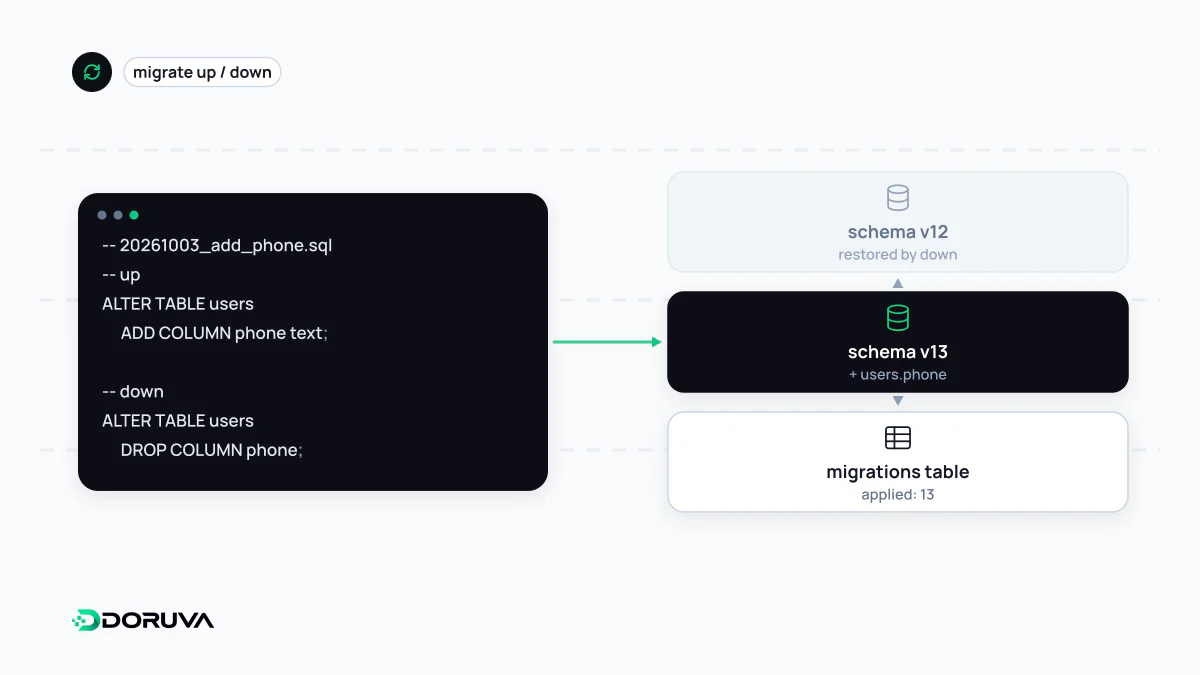
If a developer adds a column to their local database by hand and forgets about it, the change is missing on the test server, on colleagues' machines and in production. Migrations fix this by turning every schema change into an ordered, versioned file:
migrations/
  20260915093000_create_customers.sql
  20260921110500_create_orders.sql
  20261003140500_add_phone_to_customers.sql

-- 20261003140500_add_phone_to_customers.sql
ALTER TABLE customers ADD COLUMN phone text;
The migration tool keeps a bookkeeping table in the database listing the files already applied, and on each run it applies only the missing ones, in order. Stand-alone tools such as Flyway and Liquibase, the built-in migrations of Rails, Django and Laravel, Prisma Migrate and Alembic for SQLAlchemy are all variations on the same idea. Note that “migration” also describes moving data between database products or moving a website to new infrastructure; this entry is about schema migrations.
Never edit a migration that has run
Once a migration has been applied anywhere, even on a teammate's laptop, the file is history. Editing it afterwards means the same version number describes different schemas in different environments, and the change never reaches environments that already ran the original. Some tools store a checksum of each applied file and refuse to continue if it changes. The right way to fix a mistake is to add a new migration.
For the same reason, migrations that transform data should not depend on the application's current model classes. When the model changes six months later, an old migration run on a fresh environment can break while looking for a field that no longer exists.
Zero-downtime changes with expand/contract
During a rolling or blue-green deployment, old and new versions of the application talk to the same database for a while. Renaming a column in one step therefore breaks the code still running on servers that have not been updated yet. To rename name to full_name safely:
- Expand: add the new nullable
full_namecolumn. - Deploy code that writes to both columns.
- Backfill existing rows into the new column in small batches.
- Switch reads to the new column and stop writing the old one.
- Contract: drop the old column in a later release, once no code uses it.
It looks like more work, but every step can be reversed on its own, which a one-shot change never allows.
Locks, duration and the way back
- Locks: some
ALTER TABLEoperations rewrite the table or block writes for a long time, and the cost of the same statement differs between databases and versions. In PostgreSQL, settinglock_timeoutstops a migration that cannot get its lock from queuing all other traffic behind it. Build indexes on large tables concurrently (CONCURRENTLY). - Long data changes: updating millions of rows in batches rather than one huge transaction limits locking and replication lag.
- Going back: “down” migrations are useful, but they cannot restore the data in a dropped column. A code rollback is usually possible; for schema changes, rolling forward with a fix is usually preferred. Take a verified backup before any risky migration.
Where migrations sit in the release process
Run migrations once per release, from a single process. Having every application instance attempt them at startup invites race conditions. Checking in CI that the full chain applies cleanly to an empty database, and timing it against production-sized data in a staging environment, catches most surprises before they reach production.