

What is Internal Link?
Definition
An internal link is a hyperlink from one page of a website to another page on the same site. Navigation menus, links within body text, breadcrumbs and footer links all count. Internal links let visitors move through the site, help search engines discover pages, and, through their anchor text, signal how pages relate to each other by topic.
Also known as: internal linking, internal hyperlink, on-site link, in-site link
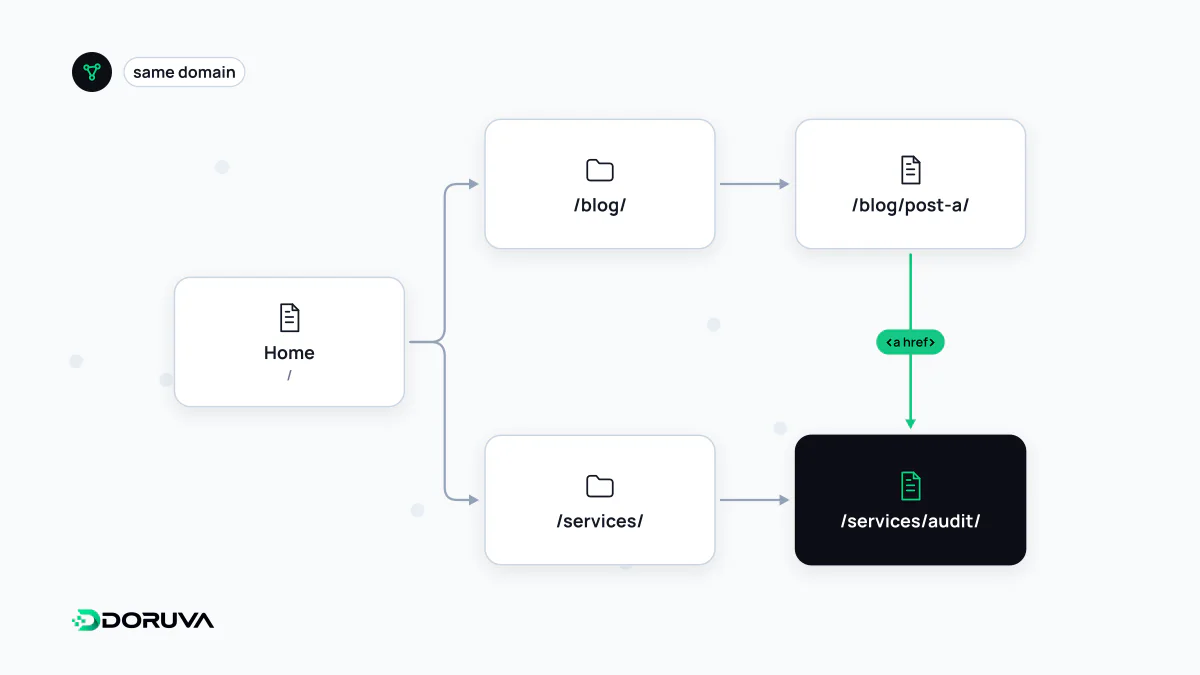
The site's road network
Every link from the main menu to a category, from a category to a product, or from a blog post to a related service page is an internal link. Together they form a network that shows which pages matter and how topics connect. Visitors and search engine bots both travel along it.
Internal links come in roughly four kinds:
- Navigation: main menu, footer, category menus
- Breadcrumbs: a location trail such as “Home › Shoes › Running”
- Contextual links: links inside the text pointing to a related concept or page
- Lists and modules: related products, pagination, tag pages
Why search engines care
Google's documentation says it uses links both to find new pages and to understand their relevance. During crawling, Googlebot moves through a site by following links; a page nothing links to is weakly placed even if it appears in the sitemap. Such pages are called orphan pages. Google's advice is simple: every page you care about should be linked from at least one other page on your site.
The clickable words, the anchor text, hint at what the target page is about. On your own site you fully control that text, so describing the destination rather than writing “click here” helps readers and search engines alike.
What a crawlable link looks like
Google reliably follows links only from <a> elements with an href attribute:
<!-- Crawlable -->
<a href="/running-shoes/">Running shoes</a>

<!-- Not crawlable or unreliable -->
<span onclick="goTo('/running-shoes/')">Running shoes</span>
<a onclick="goTo('/running-shoes/')">Running shoes</a>
JavaScript-driven menus, tabs and “load more” buttons deserve a check for this reason. A menu that works perfectly for users can be a dead end for bots.
Mistakes worth fixing first
- Linking to redirected URLs. After a migration, unchanged internal links send every click through a redirect. Point links straight at the final URL.
- Contradicting the canonical. If internal links point to a parameterized version while the canonical URL names the clean one, the signals undercut each other.
- Nofollowing internal links. Adding nofollow to internal links to steer crawling is not a recommended technique; use robots.txt for URLs you don't want crawled and noindex for pages you don't want indexed.
- Burying key pages. A page many clicks from the home page is harder for users and bots to reach. No official click-depth threshold exists; the aim is short, logical paths to important pages.
- Linking every keyword. Dozens of links in one paragraph leave readers unable to tell which one matters.
How to audit them
The Links report in Search Console lists your most internally linked pages; if key pages sit near the bottom, revisit the structure. A site crawler will surface broken links, links that hit redirects and pages that receive no internal links at all. Google's recommendations are collected in its guide to crawlable links.