

What is Crawlability?
Definition
Crawlability is the property of a website that determines how easily search engine crawlers can reach its pages, download them and follow the links they contain. It depends on the site's link structure, its robots.txt rules, the status codes and response times its server returns, how security layers treat bots, and whether navigation works without relying on JavaScript events.
Also known as: crawlable site, site crawlability, crawl accessibility
A property of the site, not a process
Crawling is what Googlebot and other bots do: request URLs and download them. Crawlability describes what they run into when they do it. Can the bot find a path to the page, will the server hand over the content, and can it read the links on that page to move on? Send the same crawler to two sites with the same budget and one may have every important page fetched within days while the other hides hundreds of URLs it never discovers. The difference lies in the site, not the bot.
What a bot needs to reach a page
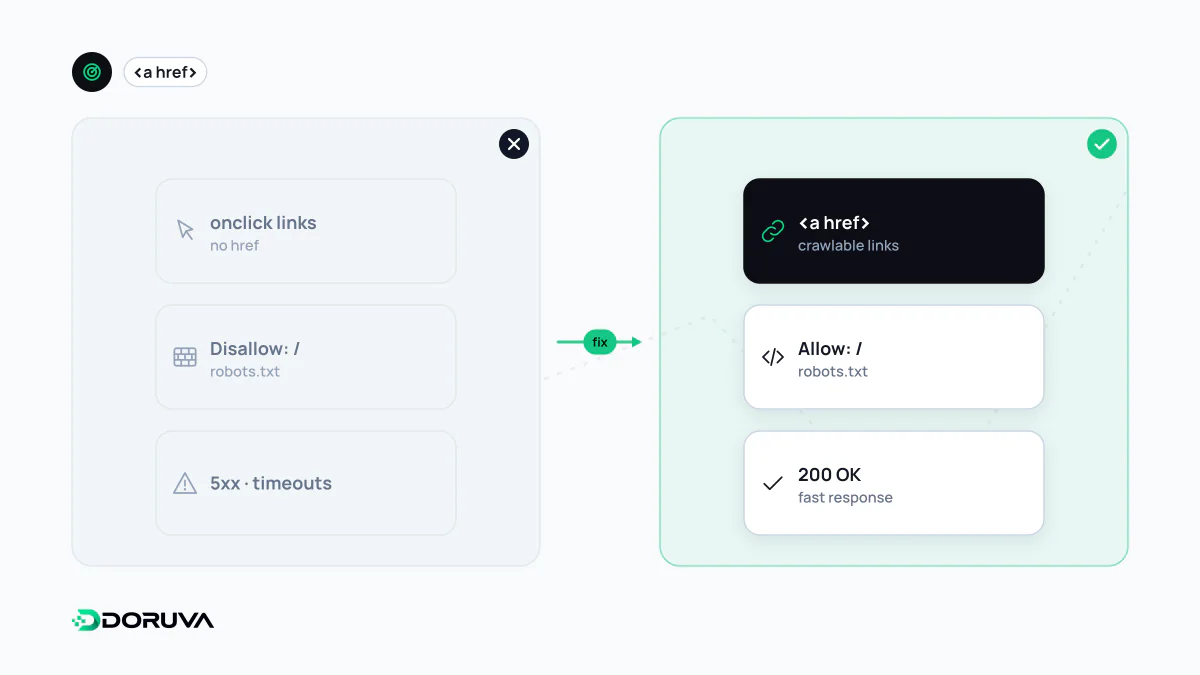
- A way to discover it. The URL must be linked from another page or listed in a sitemap. Orphan pages with no internal links can only be found through a sitemap or external links.
- Permission. Robots.txt must not disallow the path. Blocking the CSS and JavaScript a page needs to display properly is an indirect crawlability problem too.
- Access. The server has to answer within a reasonable time, without persistent 5xx errors or a login wall. Bot protection rules at the CDN or firewall can end up challenging genuine search engine crawlers, a failure that is easy to miss unless you read the logs.
- Links it can parse. A crawler only moves on through links it can actually extract.
Links that are not links to a crawler
Google states that it can reliably follow a link only when it is an <a> element with an href attribute pointing to a resolvable URL. These three look identical to a visitor, but not to a bot:
<!-- Crawlable -->
<a href="/services/seo/">SEO services</a>

<!-- Not crawlable: no href, navigation happens in a click handler -->
<span onclick="goTo('/services/seo/')">SEO services</span>

<!-- Not crawlable: a javascript: URL cannot be resolved -->
<a href="javascript:goTo('seo')">SEO services</a>
Menus, filters and "load more" buttons are where this pattern turns up most often. Google's guide to crawlable links has more examples.
Crawlable is only the first step
A page carrying noindex can be perfectly crawlable and still stay out of the index. The reverse also happens: a URL blocked in robots.txt cannot be crawled, yet if other sites link to it, the bare address may appear in results without a description. Whether a page is eligible for the index is a separate question, covered under indexability.
Auditing crawlability
- Run your own crawl. Start a crawler at the homepage, let it follow links only, and compare what it reaches with the URLs in your sitemap. Pages that appear in the sitemap but never in the crawl point to gaps in your linking.
- Read the server logs. Log file analysis shows which URLs bots really request and which status codes they receive.
- Watch Search Console. The Crawl stats report shows response times and status code distribution; URL Inspection tells you whether Google could fetch a specific page.
For a quick sampled check of links, robots.txt rules and status codes, the SEO Checker reports these issues as well.