

What is Log File Analysis?
Definition
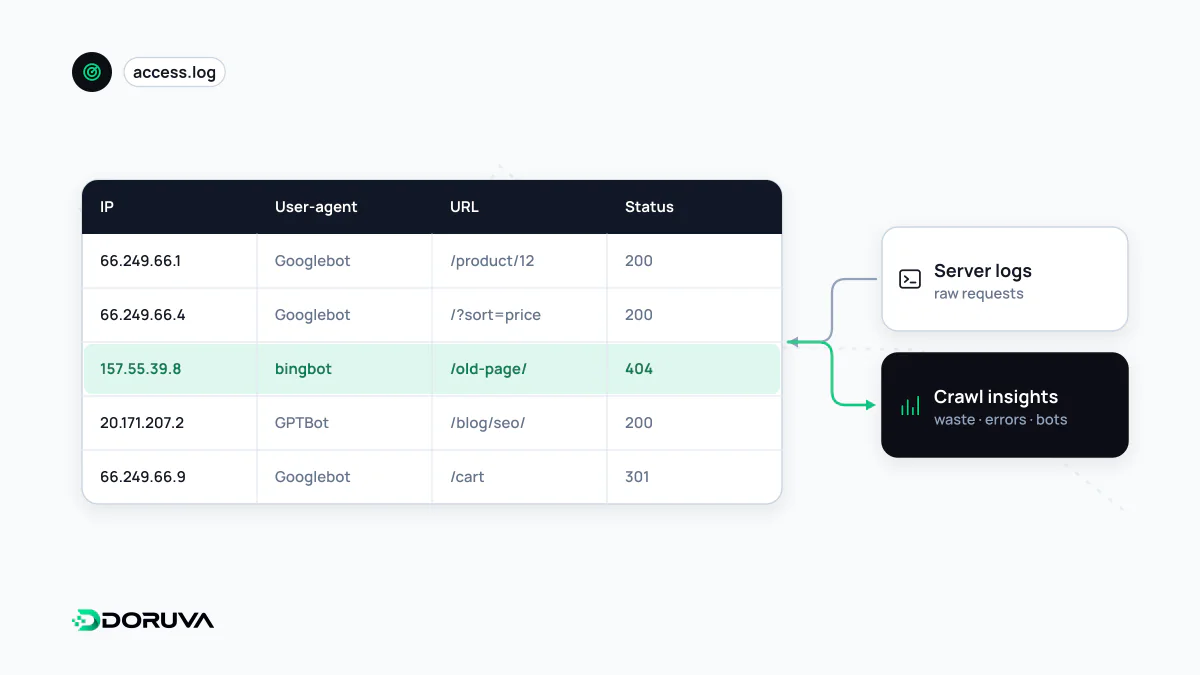
Log file analysis is the practice of examining a web server's access logs to see how search engine bots and other crawlers actually crawl a site. It shows, request by request, which URLs are fetched and how often, which status codes bots receive and where crawl activity is spent. It is the most detailed source of crawl data, complementing the summarised reports in Search Console.
Also known as: log analysis, server log analysis, SEO log analysis, access log analysis
Anatomy of a log line
Each request to the server is written as a line much like the "combined" format that nginx and Apache use by default:
66.249.79.12 - - [02/Oct/2026:14:05:31 +0300] "GET /products/navy-sweater/ HTTP/2.0" 200 18432 "-" "Mozilla/5.0 (Linux; Android 6.0.1; Nexus 5X ...) ... (compatible; Googlebot/2.1; +http://www.google.com/bot.html)"In order: client IP, timestamp, method plus URL and protocol, status code, bytes sent, referrer and user-agent. The default format omits response time, so if you also want performance answers, add a field such as nginx's $request_time. Unlike the sampled, aggregated view in Search Console, these raw lines record every single request a bot made.
Questions only logs answer well
- Are the pages that matter being crawled? You can see how often product and category templates are fetched, which sections are never requested, and which URLs exist only in the sitemap.
- Where does bot time go? Parameter URLs, filter combinations, calendars and stale redirects can eat a large share of crawl budget on big sites, and logs put a percentage on it.
- Which errors do bots hit? 404s that users rarely see, 5xx spikes during a nightly backup, or bursts of 429 responses usually surface in logs first.
- Is a migration working? After a site move you can watch, day by day, whether old URLs return 301s and the new ones get discovered.
- Who else is visiting? The same records reveal which sections AI crawlers fetch and how heavily.
Verify the bot before you trust the data
Anyone can put "Googlebot" or "bingbot" in a user-agent header, and scrapers routinely do. Leave them in and the analysis draws the wrong conclusions. For spot checks, a reverse plus forward DNS lookup is enough; the commands are on the crawling page. At log scale, though, a DNS query per IP isn't practical. For large volumes, Google recommends matching IPs against its published JSON range lists; for common crawlers such as Googlebot, that is common-crawlers.json. Bing publishes a comparable bingbot.json. Google's user-triggered fetchers use different lists and hostnames, so keep them in a separate bucket from Googlebot. Google's verification guide lists every file.
A workable process
- Collect the right logs. Behind a CDN or reverse proxy, cached responses never reach the origin, so you need edge logs too for a complete picture of bot activity.
- Collect enough of them. A few days say little about pages crawled once a month; several weeks is a better baseline.
- Handle personal data deliberately. Visitor IP addresses can be personal data. Limit retention and mask human visitors' IPs, while keeping bot IPs intact for verification.
- Join with other sources. Compare logged URLs with your sitemap, your crawler's list of discovered pages and the Crawl stats report in Search Console. The insights sit in the overlaps and the gaps.
- Group by template. Patterns appear when you segment by directory or page type rather than staring at single URLs.
Log file analysis is an SEO-specific use of general logging infrastructure; when that infrastructure is solid, the analysis can become a recurring, automated report.