

What is Crawling?
Definition
Crawling is the process by which search engines and other automated systems use programs called crawlers (also bots or spiders) to discover web pages and download their content. Google's crawler, Googlebot, finds new URLs by following links on pages it already knows and by reading submitted sitemaps; crawled pages are then processed for possible indexing.
Also known as: web crawling, crawler, spider, search engine bot
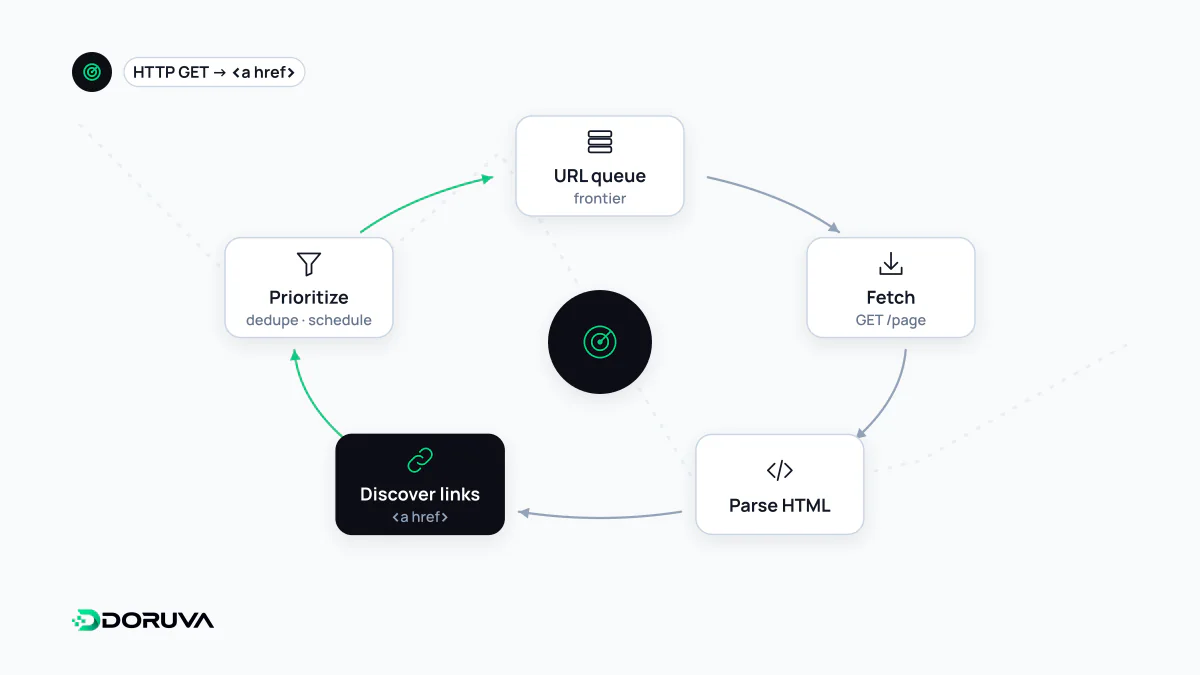
What a crawler is
A crawler is software that requests and downloads web pages automatically; it is also called a bot or spider. Every crawler identifies itself with a user-agent string in its requests. Google's main crawler is Googlebot, which comes in two forms: Googlebot Smartphone, which simulates a mobile user, and Googlebot Desktop. Because Google mostly indexes the mobile version of pages, most requests come from the smartphone crawler.
Search engine bots are not the only visitors. Crawlers from other search engines such as Bingbot, bots run by SEO tools, and a fast-growing group of AI crawlers also fetch pages regularly.
The crawl, step by step
- URL discovery: Google learns about new addresses from links on pages it already knows and from submitted XML sitemaps.
- Scheduling: an algorithm decides which URLs to fetch, when and how often, taking into account how much load the server can handle.
- Permission check: the crawler reads the site's robots.txt to see whether it may request the URL.
- Fetching: the page is requested, and the HTTP status code decides what happens next (200 for content, 301 for a new address, 404 for a missing page, and so on).
- Rendering: Google renders the page with a recent version of Chrome and runs its JavaScript. For JavaScript-heavy sites, the details are covered under JavaScript SEO.
- New links: links found on the page are added to the queue, and the cycle continues.
Being crawled is not the same as being indexed. Crawling only retrieves the content; whether the page enters the index is decided during indexing.
What gets in the way
- Server trouble: Google slows its crawl rate when a server keeps returning 5xx errors or 429 (too many requests).
- Links crawlers cannot follow: elements without an
hrefthat only respond to JavaScript click handlers are not links to a crawler. - Infinite URL spaces: filter combinations, calendar pages and session parameters can generate almost unlimited URLs. On large sites this wastes crawl budget.
- Over-blocking: using robots.txt to block CSS and JavaScript files that are needed to render the page.
Verifying real Googlebot
User-agent strings are easy to fake, so not every request labelled "Googlebot" in your logs comes from Google. Google suggests two methods: match the request IP against its published IP range lists, or run a reverse and forward DNS lookup:
# 1) IP to hostname (reverse DNS)
host 66.249.66.1
# The result should end in googlebot.com, google.com or googleusercontent.com

# 2) Hostname back to IP (forward DNS)
host crawl-66-249-66-1.googlebot.com
# The returned IP must match the original one
The full procedure is in Google's Verifying Googlebot documentation.
Monitoring crawling
The Crawl stats report in Search Console shows how many requests Google sends per day, the average response time and the breakdown of returned status codes. Server logs give the most detailed view: which bot fetched which URL, and when.