

What is Googlebot?
Definition
Googlebot is the name of the main crawler Google Search uses to discover and download web pages. It comes in two types, Googlebot Smartphone, which simulates a mobile user, and Googlebot Desktop, which simulates a desktop user; both obey the same Googlebot token in robots.txt. Googlebot renders pages with a recent version of Chrome and identifies itself in the user-agent header.
Also known as: Google bot, Googlebot Smartphone, Googlebot Desktop, Google's web crawler
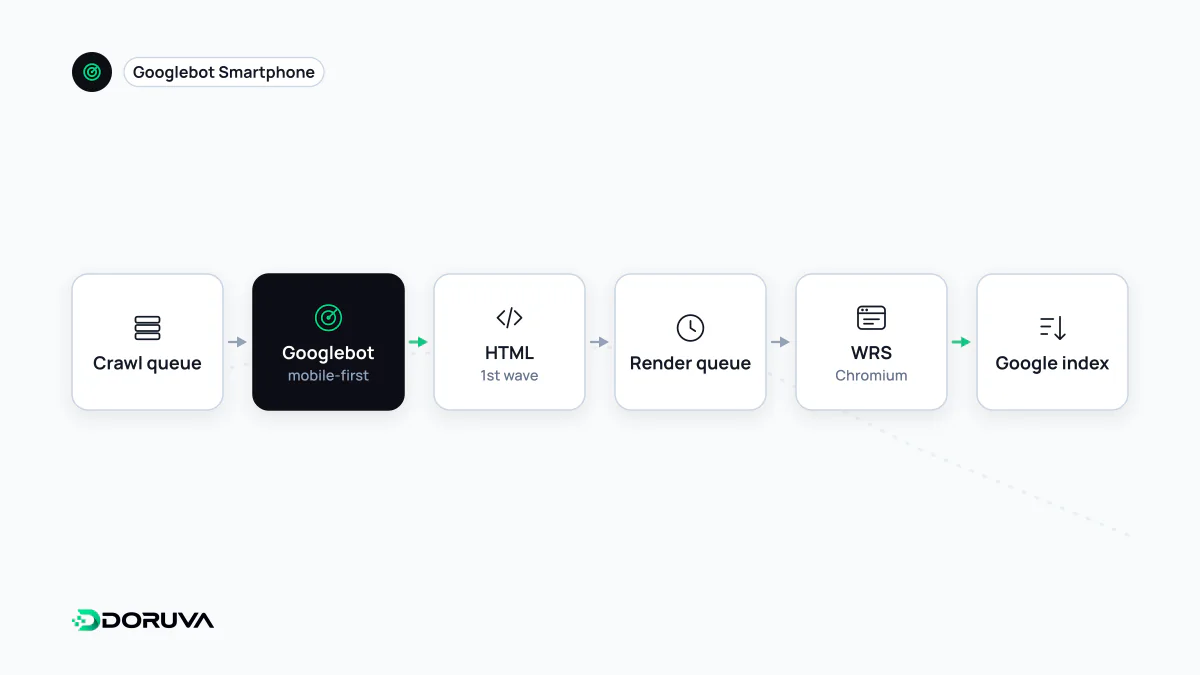
Two crawlers, one robots.txt token
Googlebot is really two crawlers, told apart by the user-agent request header:
# Googlebot Smartphone
Mozilla/5.0 (Linux; Android 6.0.1; Nexus 5X Build/MMB29P) AppleWebKit/537.36
(KHTML, like Gecko) Chrome/W.X.Y.Z Mobile Safari/537.36
(compatible; Googlebot/2.1; +http://www.google.com/bot.html)

# Googlebot Desktop
Mozilla/5.0 AppleWebKit/537.36 (KHTML, like Gecko; compatible; Googlebot/2.1;
+http://www.google.com/bot.html) Chrome/W.X.Y.Z Safari/537.36
W.X.Y.Z is a placeholder for the Chrome version in use. Because Googlebot renders with a recent Chrome, the number keeps changing, so server logic that matches an exact version will break. Both types obey the same Googlebot token in robots.txt; you cannot target only the mobile or only the desktop crawler there. Since Google indexes most sites mobile-first, the majority of requests come from the smartphone crawler.
Not every Google crawler is Googlebot
- Googlebot-Image and Googlebot-News serve image and news products. Googlebot-News has no separate user-agent string but can be addressed by its own robots.txt token.
- Google-InspectionTool is used by testing tools such as URL Inspection in Search Console and the Rich Results Test.
- GoogleOther is a generic crawler product teams may use, for example for one-off research crawls.
- Google-Extended is not a crawler at all but a robots.txt token controlling whether crawled content may be used to train Gemini models. Blocking it does not affect Googlebot or Search visibility.
How it fetches
- Size limit. Google's current documentation says Googlebot processes the first 2 MB of a supported file type and the first 64 MB of a PDF. The limit applies to uncompressed data and separately to each resource the page references, such as CSS and JavaScript files. Anything beyond the cut-off is ignored.
- Protocols and compression. HTTP/1.1 and HTTP/2 are both supported, as are gzip, deflate and Brotli.
- Conditional requests.
ETagandLast-Modifiedare honoured, so a 304 for an unchanged page saves crawl resources on both sides. - Location. Requests come mainly from US IP addresses, in which case Googlebot's timezone is Pacific Time.
Managing crawl rate
Google says that for most sites Googlebot shouldn't access the site more than once every few seconds on average, with occasional short bursts. There is no crawl-rate setting in Search Console. If the server is struggling, temporarily returning 503, 500 or 429 makes Googlebot back off, but Google advises against doing this for longer than one or two days, as prolonged errors can have a negative effect on how the site appears in Search. Where error codes aren't feasible, a special request form exists for reporting an unusually high crawl rate; asking for a higher rate is not possible.
Spotting impostors, and not blocking the real one
Scrapers impersonating Googlebot are common. Genuine requests resolve to a googlebot.com hostname and come from the ranges in Google's common-crawlers.json; the step-by-step check is on the crawling page. The opposite mistake happens too: aggressive bot protection or firewall rules can lock out the real Googlebot. URL Inspection and the Crawl stats report in Search Console reveal this, and the SEO Checker reports whether robots.txt allows Googlebot to fetch a given URL. Google's full reference is the Googlebot documentation.