

What is 503 Service Unavailable?
Definition
503 Service Unavailable is the HTTP status code a server returns when it temporarily cannot handle a request because of overload or scheduled maintenance, with the condition expected to clear after some delay. The response may include a Retry-After header telling clients when to try again. For short maintenance windows it is the code that sends search engines the right message.
Also known as: HTTP 503, 503 error, service unavailable error, maintenance mode response
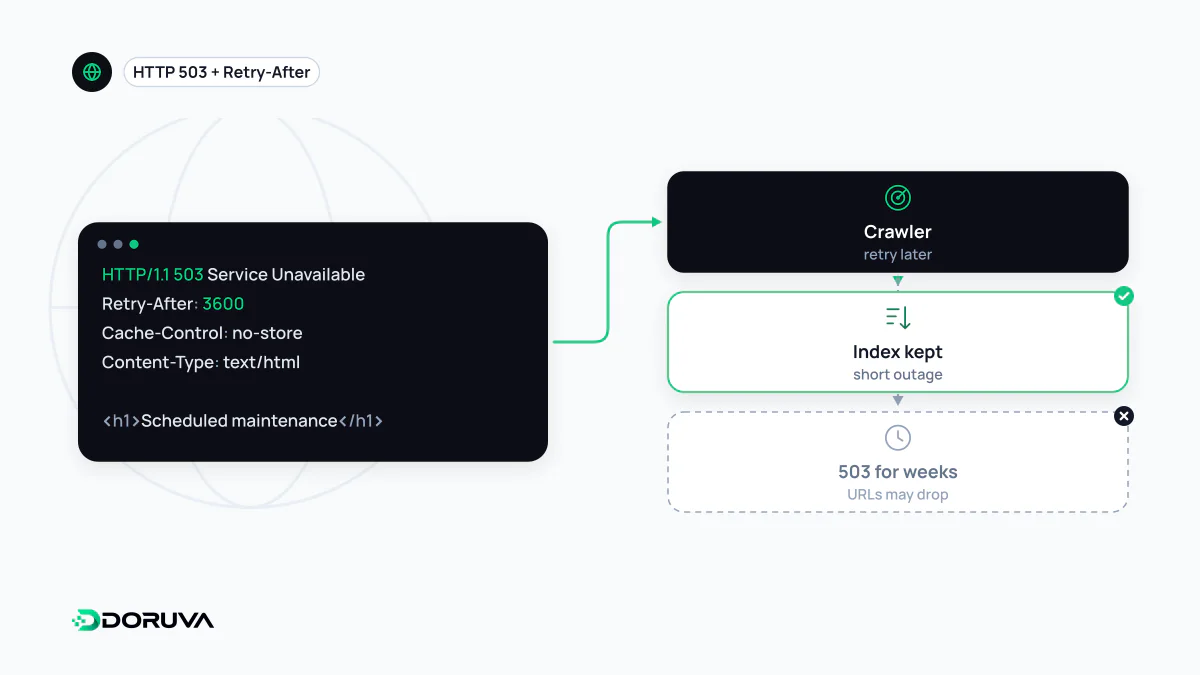
A temporary "not right now"
What sets 503 apart from other errors is that it is explicitly temporary. RFC 9110 defines it for temporary overload or scheduled maintenance that "will likely be alleviated after some delay". The server is effectively saying: the content still exists, I just can't serve it at the moment.
That message is accurate in two situations: during a maintenance window (a database migration, a major version upgrade) and under a traffic spike the server cannot absorb. Using 503 for content that has been removed for good sends the wrong signal; that calls for 404 or 410.
The Retry-After header
Sent with a 503, Retry-After says how long the service is expected to be unavailable. It takes either a number of seconds or an HTTP date:
HTTP/1.1 503 Service Unavailable
Retry-After: 3600
Content-Type: text/html; charset=utf-8
Cache-Control: no-store
The Cache-Control: no-store line is small but important: it keeps the maintenance page out of CDN and browser caches, so visitors don't keep seeing it after you are back. A simple Nginx maintenance switch driven by a flag file looks like this:
location / {
    if (-f /var/www/maintenance.flag) {
        return 503;
    }
    proxy_pass http://127.0.0.1:3000;
}
error_page 503 /maintenance.html;
location = /maintenance.html {
    root /var/www/static;
    add_header Retry-After 3600 always;
}
What Google does during planned downtime
Google treats a 503 like other 5xx responses. It ignores the content, temporarily slows its crawling and ramps the crawl rate back up gradually once the server returns 2xx again. Indexed URLs are preserved in the meantime, but if the errors persist they start to drop out. Google's guidance on pausing a site says that if you must take it offline urgently for a day or two, you should serve an informational page with a 503 instead of the content and add a Retry-After header with a best-effort date or duration, and it describes this as a measure for a few days at most.
The classic mistake is serving the "We'll be right back" page with a 200. Google may then take the maintenance text for the page's real content, and every URL on the site suddenly looks like a duplicate of the others.
Leave robots.txt alone
Exclude robots.txt from your maintenance rule; Google explicitly advises against serving it with a 503. When Google cannot fetch robots.txt, it stops crawling the site for the first 12 hours and then relies on the last good copy for up to 30 days. A robots.txt that returns 503 during maintenance therefore stops crawling of the whole site, at least for those first hours.
503s caused by load
503s that appear outside maintenance usually point to a capacity problem: exhausted worker processes, a database connection limit, autoscaling that reacts too slowly. When they recur, Google keeps throttling its crawl, which on large sites shrinks the effective crawl budget. If you are deliberately rate-limiting individual clients, the right code is 429 Too Many Requests, though Google treats 429 as a server error as well.