

What is Bot Protection?
Definition
Bot protection is the set of techniques used to separate automated traffic from human visitors, blocking abusive bots (form spam, credential stuffing, scraping, inventory hoarding) while still admitting wanted bots such as search engine crawlers. It draws on IP reputation, request rate, behavioural analysis, browser checks and challenges such as CAPTCHA or Cloudflare Turnstile.
Also known as: bot management, bot mitigation, anti-bot, CAPTCHA, Turnstile
Wanted and unwanted automation
Much of any site's traffic is not human, and a good share of it is welcome: crawlers such as Googlebot, uptime monitors, the bots that build link previews on social networks, and AI crawlers. The traffic worth stopping looks different:
- spam and fake sign-ups through forms;
- leaked username and password pairs replayed against the login page (credential stuffing), and brute-force attacks;
- bulk copying of prices and content;
- bots buying up or cart-locking limited stock.
The hard part is not blocking bots. It is blocking the right ones.
Signals that give a bot away
- User agent. A self-description that takes one line of code to fake. A request claiming to be Googlebot proves nothing on its own.
- Verifiable identity. Google recommends verifying its crawlers with a reverse DNS lookup followed by a forward lookup, or by matching against the IP range JSON files it publishes. Most large crawler operators publish IP lists too.
- Rate and pattern. Dozens of requests per second, sessions that never fetch CSS or images, URLs visited in alphabetical order.
- IP reputation and network type. Data-centre ranges, known proxy networks, addresses with a history of abuse.
- Browser challenges. Small JavaScript tasks and environment checks that a real browser completes without fuss.
CAPTCHA and Turnstile
A CAPTCHA is a puzzle meant to be easy for people and hard for machines. Two problems have caught up with it: puzzles are a real barrier for users with visual or motor impairments, and modern AI models solve many of them anyway. Newer approaches therefore collect signals in the background and only rarely ask the user to do anything.
Cloudflare's Turnstile is one example. Its documentation says it can be embedded on any site without routing traffic through Cloudflare, offers managed, non-interactive and invisible modes, and the free plan allows up to 20 widgets per account. What matters most is validating the token on your server; a widget without server-side verification is decoration:
const form = new FormData();
form.append("secret", process.env.TURNSTILE_SECRET_KEY);
form.append("response", tokenFromForm);
form.append("remoteip", clientIp);

const res = await fetch("https://challenges.cloudflare.com/turnstile/v0/siteverify", {
  method: "POST",
  body: form,
});
const outcome = await res.json();
if (!outcome.success) {
  // reject the submission
}
Per the documentation, each token is valid for 300 seconds and can be validated only once.
Locking out the crawlers you need
An aggressive rule can turn away exactly the visitors you care about most. A site that serves Googlebot a challenge page or a 403 will gradually stop being crawled and can drop out of the index. A one-click “block AI bots” setting can keep your content out of AI answers even though robots.txt allows those crawlers; bot accessibility covers this in depth. Before enabling any bot rule:
- run it in log-only mode for a few days and review which user agents it catches;
- exempt verified search engine crawlers;
- after the change, confirm in server logs that Googlebot and other important crawlers still receive 200 responses.
The GEO Checker can also show whether AI crawlers can reach your pages.
Layering defences
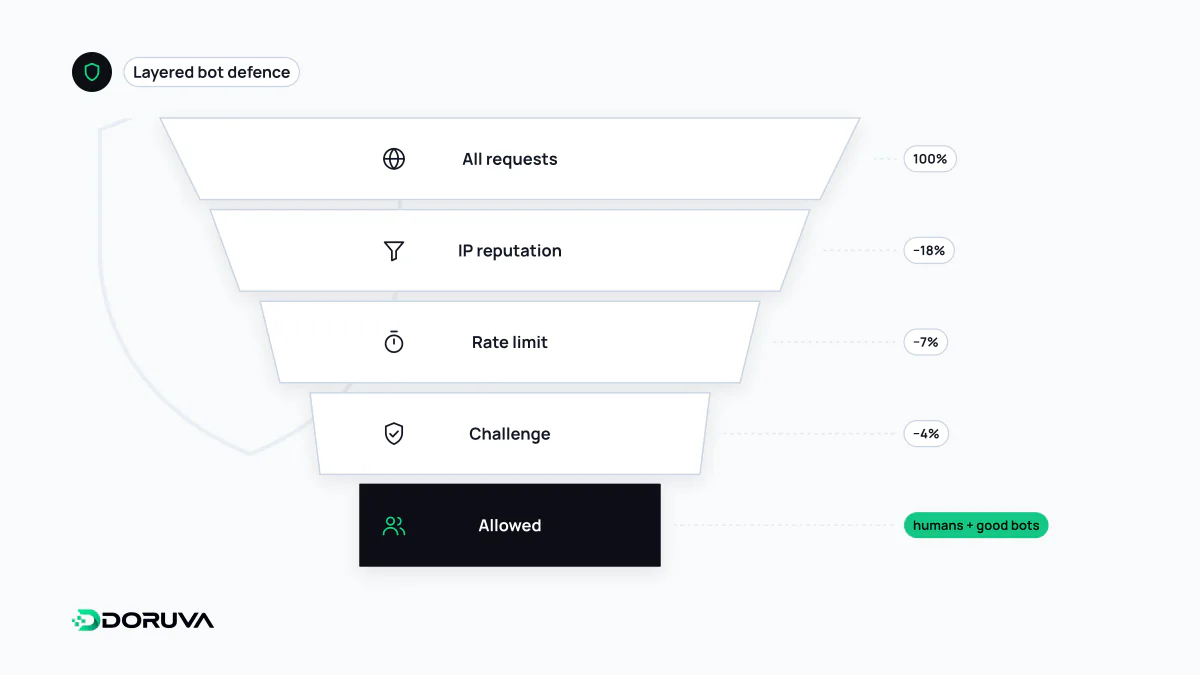
No single control stops every kind of bot. A hidden honeypot field plus server-verified Turnstile on forms, rate limiting and multi-factor authentication on login, and WAF rules on sensitive endpoints together filter out most abuse without wearing down real users.