SEO
Yoast vs Rank Math vs Free Alternatives: Choosing a WordPress SEO Plugin
Yoast SEO stands out for its clean interface and mature analysis, Rank Math for the broad feature set in its free version; All in One SEO offers guided setup and Doruva SEO language-aware analysis. Here we compare the free versions criterion by criterion and show which plugin suits which site.
By Mehmet ÇalışırPublished 12 min read

Contents
“Yoast vs Rank Math” is a question almost everyone building a WordPress site asks at some point. In this article we compare four free plugins, Yoast SEO, Rank Math, All in One SEO and Doruva SEO, against the same criteria, explain which plugin suits which kind of site, and show how to switch safely. For everything you configure after installing the plugin, see our WordPress SEO settings guide.
What is a WordPress SEO plugin, and what does it do?
A WordPress SEO plugin is a WordPress plugin that lets you manage title and meta tags, the XML sitemap, structured data, robots directives and often redirects from one place, and that analyses every post as you write. WordPress core provides permalinks and a basic sitemap; SEO plugins take on most of the rest.
An SEO plugin won't raise your rankings on its own. Its job is to make technical settings correct and consistent and to make sure you don't forget the basics while writing. So rather than asking which plugin is “best”, ask which one covers your site's needs in its free version.
What is Yoast SEO, and how do you use it?
Yoast SEO is one of the oldest and most widely used SEO plugins for WordPress. You install it from Plugins > Add New; after activation, its first-time configuration asks for basics such as whether the site represents an organisation or a person. In the post editor, the Yoast panel is where you enter the focus keyphrase, SEO title and meta description, see a Google preview and follow the SEO and readability analyses through coloured indicators. The free version supports one focus keyphrase; the redirect manager and multiple keyphrases are part of the paid Premium version.
What is Rank Math?
Rank Math is known for packing a broad feature set into its free version. It starts with a setup wizard, lets you switch features on and off as modules, and includes multiple focus keywords, redirects, 404 monitoring and schema templates for free. Some advanced features are in the paid Pro version.
What is All in One SEO?
All in One SEO (AIOSEO) is another long-established plugin. It offers a guided setup wizard, title and meta templates, XML sitemaps, basic schema and on-page content analysis. Redirects, local SEO and advanced schema are generally in its paid plans; check the plugin's own page for the current split.
What is Doruva SEO?
Doruva SEO is a free WordPress SEO plugin built by Doruva, with no Pro version. It combines a connected schema graph, language-aware content analysis, sitemaps, redirects and local SEO in a modular core. We cover it in its own section below.
Comparison table: what do the free versions include?
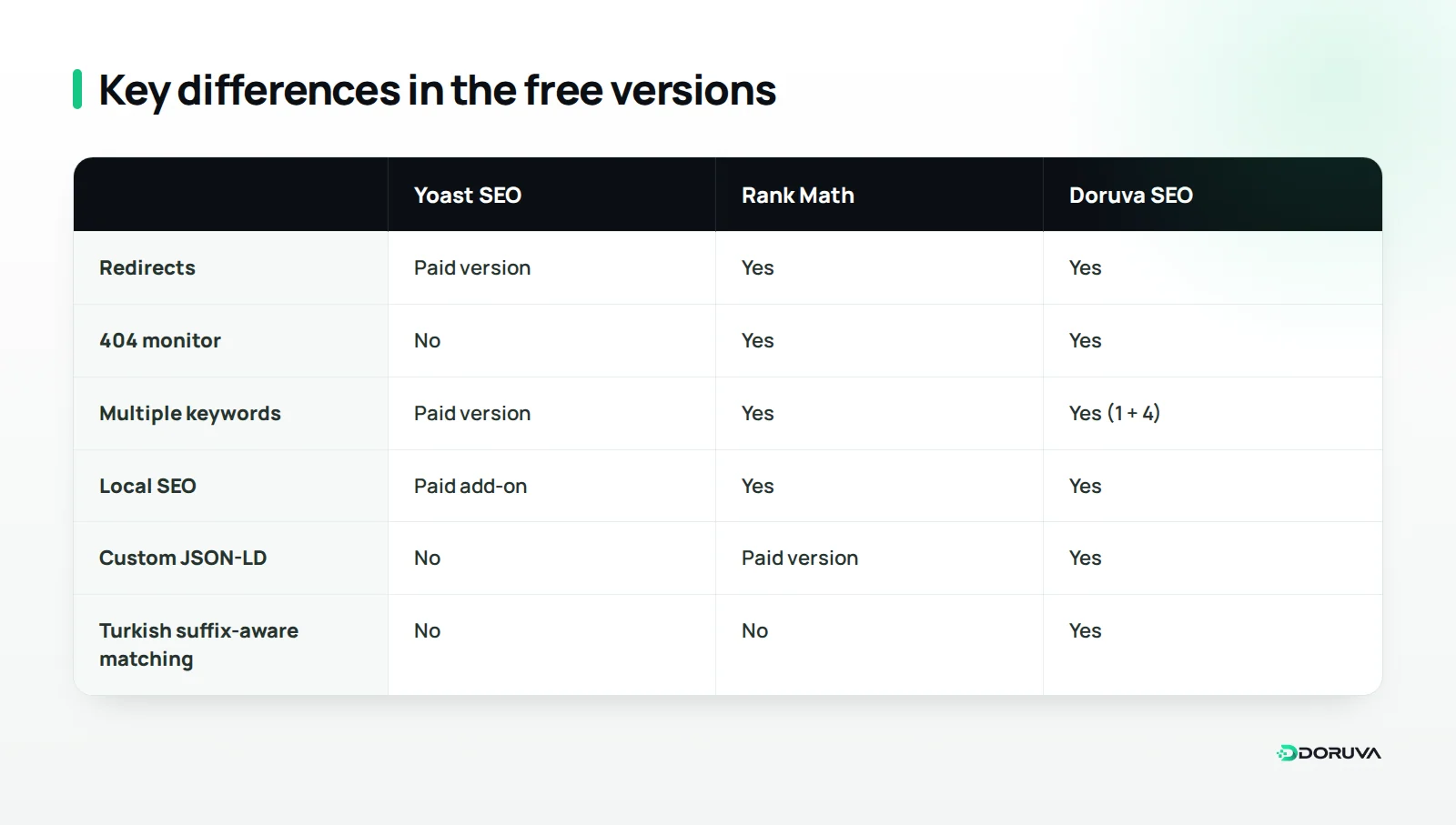
On the basics (titles and meta, sitemaps, basic schema, content analysis) the four free versions are close. The real differences show up in redirects, multiple keywords, local SEO, schema flexibility and language support. The table compares only what's in each free version, not prices.
| Criterion | Yoast SEO | Rank Math | All in One SEO | Doruva SEO |
|---|---|---|---|---|
| Connected JSON-LD schema graph | Yes | Yes | Yes | Yes |
| Schema templates with display conditions | No | Partial (advanced conditions paid) | Advanced schema paid | Yes |
| Custom JSON-LD | No | Paid version | Paid version | Yes (validated) |
| Multiple keywords | Paid version | Yes | Paid version | Yes (1 + 4) |
| Turkish suffix-aware matching | No | No | Not stated | Yes |
| XML sitemaps | Yes | Yes | Yes | Yes |
| Redirects | Paid version | Yes | Paid version | Yes |
| 404 monitor | No | Yes | Paid version | Yes |
| Local SEO | Paid add-on | Yes | Paid version | Yes |
| Import from other SEO plugins | Yes | Yes | Yes | Yes (Yoast, Rank Math) |
| Role manager | No | Yes | Paid version | Yes |
| Paid tier | Premium | Pro | Pro | None |
This table reflects the generally known features of each plugin's free version, and feature sets change between versions. Yoast SEO, Rank Math and All in One SEO are established, successful products, and their paid versions offer some of the features marked “no” or “paid” here. Before you decide, check the current lists on the WordPress.org pages for Yoast SEO, Rank Math and All in One SEO.
Criterion by criterion: where do the differences matter?
Depending on your site, the differences in the table can be irrelevant or decisive. Here's when each one matters.
Schema and rich results
All four plugins add structured data to your pages as JSON-LD and connect the pieces into a graph. The difference appears when you need more than the defaults: applying one Product template to every product page, using Physician or MedicalClinic types for a healthcare client, or adding fully custom JSON-LD. Then a plugin with templates and conditions in its free version saves time. For a simple blog or company site, the basic schema is usually enough.
Content analysis and multiple keywords
Yoast's readability analysis is mature and familiar to many writers; the free version is limited to one focus keyphrase. Rank Math and Doruva SEO let you define several keywords for free. That helps when a page targets close variations together, such as “teeth whitening” and “in-office whitening”, but you don't need to force every extra keyword into the text.
Redirects and 404 tracking
Every URL change needs a 301 redirect. Yoast's free version has no redirect manager, so you add a separate redirect plugin or server rules; Rank Math and Doruva SEO include redirects and a 404 monitor for free. If you're planning a redesign or a structural change, the mapping method in our guide to 301 redirects during a redesign works with any plugin.
Local SEO
For businesses with a physical address, such as clinics, restaurants or law firms, local SEO schema makes the address, opening hours and location machine-readable. Yoast offers it as a separate paid add-on and AIOSEO generally in its paid plans; Rank Math and Doruva SEO include it for free. Remember that your Google Business Profile remains the main source of local visibility; schema complements it rather than replacing it.
Sitemaps and technical foundations
All four replace WordPress's built-in sitemap with their own, and there's no practical difference here. What matters is that only pages you want indexed go into the sitemap, and that you submit just one sitemap to Search Console. Review the rest of your technical foundations with our technical SEO checklist.
Performance and modularity
Quoting general speed figures for SEO plugins would be misleading; the result depends on your theme, server and enabled features. The practical rule is simple: turn off what you don't use. Rank Math and Doruva SEO let you switch features on and off as modules, and in Doruva SEO a disabled module loads no code at all; Yoast also lets you turn off some features in its settings. Measure speed on your own site before and after any change; our Core Web Vitals guide shows how.
Importing, switching and privacy
All four can import data from competitors, which keeps you from being locked in. On privacy, read setup screens carefully: some plugins may suggest connecting an account or sharing usage data during setup, so check what those options mean in each plugin's own documentation. Doruva SEO makes no outbound requests on its own; the only exception is IndexNow notifications, which are off by default and run only if you enable them.
Why does content analysis depend on the language you write in?
Most content analysis tools were designed around English, and a tool that looks for exact matches rather than word stems can miss the keyword in languages that build words with suffixes. Turkish is a clear example: the phrase “diş beyazlatma” (teeth whitening) appears in text as “diş beyazlatmanın”, “diş beyazlatması” or “diş beyazlatmada”. A tool that doesn't recognise these forms reports that the keyword is missing and pushes writers into unnatural repetition.
Suffixes aren't the only issue:
- Consonant mutation: “kitap” (book) becomes “kitabı” and “renk” (colour) becomes “rengi”; when the stem changes, simple matching fails.
- Dotted and dotless i: in Turkish, the lowercase of “I” is “ı” and the lowercase of “İ” is “i”. Software that ignores this can treat “KIRMIZI” and “kırmızı” (red) as different words.
- Readability formula: Flesch Reading Ease was built for English; for Turkish texts, the Ateşman formula, adapted for Turkish, gives more meaningful results.
- Special characters in URLs: when a keyword contains letters like ı, ş or ğ but the slug uses Latin equivalents, an analysis that can't ignore the difference raises false warnings.
If you publish in English only, this matters less. But for multilingual sites, or agencies with Turkish-speaking clients, how well the analysis understands each language should be one of the criteria for choosing a plugin, and its warnings should be read as hints rather than rules.
Doruva SEO: a free, language-aware alternative
Doruva SEO is the free plugin we built to bring these criteria together for teams writing in Turkish and English. It is at version 1.0.6, comes with an English and Turkish interface, runs on WordPress 6.4 and later, and has no Pro version or locked features. It is coming soon to WordPress.org.
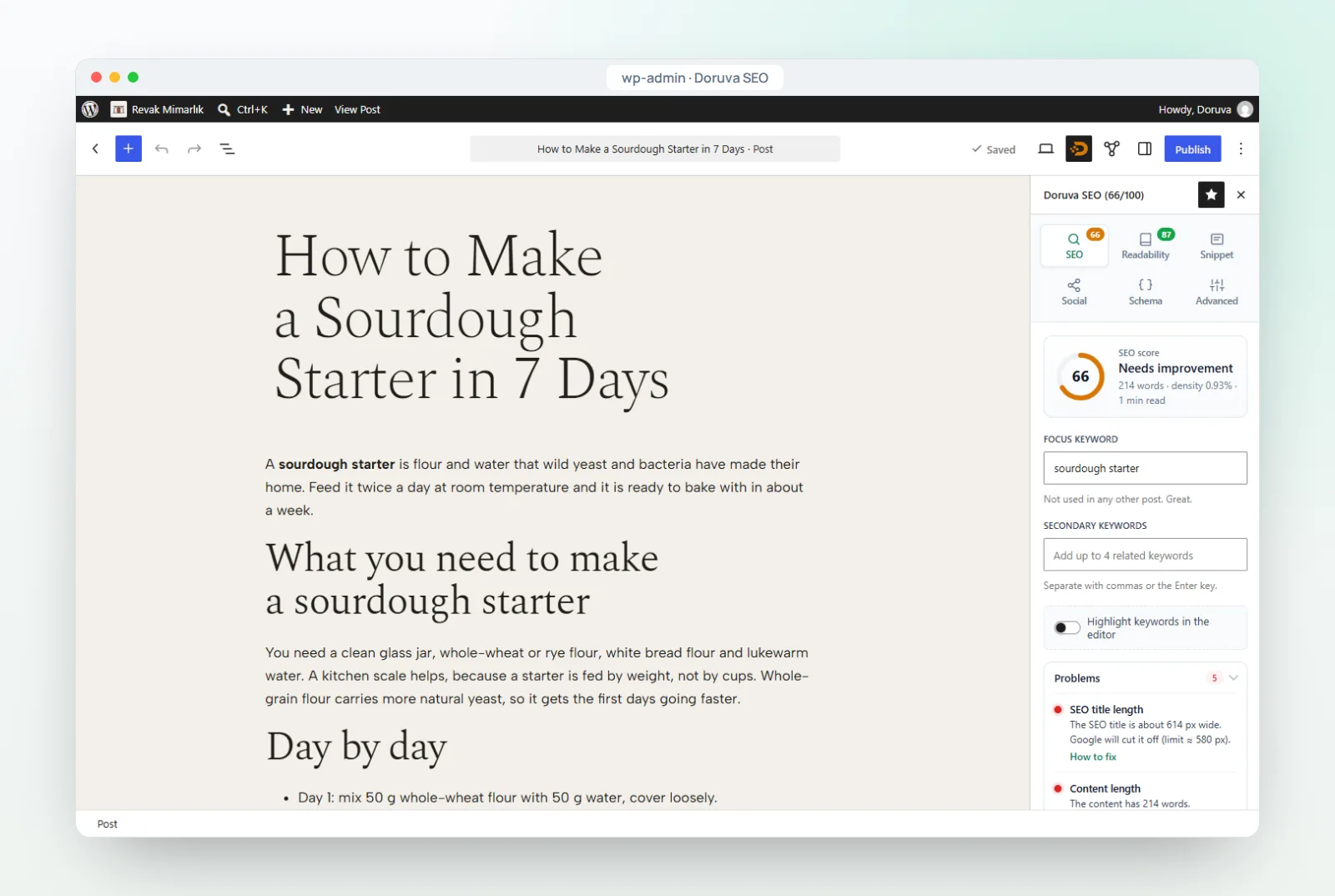
- Language-aware analysis: English texts are scored with Flesch Reading Ease; Turkish texts get suffix-aware matching (finding “ayakkabı” inside “ayakkabılar” and “ayakkabıyı”), consonant mutation and İ/ı handling and the Ateşman formula. More than 20 checks, each with a how-to-fix hint, add up to a 0–100 score.
- Schema templates: a visual builder for templates including Product, LocalBusiness and its subtypes, healthcare schema and custom JSON-LD, with include and exclude conditions that decide where each one runs.
- The essentials in one plugin: redirects, the 404 monitor, local SEO, sitemaps and a role manager are all part of the free plugin, and you can switch off modules you don't use.
- Easy switching: titles, descriptions, focus keywords, robots settings, canonicals and Rank Math redirects are imported from Yoast SEO or Rank Math; the importer only reads and never deletes the old data.
Like the other plugins, Doruva SEO keeps evolving, so check the product page for the current feature list.
Which plugin suits which site?
The right plugin is the one whose free version covers your site's needs today and that your team is comfortable using. The scenarios below are a starting point, not a ranking.
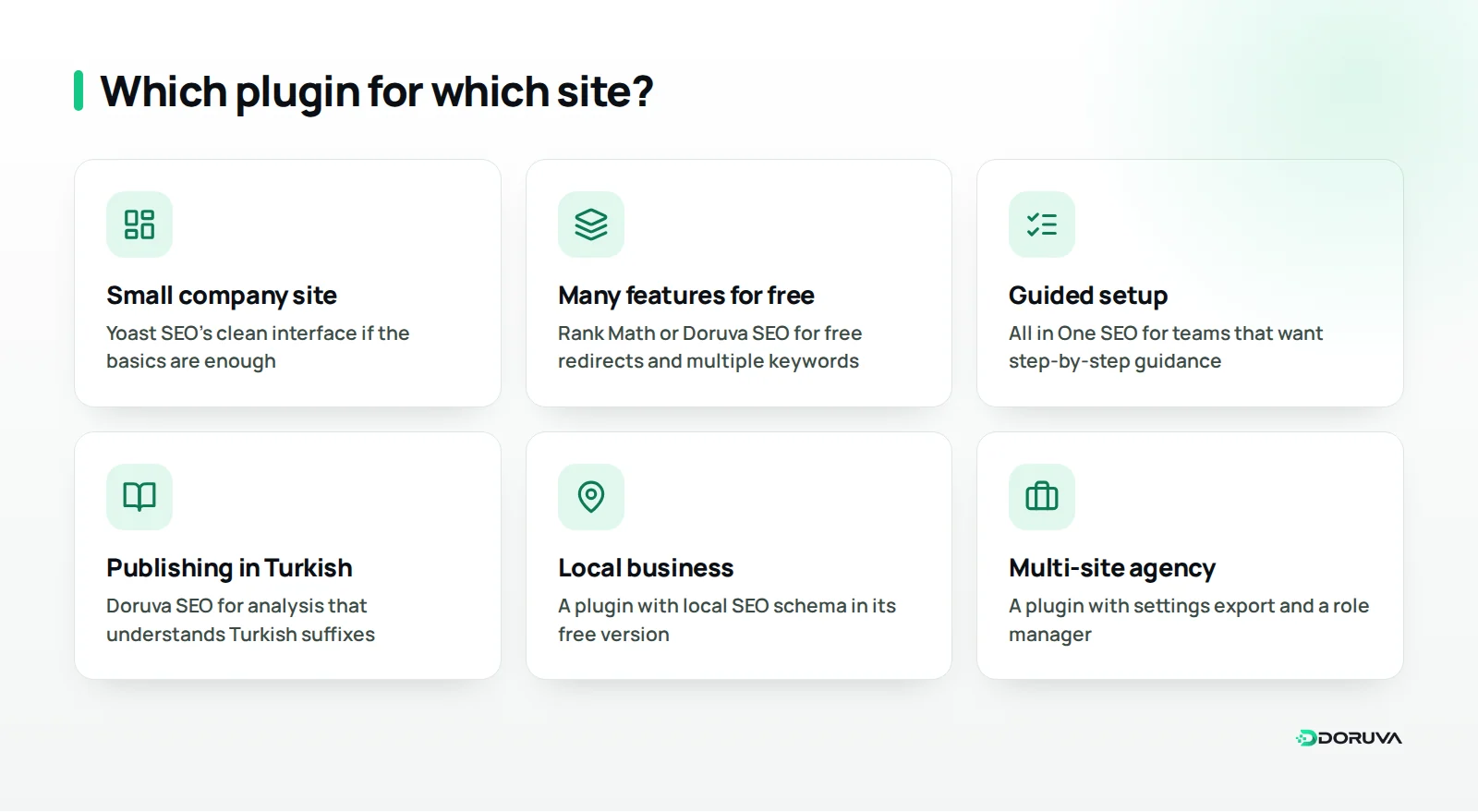
- Small company site or personal blog: if the basics are enough, Yoast SEO's clean interface and mature analysis will do the job. Add a separate redirect plugin if you need one later.
- A site that wants many features for free: if you want redirects, 404 tracking and multiple keywords in one free plugin, look at Rank Math or Doruva SEO.
- A team that likes guided setup: teams that prefer step-by-step guidance and may upgrade later can consider All in One SEO.
- Teams publishing in Turkish: if editors keep fighting keyword warnings, an analysis that understands Turkish suffixes saves time.
- Local business: for a dental clinic or restaurant, a plugin with free local SEO schema removes the need for a paid add-on.
- Agency managing many client sites: a plugin that exports and imports settings and offers role-based access speeds up a standard setup.
If your current plugin works well and meets your needs, there's no reason to switch. A switch should come from a real need.
How do you switch SEO plugins safely?
The rule for switching safely is simple: back up first, import your data with the new plugin, check the results, and only then deactivate the old plugin. Never run two SEO plugins side by side for long; both output titles, canonicals and schema, so your pages end up with duplicate tags.
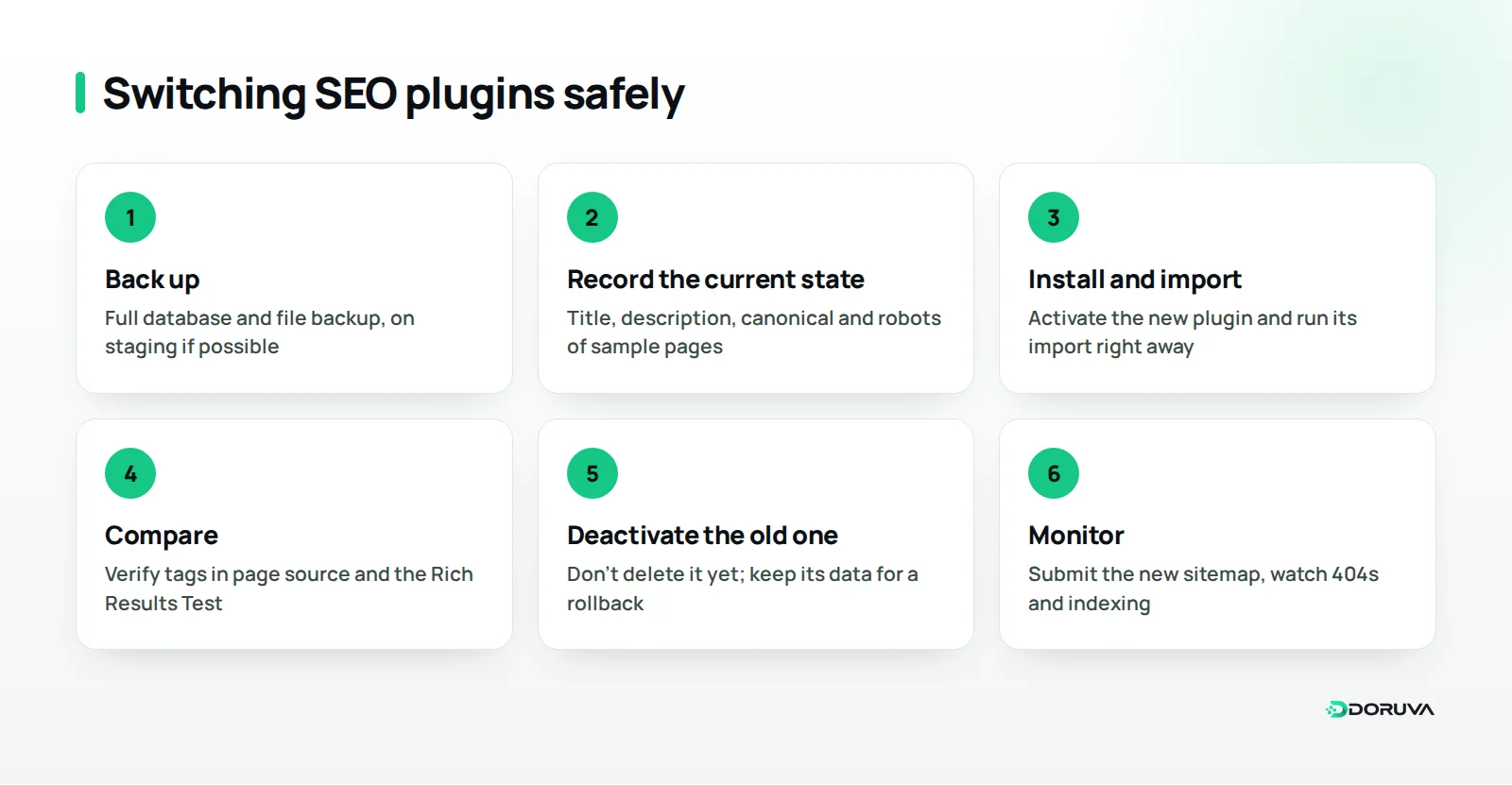
- Back up, and test on staging if you can: take a full backup of the database and files. We walk through backups and staging in our WordPress migration guide, and you'll find Doruva Migrate, our backup and migration plugin, on our WordPress plugins page.
- Record the current state: note the title, meta description, canonical and robots tag of a few key pages, and export your sitemap address and redirect list.
- Install the new plugin and import: activate it and run its import tool straight away. Keep the time both plugins are active as short as possible.
- Compare the results: check the source of the pages you noted for the correct title, description, canonical and schema, and test the schema in Google's Rich Results Test.
- Deactivate the old plugin: don't delete it right away; keep its data in place for a while so you can roll back if needed.
- Update the sitemap and watch the reports: submit the new sitemap in Search Console, remove the old one, and monitor the Page indexing report and 404 logs over the following weeks.
After the switch, you can also run your site through our free SEO checker.
Common mistakes when choosing and switching plugins
Most mistakes come from comparing feature lists instead of the site's real needs.
- Leaving two SEO plugins active: duplicate titles, canonicals and schema appear, and search engines can't tell which to trust.
- Removing the old plugin before importing: hand-written titles and descriptions are lost and pages fall back to template titles.
- Forgetting redirects: if redirects stored in the old plugin aren't moved, old URLs start returning 404s.
- Leaving the old sitemap in Search Console: a sitemap that no longer exists keeps reporting errors.
- Treating the score as the goal: each plugin calculates its score differently, and a green light doesn't guarantee good content.
- Assuming what the free version includes: confirm a feature is in the free version from the current list before you install.
Conclusion: how should you decide?
Yoast SEO, Rank Math, All in One SEO and Doruva SEO all cover the core SEO needs of a WordPress site. List what your site needs first (redirects, local SEO, schema templates, multiple keywords, language-aware analysis), compare that list against each plugin's current free version, and run your choice as your only SEO plugin.
The plugin is only one part of the job; technical audits, content planning and measurement matter just as much. If you'd like to plan those together, explore our SEO services or tell us about your site and the plugin you use, and we'll work out where to start.
Frequently Asked Questions
What does Yoast SEO do?
Yoast SEO manages your WordPress site's titles, meta descriptions, XML sitemap and structured data, and analyses SEO and readability in the post editor. The free version supports one focus keyphrase.
Will I lose my data if I move from Yoast to Rank Math or another plugin?
If you use the new plugin's import tool, data such as titles, descriptions and focus keywords carries over. Finish the import and check a few pages before you delete the old plugin.
Can I use two SEO plugins at once?
It isn't recommended. Both output titles, canonicals, sitemaps and schema, so pages end up with duplicate and conflicting tags; even during a switch, keep the overlap short.
Is a free SEO plugin enough, or do I need a paid version?
For most sites the free versions are enough. If you need something specific, such as redirects, local SEO or multiple keywords, check whether it's included in the free version of the plugin you're considering.
Will switching SEO plugins hurt my rankings?
Usually not, as long as data is imported correctly, redirects are preserved and only one plugin runs. The risk comes from lost titles, forgotten redirects and conflicting tags, not from the plugin itself.