

What is Redirect Chain?
Definition
A redirect chain is when a URL reaches its final destination through several intermediate redirects instead of one, for example A to B to C. Every hop is a separate HTTP request, adding latency for users and extra work for crawlers. Googlebot follows up to 10 hops, but Google recommends not chaining at all and redirecting straight to the final URL.
Also known as: redirect hops, chained redirects, multiple redirects
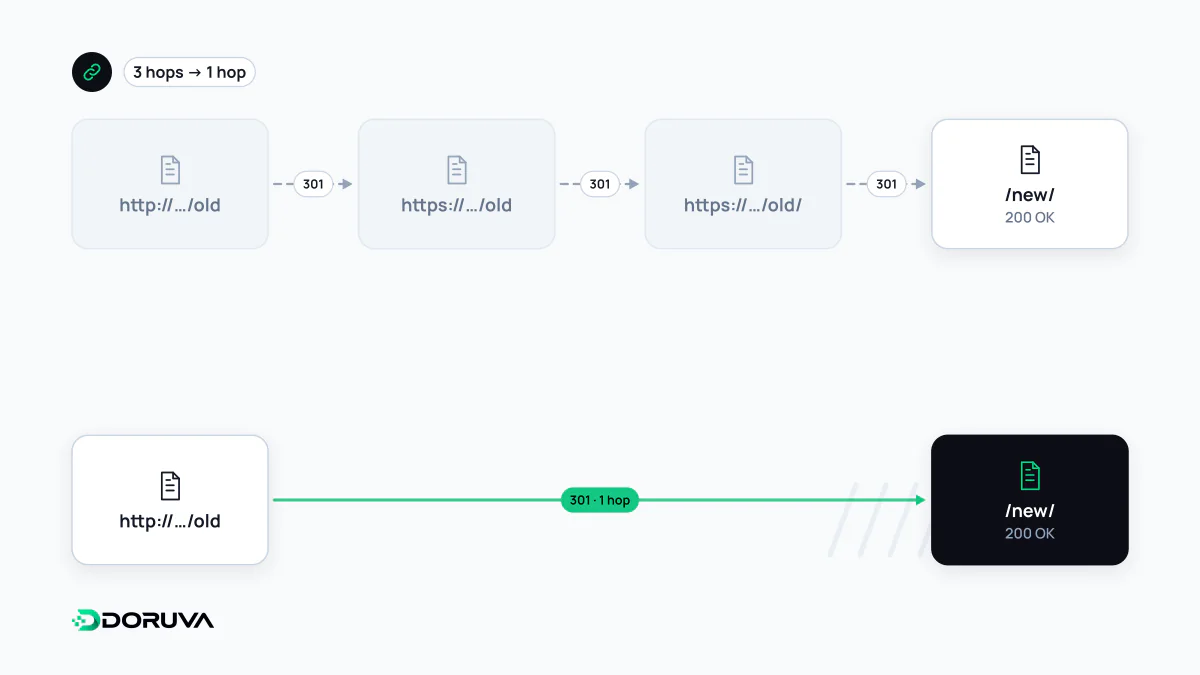
How chains accumulate
Chains rarely come from one bad rule. They build up over years as sensible-looking rules stack on top of each other. A typical history: the site moves to HTTPS, then drops www, then adds trailing slashes, then renames a service page. Someone clicking an old link replays that entire history:
http://www.example.com/seo-service
  → 301 https://www.example.com/seo-service
  → 301 https://example.com/seo-service
  → 301 https://example.com/seo-service/
  → 301 https://example.com/seo/
  → 200
Four hops, four requests for a job that one could do. Layering is part of the problem: the CDN handles the protocol, the web server the host, the application the trailing slash and a CMS plugin the old slugs, and none of them knows what the others are doing.
Tracing every hop with curl
A browser presents a chain as a single page load. The command line lists each hop. -I asks for headers only and -L follows redirects:
$ curl -sIL http://www.example.com/seo-service | grep -iE '^(HTTP|location)'
HTTP/1.1 301 Moved Permanently
Location: https://www.example.com/seo-service
HTTP/2 301
location: https://example.com/seo-service
HTTP/2 301
location: https://example.com/seo-service/
HTTP/2 301
location: https://example.com/seo/
HTTP/2 200
When checking many URLs, a summary is more useful: curl -sL -o /dev/null -w '%{num_redirects} %{http_code} %{url_effective}
' URL prints the hop count, the final status and where you ended up. Looping that over the legacy URL list and filtering for more than one hop is the fastest part of any migration audit. For a single address, the SEO Checker also shows the chain with each hop's status code.
What a chain costs
Each hop is another request, and if the host changes, another DNS lookup and TLS handshake. On a mobile connection that can mean hundreds of milliseconds of waiting before the page has even started, which shows up in metrics such as TTFB. On the search side, Googlebot follows up to 10 hops by default. Google's site-move guide recommends redirecting to the final destination directly and, where that isn't possible, keeping chains ideally to no more than 3 and fewer than 5 hops, citing added latency and the fact that not all user agents and browsers support long chains. Go past the limit and Search Console's Page indexing report shows a "Redirect error". On large sites each extra hop also consumes crawl budget.
Flattening chains in a migration
- Flatten the rules: map each old URL straight to its final destination from a mapping table, rather than appending a new rule on top. When you migrate again, update the targets of the older rules too.
- Merge protocol and host in one hop:
http://www,http://andhttps://wwwshould all reachhttps://example.comwith the path preserved, through a single rule. - Don't route your own links through redirects: internal links, menus, the XML sitemap, canonical and hreflang tags should name the final URL that answers 200.
- Measure again afterwards: rerun the curl loop over the legacy list and fix every row with more than one hop.
A chain on its own still delivers the page. If one link in it points the wrong way, though, the chain closes on itself and becomes a redirect loop.