

What is Trailing Slash?
Definition
A trailing slash is the / character at the end of a URL path, the difference between /services/ and /services. Google treats the two forms as separate URLs. Apart from the root of a domain, which form you choose does not matter for SEO; what matters is picking one, permanently redirecting the other to it and using it consistently in internal links.
Also known as: trailing slash URL, slash at the end of a URL
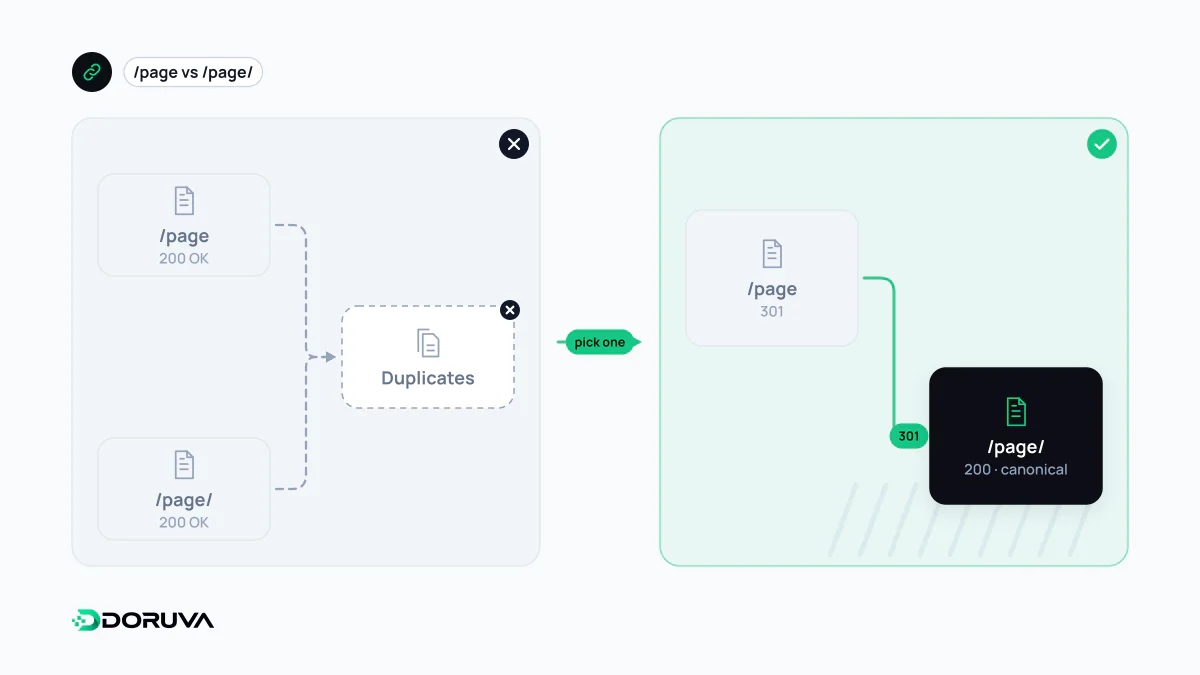
Two URLs, one page
Historically, a path ending in a slash meant a directory and one without meant a file. Modern sites rarely follow that convention, yet to search engines the two forms remain distinct URLs: Google treats /blog/ and /blog separately and equally. A server could even return different content for each, though that would confuse visitors, so nearly every site shows the same page.
That is where the trouble starts. If both forms return 200, every page exists twice. Google often consolidates this on its own, but crawling doubles and the choice of canonical is left to the algorithm instead of to you.
The root is the exception: https://example.com and https://example.com/ are the same URL, and one cannot redirect to the other, because a browser always requests an empty path as /.
Picking a form
Neither form ranks better. A trailing slash is the traditional choice for directory-style sites, while many modern frameworks default to no slash. The deciding factor should be which form is already indexed and linked from other sites. Flipping a live site to the other form because of a change in taste is a redirect project with no upside.
Doruva's own site uses trailing slashes: a request for doruva.com/seo gets a 308 to /seo/. That is what Next.js does with trailingSlash: true; a 308 is permanent like a 301 and also preserves the request method.
Making it consistent
- Choose the preferred form and send the other to it in a single 301 or 308. If a server-side redirect is impossible,
rel="canonical"is a strong fallback. - Write every internal link, menu entry and template URL in the preferred form.
- Use only that form in the XML sitemap, canonical tags and hreflang annotations.
- Exclude file-like paths:
/robots.txt,/sitemap.xmland/logo.svgshould never gain a slash.
# Nginx: permanently add a trailing slash to extensionless paths
location ~ ^([^.]*[^/])$ {
    return 301 $scheme://$host$1/;
}
The hidden cost: a redirect on every click
Even with the redirect in place, if the site's own internal links use the other form, every click goes through a redirect first: an extra request and extra latency for visitors, extra fetches for crawlers. When HTTP-to-HTTPS, www-to-bare-domain and slash rules live in different layers, those hops add up into a redirect chain. Ideally each legacy form reaches the final URL in one step.
These inconsistencies are hard to spot by hand. The SEO Checker reports internal links that hit redirects and redirect chains as separate findings.