

What is Heading Structure (H1–H6)?
Definition
Heading structure is the way a web page's content is divided into sections with the HTML heading elements h1 through h6, and the logical hierarchy those headings form. The h1 usually states the page's main topic, while lower levels mark sections and subsections. A clear heading structure helps readers scan, lets screen reader users navigate and helps search engines understand how the content is organized.
Also known as: heading tags, H1 tag, header tags, HTML headings, H1–H6
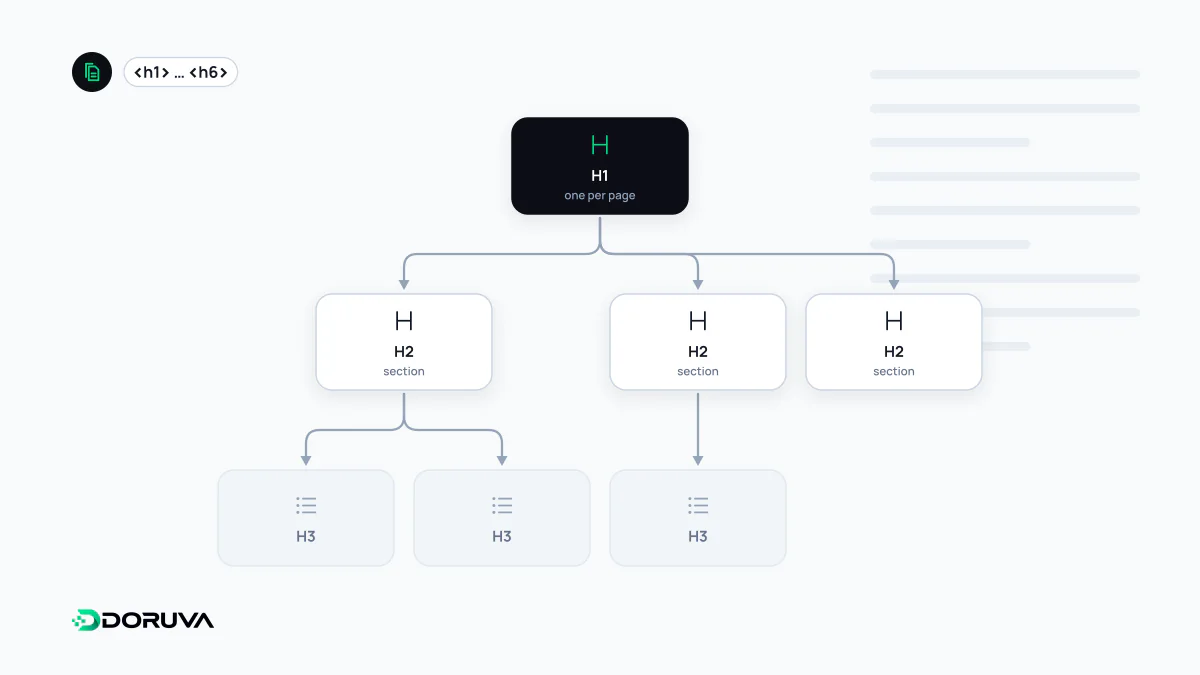
The page's table of contents
HTML provides six heading levels, from <h1> at the top to <h6> at the bottom. Think of them as a table of contents: someone reading only the headings should be able to tell what the page covers and in what order.
h1  How to Choose a Running Shoe
  h2  Know your foot type
    h3  Flat feet
    h3  High arches
  h2  Find the right size
  h2  Match the surface
    h3  Road
    h3  Trail
Each h3 belongs to the h2 above it. The structure reflects the logic of the text, not the visual design.
Who relies on it
Readers and screen reader users
Most people skim, jumping between headings to find the part they need. Screen reader users can move from heading to heading with keyboard shortcuts, so the heading list is effectively their map of the page. That makes headings a core part of web accessibility. The W3C's headings tutorial recommends nesting levels meaningfully and not skipping ranks.
Search engines
Google uses headings to understand a page's topic and sections, and when generating a result's title link it may look at the main heading alongside the <title> element. Your h1 and meta title should therefore describe the same thing. At the same time, Google's SEO Starter Guide says outright that semantic heading order is great for screen readers but makes no difference to Google Search if it is out of order, and that there is no ideal number of headings.
AI-driven search systems work by quoting passages. Sections that are clearly headed and each focused on a single question are easier to understand once lifted out of context, which supports answer extractability.
Is more than one H1 allowed?
The HTML standard permits multiple <h1> elements, and Google has no single-H1 requirement. However, the “document outline algorithm” that would have demoted h1s nested inside <section> or <article> was never implemented by browsers and has been removed from the standard. In practice, one h1 for the main topic and h2 and below for sections remains the clearest option for people and assistive technology.
Common mistakes
- Headings as styling. Making a sentence an h2 just to get big bold text. Appearance belongs in CSS; heading elements carry meaning.
- Skipping levels for looks. Jumping from h2 to h4 leaves screen reader users wondering whether they missed a section.
- The logo as h1 on every page. Every page then appears to have the same main heading.
- Vague headings. “Introduction”, “Details” or “More” say nothing about the content.
- Fake headings. Text that looks like a heading but is a styled
<div>does not appear as a heading in the DOM.
How to check it
The accessibility tree in browser developer tools lists every heading with its level, and navigating by headings with a screen reader is a quick reality check. To spot missing or multiple h1s, empty headings and skipped levels across the crawled pages of your site, you can use the SEO Checker. Heading structure is where content and design meet in on-page SEO.