Technology
Project Management for Digital Agencies: 7 Ways to Stop Work Slipping Through the Cracks
Agency project management means running many clients' work through one visible system where every request has an owner, a date, a scope and an approval step. This guide covers seven ways to stop work slipping through the cracks, how to apply each one, and how to roll the new setup out to your team.
By Mehmet ÇalışırPublished 10 min read
Contents
This guide is for agency owners, account managers and project managers. When one team is producing content, ads, SEO and web work for ten brands at once, the problem is rarely talent. It is tracking: the banner someone requested in a WhatsApp message, the promise made out loud in a meeting, the task left sitting with a colleague who just went on vacation. The seven practices below close those gaps, and you can start using them with your team this week.
What is agency project management?
Agency project management is the way an agency plans, assigns, tracks and delivers all the work that comes in from its clients. What sets it apart from classic project management is that it runs many small, parallel and recurring jobs on the same shared team, rather than one large project at a time.
A product team can spend months on a single release. In an agency, the same designer might produce social posts for a coffee brand in the morning and a landing page for a dental clinic in the afternoon. That creates a few specific needs:
- Multi-client prioritization: every client sees their own request as urgent, so the agency has to own the priority call.
- Recurring work: monthly content calendars, weekly ad optimization and routine checks such as a technical SEO checklist share the same board with one-off projects.
- External sign-off: work is not finished when the team says so, but when the client approves it, which means waiting time and revision rounds have to be managed.
- Constant small changes: minor requests arrive through different channels all day, and many go into production without ever being written down.
Why does work slip through the cracks in agencies?
Work usually gets lost while information moves from one channel or person to another, so the weak points are handoffs, not production. Every time a request changes hands between the client's first message and final delivery, there is a chance it quietly disappears.
The table below lists the most common leak points, how they show up inside a team, and which of the seven practices addresses each one.
| Leak point | How it shows up | Practice that fixes it |
|---|---|---|
| Scattered request channels | "Who asked for this, and where was it written?" | 1. One intake point |
| Ownerless tasks | Tasks everyone can see but nobody has picked up | 2. One owner, one date |
| Vague scope | Endless revisions and "wasn't this included?" debates | 3. Written scope |
| Invisible status | Messaging people just to find out where a job stands | 4. Standard statuses |
| Feedback out of context | Comments split across email, chat and meeting notes | 5. Conversations next to the work |
| No approval rules | Deadlines sliding while everyone waits for the client | 6. Approval and revision rules |
| No rhythm | Delays discovered on the due date, not before it | 7. Weekly visibility rhythm |
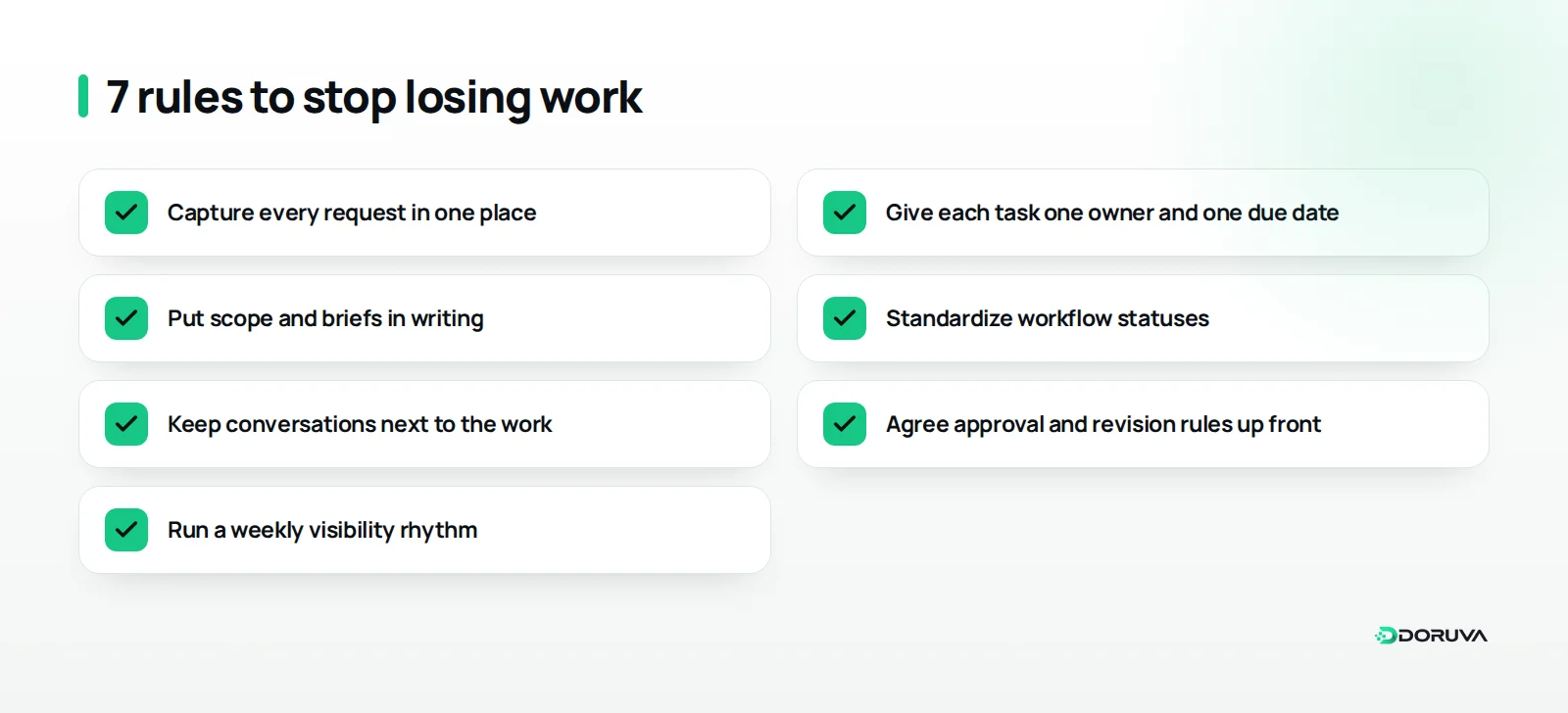
How should requests be captured and owned?
Before any production starts, each request should become a record with an owner, a date and a defined scope. The first three practices make sure work enters the system correctly, and everything after them depends on that foundation.
1. Capture every request in one place
You cannot fully control which channel clients use to reach you, but you can control where a request lives. Keep the rule simple: if it is not logged, it is not work. Whether a request arrives by WhatsApp, email or phone, the account manager turns it into a task the same day.
A short, fixed template stops people from starting with half the information:
- What exactly is needed, and in what format?
- Why is it needed, and which campaign or goal does it serve?
- When is it due, and what does that date depend on?
- Who signs it off on the client side?
- Which files, copy or references are attached?
2. Give every task one owner and one due date
Several people can work on a task, but only one person should own it. "The design team" or "social" is not an owner. Without a name and a date, a task becomes the thing everyone assumes someone else is handling.
It helps to separate two roles: the people doing the work (assignees) and the person accountable for seeing it through (the owner). On a launch video, for example, editing, sound and subtitles might go to three different people, while the project manager owns complete, on-time delivery. The due date should be an actual day on the calendar, never "as soon as possible".
3. Put scope and briefs in writing
Scope creep is work that was never defined in the agreement gradually being added to a job without any change in fee or plan. It is one of the quietest drains on agency profitability, and it almost always grows out of agreements nobody wrote down.
For every project or retainer, three things should be clear: the service scope (how many pieces of content a month, how many revision rounds, which channels), a brief for each job (goal, audience, message, delivery format), and a change-request rule (how out-of-scope requests are priced, or which planned item they replace). You never have to tell a client "we can't do that". You can say "if we do this now, let's move that to next month."
How do you make the workflow visible to everyone?
A workflow becomes visible when statuses mean the same thing to everyone and every conversation about a task is attached to the task itself. These two practices end the habit of asking "where are we with this?" over chat.
4. Standardize your workflow statuses
One of the most common misunderstandings in agencies is that "done" means something different to each person. Use the same small set of statuses on every project, and write down what each one means:
- Backlog: logged, not yet planned.
- To do: planned, with an owner and a date.
- In progress: someone is actively working on it.
- In review: in internal QA or waiting for client approval.
- Done: approved and delivered.
Waiting for the client should always be visible as its own state. Otherwise a job that looks finished to the team is still open from the client's point of view, and the slipping deadline goes unnoticed.
5. Keep conversations next to the work
Feedback, decisions and files about a task belong on that task. Personal chat groups are fast, but three weeks later they will not tell you why the logo color changed.
A practical rule: the account manager adds every piece of client feedback to the relevant task as a note, and internal discussion happens in the task comments. When someone goes on leave or hands a job over, the context travels with the work instead of staying in their phone.
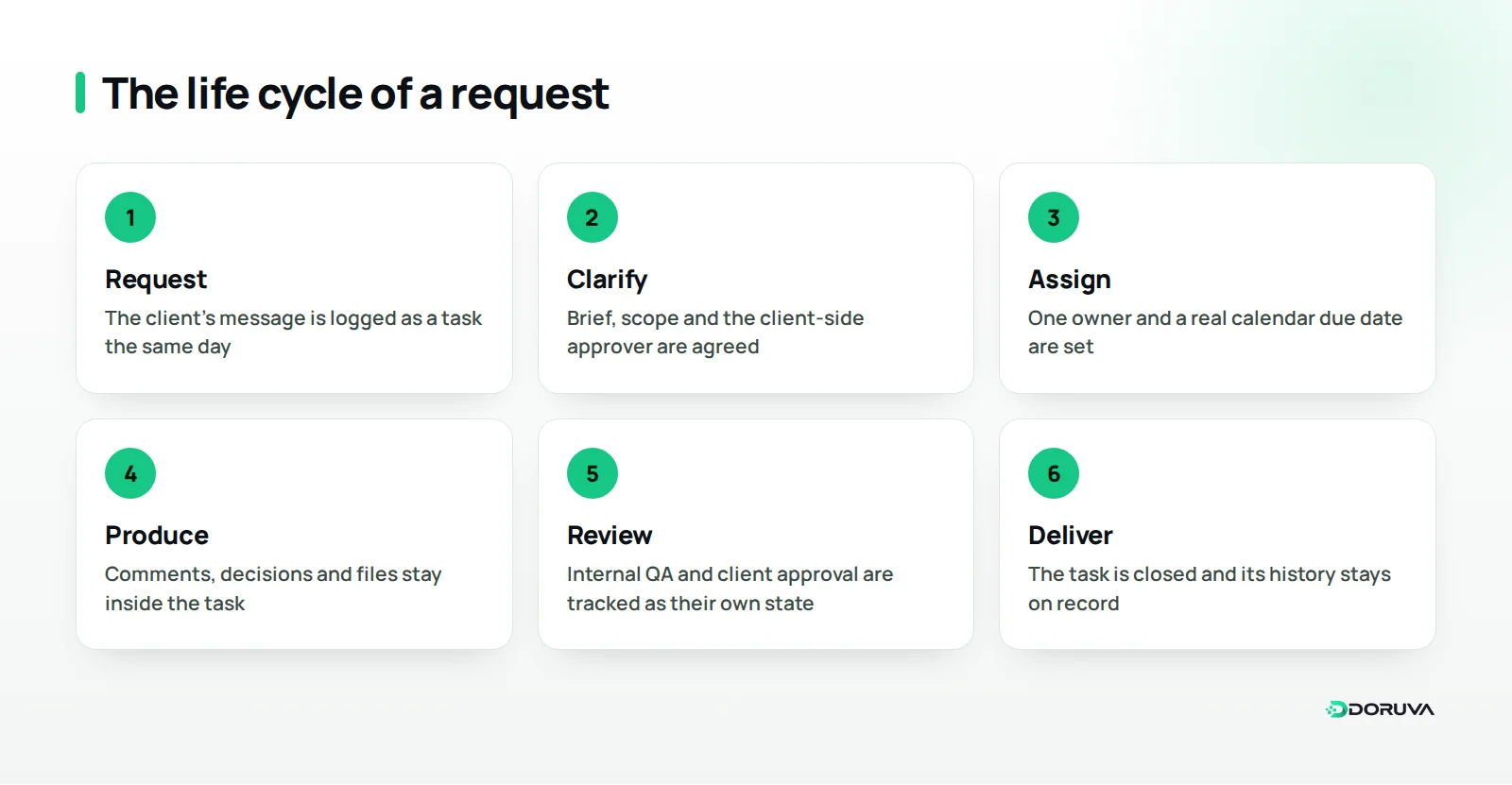
How do approvals and a weekly rhythm protect the work?
Approval rules make waiting time visible, and a weekly rhythm surfaces delays early. The last two practices stop a well-built system from slowly falling apart.
6. Agree approval and revision rules up front
Client approval is the least controllable part of an agency schedule, so its rules need to be agreed before the work starts. Write down who signs off on the client side, how long they have to respond and how many revision rounds are included.
For an online store's campaign visuals, a rule such as "feedback within two working days, two rounds of revisions, one approver" prevents contradictory comments from five people landing on the final day. Making it clear at the outset that a late approval moves the delivery date also takes the tension out of later conversations.
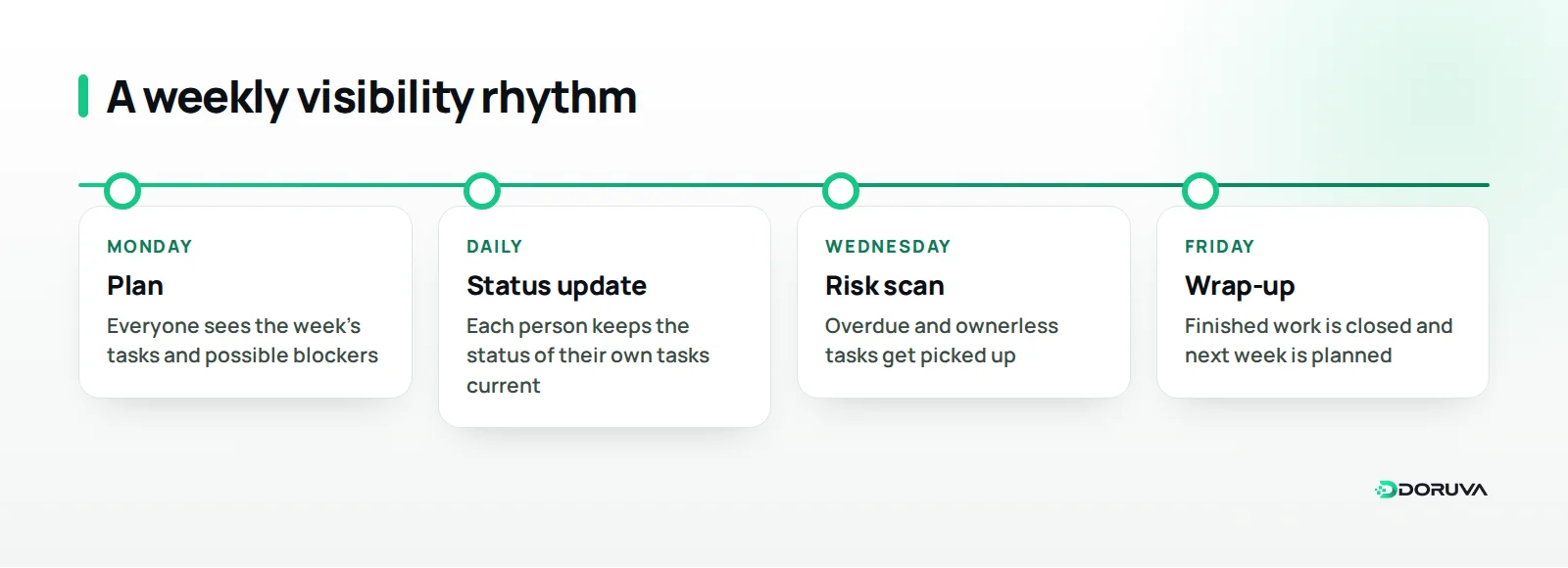
7. Run a weekly visibility rhythm
Delays should be spotted a few days before the deadline, not on it. The way to do that is short, regular check-ins rather than long status meetings.
At the start of the week, everyone reviews their own tasks and any blockers. Midweek, someone scans for overdue or ownerless tasks. At the end of the week, finished work is closed and the next week is planned. This rhythm lets project managers spend their time on real risks instead of answering status questions.
How do you choose the right tool and setup for your agency?
The right tool is the one that lets your team follow these seven rules without extra admin; the length of the feature list comes second. Define the process first, then pick the tool that supports it.
A shared spreadsheet can carry a small team for a while, but as clients and tasks multiply, tracking owners, dates and statuses by hand stops working. At that point most agencies weigh three options: a general-purpose task manager, an agency-focused panel that also covers client relationships, or a custom system built around their own process. Our seven-question framework on off-the-shelf versus custom software can help you decide which fits.
When comparing options, look at:
- Client context: can tasks be grouped by client or brand, and does project tracking sit alongside your CRM data?
- Roles and visibility: can team members see their own work, team leads their team, and managers the whole agency?
- Recurring work: can monthly cycles such as content and reporting be planned without rebuilding them each time?
- Communication and files: do comments and files stay inside the task?
- Automation: can repetitive steps like reminders and assignments be reduced through business process automation?
- Hosting and ownership: do you prefer a SaaS subscription or a dedicated installation for your organization, and where will your data be stored?
If your process does not fit the tools on the market, for example because you need a client portal, unusual pricing logic or your own reporting structure, custom software development is worth considering.
How do you roll out the new way of working?
A new project management setup takes hold through small, controlled steps rather than one big switch. The most common mistake is trying to move the entire agency onto a new tool on a single Monday morning.
- Pick a pilot client: start with an account that has a moderate workload and a small team.
- Write the rules on one page: status definitions, the task template and approval rules in a single document.
- Retire old channels gradually: move internal work chat into task comments first, then steer client communication over time.
- Review the first two weeks together: discuss which rules helped and which felt like overhead, then simplify.
- Expand one client at a time: once the pilot runs smoothly, roll the setup out account by account.
Leadership behavior decides whether it sticks. If the agency owner still hands out work by text message, the team will not trust the new system. Turning every request into a task during the first few weeks shows that the rule really applies to everyone.
Summary and next steps
Keeping work from slipping through the cracks does not take a major transformation. It takes a few rules applied consistently: one intake point, one owner, written scope, shared statuses, conversations next to the work, clear approval rules and a weekly rhythm. Even starting with the first two across the whole team this week will make a noticeable difference.
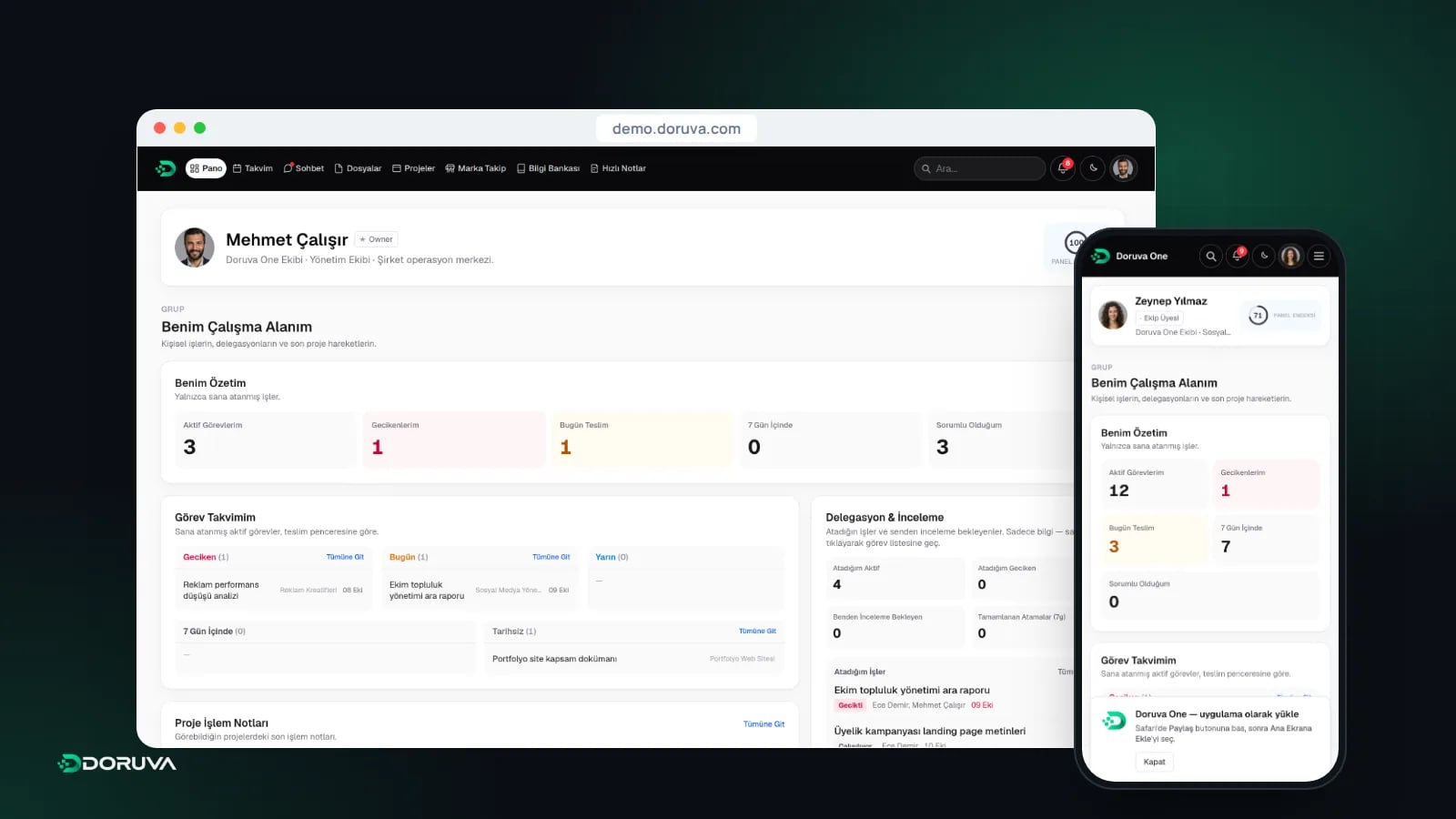
We built Doruva One for agencies that want to run these rules in one panel. It is a team management and CRM platform, set up as a dedicated installation for each organization, that brings brands, projects, tasks, team chat, files and leads together; tasks keep assignees and the responsible person as separate fields, and every project has its own chat. Read what Doruva One is for the full picture, or talk to us about your team's workflow.
Frequently Asked Questions
What is the most common agency project management mistake?
Starting production on requests that arrived through scattered channels without logging them first. Work that is never logged has no clear owner, date or scope, which leads to delays and forgotten tasks.
Does a small agency need a project management tool?
A small team with a handful of clients can start with a shared spreadsheet. Once tracking owners, dates and statuses by hand becomes difficult, moving to a dedicated tool makes sense, but the rules should always come before the tool.
What is the difference between an assignee and the task owner?
Assignees are the people actually doing the work, and there can be several of them. The owner is the one person accountable for the task being delivered complete and on time.
How can agencies prevent scope creep?
Put the service scope in writing, including content volume, revision rounds and channels, and agree a change-request rule for anything outside it. New requests are then either priced as extras or swap places with something already planned.
What should happen to the deadline when client approval is late?
The approval window should be agreed in advance, and the client should know that a late approval moves the delivery date by the same amount. That way the delay reads as a natural consequence of the process, not a failure by the team.