

 Doruva OneTeam management and CRM platform
Manage your team, clients and entire operation in one place.
Doruva One brings client and brand management, leads, projects, tasks, planning groups, team workflows, chat, files, knowledge and reporting together in a single workspace.
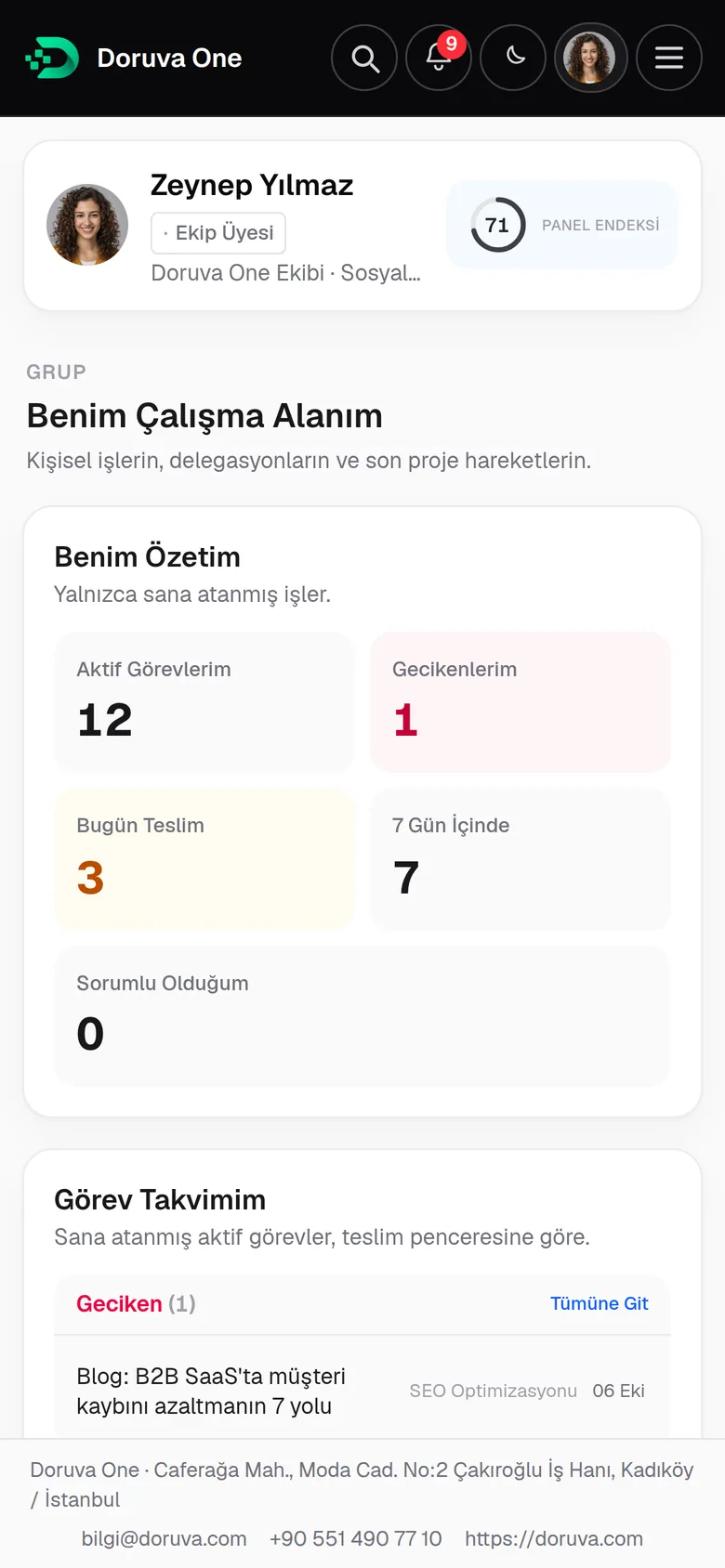
- Role-basedEveryone sees their own scope
- DedicatedYour installation, your branding
- English · TürkçeInterface language per user
- Web + mobileDesktop, tablet and phone
Why Doruva One
Scattered tools, scattered operations.
Tasks live in one app, files on a drive, client conversations on personal phones. As the team grows, more time goes into finding where the work is than into the work itself.
Tasks in one place
Who is delivering what, and by when? The answer gets lost between lists.
Files somewhere else
Which folder has the latest version, which message had it attached?
Chats in personal apps
Decisions about clients stay buried in private messages.
Client memory in people’s heads
When the account owner is away, the context goes with them.
Project context in pieces
Tasks, files and conversations sit apart; nobody sees the whole picture.
Reports built by hand
Delays and workload stay invisible until someone fills in a spreadsheet.
With Doruva One
One workspace. Everything in context.
- Tasks, files and conversations on the same record
- Health, risks and relationship history for every brand
- One dashboard that adapts to each role
- Delays, workload and delivery risk, live
The real product
Not a pitch deck. The panel teams work in every day.
The dashboard adapts to whoever signs in. Personal work, team status and brand health sit on the same screen, so you can see where to step in without waiting for a report.
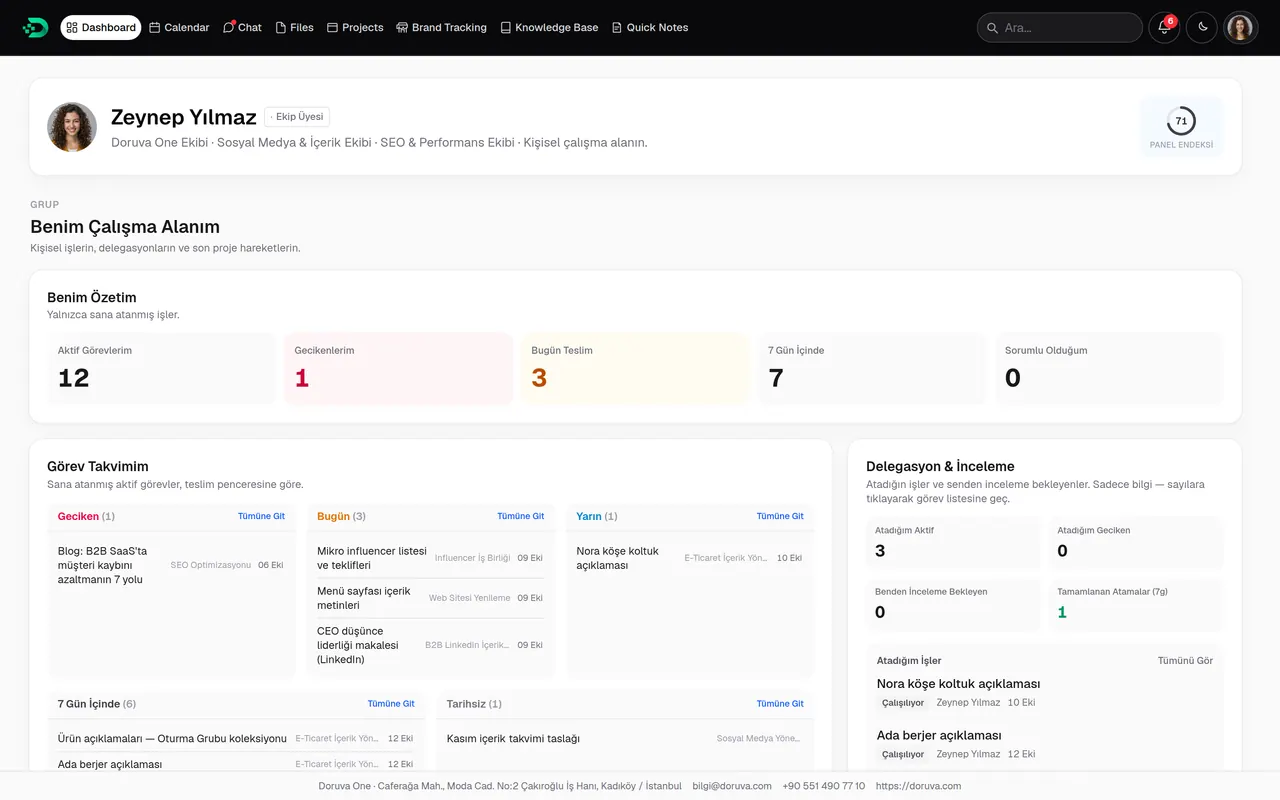
Personal visibility
Work that is overdue or due today, tomorrow or within seven days, plus what you have delegated and what is waiting for your review.
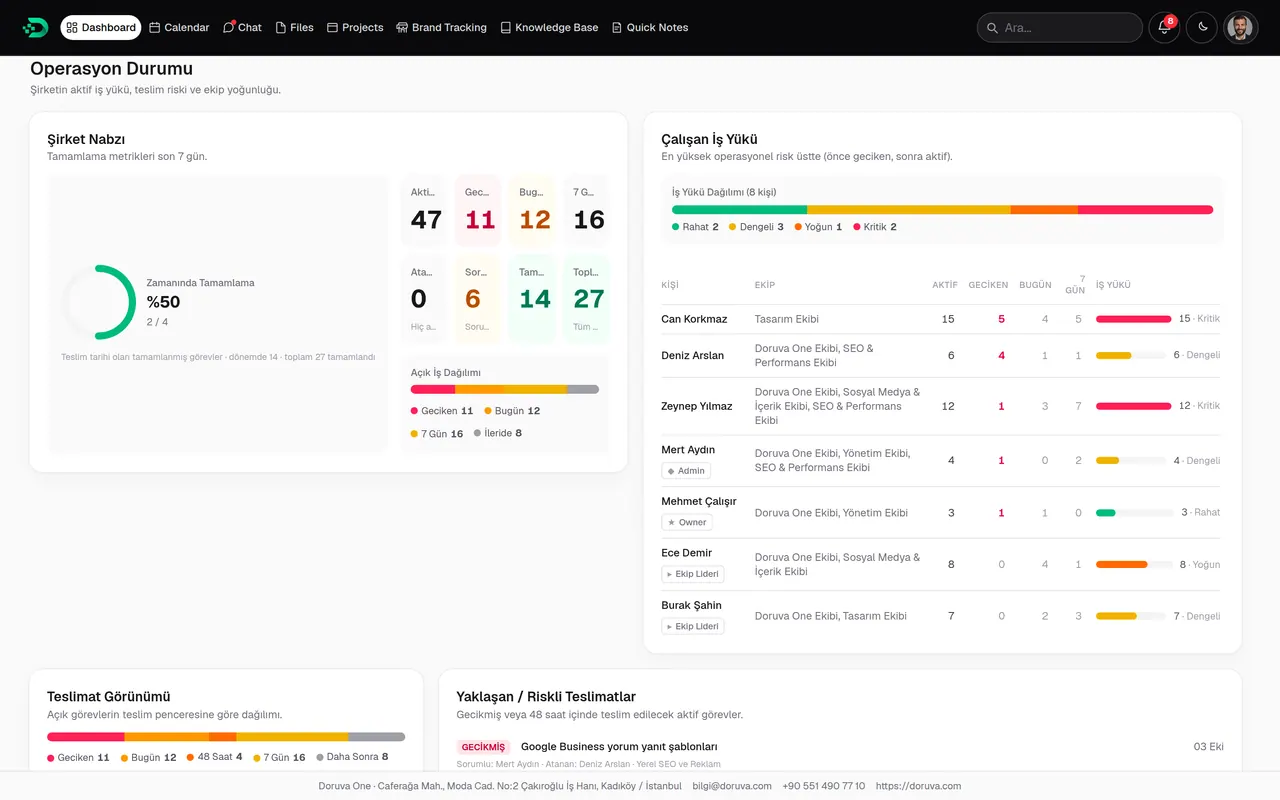
Team status
Company pulse, workload per person (comfortable to critical), delivery spread and delivery risk.
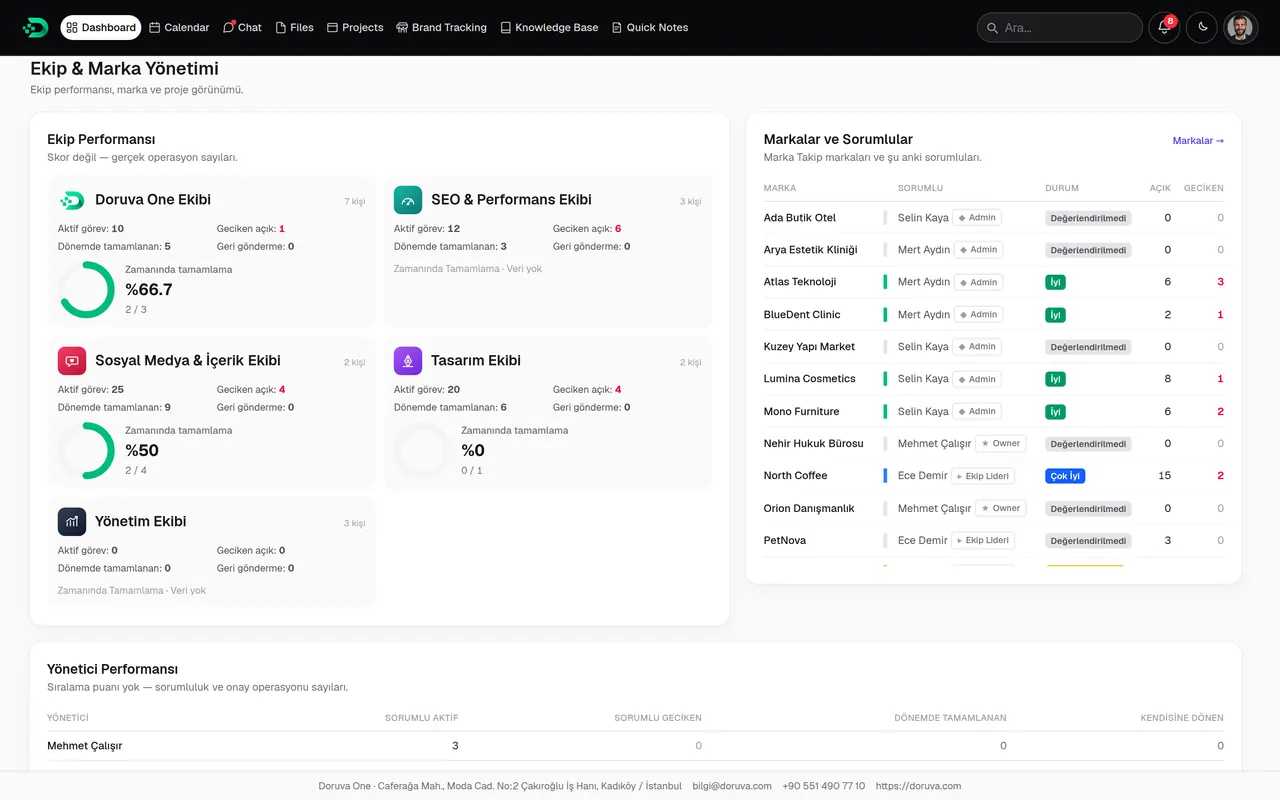
Brand and project health
Team performance, brand ownership, brand health and manager performance at a glance.
Every image on this page is taken from Doruva One itself. The people and brands are fictional examples created for the demo data.
Brand Tracking
A client is more than a record. It’s a living workspace.
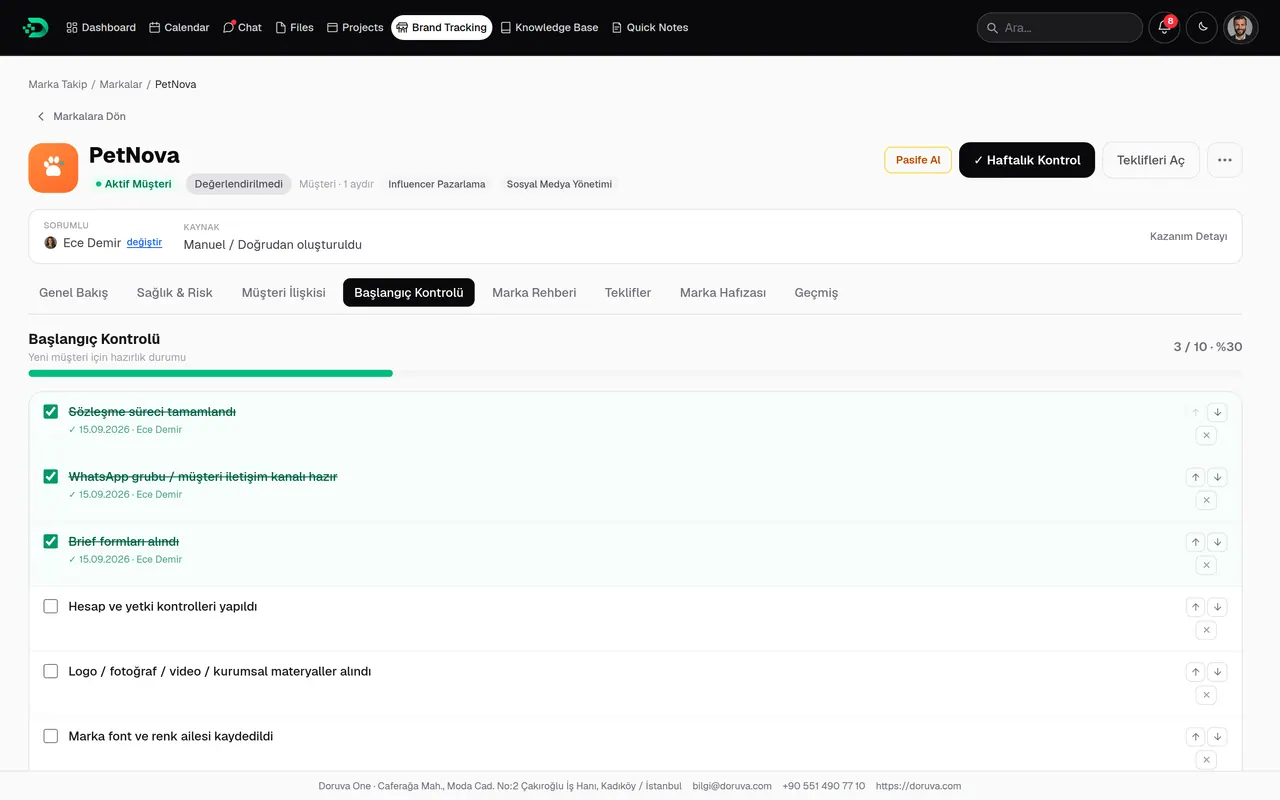
Every brand lives with its own projects, chats, team, notes, proposals and history. Whoever manages the account, the client’s whole story is on one card.
The brand’s operation on one page
Project and task status, service health, open risks, the brand team, current chats and recent activity, together.
- Project and task progress
- Health per service
- Brand team with role tags: Account, SEO, Design, Content…
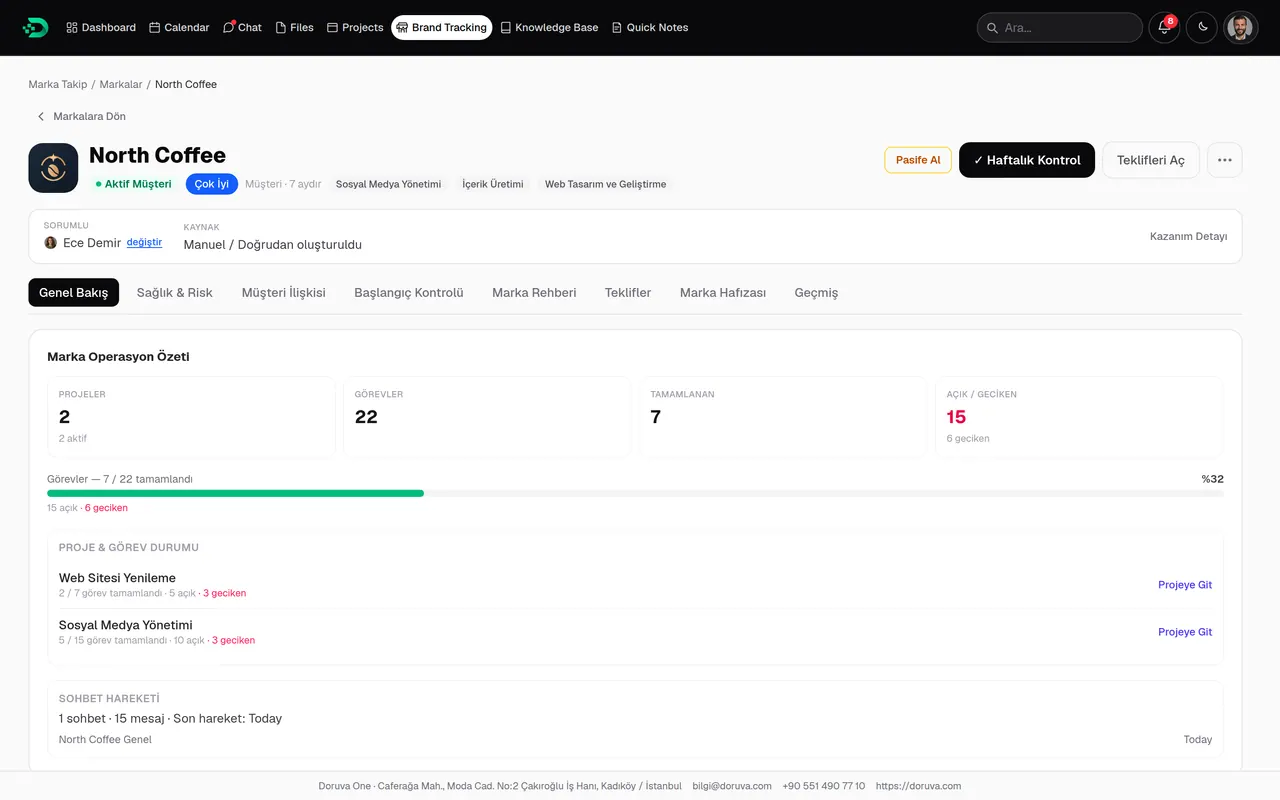
See problems before they become crises
A weekly health check records communication, complaints, recurring issues and payment status. Risks are tracked by level, status and type of resolution.
- Health from Very Good to Crisis
- Operational, serious and critical risk levels
- Resolutions such as fix, accelerate or save the relationship
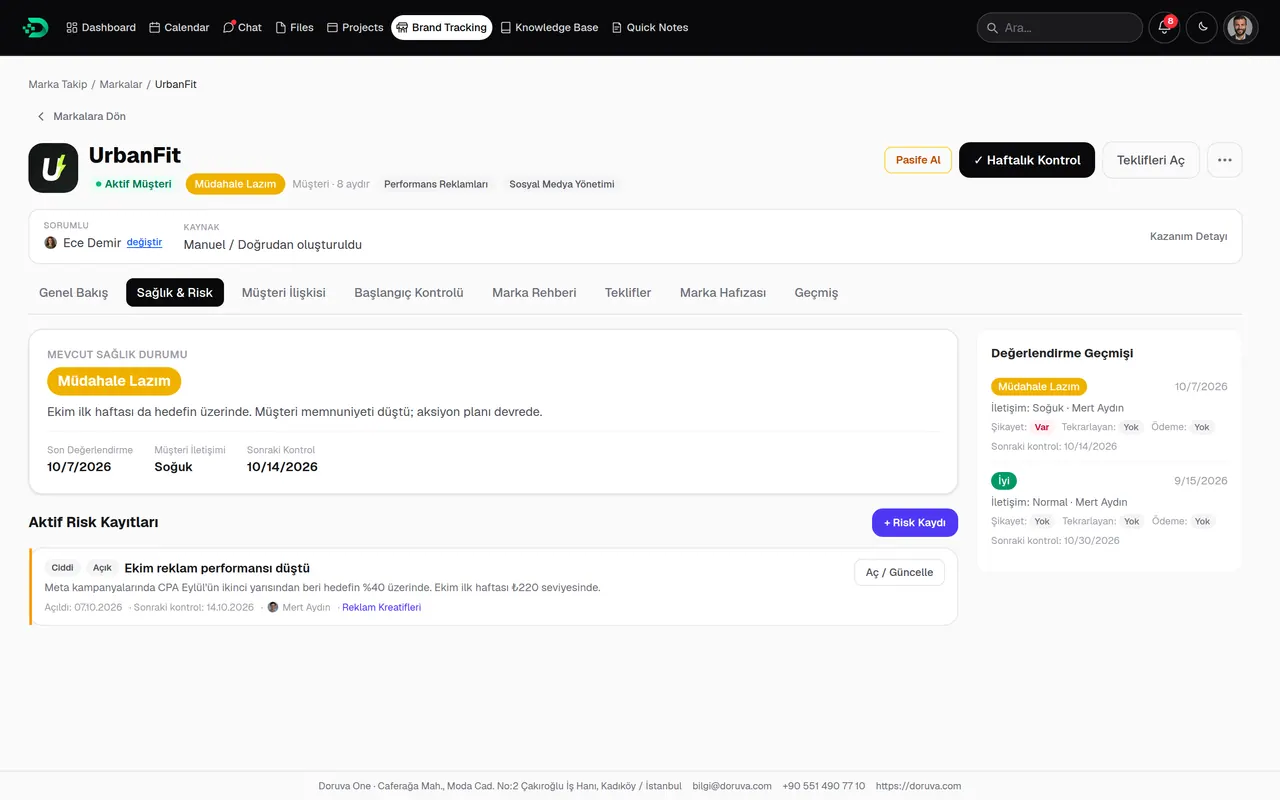
Every touchpoint on record
Meeting, phone, email and WhatsApp notes, with first and last contact and the last and next meeting dates.
- Note types: WhatsApp, meeting, phone, email, weekly summary
- Contact rhythm at a glance
- Everyone on the brand team sees the same history
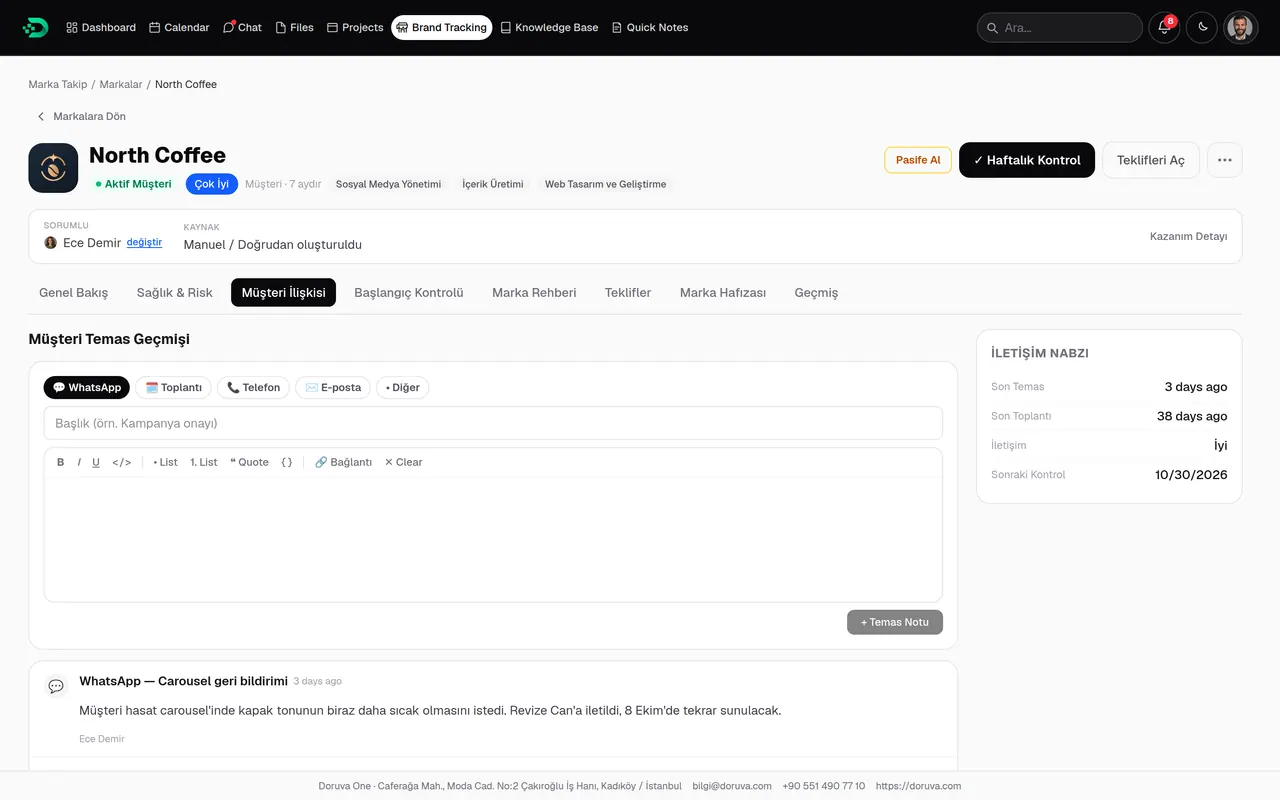
A tidy start with every new client
An onboarding checklist from contract to first meeting. Add items, reorder them and follow progress.
- Ready-made items such as contract signed or brief received
- Brand-specific items
- Progress bar for status
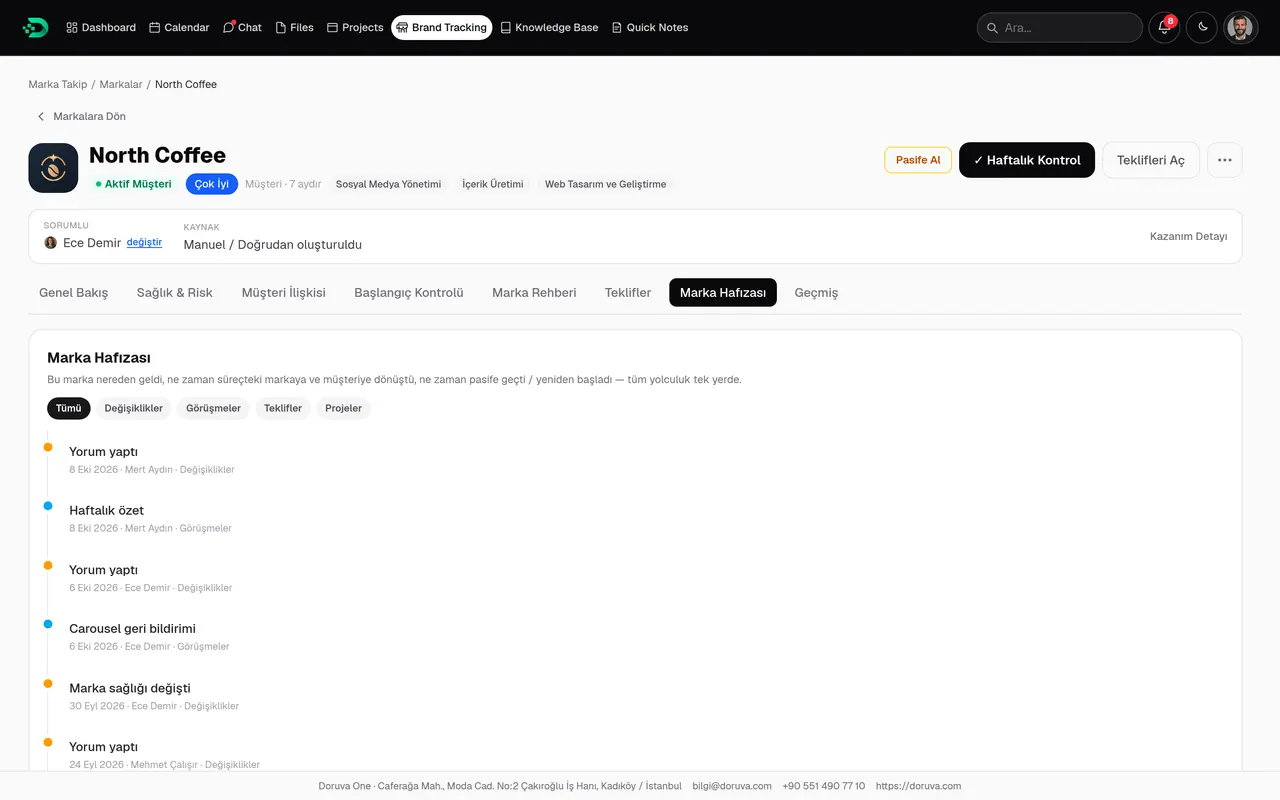
The brand’s timeline
Notes, health changes and task and project activity in one stream. The context survives when the account changes hands.
- Stream filtered by type
- Who did what, and when
- A quick briefing for new team members
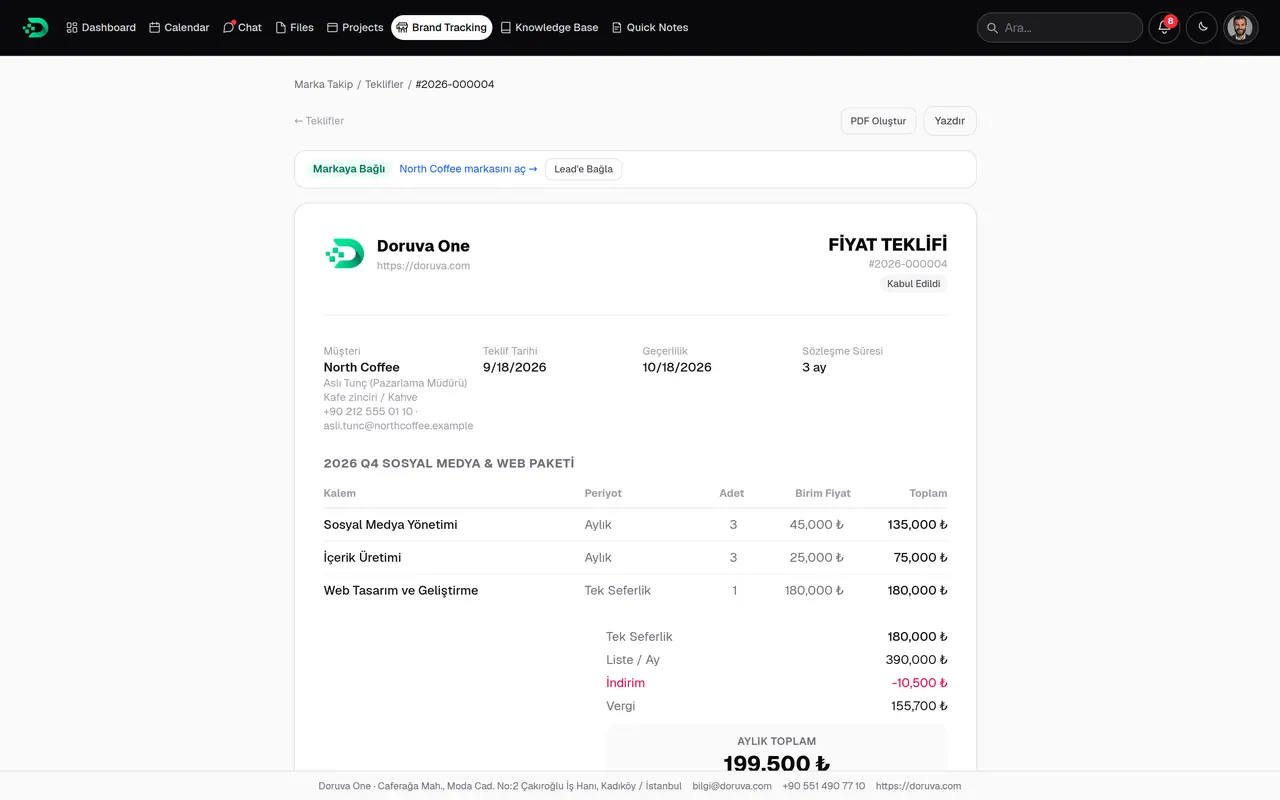
From service catalog to proposal
Build proposals from your service catalog with quantity, price, discount and VAT; print them or share a PDF under your organization’s proposal branding.
- Statuses such as draft, sent and accepted
- TRY, USD and EUR
- Printable and PDF view
One portfolio, eight different stories
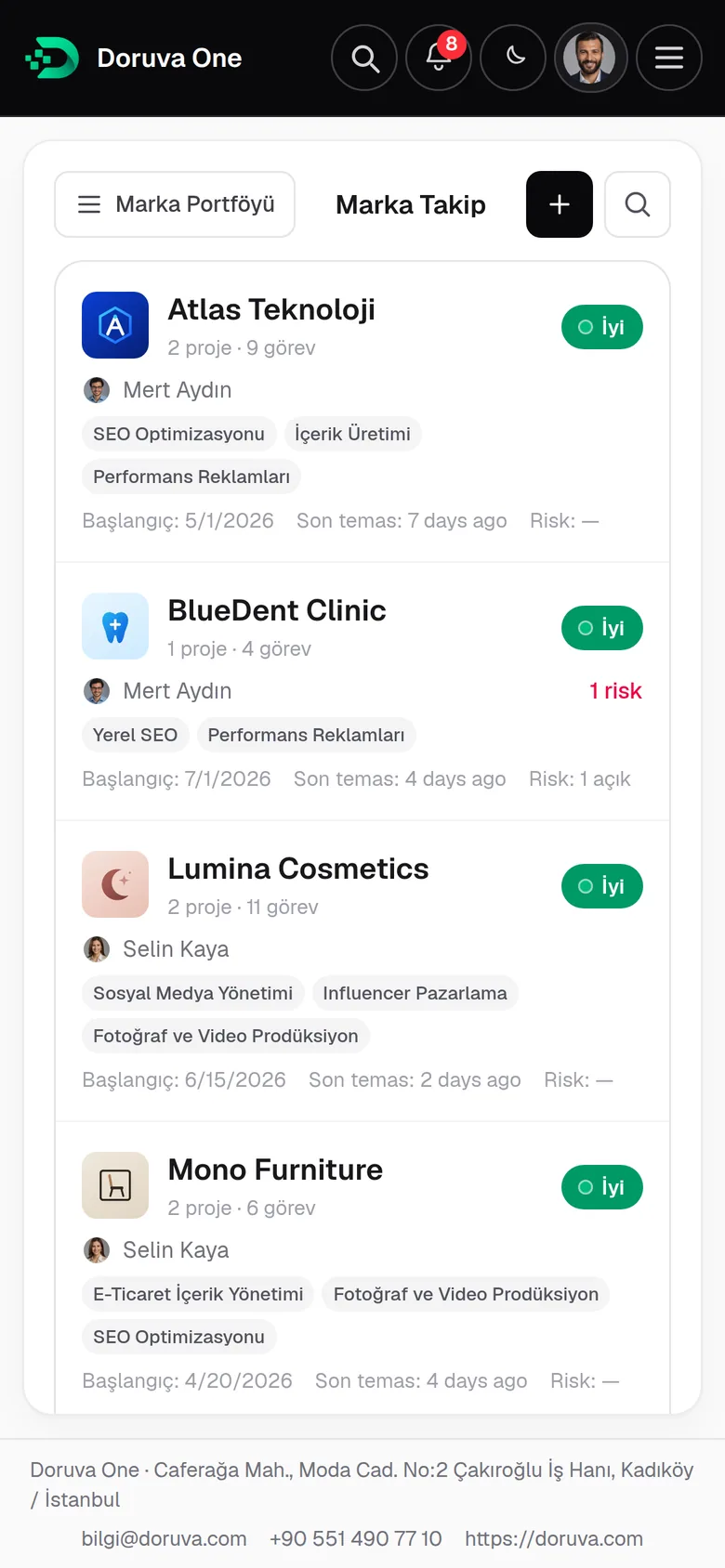
The brand portfolio shows each brand’s health, owner, services and active projects side by side. Open a brand and its whole context opens with it.





Fictional brands from the demo portfolio
Leads & CRM
From first contact to signed client, in one flow.
Enquiries from your website, Meta ads or the automation tools you already use land straight in Doruva One. A lead is qualified, becomes a prospect, receives a proposal and, once won, joins the brands you work with.
Lead sources
- Website form
- Meta / Instagram Lead Ads
- Zapier
- Make
- Webhook
- Manual entry
- 01
Lead
New · Contacted · Qualified
- 02
Prospect
A stage board from first meeting to proposal sent
- 03
Proposal
Line items, PDF and status tracking
- 04
Client
“Convert to client” moves it to your active brands
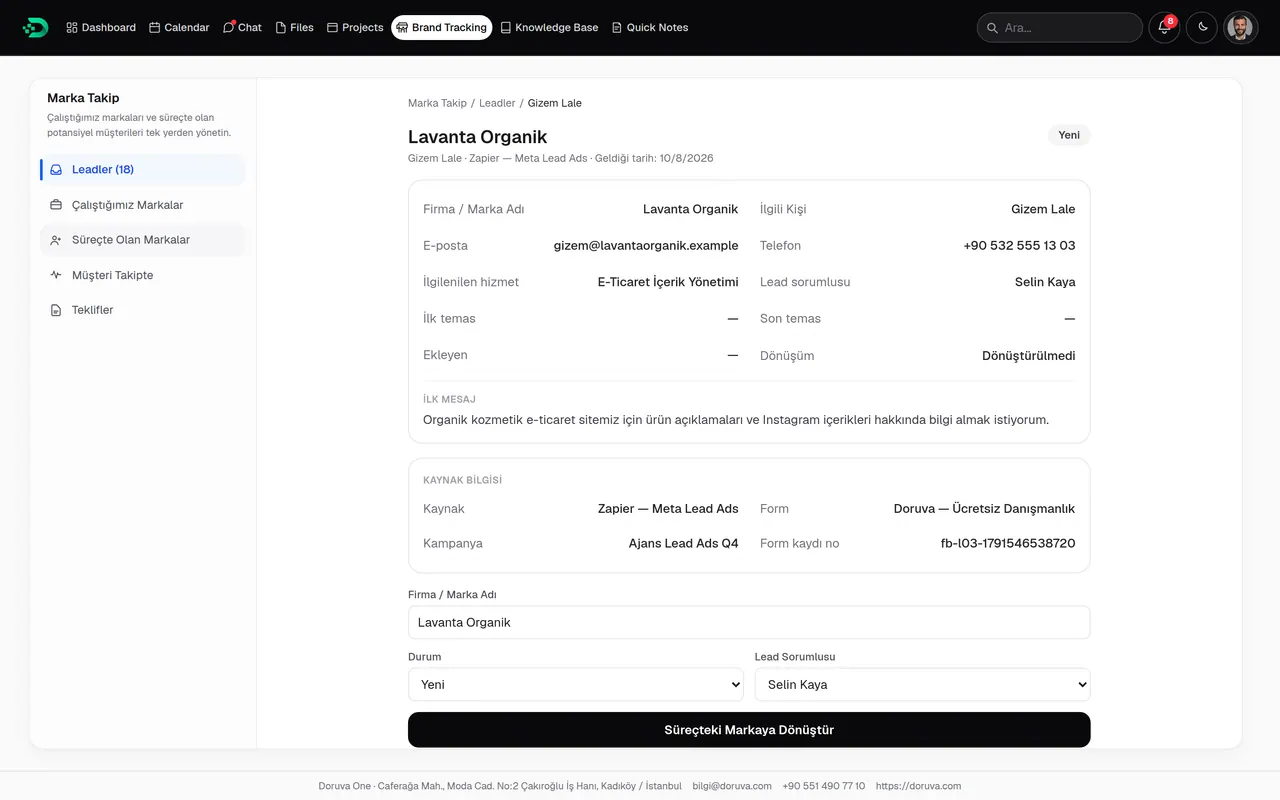
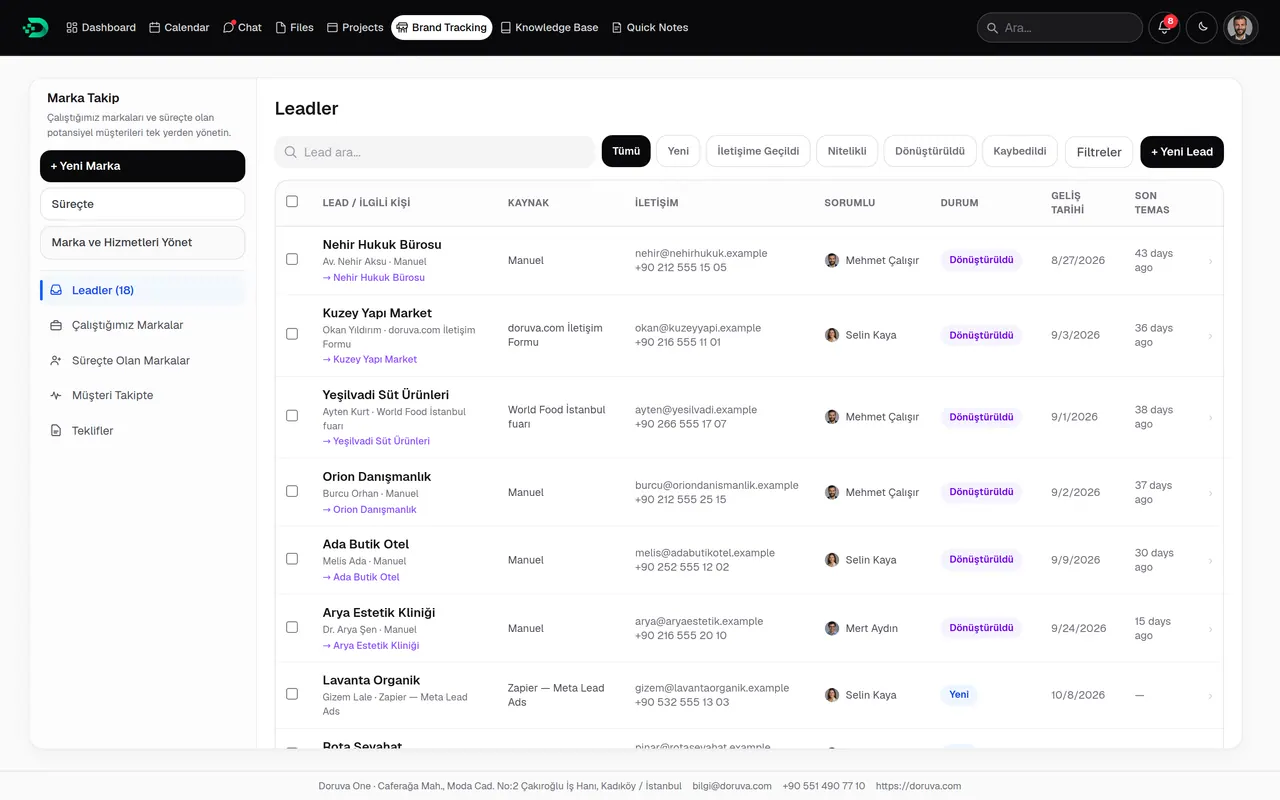
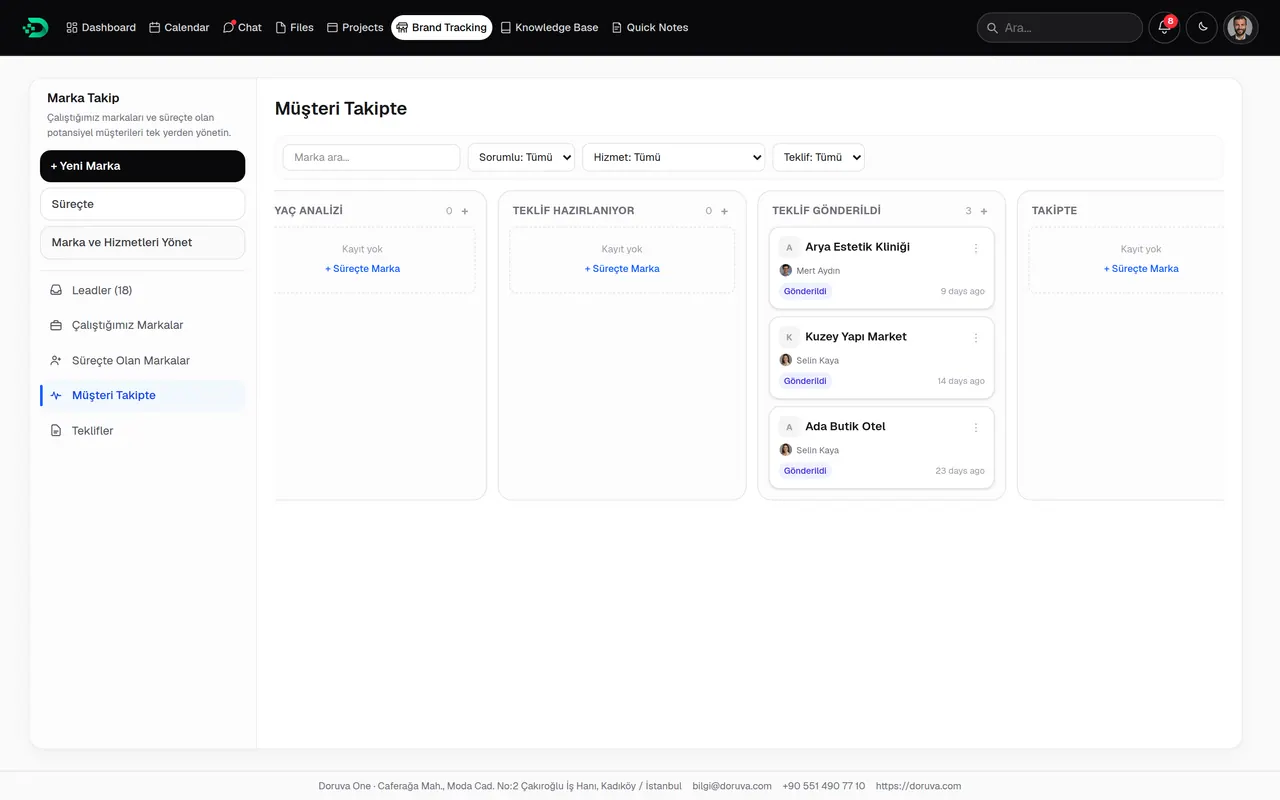
- Owner assignment and bulk actions
- Form answers and UTM data on the lead record
- A reason for every lost opportunity
- The owner is notified when a lead is assigned
Projects
Every project with its own board, team and history.
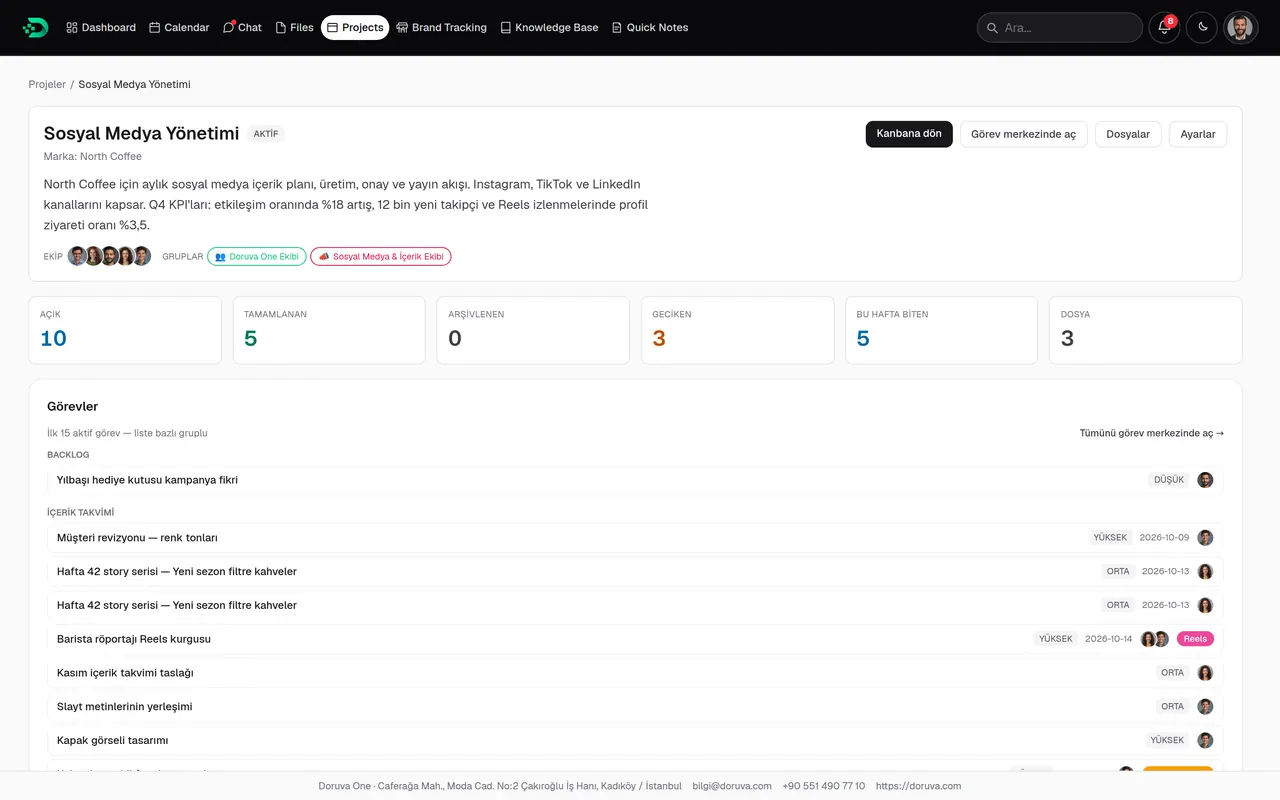
Work with lists and cards on a kanban board, and see tasks, files and project history together in the project hub. Every project has its own chat, and project members join it automatically.
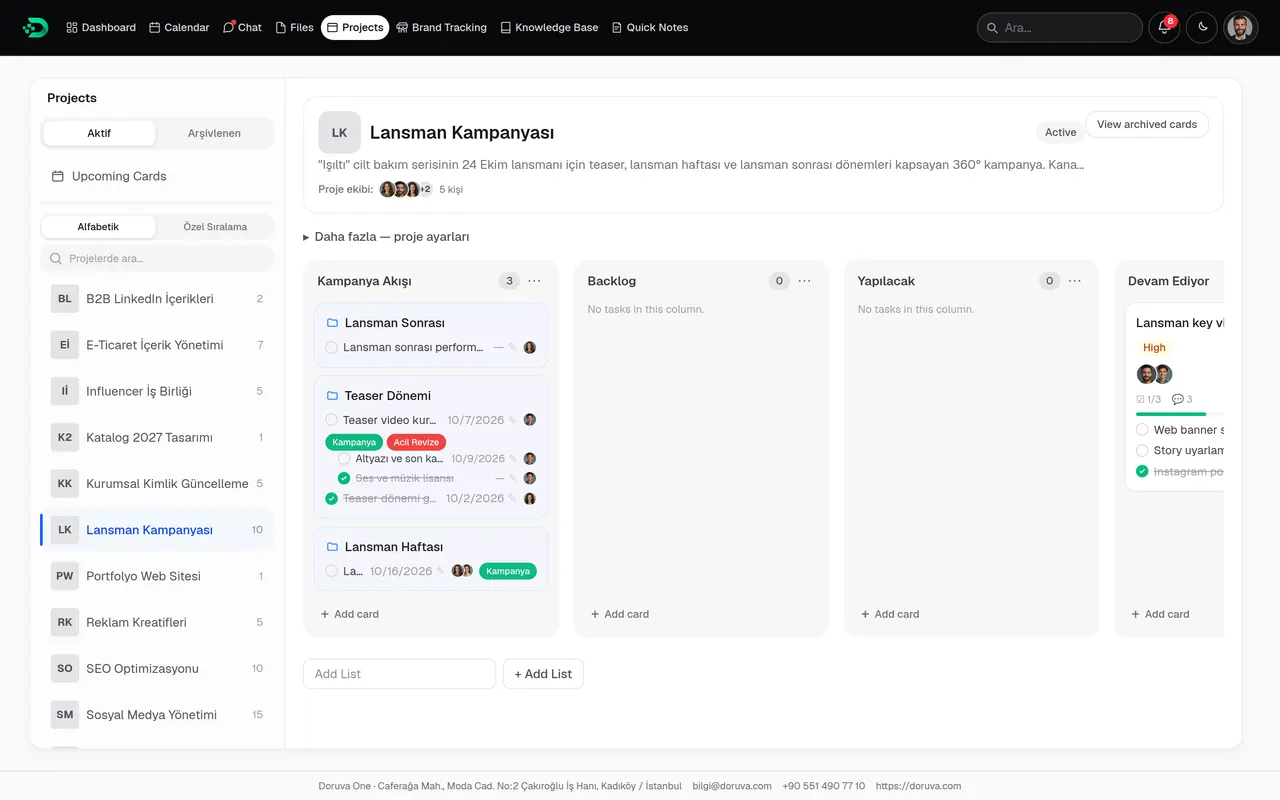
- Lists from backlog to done, team filter and archive
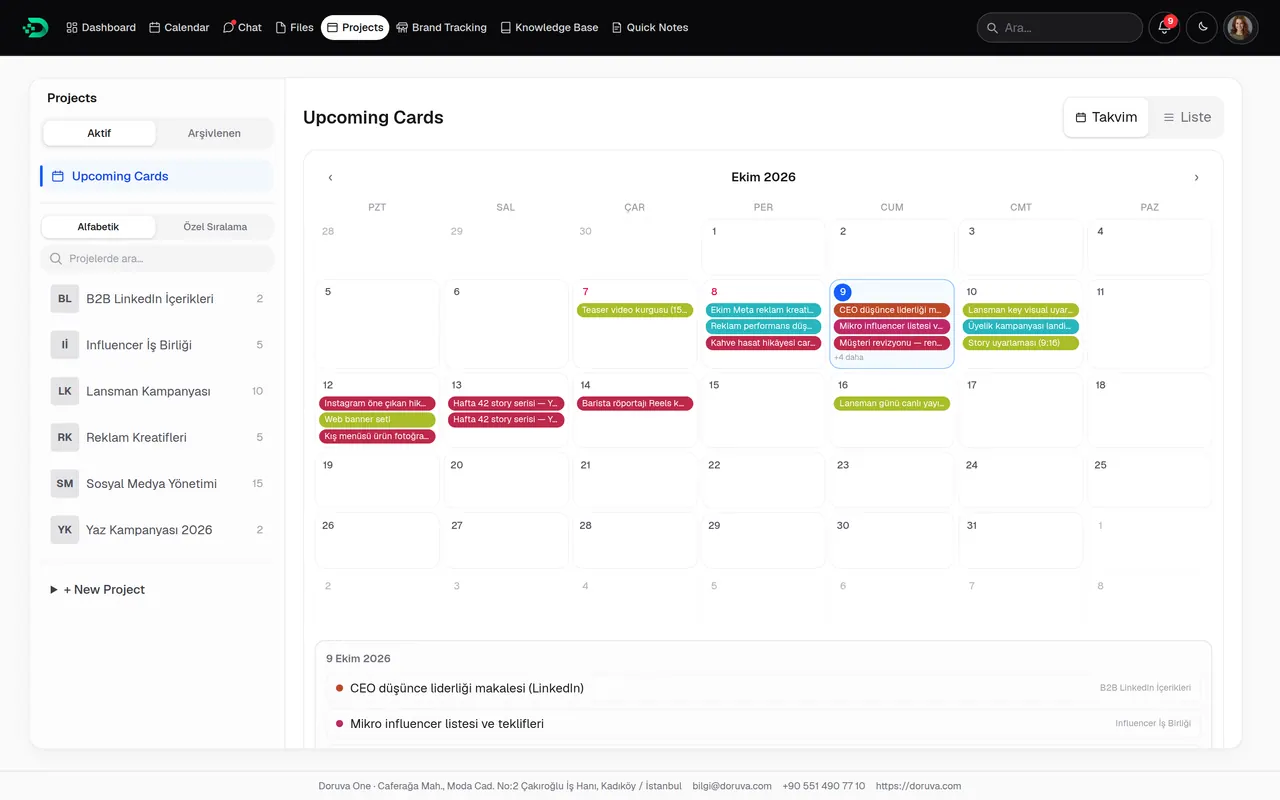
- Upcoming Cards: overdue, today, tomorrow, this week
- Project team, team groups, labels and card members
- Project files and quick task entry
Planning Groups
More than a task list: plan work the way it’s really structured.
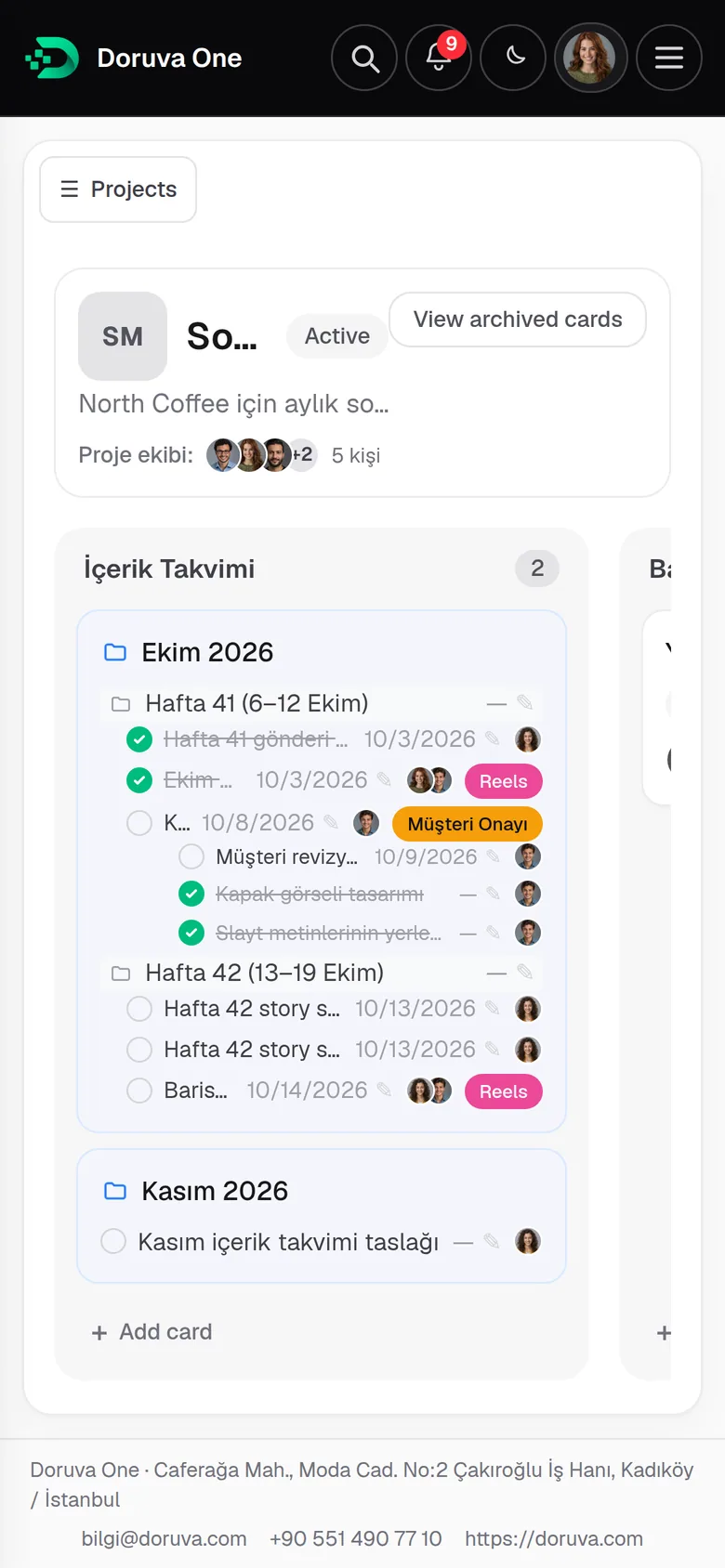
Planning groups gather sub-work under a period, week, campaign phase or topic. They nest, show up on the board like folders and are left out of task counts and personal workload. Your plan grows; your reports don’t inflate.
The real shape of the work
- BrandNorth Coffee
- ProjectSocial Media Management
- ListContent Calendar
- CardA planning card on the board
- Planning GroupOctober 2026 › Week 41
- TaskCoffee harvest story carousel
- SubtaskCover image
How teams use them
Monthly content calendar
October 2026 › Week 41 · Week 42
SEO roadmap
Technical SEO · Content · Backlinks
Campaign phases
Teaser · Launch week · Post-launch
Influencer waves
Each wave with its own tasks
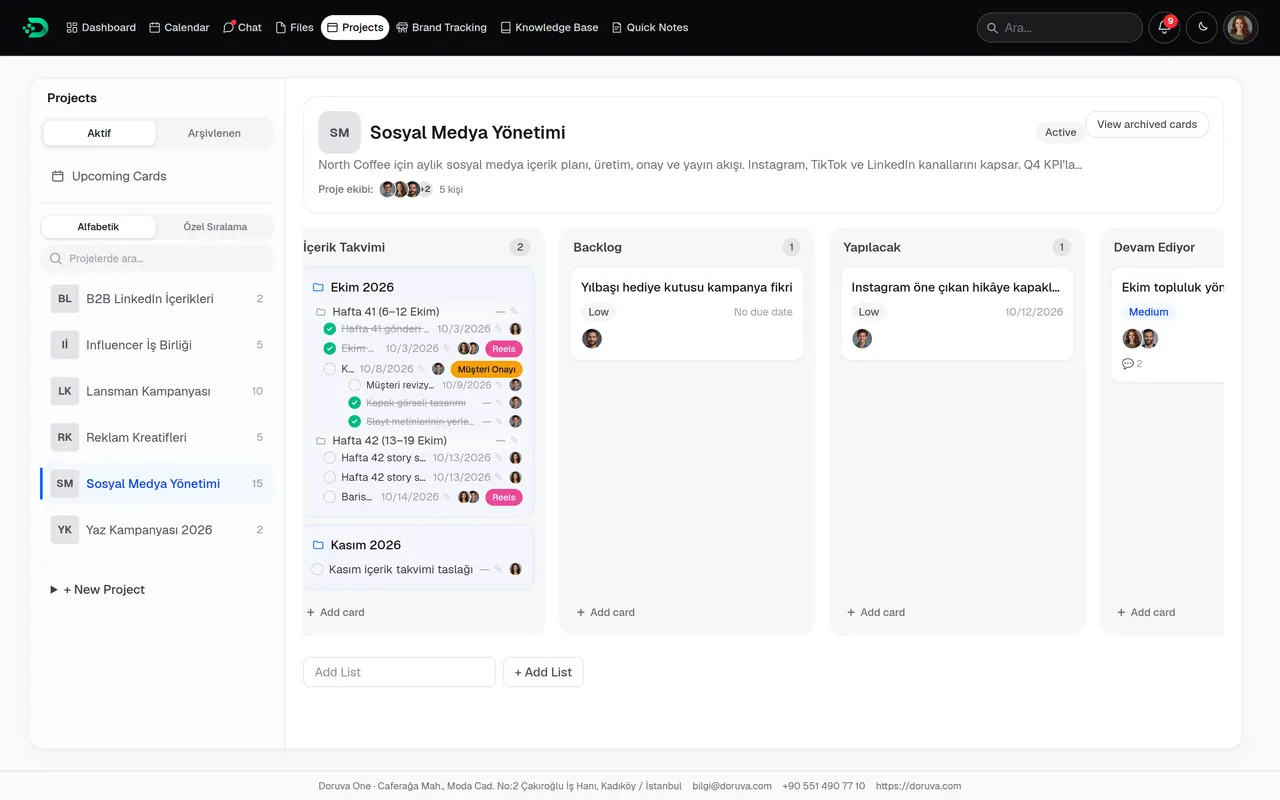
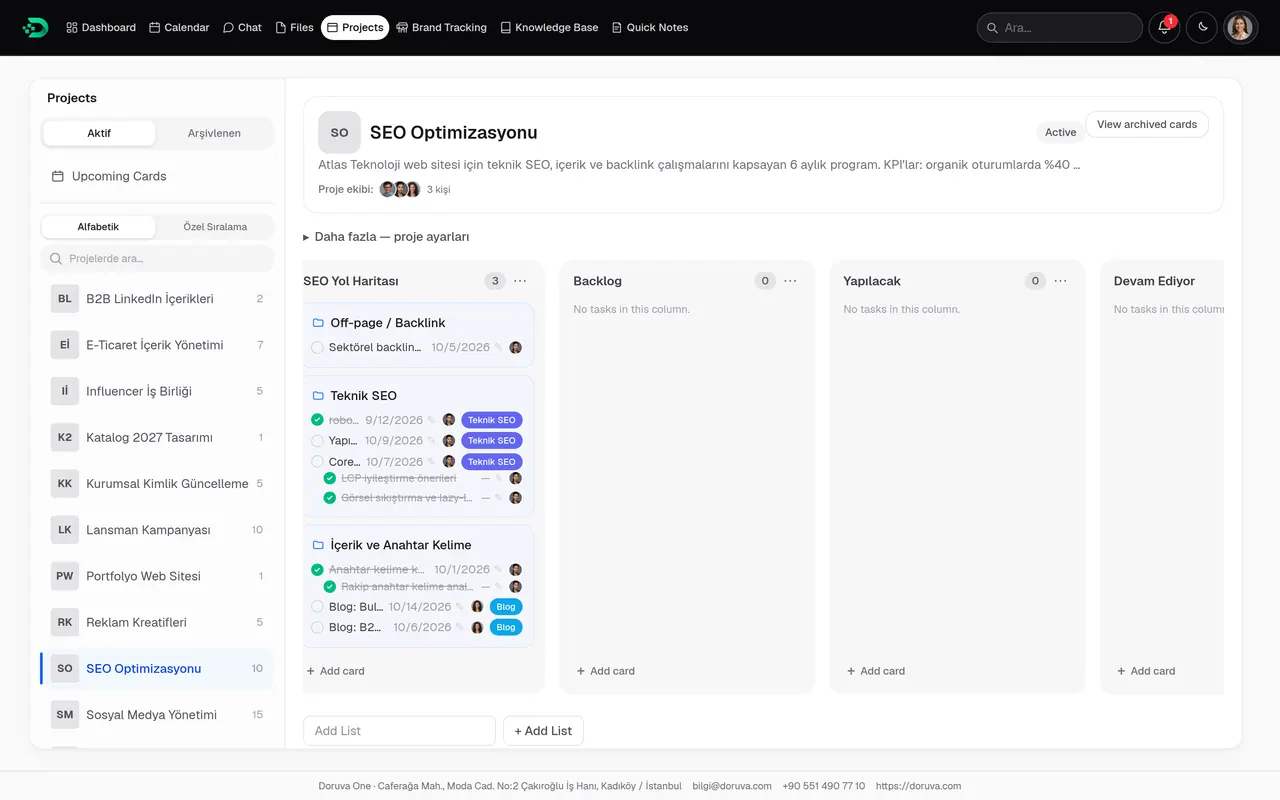
- Not counted in task totals, workload or reports
- Visible in search and in the breadcrumb path
- Referenced with “#” in chat and notes
- Archived together with everything inside
Tasks
A task is more than a row on a to-do list.
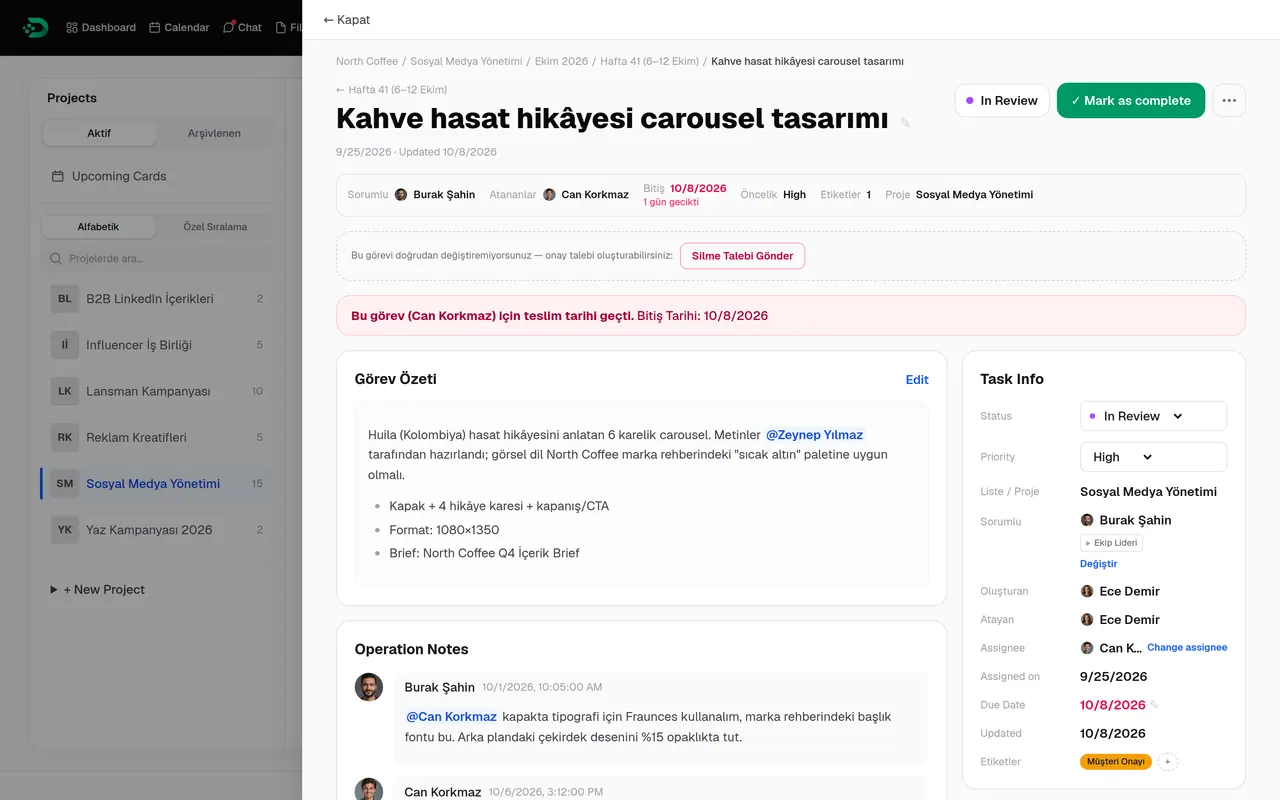
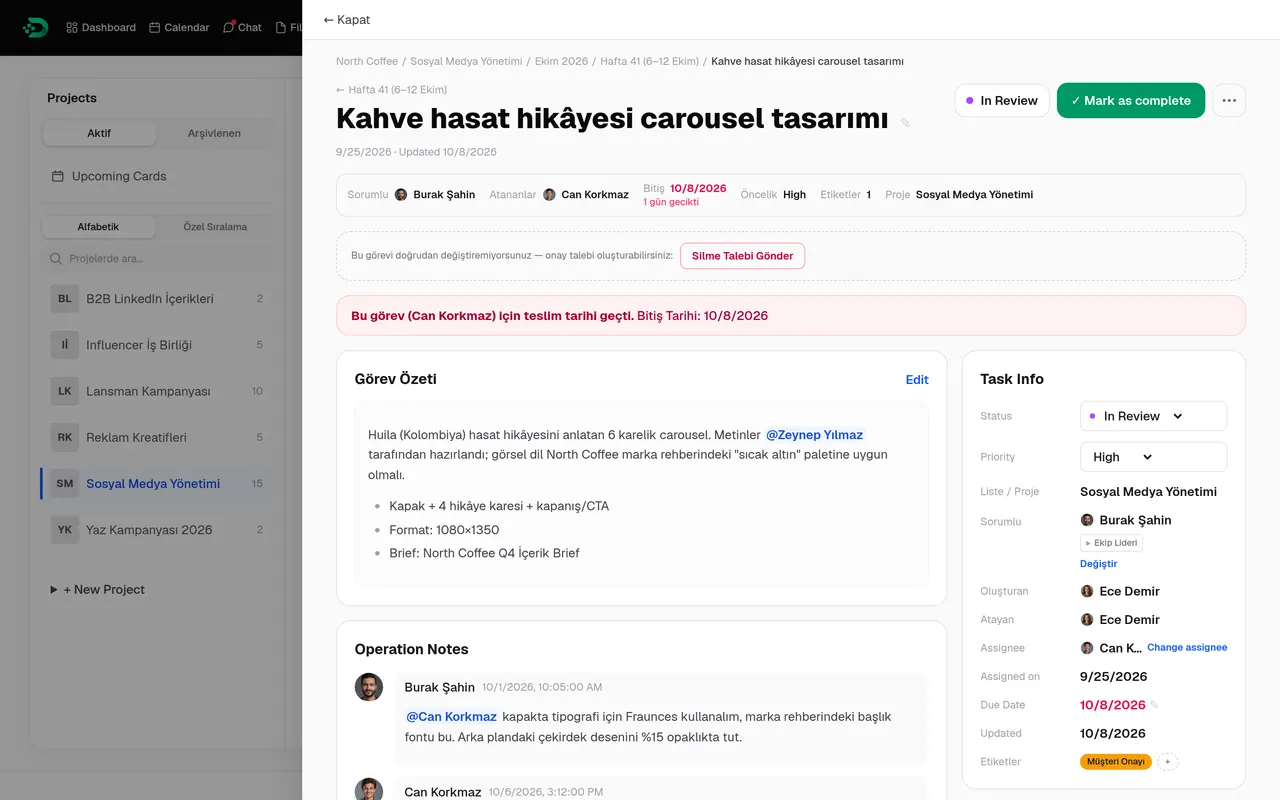
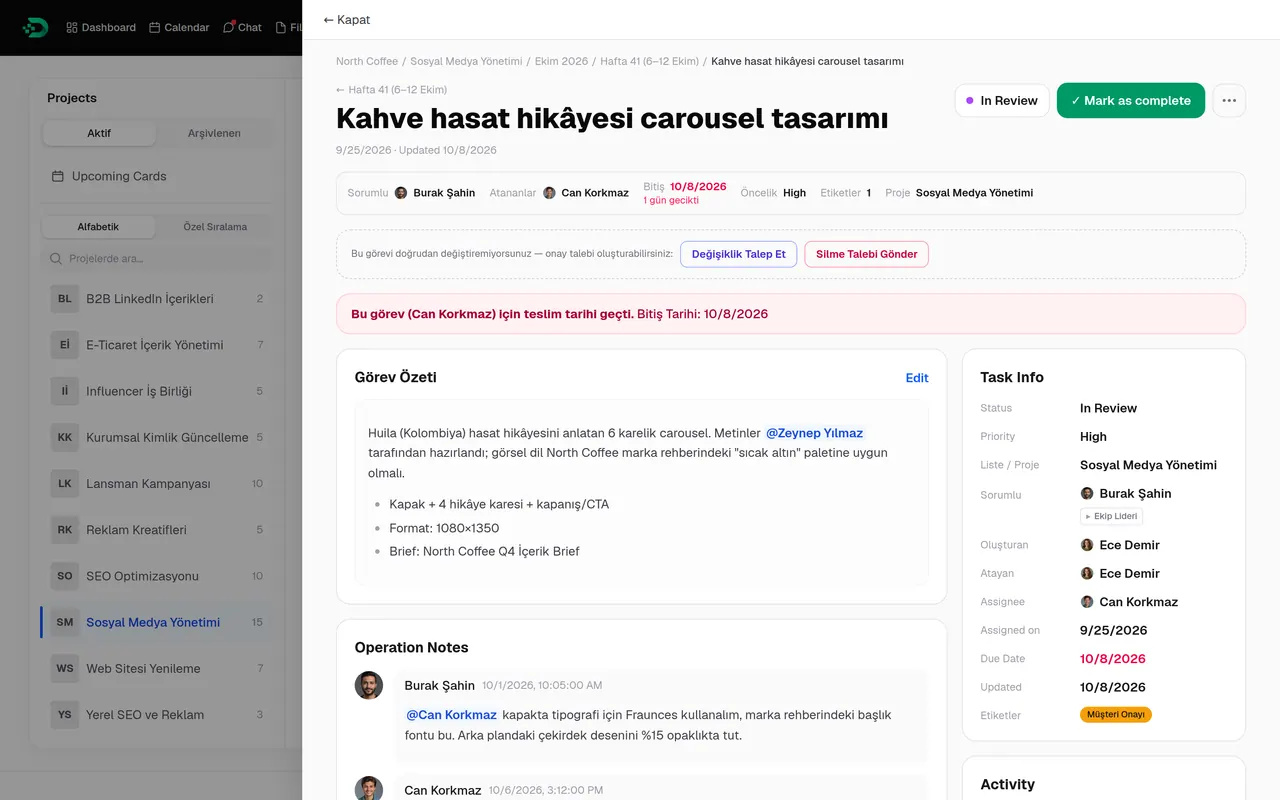
Every task has a responsible person, one or more assignees, a due date and a priority. Operation notes, mentions, attachments, subtasks and the activity history all stay inside the task.
Responsible and assignees
Assign people or a whole team; choosing a team assigns each member individually.
Date, priority, status
Priority from low to urgent; status from backlog to done.
Subtasks
Unlimited depth with a progress counter. A task with open subtasks can’t be closed.
Operation notes
Call in a teammate with @ and link to projects and tasks.
Attachments and activity
Files next to the task, every change in its history.
Review flow
“Send back to responsible” moves the work to In Review and onto the responsible person’s list.
Roles and visibility
Everyone uses the same panel. Not everyone sees the same thing.
Owner, Admin, Manager, Team Lead and Member all sign in to the same Doruva One; the dashboard, menus and permissions follow the role. When needed, an Admin can allow or block individual permissions per user.
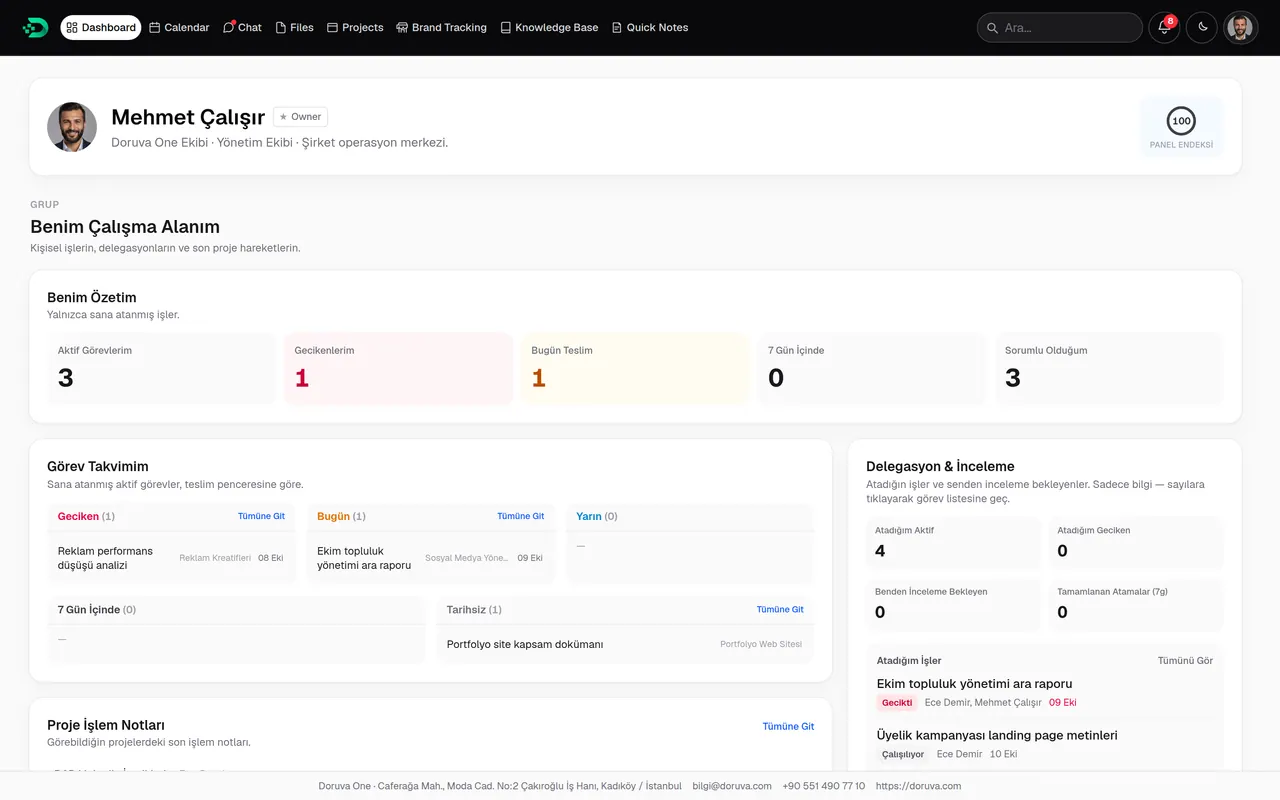
Mehmet Çalışır
The whole company
Company pulse, delivery risks, brand health, manager performance and technical status. License, plan and system details belong to the Owner alone.
- Company-wide dashboard and reports
- Final say in the Approval Center
- Users, plan and backups
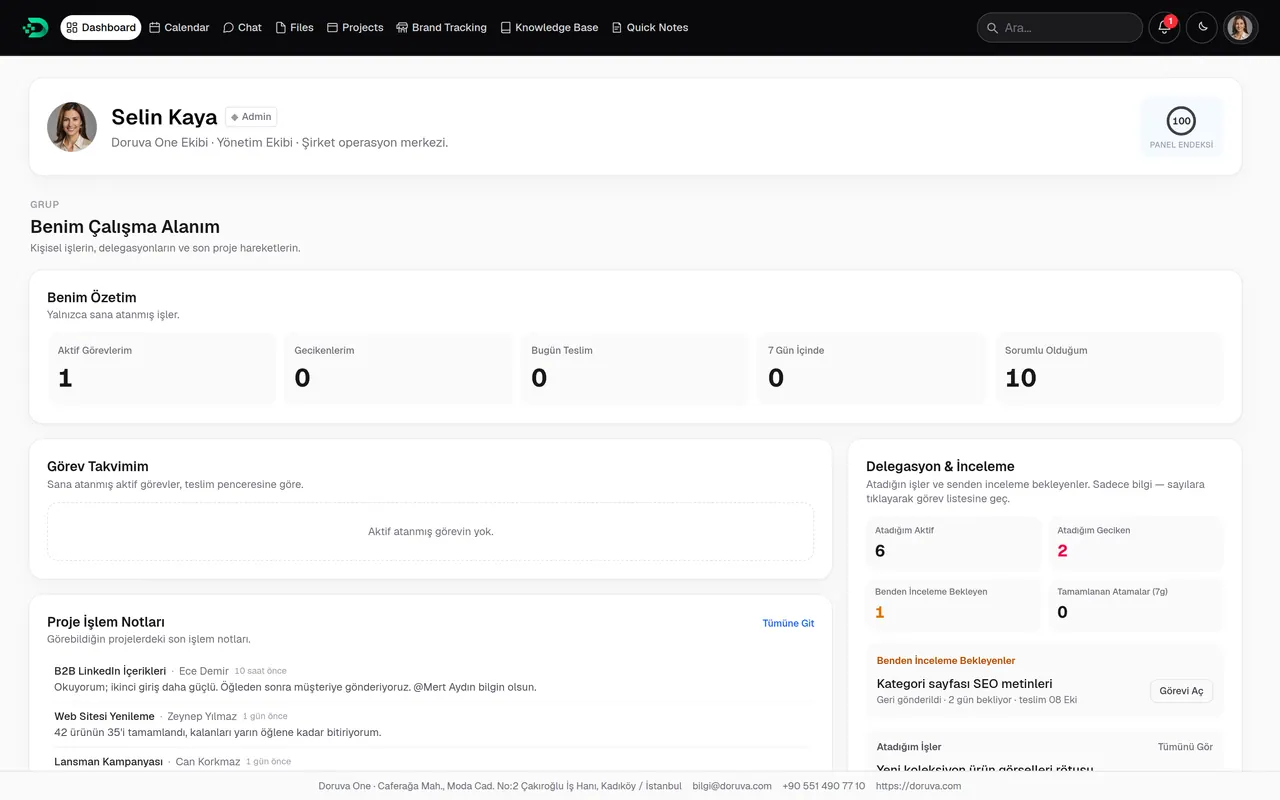
Selin Kaya
Running the organization
Users, teams, customization, integrations and backups. Company-wide dashboard and reports, lead distribution and proposals.
- Per-user permissions
- Project setup and memberships
- Customization and integrations
Teams and projects
Sees the operations status and the team & brand management sections, has company-wide reports and manages brands and the service catalog.
- Workload spread and delivery risk
- Company-wide reporting
- Brand creation and the service catalog
Shown: the operations status section of the Manager, Admin and Owner dashboards.
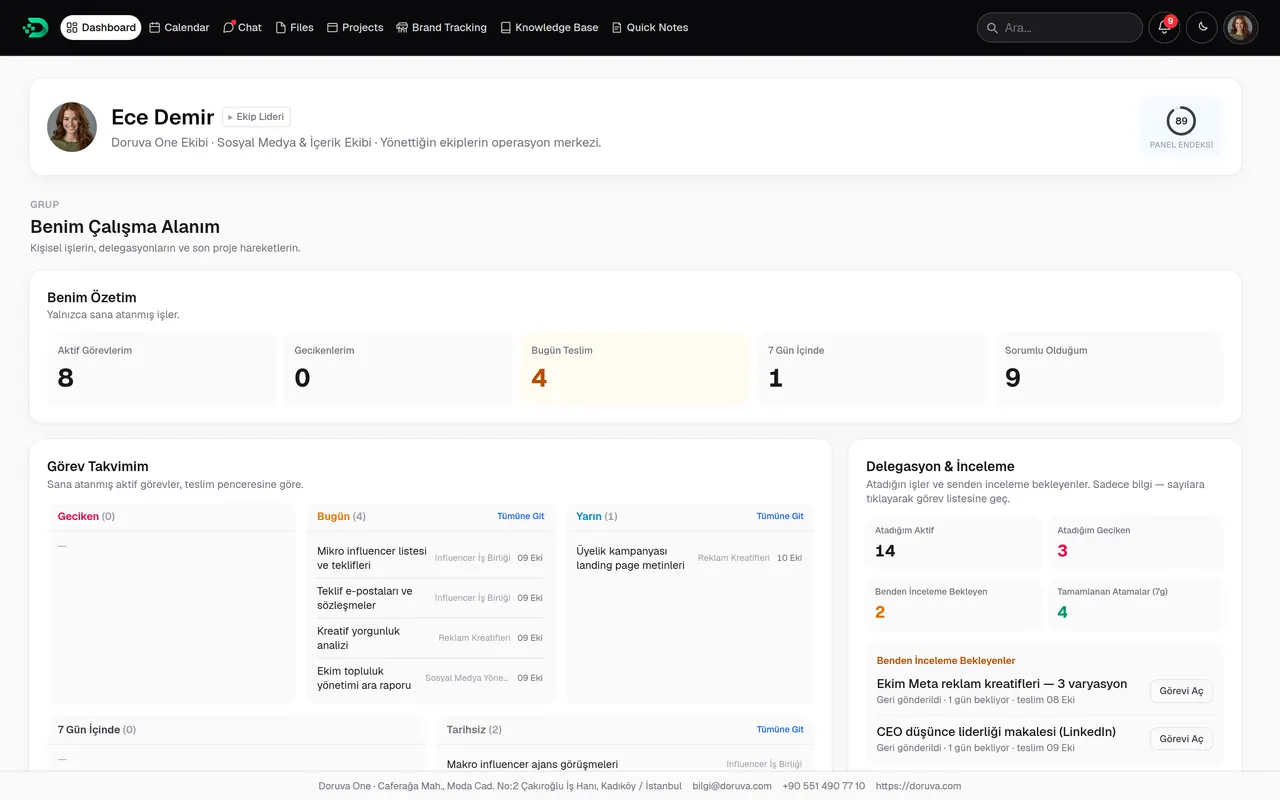
Ece Demir
The teams I lead
Workload, delays and performance of the teams they lead. Assigns the team’s tasks, plans periods with planning groups and publishes calendar events to the team.
- Team-scoped reports
- Team board and workload
- Team chats and brand groups
Zeynep Yılmaz
A personal workspace
Today’s and overdue work, own tasks, operation notes and a small team scoreboard. Actions such as deleting go through the Approval Center as requests.
- Assigned to me and responsible for
- Quick replies to mentions
- Process checks in the Knowledge Base
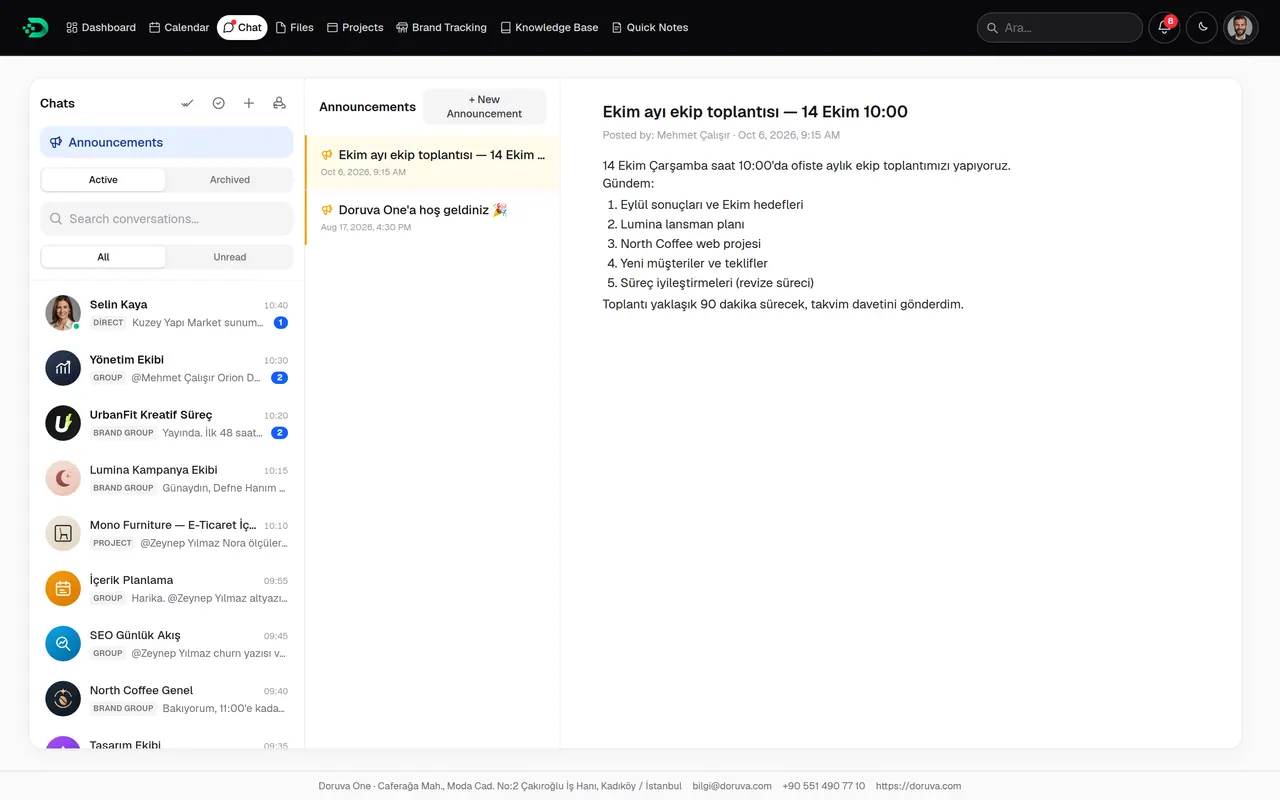
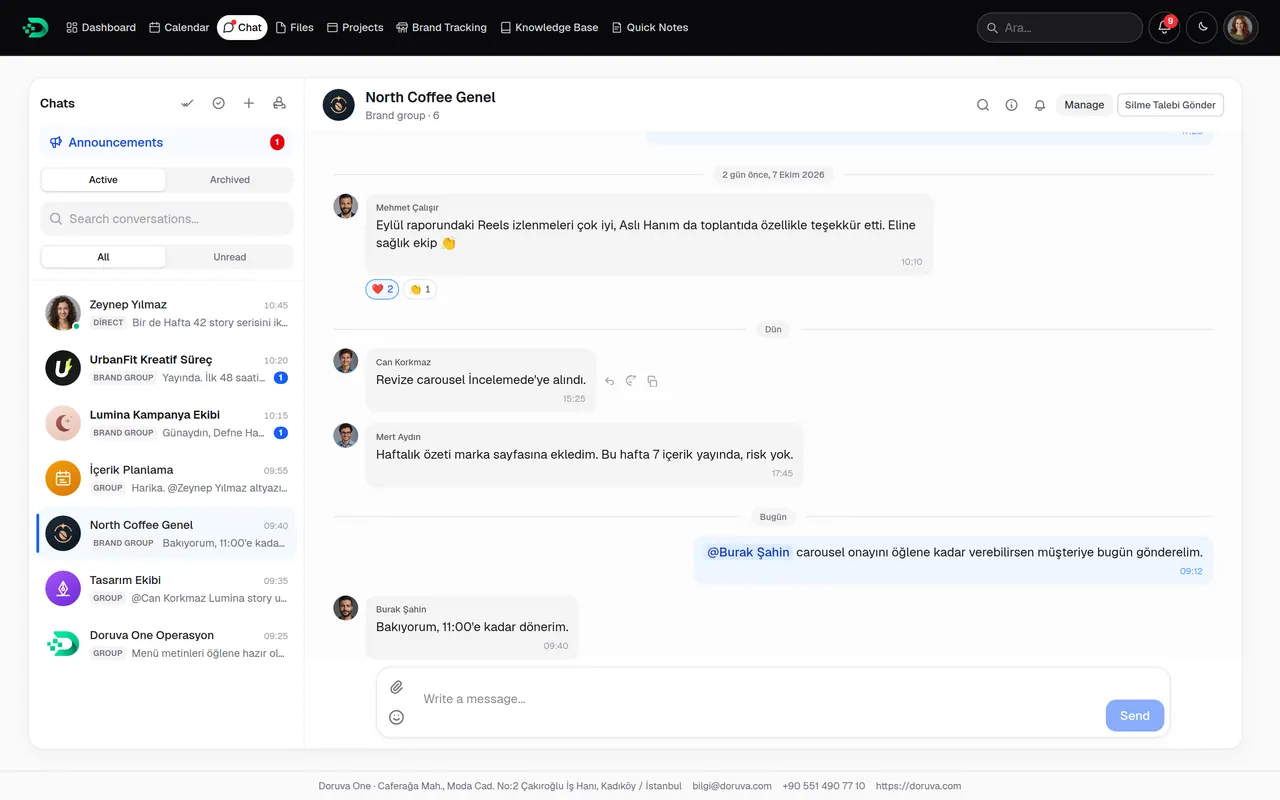
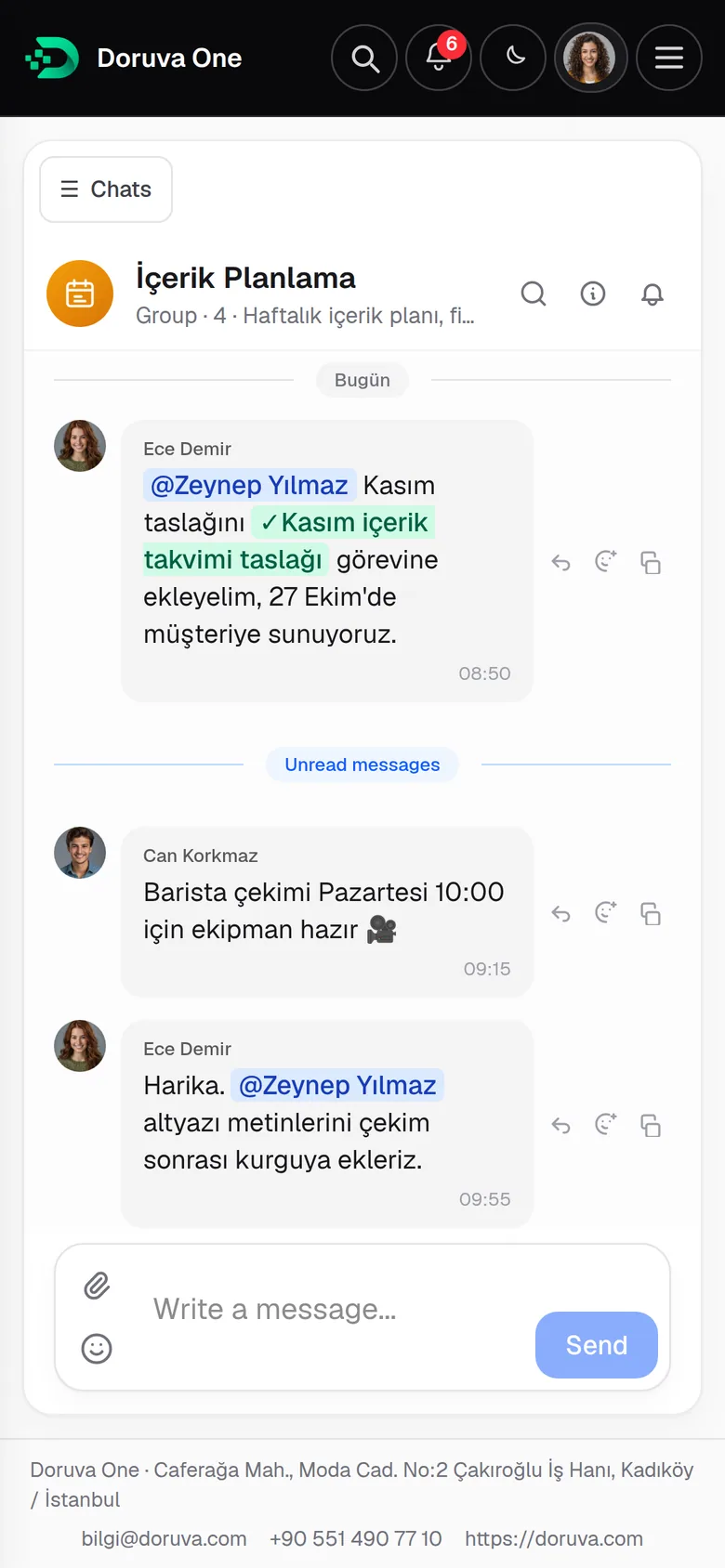
Chat
Keep work conversations next to the work.
A separate chat for every brand, project and team. Mention a teammate with @, link a project, task or planning group with “#”, share a file you already have. Decisions that used to scatter across personal messaging apps stay with the organization.
- Brand groups, groups, project chats and direct messages
- Mentions, replies and emoji reactions
- Up to 10 attachments per message; media, documents and links panel
- Company-wide announcements
- Message search, unread filter and archive
- Per-chat notifications: all, mentions only or muted
Your teams, each in their own space
 Design Team
 Social Media Team
 Content Planning
 SEO & Performance
 Management
 Operations
Knowledge Base
Keep knowledge in the organization, not in people’s heads.
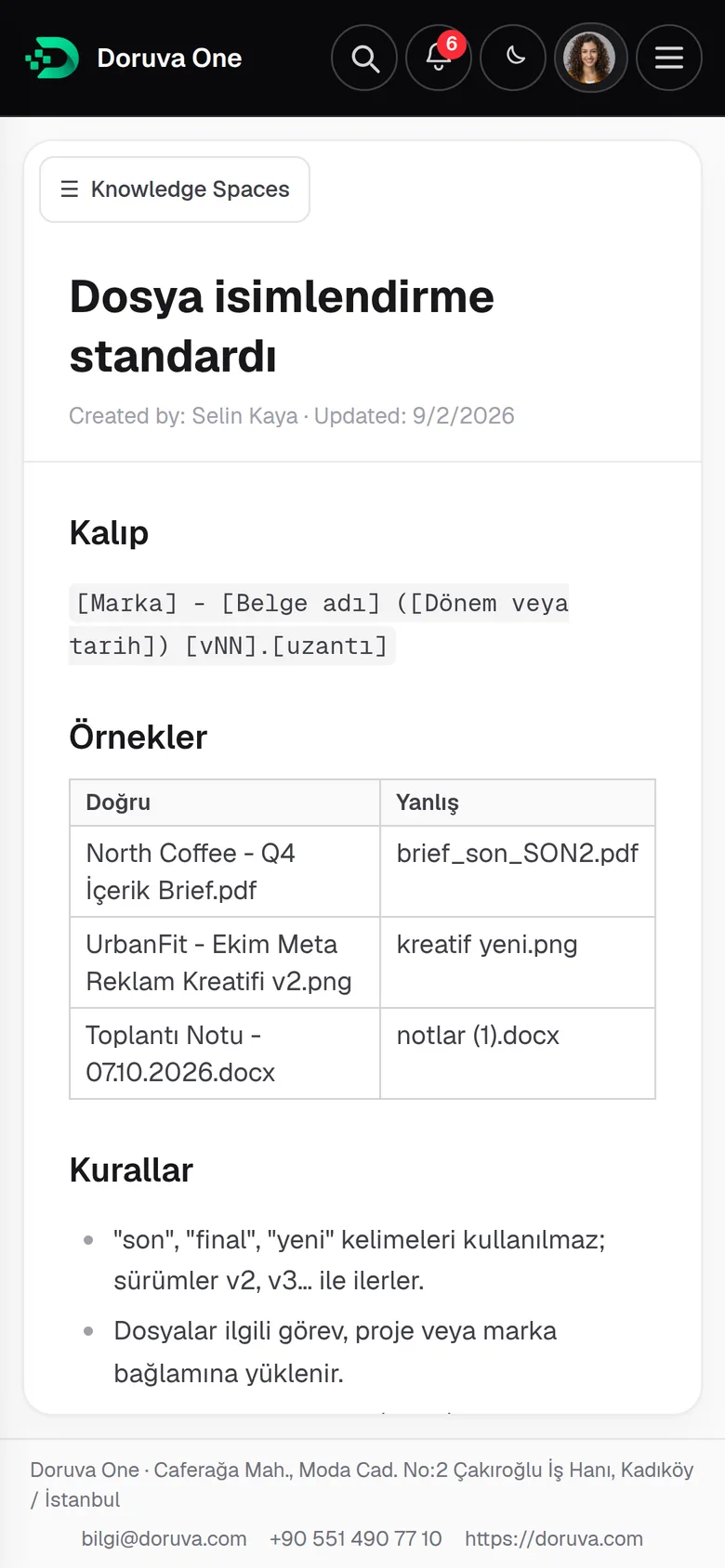
SOPs, process documents and brand guides are organized in spaces and page trees. Add headings, tables, images and links in the rich-text editor, and link a space to a brand to turn it into that brand’s guide.
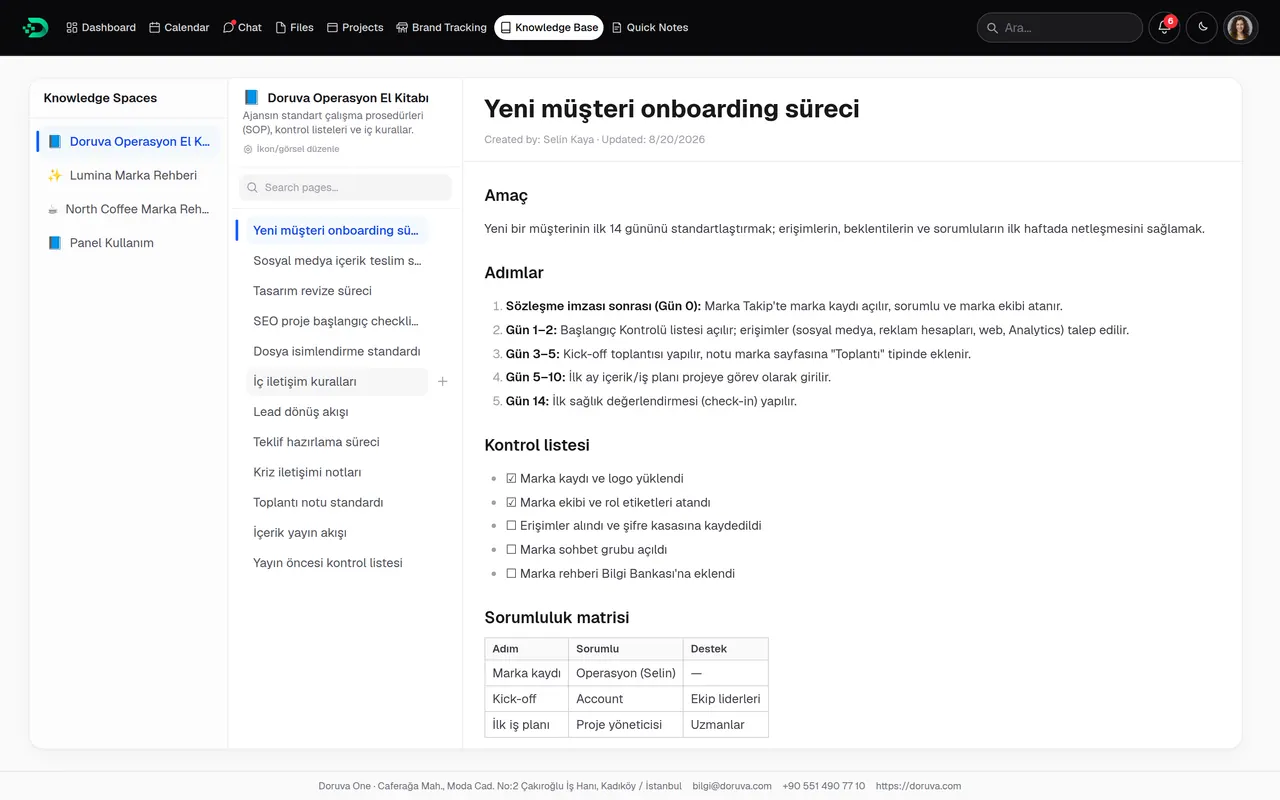
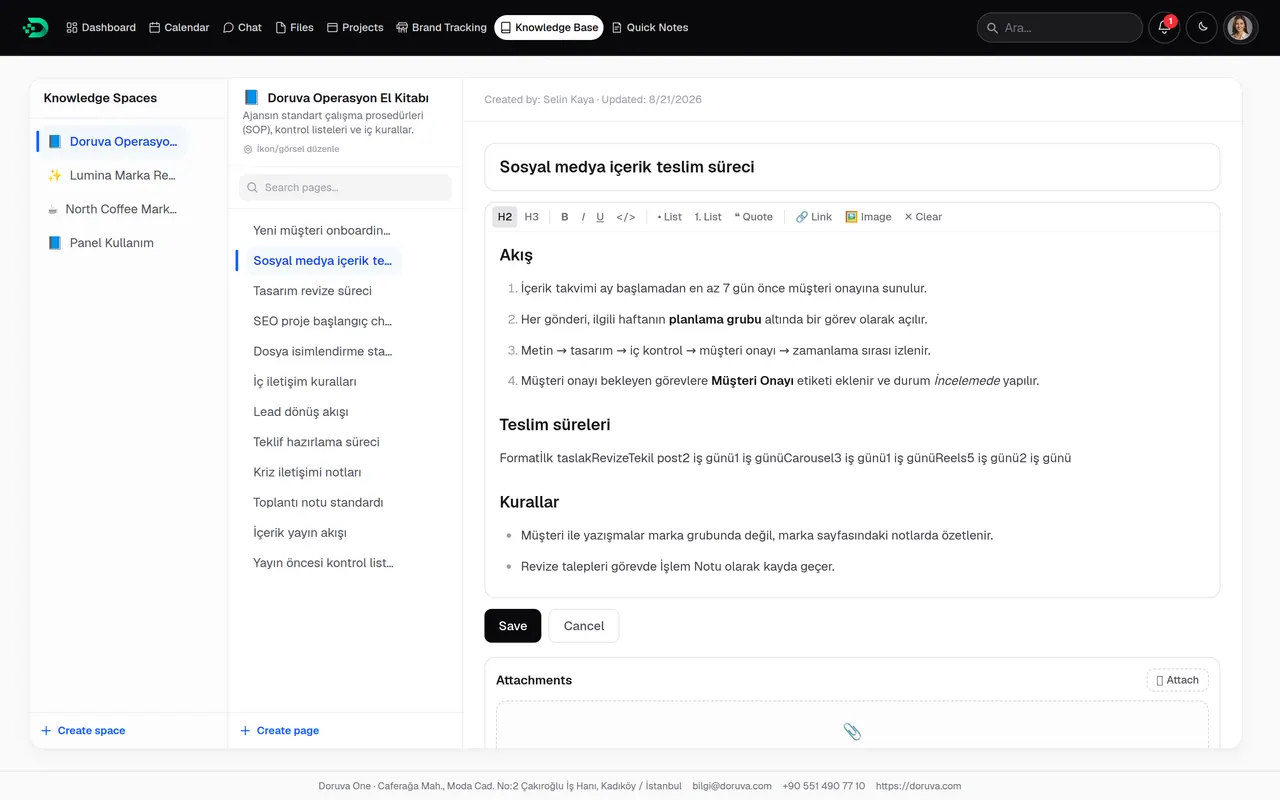
- Spaces, page trees and archive
- Tables, images, links and references
- Brand Guide: a knowledge space linked to a brand
- Ready-made how-to guides from day one
Files
Know what a file is about, not where it’s hidden.
Doruva One has no folder tree. Every file stays with the context it was uploaded in: a brand, project, task, chat or knowledge page. Preview, links and labels sit together in the inspector.
- Brand
- Project
- Task
- Chat
- Knowledge Base
- Personal
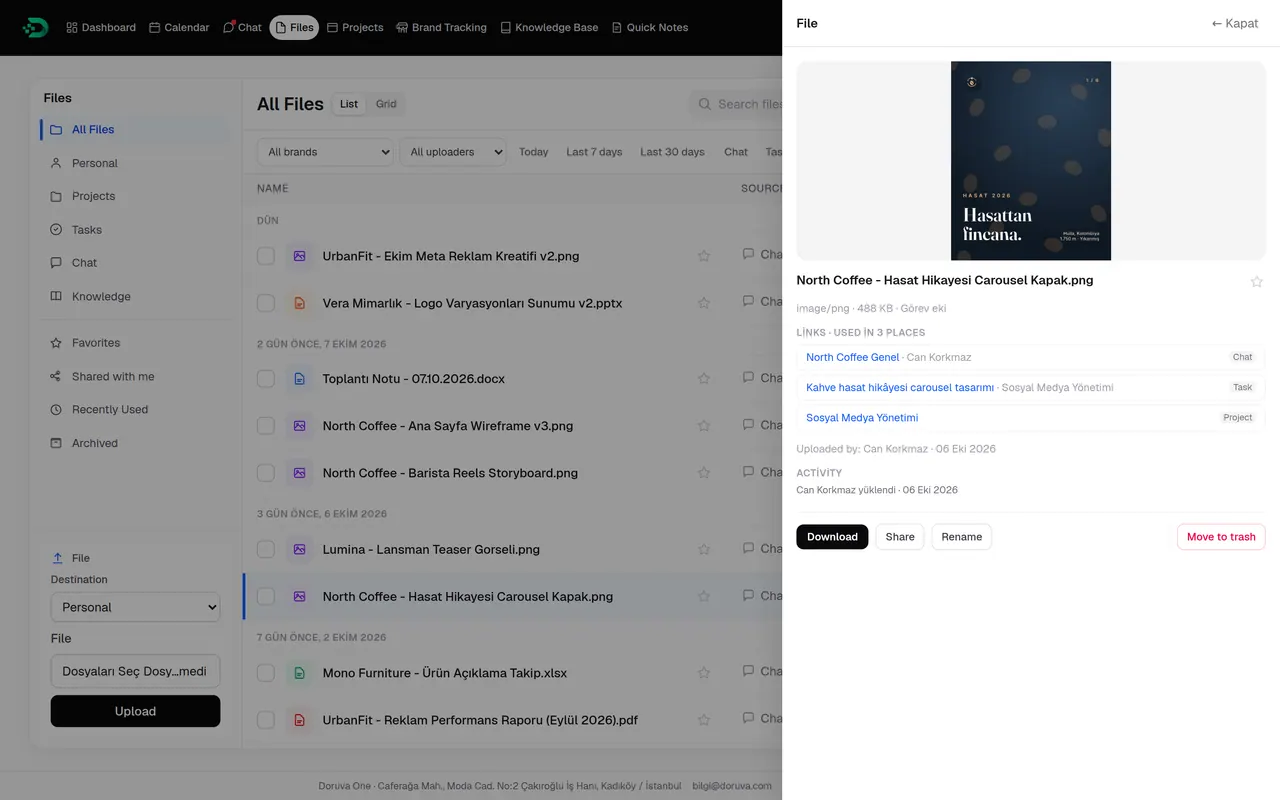
- Favorites, shared with me and recently used
- Image, document and archive filters; by brand, uploader and date
- Up to 1 GB per file
Calendar
The calendar, right where the rest of the work is.
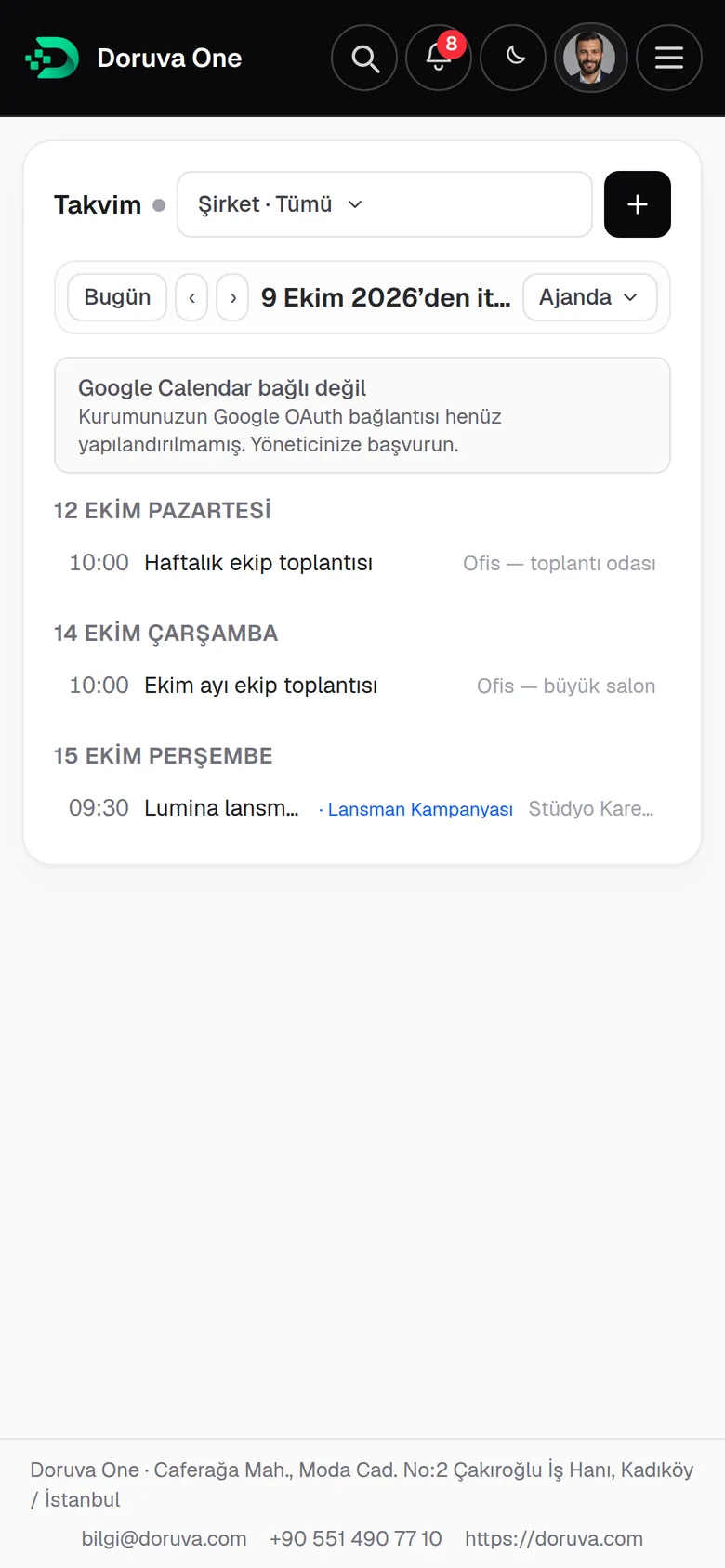
Personal, team and company calendars in month, week, day and agenda views. Attach a brand, project or task to any event. Connect your Google account to sync with Google Calendar and create meetings with Google Meet links.
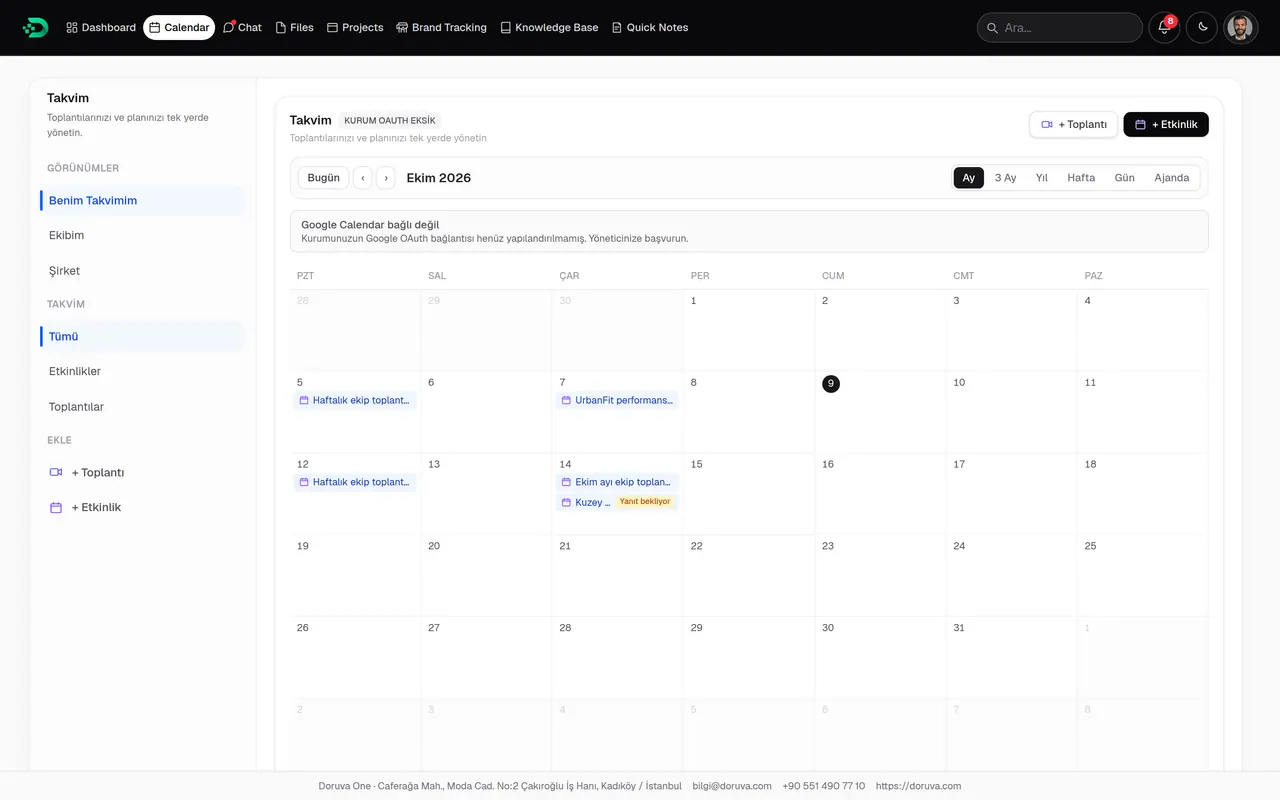
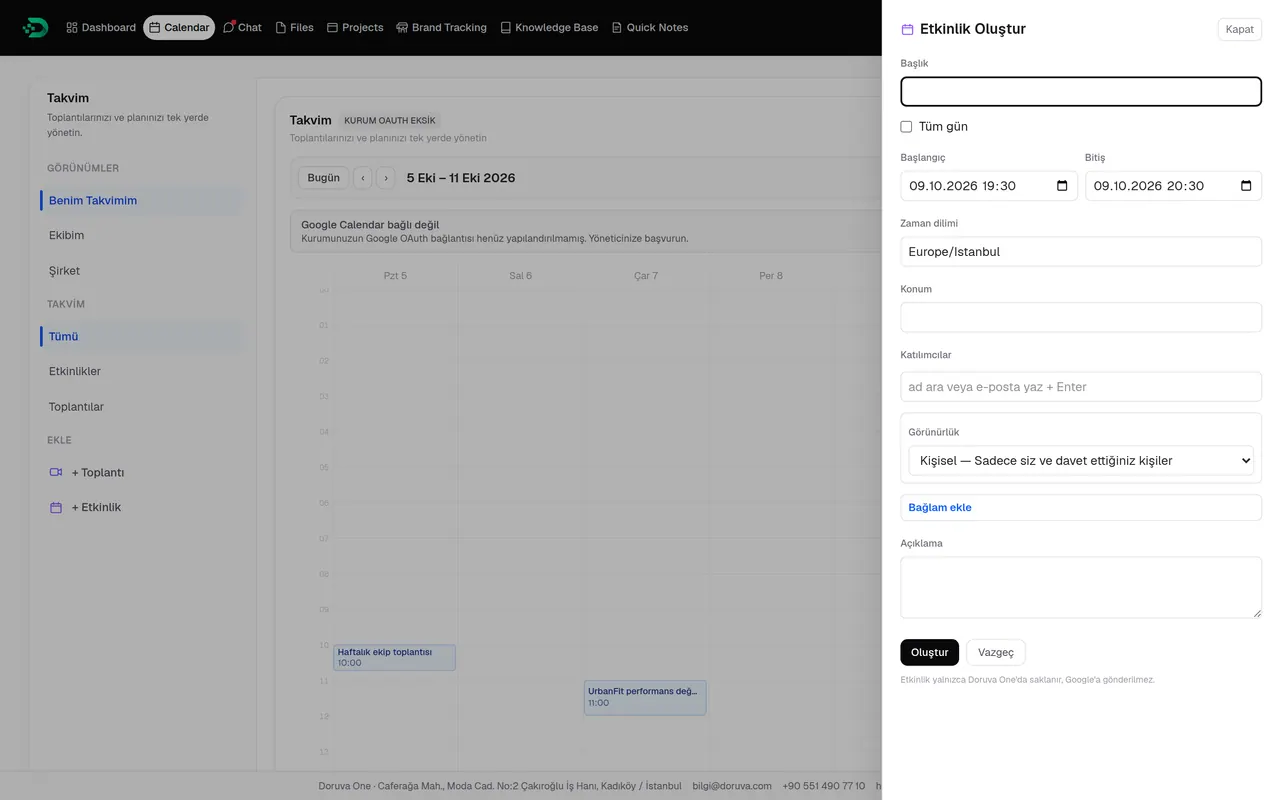
- Month, 3 months, year, week, day and agenda
- My calendar · My team · Company
- Publish events to a team or the company, by role
Google Calendar sync and Google Meet meetings
Reporting
Don’t guess what happened. See it.
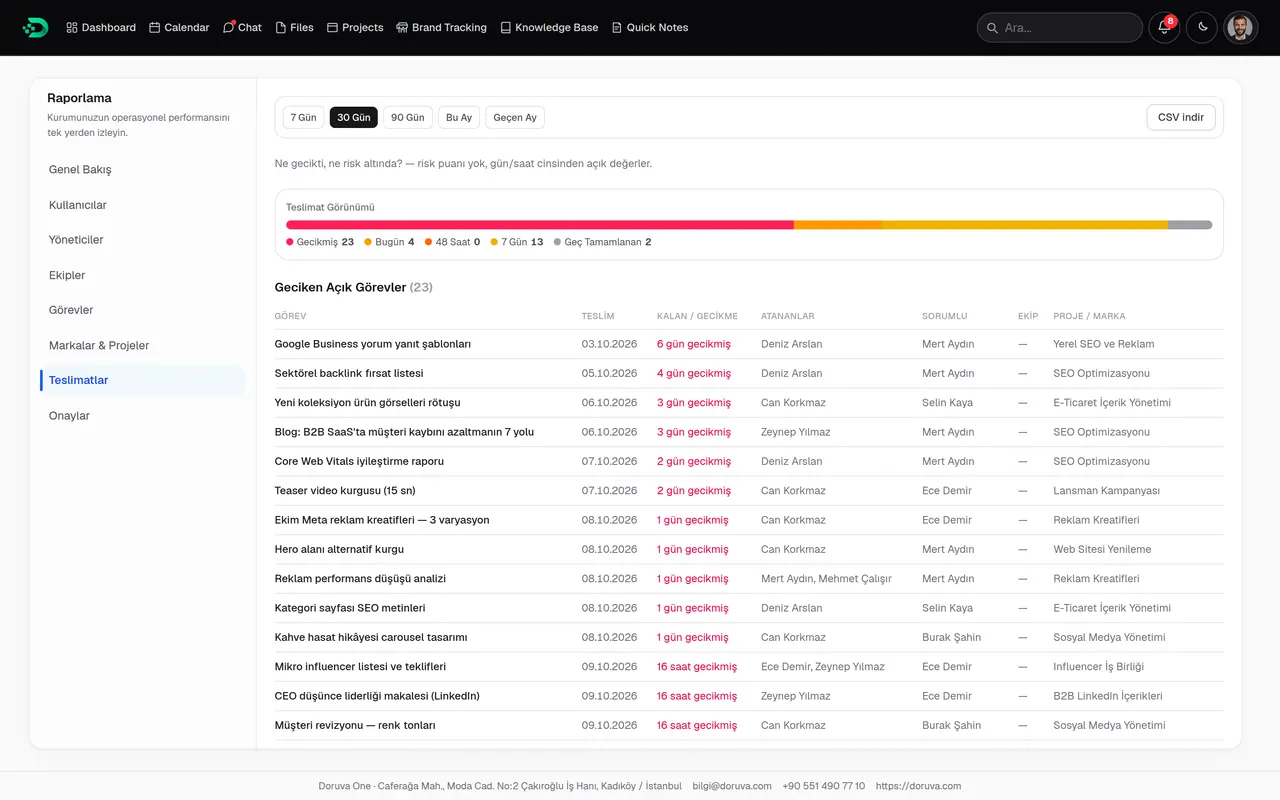
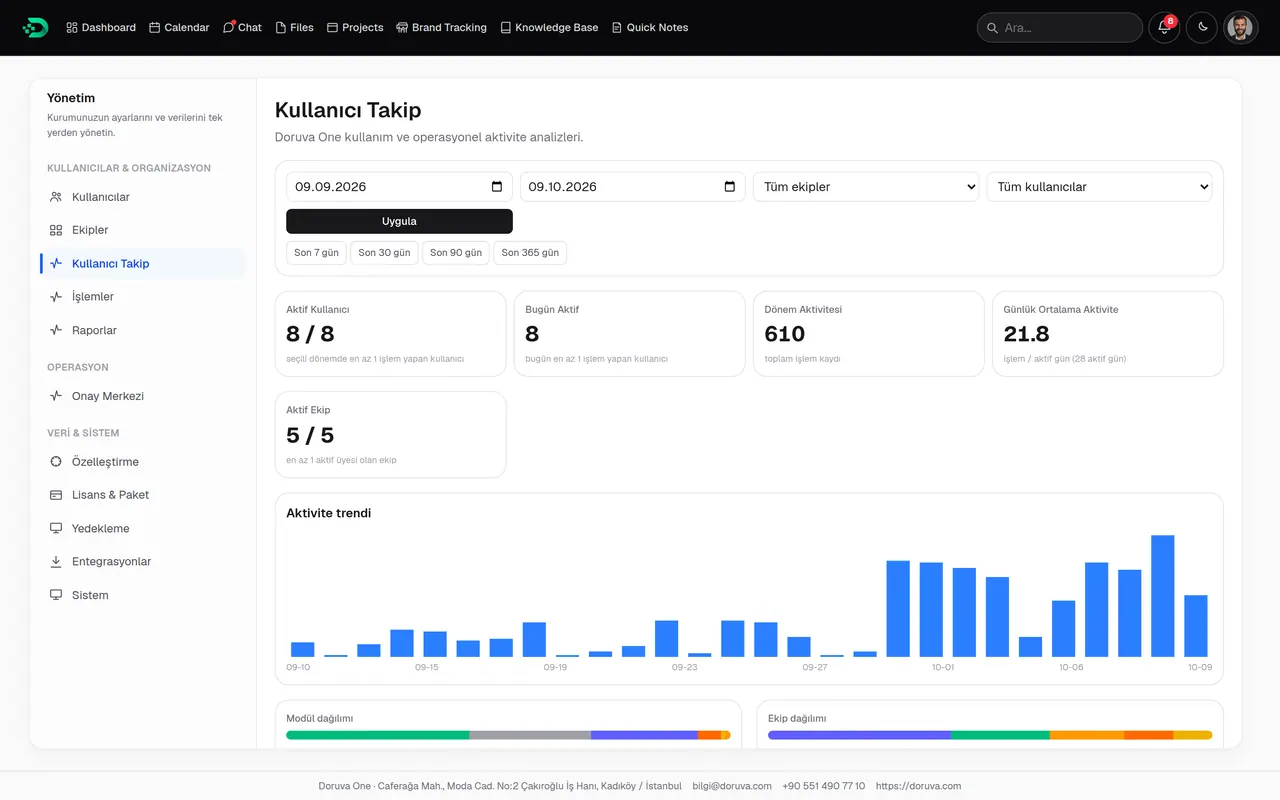
Work created, completed and overdue; how users, teams and managers are performing; brands, projects, deliveries and approvals. Pick a date range and export the report as CSV.
- Overview
- Users
- Managers
- Teams
- Tasks
- Brands & Projects
- Deliveries
- Approvals
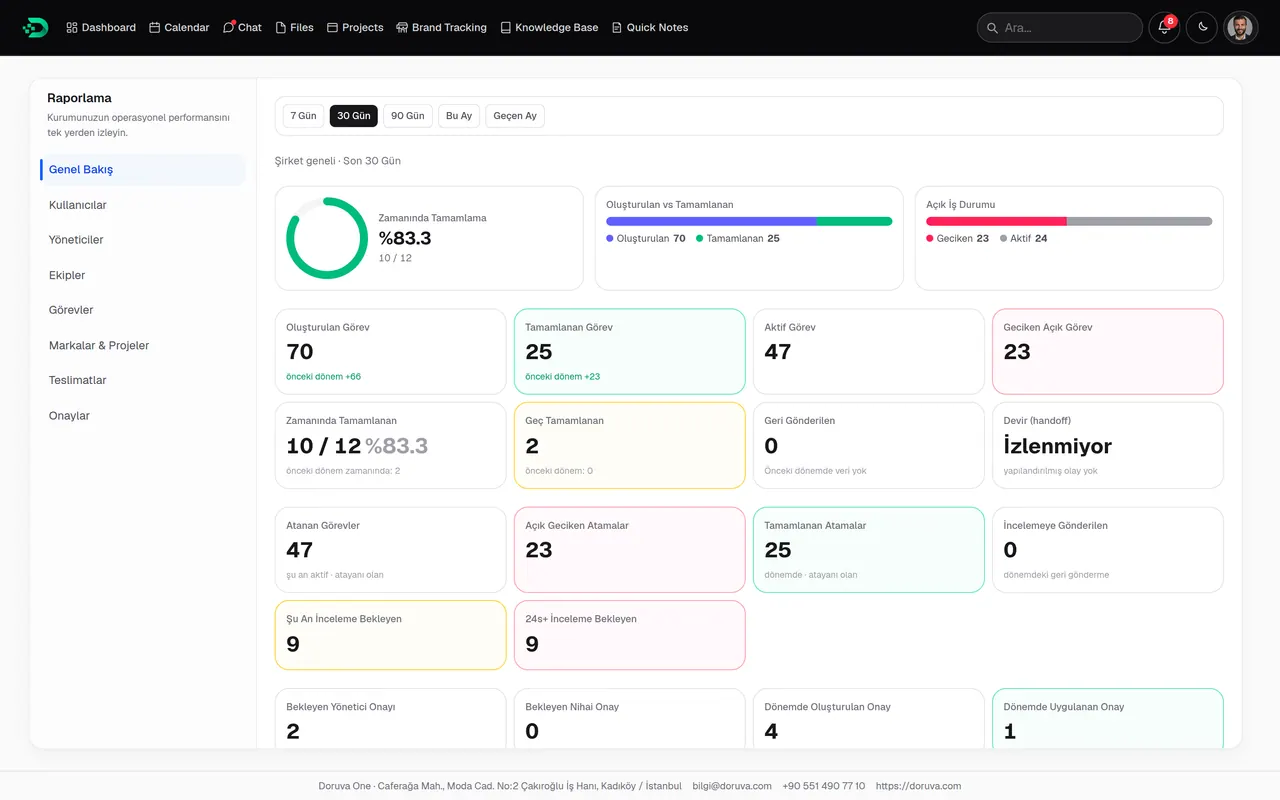
- On-time, late, overdue and upcoming deliveries
- Team Leads see their own team’s report
- User Tracking for activity trends and module usage
Approval Center
Speed your team up without losing control.
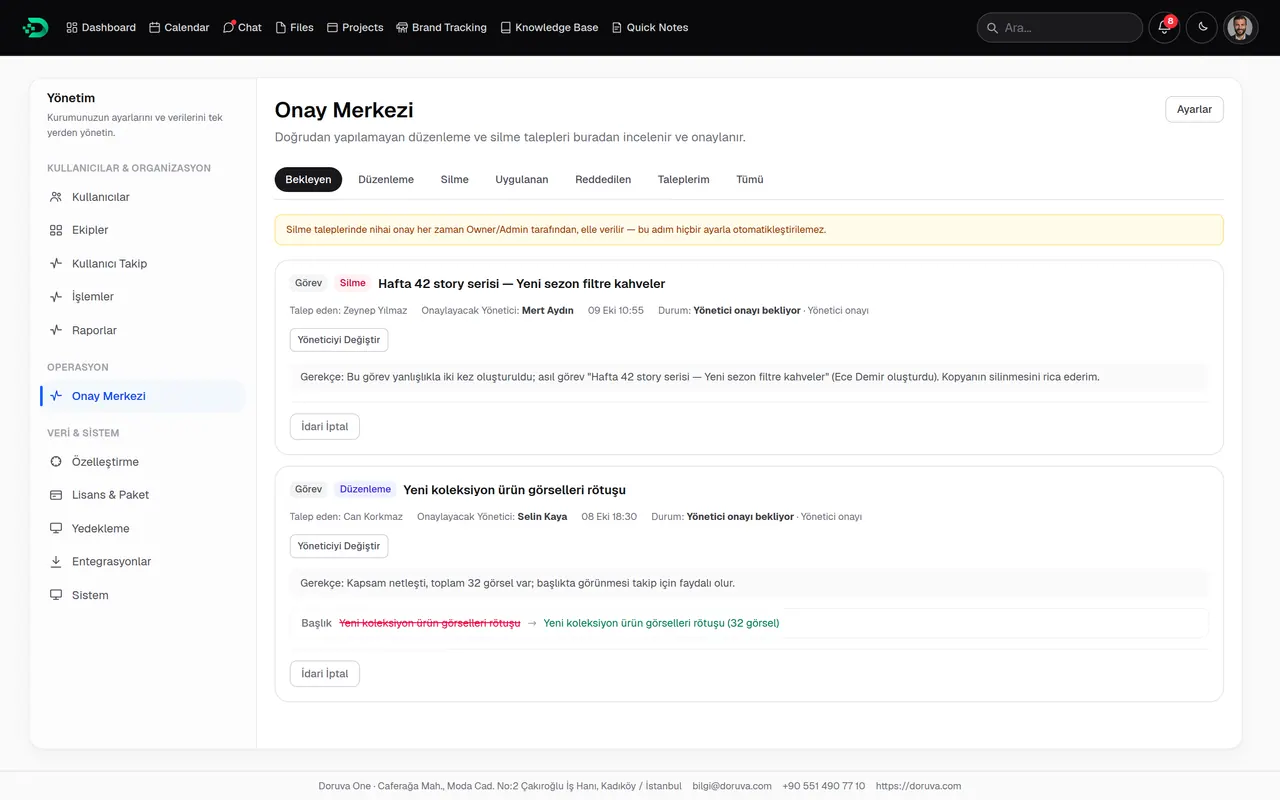
When someone without direct permission wants to change or delete a record, they raise a request. It goes to a manager first and, for deletions, then to an Owner or Admin. Nothing disappears quietly.
- 01
Request
“Request a change” or “Send a deletion request”
- 02
Manager review
A manual or automatic manager step
- 03
Final approval
Owner or Admin sign-off for deletions
- 04
On record
Applied and rejected requests stay on file
Everyday flow
Small tools, time saved every day.
Notifications
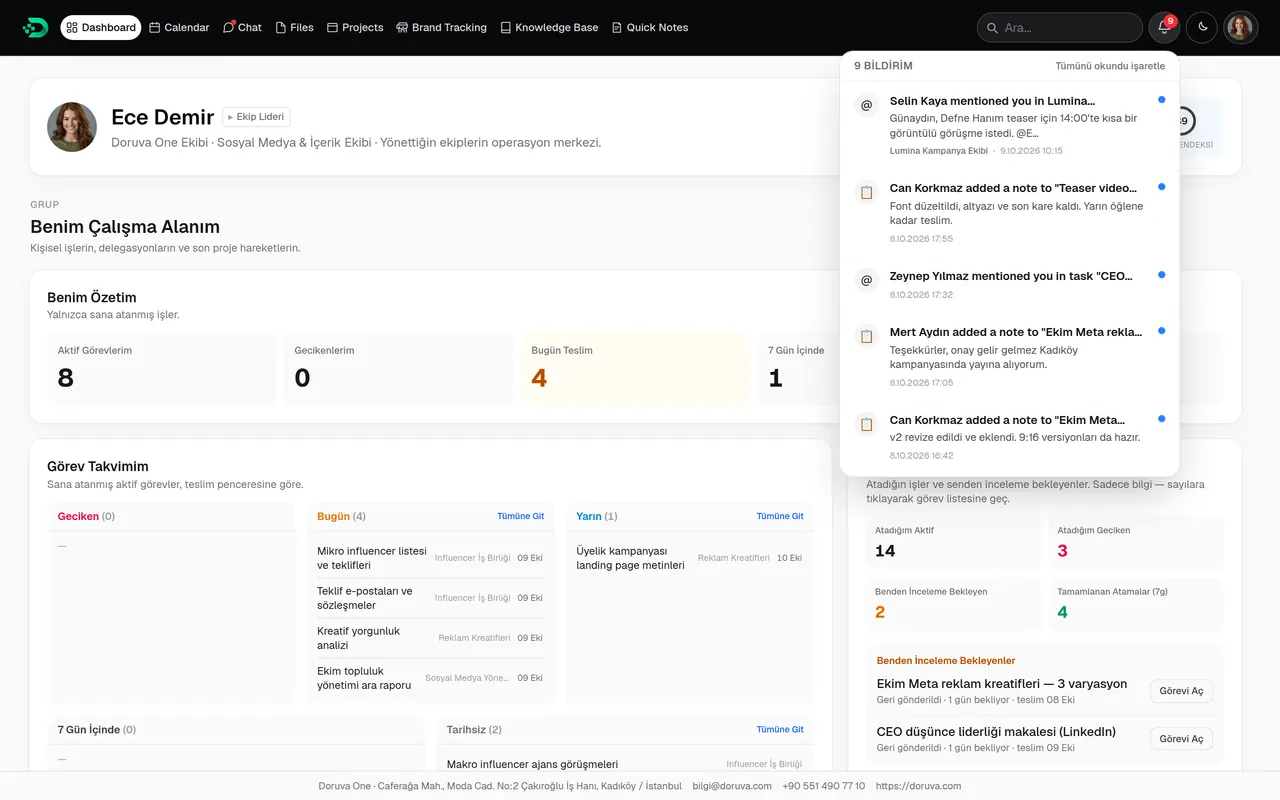
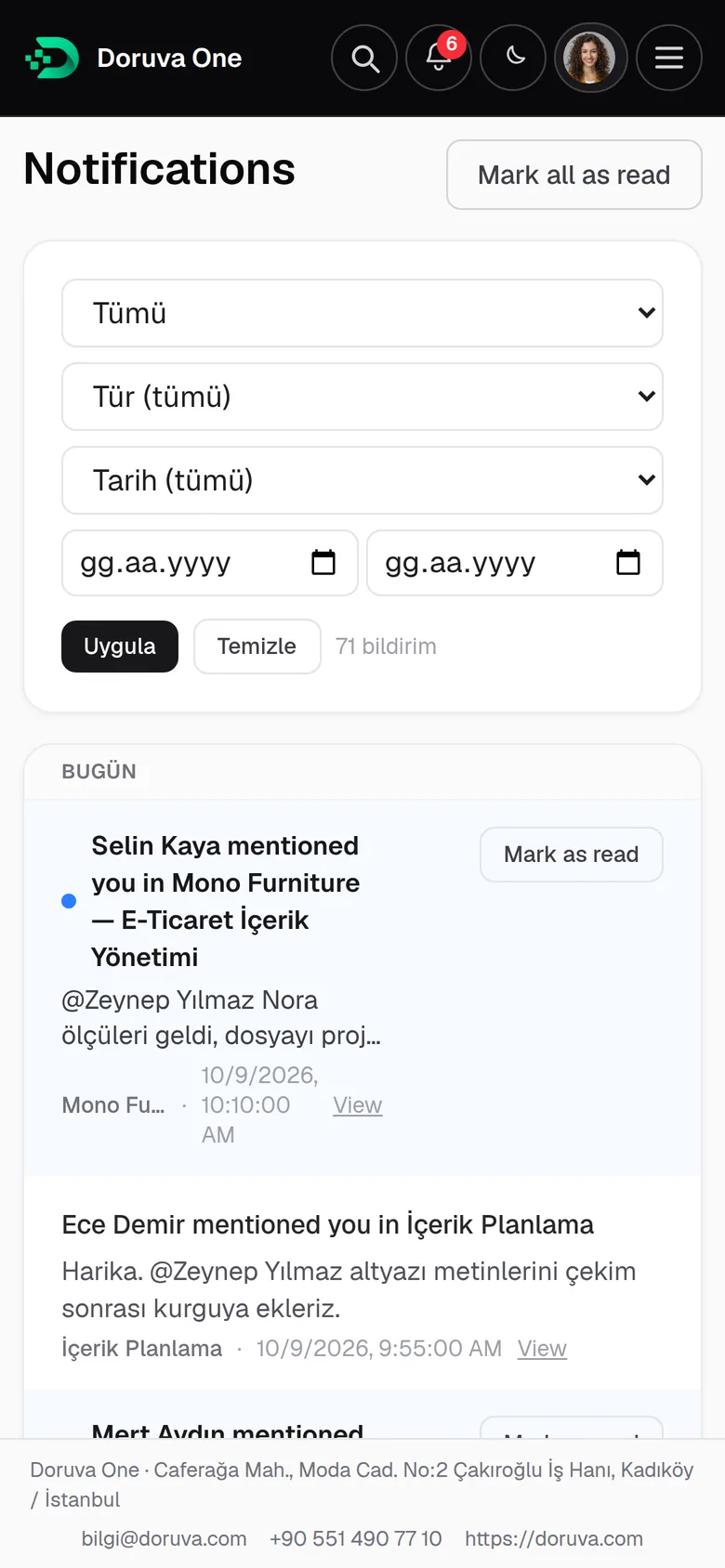
Task assignments, mentions, chat messages, approval requests and calendar invites. The latest unread in the bell; filters by type and date on the notifications page.
Quick search
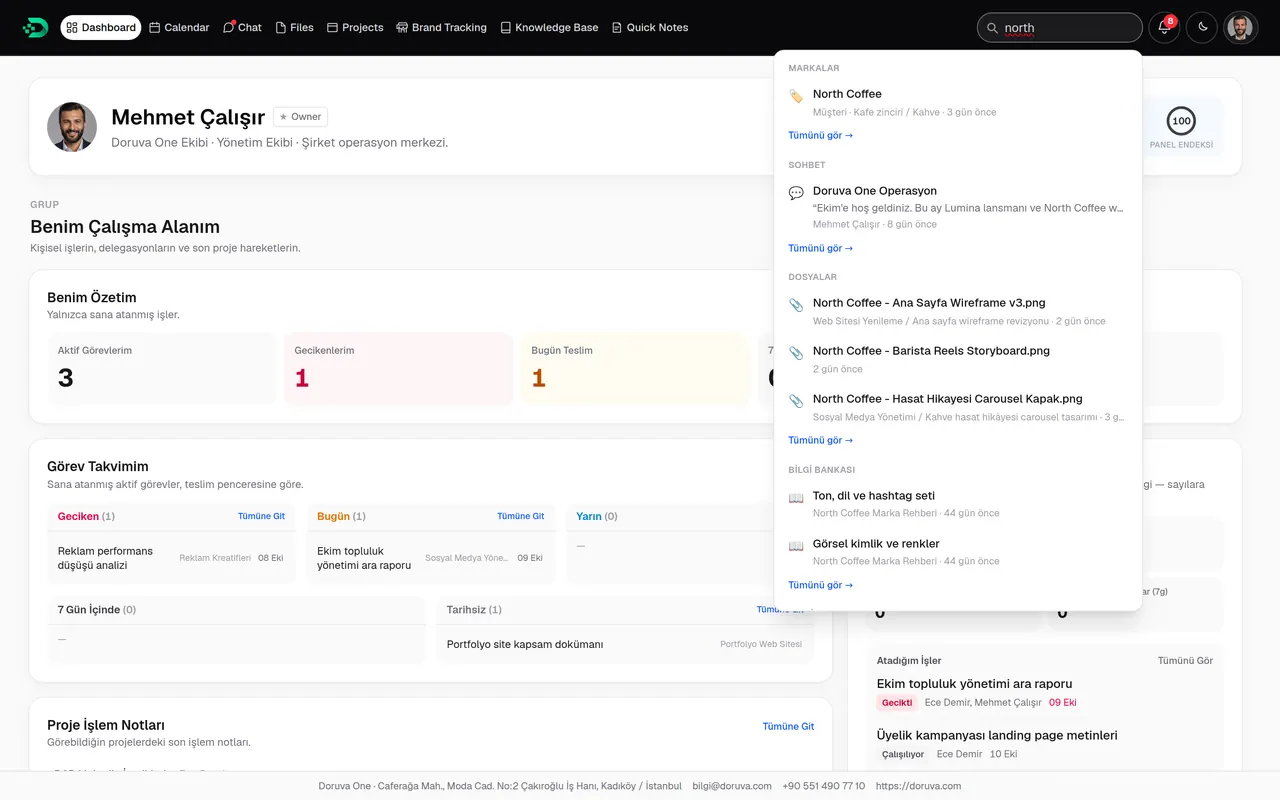
Ctrl/⌘ + K searches brands, projects, tasks, chats, files, the knowledge base, leads and proposals, within your permissions.
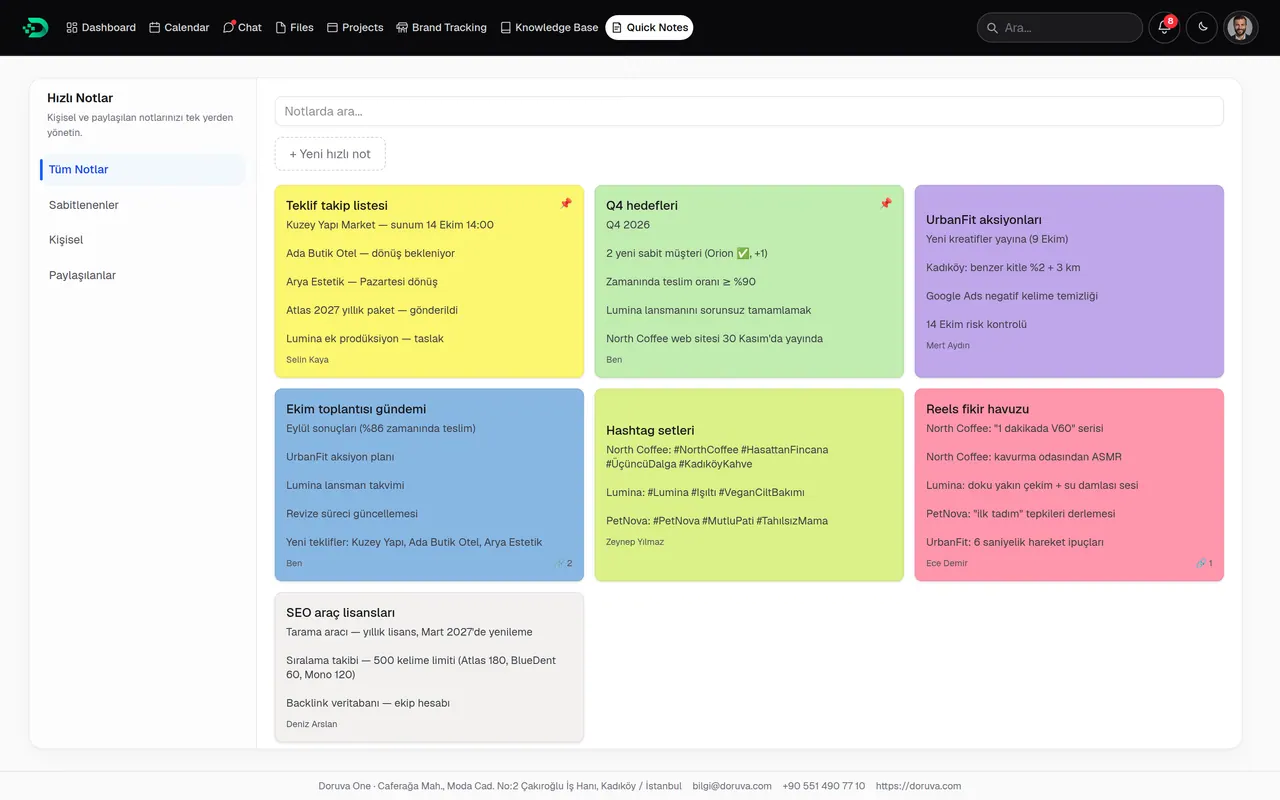
Quick Notes
Coloured, pinnable notes. Keep them to yourself or share them with a person or a team.
Administration and customization
Your organization, your Doruva One.
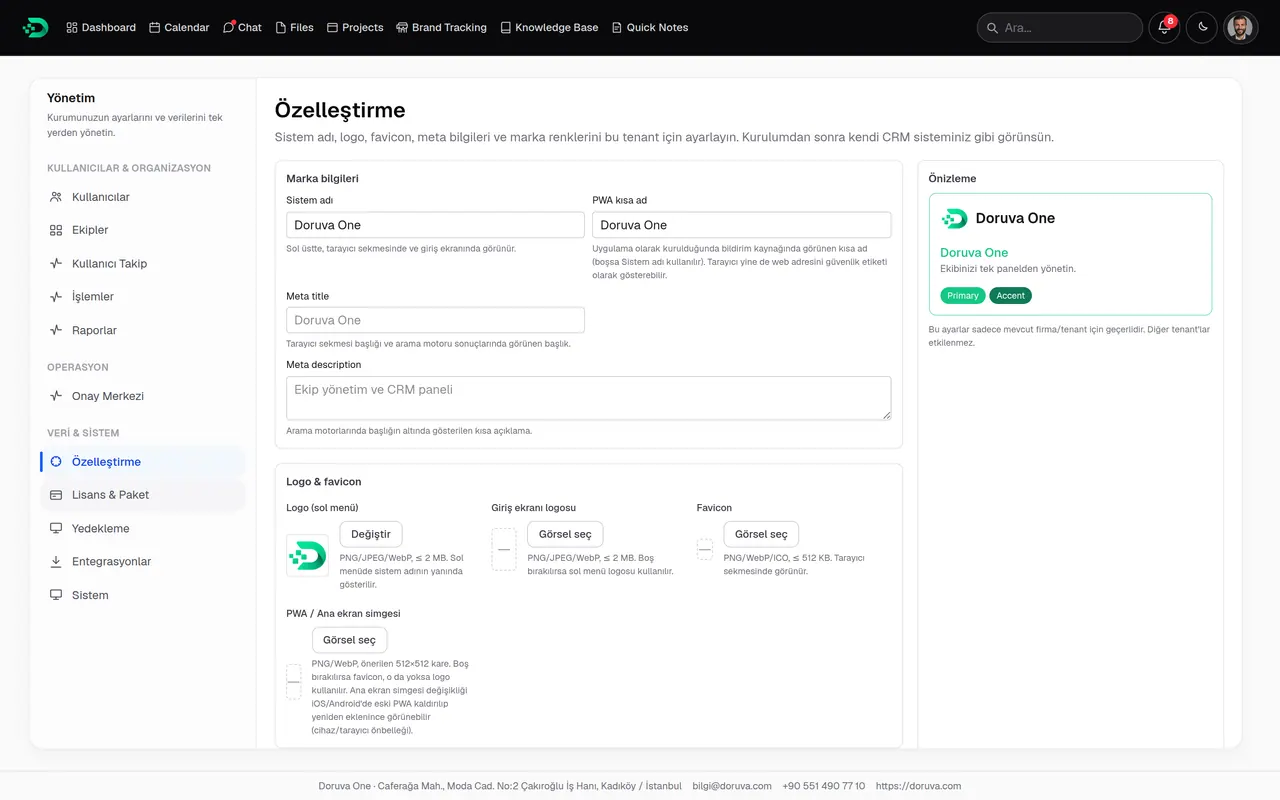
With your logo, colours, sign-in screen and proposal branding, Doruva One looks like your organization’s own tool. Manage users, teams and permissions, connect integrations, keep an eye on backups and keep every action on record.
Your organization’s look
Logo, display name, primary and secondary colour, sign-in screen text, contact details and proposal branding.
- A sign-in screen in your branding
- Your logo and details on proposals
- Light or dark theme per user
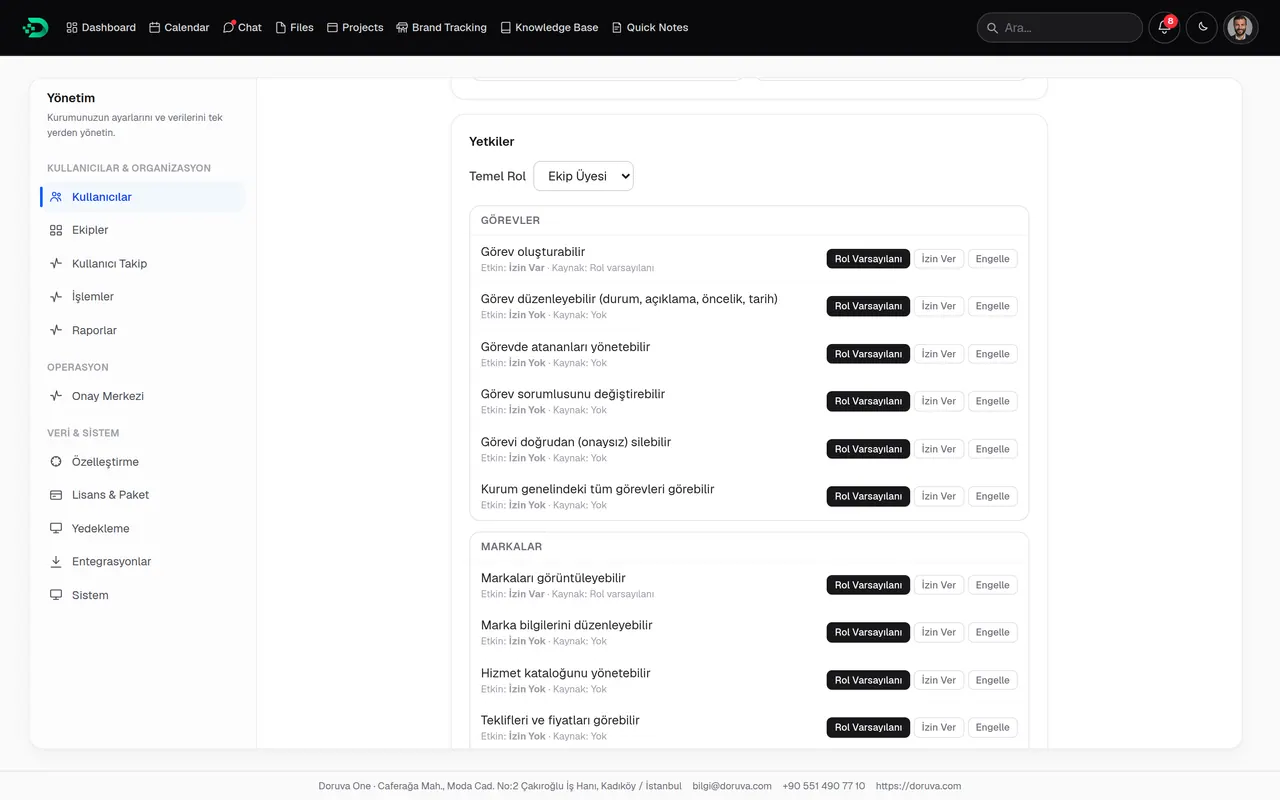
The right access for the right people
Role assignment, per-user allow or block, bulk actions and handing over the work of people who leave.
- Role default, allow, block
- Team groups and Team Leads
- Deactivate staff and hand over work
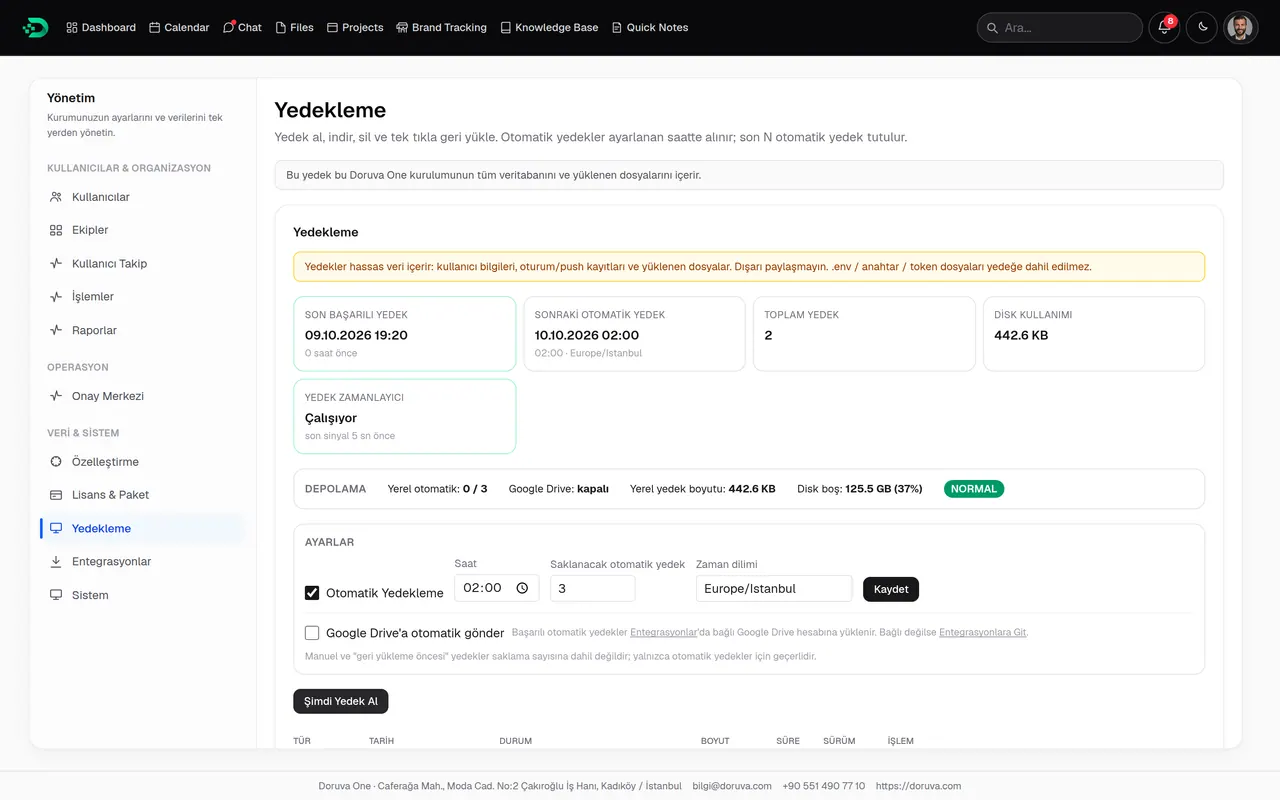
Your data, safe
Scheduled automatic backups, manual backups and one-click restore, with automatic upload of backups to Google Drive.
- Scheduled automatic backups
- Restore
- Upload to Google Drive
Connected to the tools you use
A Google connection, Website, Webhook, Zapier and Make lead sources, and Meta / Instagram Lead Ads.
- Google Calendar and Meet
- Lead sources with an endpoint and secret key
- Meta / Instagram Lead Ads
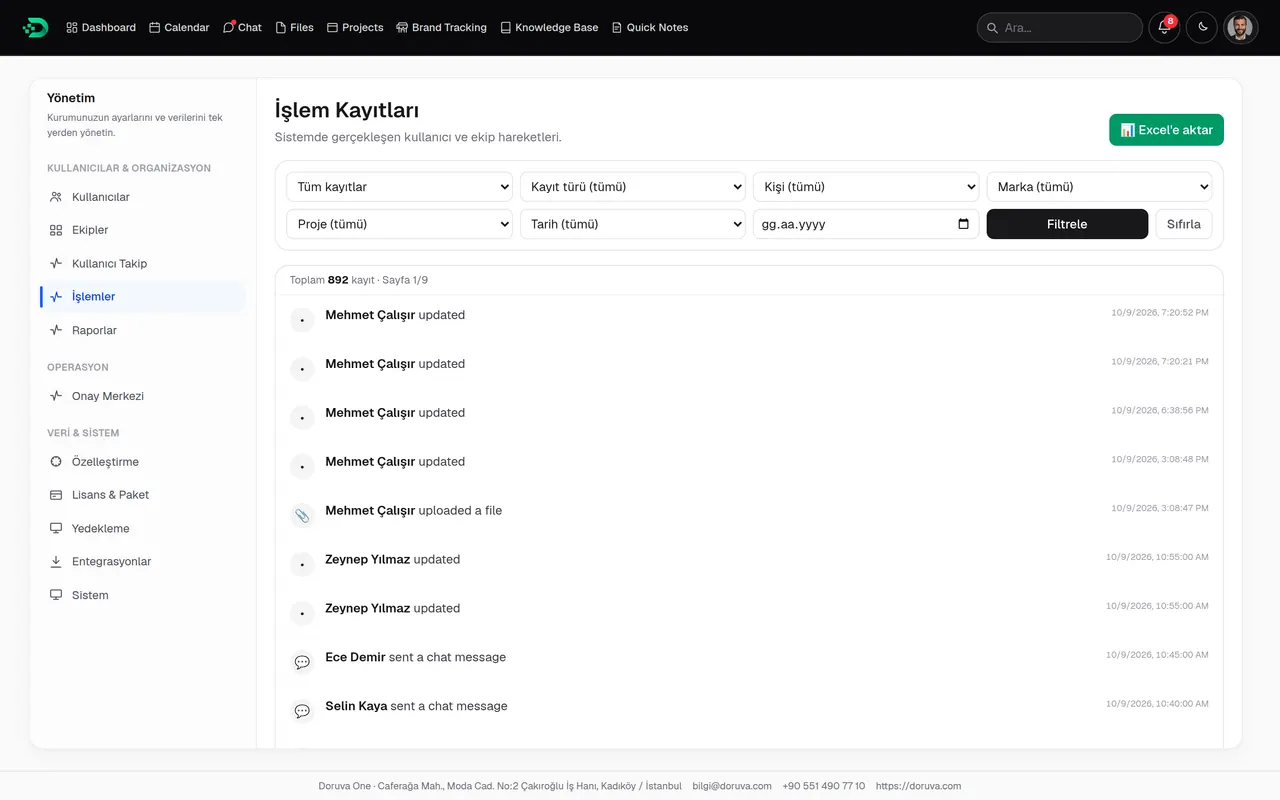
Who did what, and when
Every action in the organization in a filterable log, exportable to Excel.
- Filter by person, record type and date
- Export to Excel
- Team Leads and Members see their own entries
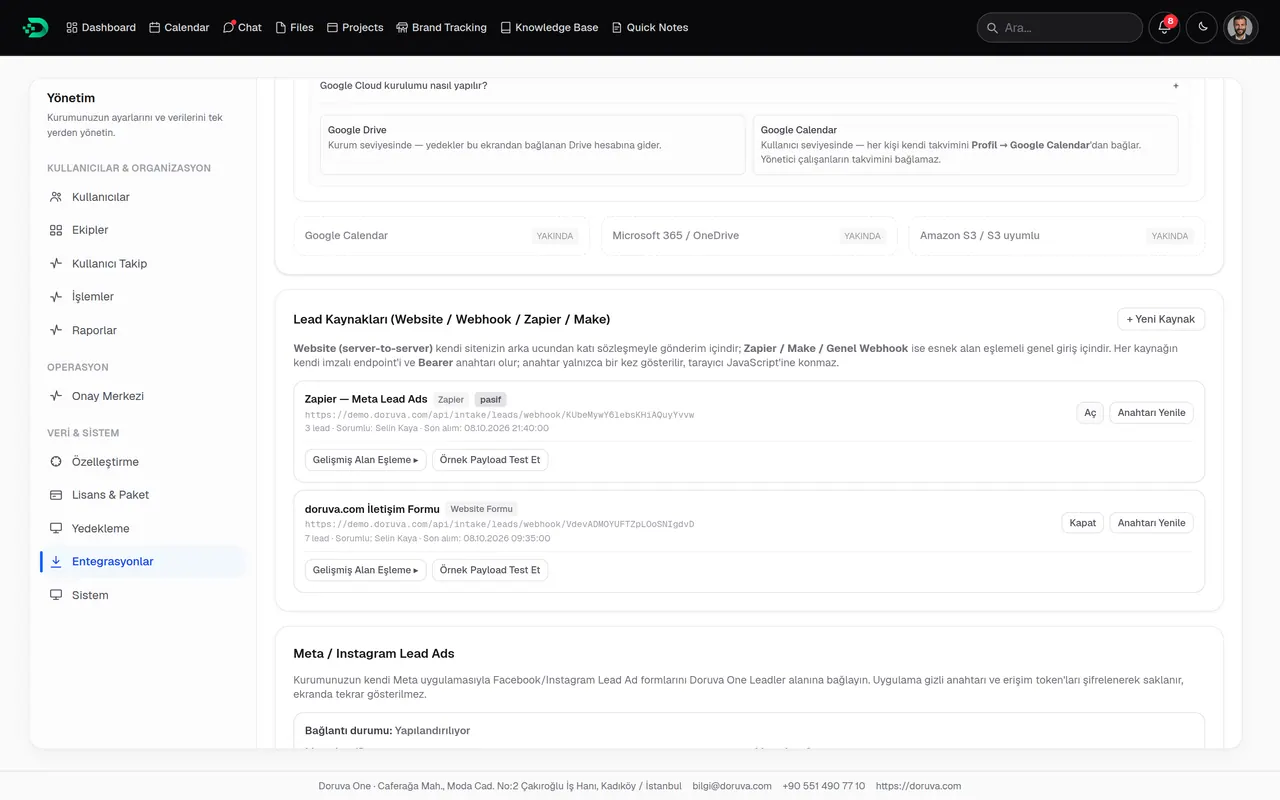
Connected services
- Google Drive
- Google Calendar
- Google Meet
- Meta
- Zapier
- Make
Mobile
Don’t leave operations tied to a desk.
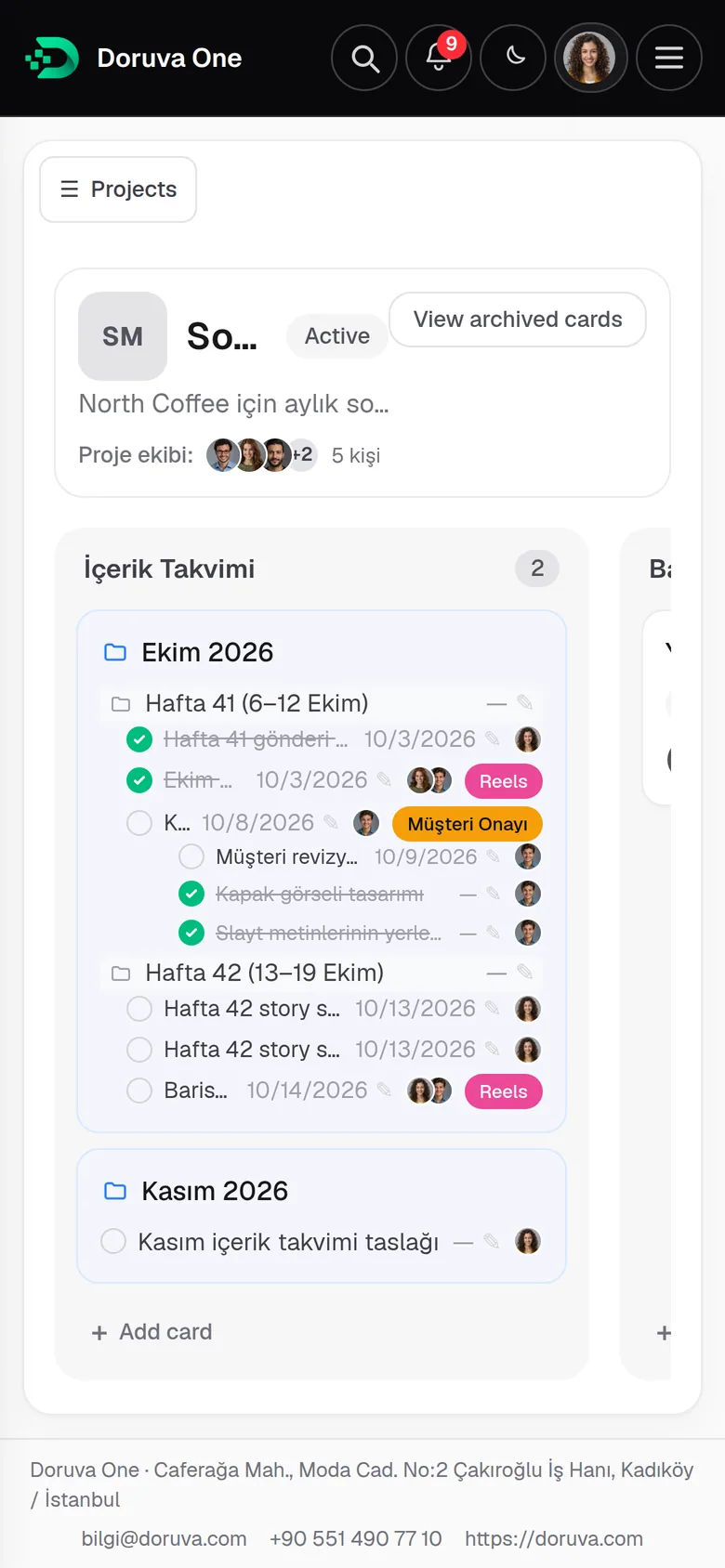
The Doruva One web panel works fully on phones and tablets: dashboard, tasks, chat, calendar, files and the knowledge base at your fingertips. Add it to your home screen, open it like an app with your organization’s icon and turn on push notifications.
The Doruva One mobile app is coming very soon to the App Store and Google Play.
The native app will connect to your organization’s Doruva One address and put tasks, the calendar, chat, notifications and approvals in your pocket.
- Coming soon to theApp Store
- Coming soon toGoogle Play
Today: full access from your phone’s browser and the home-screen app.
- Dashboard
- Project board
- Task
- Chat
- Calendar
- Brand Tracking
- Knowledge Base
- Notifications
Setup
Guided setup, from first launch to first task.
The setup wizard gets your organization ready in a few minutes. Nothing is saved until the final click; strong temporary passwords are generated for your team, and ready-made how-to guides are added to the Knowledge Base.
- 01
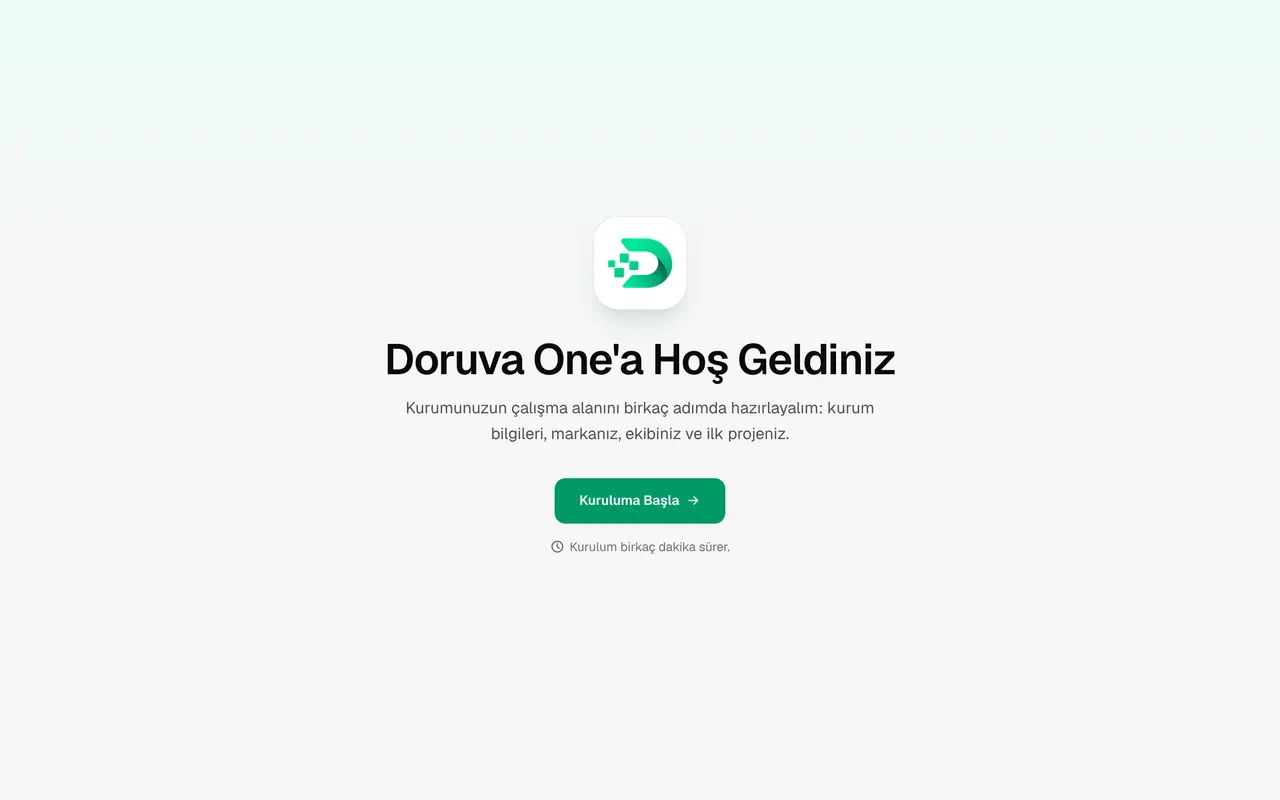
Welcome
Start with the one-time setup key the Doruva team sends you.
- 02
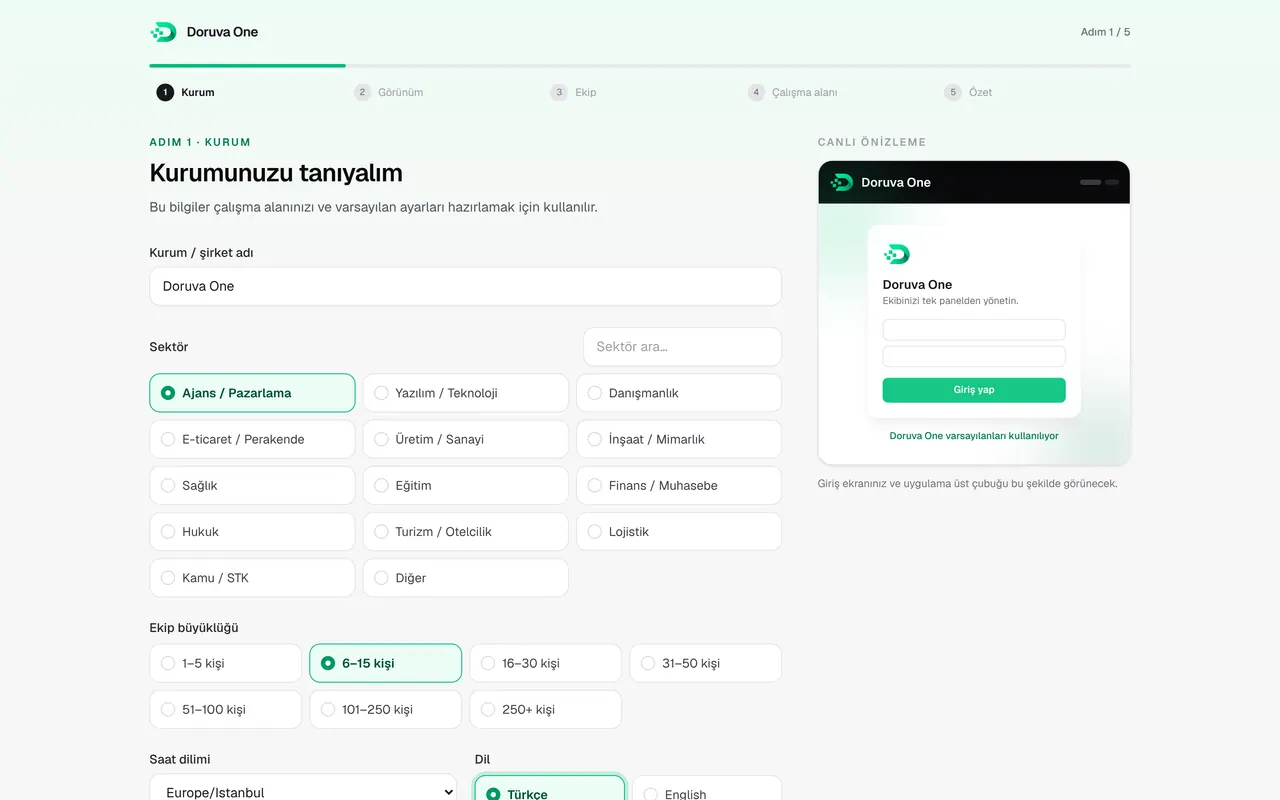
Your organization
Name, industry, team size, time zone and language.
- 03
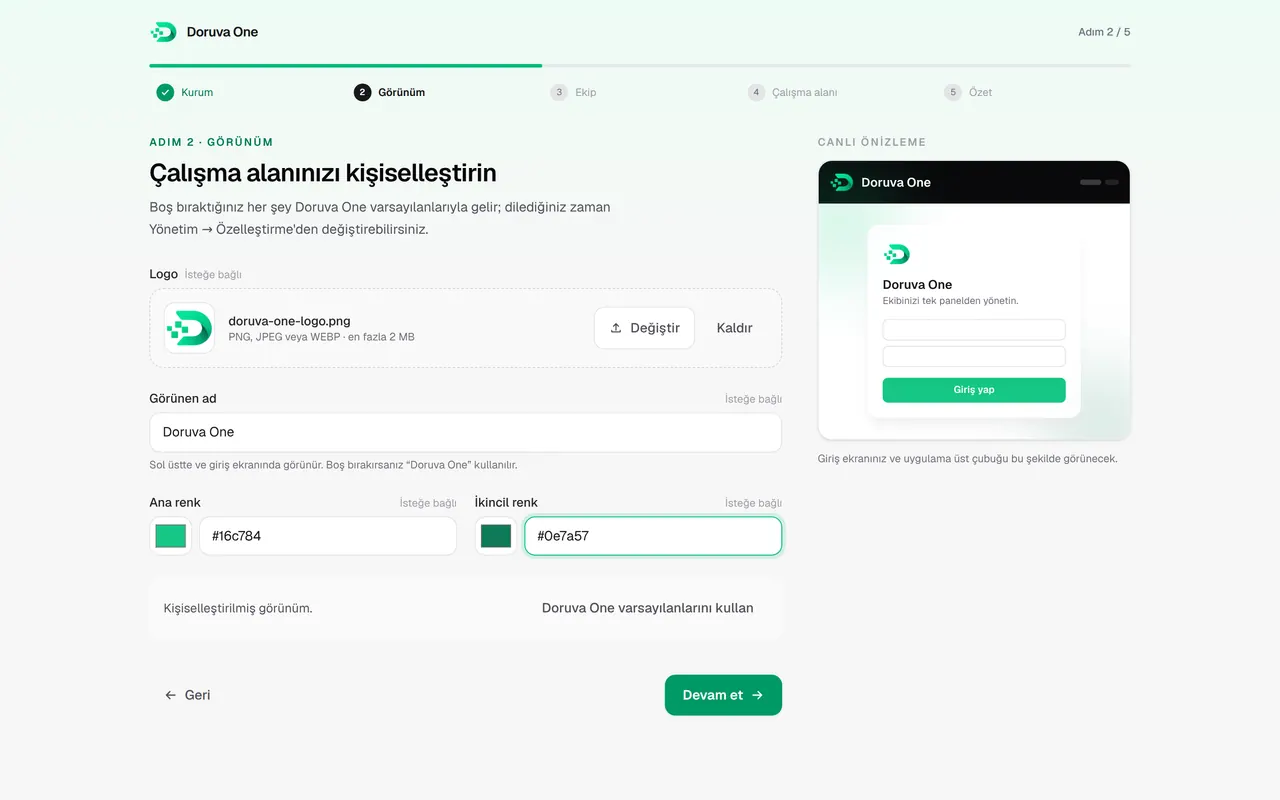
Appearance
Logo, display name and colours, with a live preview.
- 04
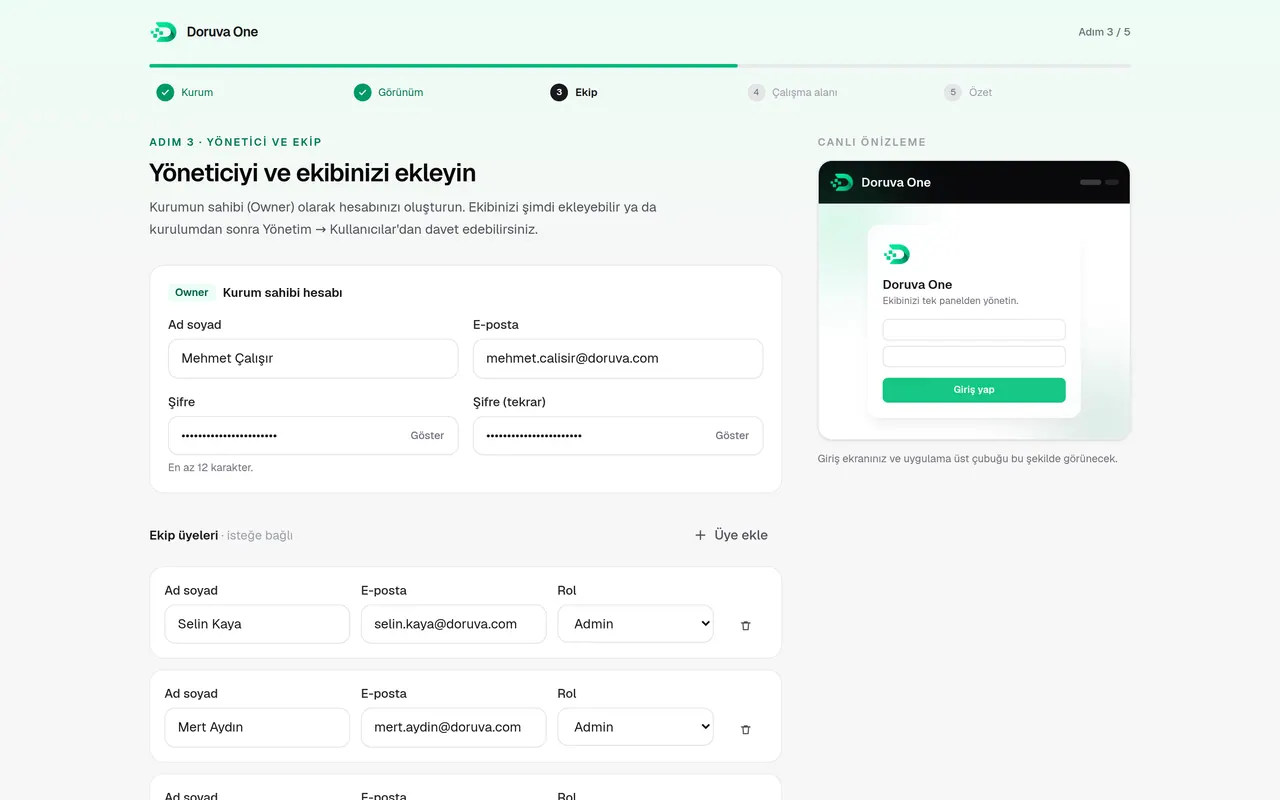
Owner and team
The owner account, your first team members and their roles, your first team.
- 05
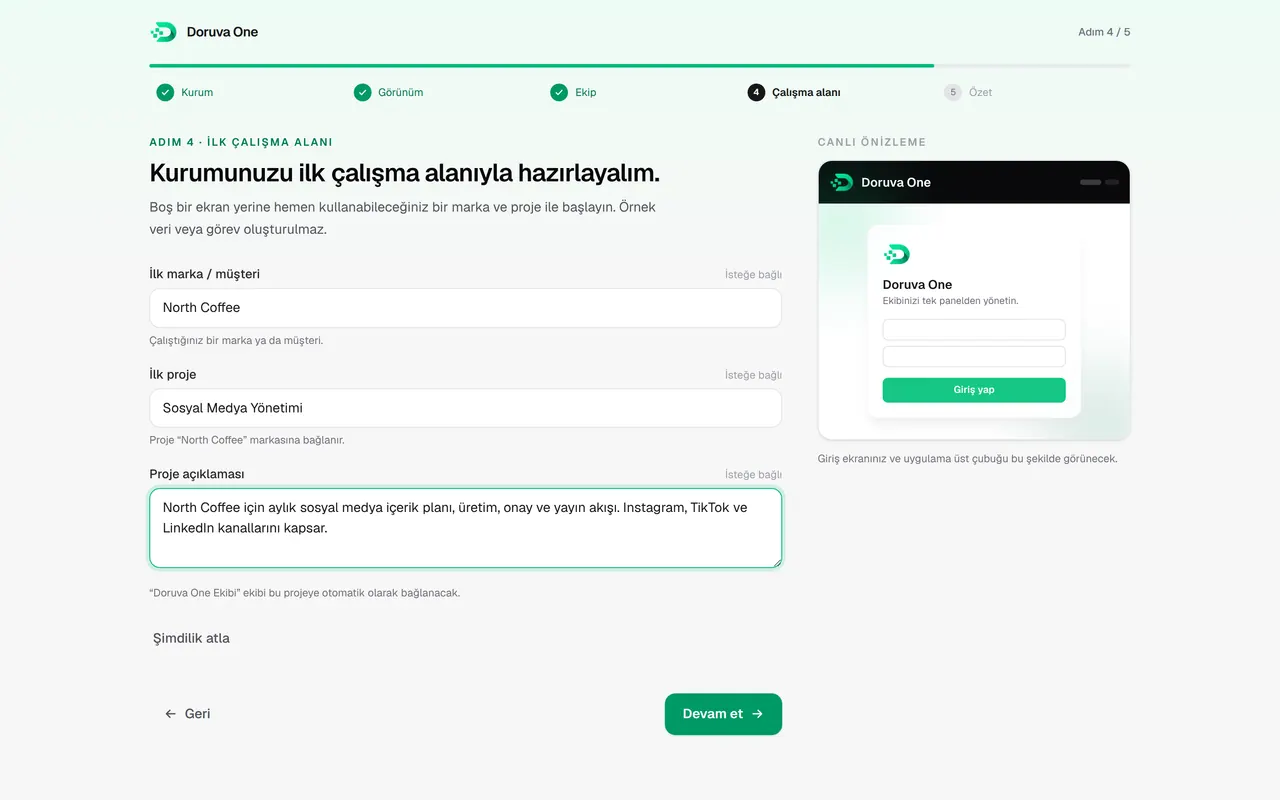
First workspace
Your first brand and first project. Skip this step if you like.
- 06
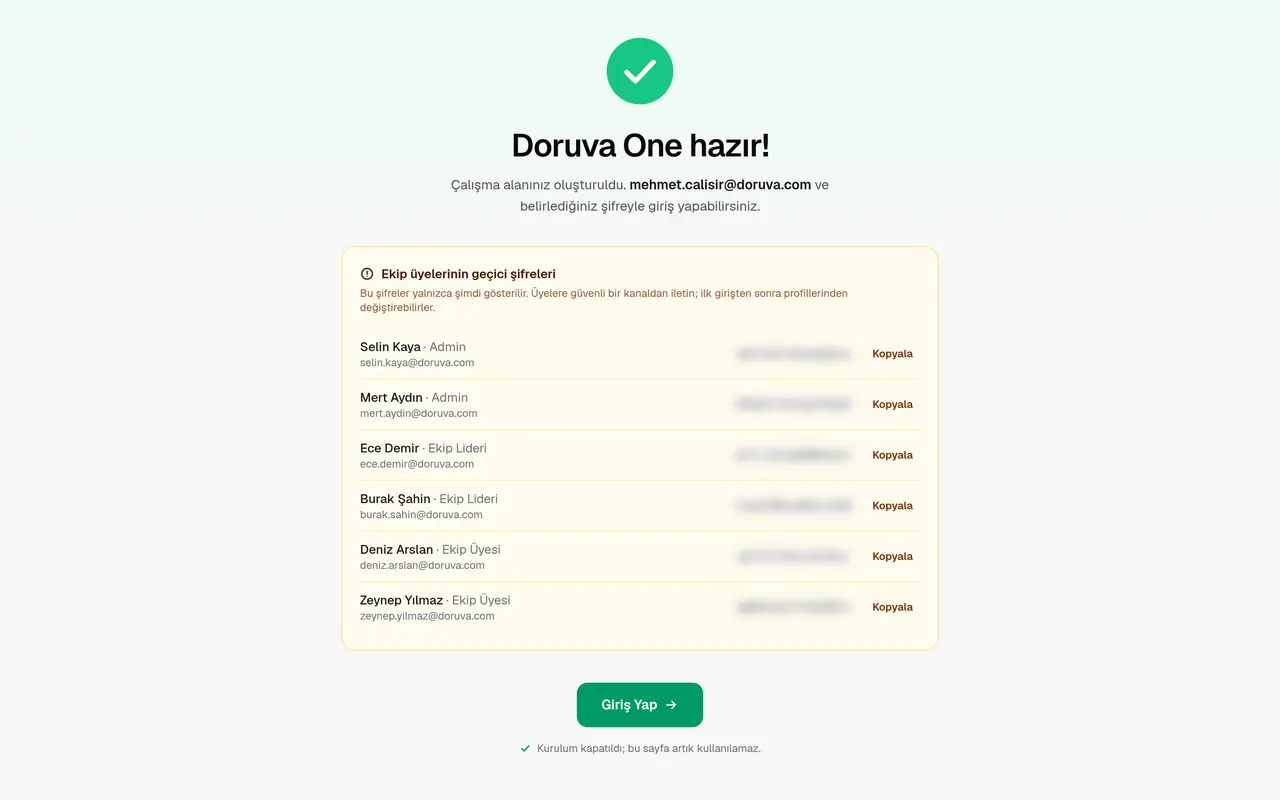
Ready
Check the summary, finish setup and sign in.
FAQ
Questions people ask about Doruva One.
Who is Doruva One for?
Digital agencies, creative studios, consultancies, software teams and any project-based team that runs work for brands and clients. Setup offers 14 industries, from agencies to healthcare, legal and logistics.
Where is our data kept?
Doruva One runs as a separate installation for each organization, and the organization’s business data stays in that installation. User accounts are created by the organization’s administrator; there is no public sign-up.
Is there a mobile app?
The Doruva One web panel works fully on phones and tablets and can be added to the home screen as an app. The native mobile app is coming very soon to the App Store and Google Play.
Which languages does the interface support?
Turkish and English; each user picks a language in their profile. In the English interface, some screens, such as parts of administration and reporting and the setup wizard, are still shown in Turkish.
How long does setup take?
The setup wizard takes a few minutes: organization details, appearance, owner and team, first brand and first project. Team members then sign in with the temporary passwords created for them.
How do I request a demo?
Write to us through the contact page or email [email protected]. Tell us how big your team is and how you work, and we’ll walk through Doruva One using your own workflow.
Doruva One
As your team grows, keep your operation together.
Let’s look at Doruva One through your own workflow. Tell us how big your team is and how you work, and we’ll plan the right setup and demo for you.
or write to us directly: [email protected] · +90 551 490 77 10