Custom Software
Off-the-Shelf or Custom Software? 7 Questions to Make the Right Call
Off-the-shelf software is usually right when your process is industry-standard and you need to move fast; custom software wins when the process sets you apart or you need full control over the system and its data. These seven questions help you decide for your own business.
By Mehmet ÇalışırPublished 10 min read
Contents
This guide is for business owners, operations leads and agency teams weighing up a CRM, an ordering system, a client portal or an internal operations tool. Work through the seven questions below with your own business in mind and the debate shifts from "which is better?" to "which is right for us?". That is a far sturdier starting point for both your budget and your timeline.
What is the difference between off-the-shelf and custom software?
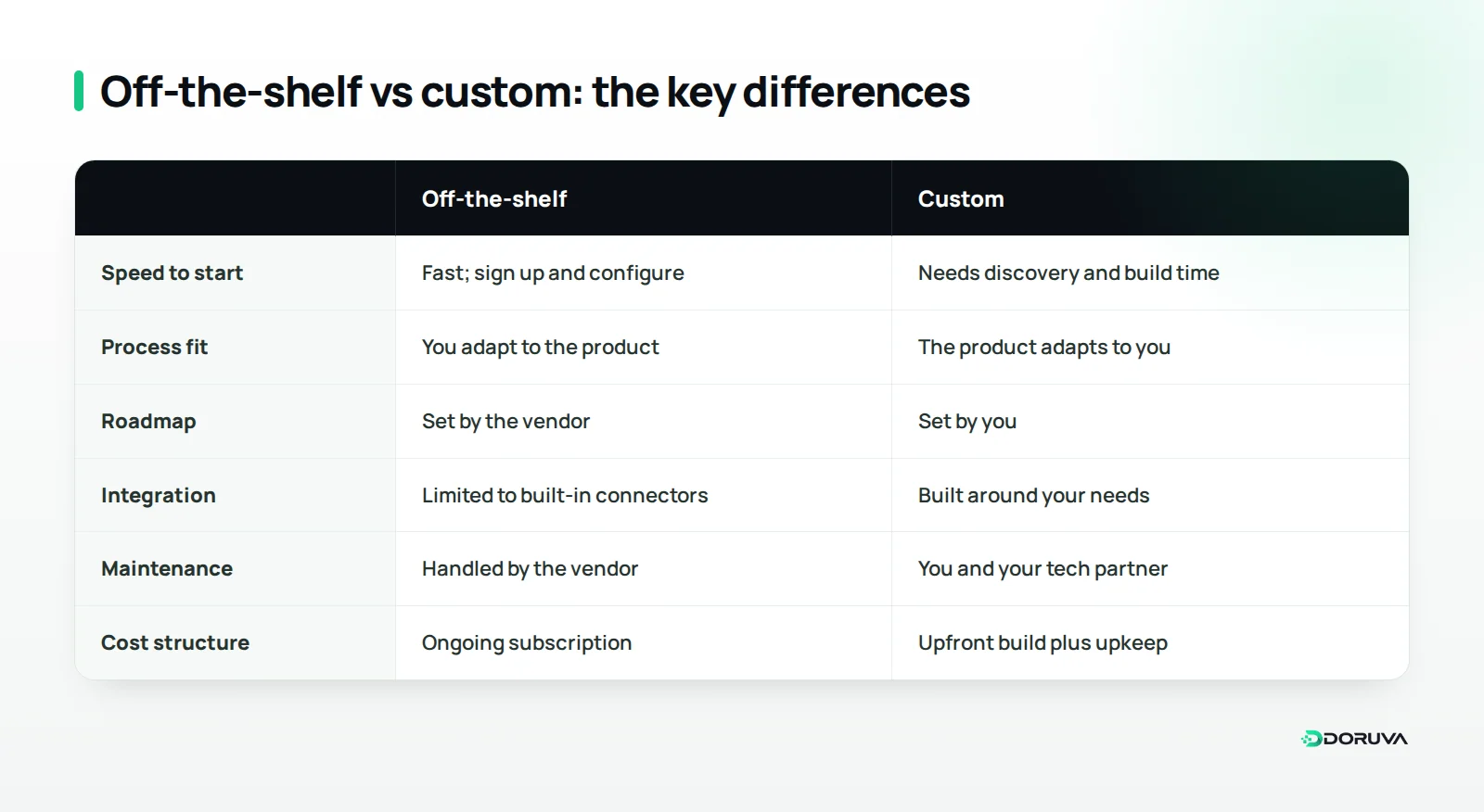
Off-the-shelf software is a standard product built for the shared needs of many businesses, usually paid for through a subscription or license. Accounting packages, email marketing tools, booking systems and most SaaS (software as a service) applications fall into this group. The vendor owns the roadmap; you work with the settings, templates and add-ons it allows.
Custom software is a system built for one organization's processes, data and goals. It can be written from scratch or assembled on top of existing components; what makes it custom is that the screens, business rules, permissions and integrations are designed around the way you work. You set the roadmap, and in exchange you share responsibility for maintaining and evolving it with a development team.
The real difference is not "one is cheap, the other is expensive". It is about who adapts to whom: with off-the-shelf software you adapt to the product, with custom software the product adapts to you.
Which 7 questions should you answer before deciding?
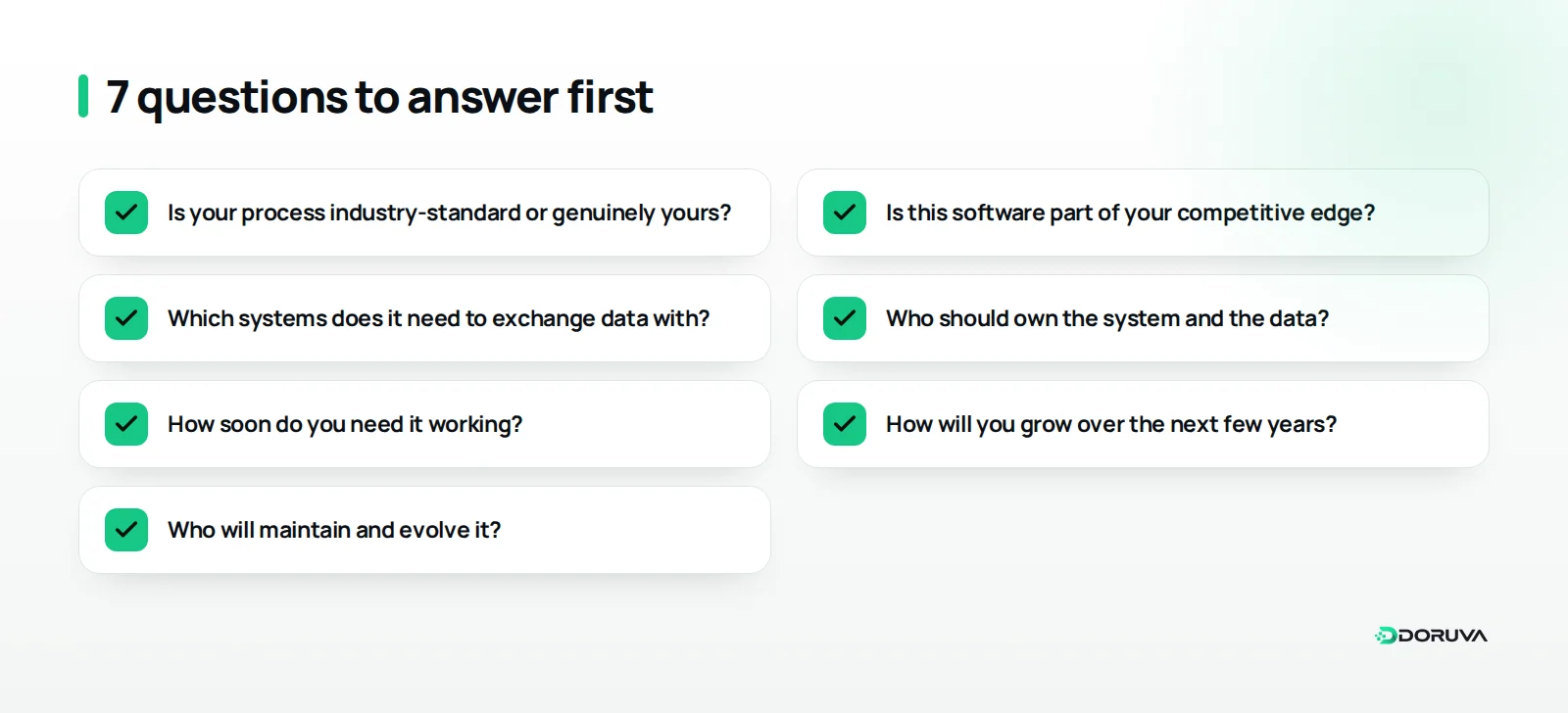
A good decision starts with clarity about how your business actually runs, before any technology enters the room. Answer these questions as a team, ideally with the people who do the work every day, and write the answers down.
1. Is your process industry-standard, or genuinely yours?
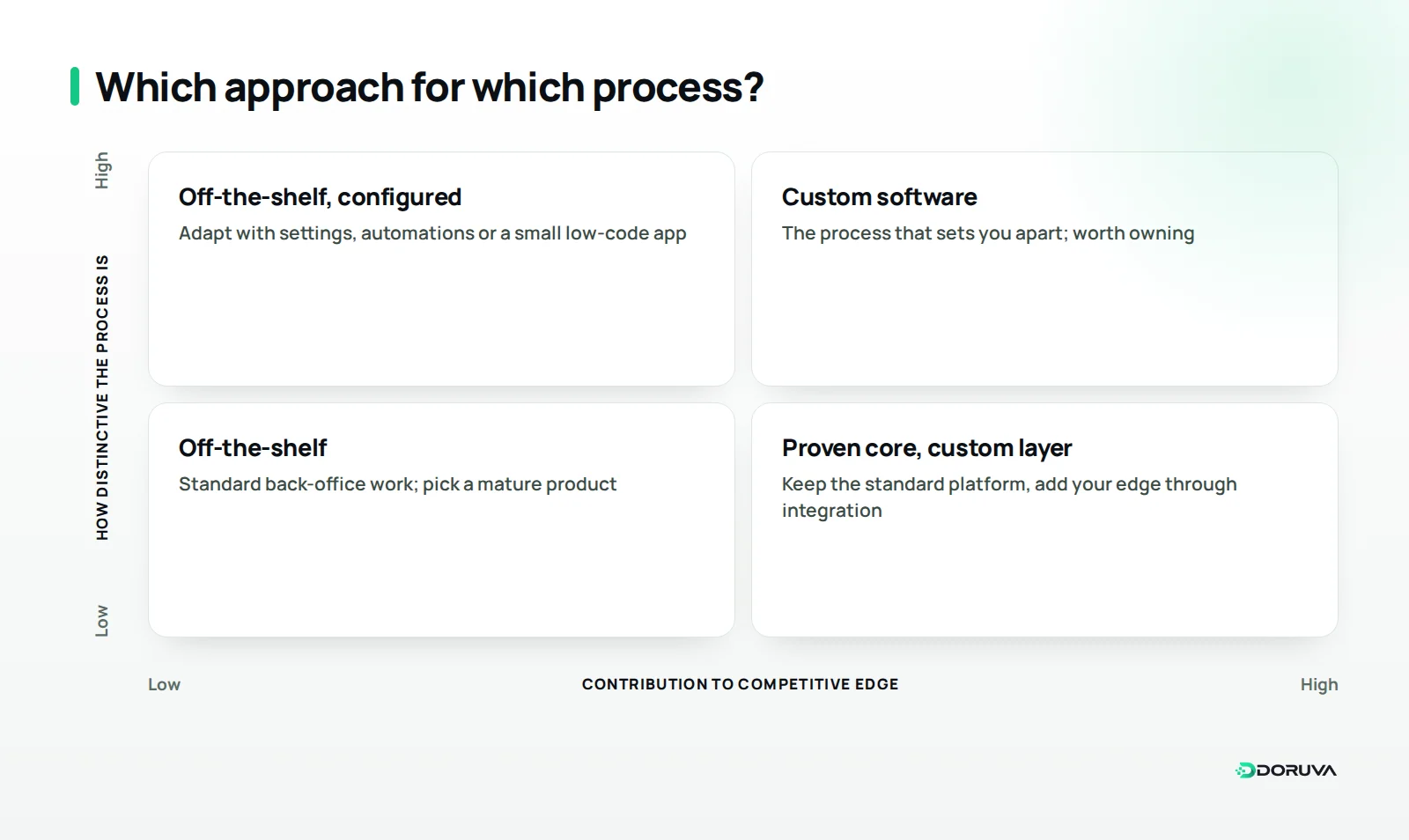
Invoicing, payroll and sending a newsletter follow similar rules almost everywhere. Reinventing the wheel for standard processes rarely pays off; mature products have refined these workflows with a large user base over many years.
Other processes are unique to the business. Picture a specialty coffee roaster that supplies cafés and restaurants: every account may have its own price list, delivery day and grind preference. A standard e-commerce back office covers part of that, and the rest lives in spreadsheets, phone calls and sticky notes. If your team invents workarounds every day just to make a tool fit, your process is probably more distinctive than you think.
2. Is this software part of your competitive edge?
Ask yourself: when you do this better than competitors, do your customers notice? If they do, the software behind that process is a strategic asset. A logistics firm's route-planning logic, or a dental practice's patient journey from treatment plan to follow-up visit, can sit at the very heart of the business.
For back-office processes that customers never see and that simply need to work, off-the-shelf tools are usually enough. Running payroll more creatively than your rivals will not win you clients. Turning around accurate quotes faster than they do might.
3. Which systems does it need to talk to?
New software rarely works in isolation. It will need to exchange data with your accounting package, online store, payment provider, shipping carrier or an ERP on the production side. Those connections are usually made through an API.
When you evaluate a product, check which integrations come built in, what data the API actually exposes and what usage limits apply. If most of your critical connections cannot be made the way you need, the conversation moves towards a custom integration layer around the product, or a custom system altogether.
4. Who should own the system and the data?
With off-the-shelf software your data usually lives on the vendor's infrastructure, and the vendor decides the product's future, pricing and features. For many businesses that is perfectly fine. Even so, you should know up front where data is stored, what format you can export it in and what you keep when the contract ends.
If you handle personal data, this question carries extra weight. Where data is hosted, who can access it and how deletion requests are handled all shape your obligations under data protection rules such as the GDPR or Turkey's KVKK. With custom software you make those decisions yourself, and the contract should state clearly who owns the source code and the data.
5. How soon do you need it working?
Off-the-shelf software can often be in use shortly after you create an account and configure it. Custom software goes through discovery, design, development and testing, so even a first usable version takes time.
If the need is urgent, starting with an existing tool today and moving to custom software once the process is clearer is a perfectly sound strategy. Just make sure the tool you pick lets you export all of your data cleanly; it makes the later migration far easier.
6. How will you grow over the next few years?
A tool that suits a five-person team today can start to creak when you add a branch, a market or a product line. With per-seat pricing, costs rise as the team grows, and some features only unlock on higher tiers.
Custom software lets you build your growth plans into the architecture from day one. But building everything you might need someday inflates the budget for no good reason. The better approach is a structure that meets near-term needs while leaving room to extend.
7. Who will maintain and evolve it?
Launch day is not the finish line. Security patches, library updates, bug fixes and new requirements never stop. With off-the-shelf software the vendor handles this; with custom software you need an in-house team or a long-term technology partner.
Custom software without a maintenance plan gradually accumulates technical debt: each new feature becomes harder and riskier than the last. That is why choosing custom software is not just a build decision, it is an ownership decision that spans years.
Is cost just the license fee versus the development bill?
No. A fair comparison looks at total cost of ownership. Off-the-shelf software looks cheaper at the start but the subscription runs for years; custom software needs a larger upfront investment, while some costs shrink over time. Figures vary too much between projects to quote here, so the table below focuses on which cost lines to include.
| Cost line | Off-the-shelf | Custom |
|---|---|---|
| Getting started | Setup, configuration, consulting if needed | Discovery, design and development |
| Ongoing costs | Per-seat or per-tier subscription | Hosting, maintenance and support |
| Adapting it | Add-ons, higher tiers, time spent on workarounds | Building new features |
| Integration | Built-in connectors or middleware tools | API and data-sync development |
| Training and rollout | Team learning the product's logic | Team learning the new system, data migration |
| Exit | Exporting data and moving to another tool | Handover if the team or partner changes |
The line people miss most often is time spent on workarounds. If a team spends hours every week finishing by hand what the tool cannot do, that time never shows up on an invoice, but it is a real cost. When you assess custom software, count the manual work and the errors it would remove.
When does a hybrid approach make sense?
It is rarely all or nothing; for many businesses the most efficient answer is to leave standard work to a proven product and build only the part that is truly yours. An online store, for example, might keep its storefront and checkout on an established platform while commissioning a custom service that pulls supplier stock levels and applies its own promotion rules.
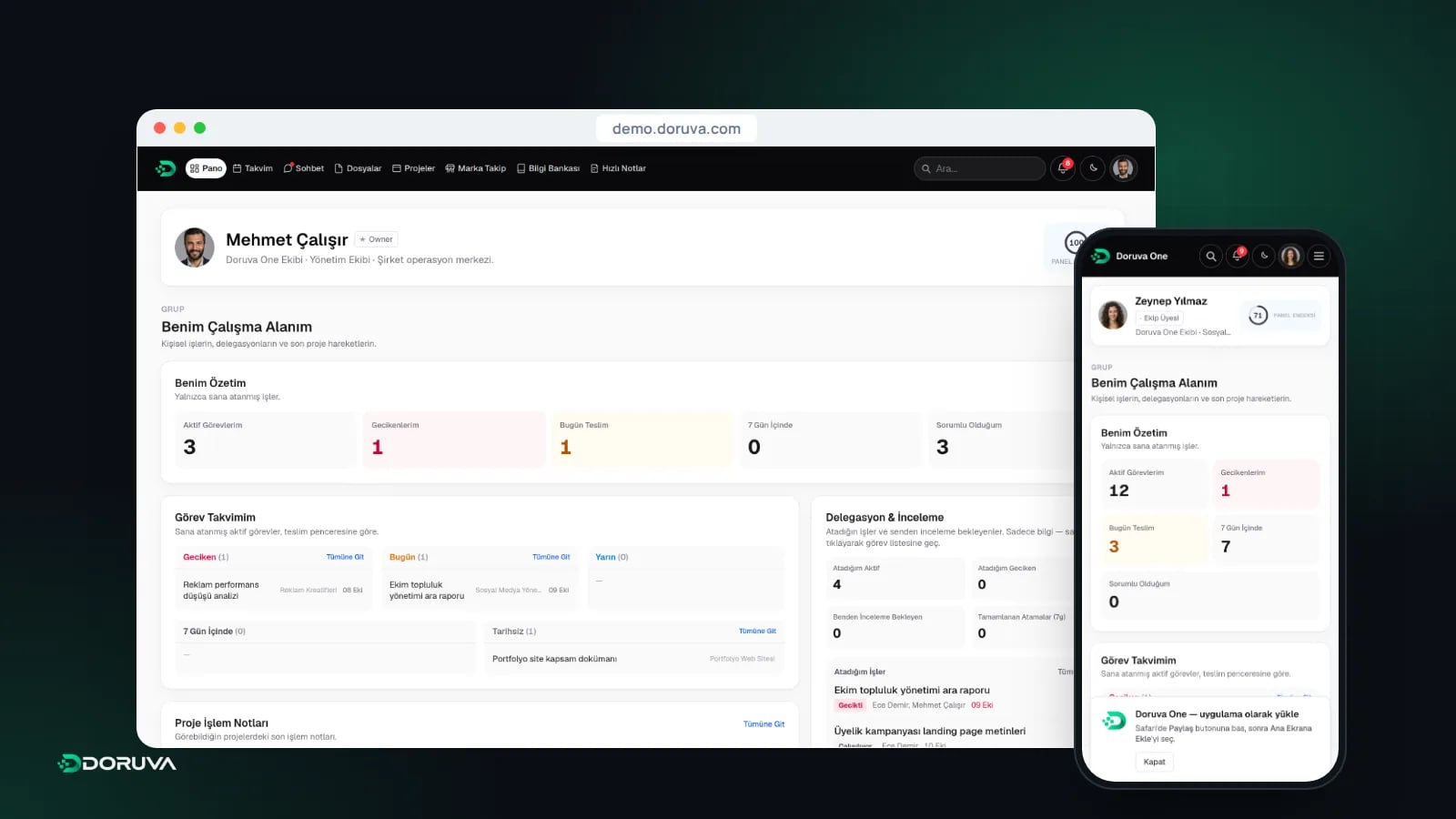
Another middle path is software designed around how a particular kind of team works. Doruva One, our team management and CRM platform for agencies and project teams, is a case in point: it is set up for each organization and branded with its own identity, so teams get a system close to how they work without commissioning software from scratch. Low-code and no-code tools can also fill this middle ground for small internal apps, though they reach their limits as business rules grow more complex.
The catch with a hybrid setup is that you depend on the product's API and its release cycle. When the vendor changes an endpoint, your custom layer has to change too. Monitoring, alerting and documenting those integrations is therefore part of the deal, not an afterthought.
What mistakes do businesses make with this decision?
The most common mistake is deciding on price or a friend's recommendation before the need is clearly defined. Other pitfalls we see regularly:
- Buying the demo: everything looks flawless in a sales demo. Test with your own real data and your hardest scenario before you commit.
- Cramming everything into version one: loading every wish into the first release of custom software sends both timeline and budget off course.
- Ignoring the people who use it: if daily users are left out of the process, even excellent software will not be adopted.
- No exit plan: agree early on what happens if you drop the product or change development partner.
- No maintenance budget: treating go-live as the end leaves you with an outdated system within months.
Chosen custom software? Here is how to start
The first step in custom software is not writing code but running a short, focused discovery phase. This is where the process is mapped, user roles are defined, existing data is reviewed and the scope of the first release is agreed.
- State the problem in one sentence: for example, "eliminate the errors caused by taking wholesale orders over the phone".
- Decide how you will measure success: which work should become faster, more accurate or more visible?
- Shrink the first release: pick the two or three flows that deliver the most value and schedule the rest for later.
- Put ownership in writing: source code, data, hosting and maintenance responsibilities should all be explicit in the contract.
- Test with users early: let real users' feedback shape the design and the first screens.
Working this way largely prevents the biggest risk in custom software: a system that took months to build and that nobody ends up using.
Summary: how to make the call
Standard processes, a need for speed and limited technical resources point towards off-the-shelf software. Distinctive processes, workflows that create a competitive edge, complex integrations and a need for full control over your data point towards custom software. For many businesses the right answer is a deliberate mix of both.
If you have written down your seven answers and still feel undecided, that is completely normal; an outside perspective is often the quickest route to clarity. At Doruva, every custom software development engagement starts by weighing the need against the alternatives, and sometimes the honest answer is to configure an existing tool properly without writing any code at all. You can browse examples of our work on our projects page, or book an initial custom software consultation to talk through your situation.
Frequently Asked Questions
Is custom software always more expensive than off-the-shelf?
The upfront investment is usually higher, but the fair comparison is total cost of ownership. Once years of subscriptions, higher tiers and time spent on workarounds are included, the picture can look quite different.
Can we start with an off-the-shelf tool and switch to custom software later?
Yes, and it is a common, sensible approach. The key is choosing a tool that lets you export all of your data in a complete, usable format.
Who owns the source code of custom software?
That depends entirely on the contract. Agree in writing, before work begins, who owns the source code, the data and the hosting accounts.
Can low-code or no-code tools replace custom software?
They can be a fast option for small internal apps and simple workflows. They tend to hit their limits as business rules get more complex, user numbers grow or deep integrations are needed.
What does a hybrid software approach mean?
It means using a proven product for standard work and building the business-specific part as a custom layer connected to it. You get speed from the product and fit from the custom layer.