Custom Software
How to Run a Custom Software Project: From Discovery to Launch
A custom software project runs through discovery, scoping and design, development, testing and acceptance, launch and maintenance. Success rests on a small first release, short cycles that end with working software and a client-side product owner who can make decisions.
By Mehmet ÇalışırPublished 10 min read
Contents
This article is for business owners commissioning software for the first time, the operations or product leads who will steer the project internally, and agency teams coordinating software work on behalf of clients. If you are still weighing whether to build at all, start with our guide on choosing between off-the-shelf and custom software. This piece picks up from the moment you have decided to build.
What does managing a custom software project involve?
Managing a custom software project means steering scope, priorities, risks and communication so that a business need becomes a working, maintainable system within an agreed timeframe and budget. Writing code is only one part of it. Just as important is making sure everyone knows what is being built, why, and what happens next.
The difference from buying a product is that nothing is finished when you start. The software takes shape through the decisions you make along the way, which is why the client's involvement matters as much as the development team's technical skill.
On a well-run project, everyone can answer the same questions at any time: Which phase are we in? What will be delivered at the end of it? Which decisions are waiting? When is the next demo? Once those answers get fuzzy, delays, budget overruns and the dreaded "that's not what we asked for" follow.
Who is involved, and what is your role?
Every custom software project has two sides: the client, who defines the need and will use the product, and the technical team, who designs and builds it. Making roles explicit on both sides at the outset is the cheapest risk control you have.
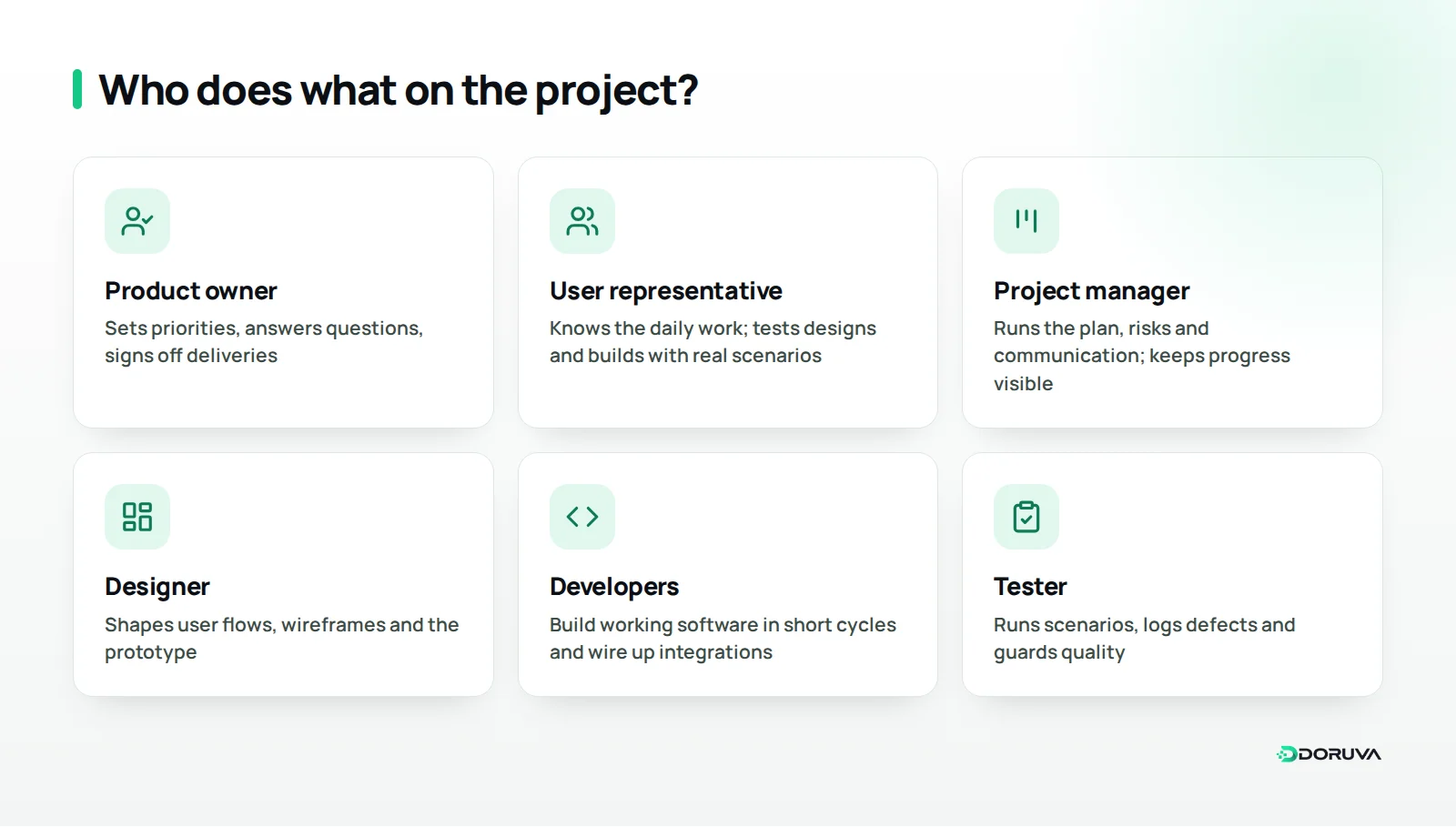
The most important client-side role is the product owner: the person who sets priorities, answers questions quickly and signs off interim deliveries. Without one, or with a product owner who has to escalate every call to senior management, even a great team ends up waiting. Alongside the product owner, one or two user representatives from the team that will use the system every day keep the screens grounded in real work.
On the technical side you will typically find a project manager, a designer, developers and someone responsible for testing. In smaller teams these roles may overlap; what matters is that every responsibility has a named owner. If you work in an agency and juggle many clients at once, our guide to project management for digital agencies looks at how to keep work from slipping through the cracks.
What are the phases of a custom software project?
A typical custom software project has six phases: discovery, scoping and design, development, testing and acceptance, launch, and maintenance and improvement. They look sequential on paper but overlap in practice; design work for later modules, for instance, often continues while earlier ones are being built.
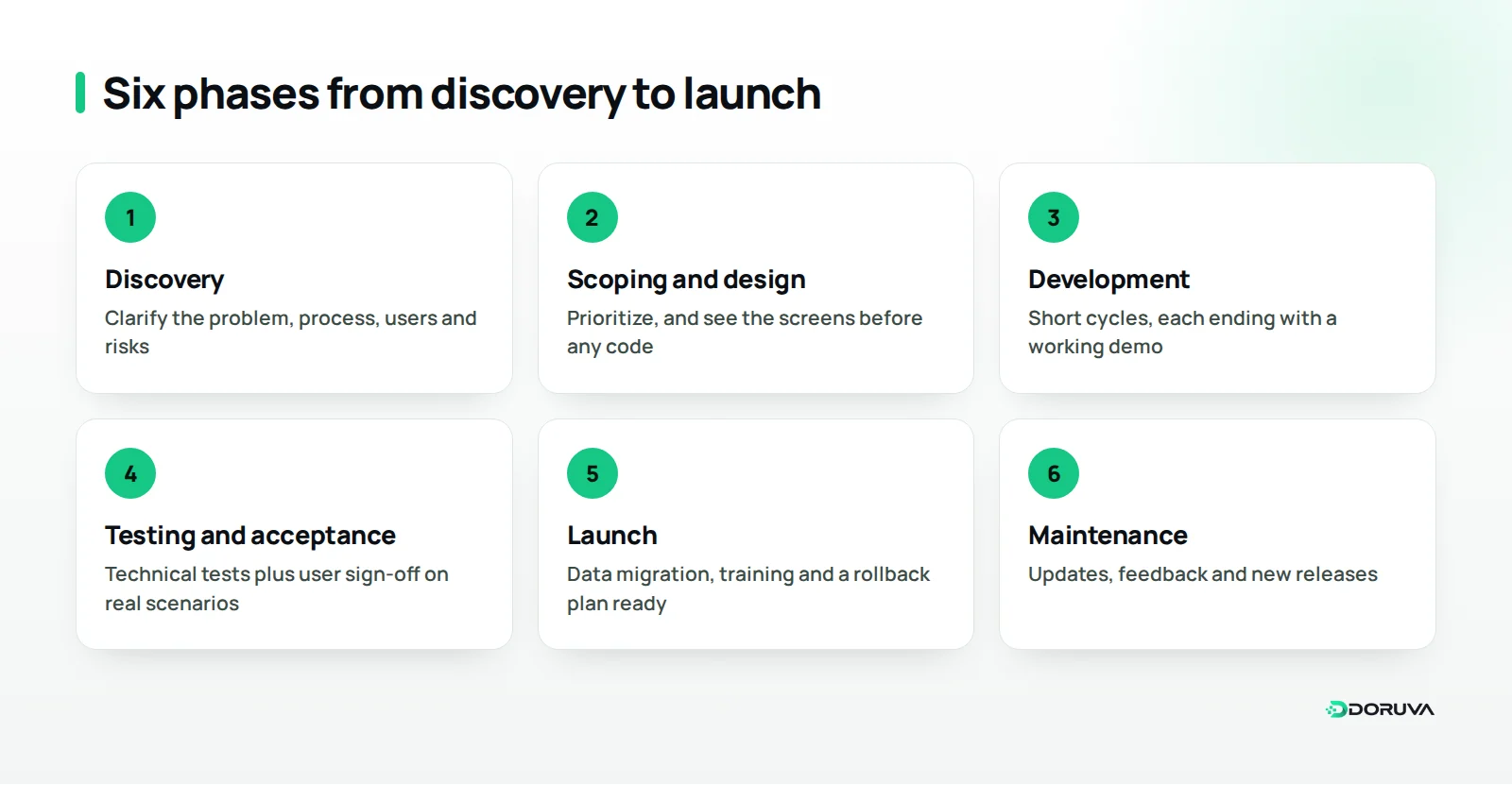
The table below sums up each phase's purpose, what you should have in hand at the end of it and what is expected from you. Durations vary too widely between projects to list here; agree on them together at the end of discovery.
| Phase | Purpose | Key deliverable | Your role |
|---|---|---|---|
| Discovery | Understand the problem and the process | Process map, draft scope, risk list | Share knowledge, give access to users |
| Scoping and design | Decide what to build, and in what order | Prioritized backlog, wireframes, prototype | Set priorities, approve designs |
| Development | Build working software piece by piece | A demonstrable version every cycle | Attend demos, give feedback |
| Testing and acceptance | Confirm it works as expected | Test results, signed acceptance | Try it with real scenarios |
| Launch | Open the system safely to users | Live system, migrated data, trained team | Prepare the team, plan the switchover |
| Maintenance and improvement | Keep the system current and useful | Updates and new releases | Collect feedback, set priorities |
What happens during discovery?
Discovery pins down the problem the software will solve, the people who run the process, the data that already exists and the main risks, so that everyone shares a written understanding of what will be built. Skip it, and the uncertainty simply moves into development, where it costs far more to resolve.
Map the process as it really is
Start by drawing how work happens today, not how it is supposed to happen. Imagine a dental practice digitizing appointments and treatment tracking: the front desk books by phone, the dentist writes treatment plans on paper, reminders go out from someone's personal mobile. For each step, note who does what, where information is recorded and where mistakes creep in.
Talk to the people who will use it
The process a manager describes and the process on the ground are often different. Short interviews with future users, and watching them at work, reveal what needs to be front and center on screen. That small amount of research settles many arguments before they start.
Draw the line around version one
The most valuable output of discovery is a clear statement of what the first release will and will not include. This is where the MVP (minimum viable product) mindset pays off: aim for the smallest usable version that solves the core problem, and park everything else on the list for later releases. By the end of discovery you should have a process map, a draft scope, a risk list and a plan built on them.
Scoping and design: what to decide, and in what order?
In this phase requests are prioritized, screens are sketched and the main architectural decisions are made, so that when development starts the team knows what it is building and why. You do not need every detail written up front, but the work for the first few cycles must be clear.
Prioritize honestly
Sorting every request into "must have", "nice to have" and "not now" is simple and surprisingly effective. The rule: version one is limited to the must-haves. The nice-to-haves are not lost; they wait their turn.
See it before you build it
Wireframes and a clickable prototype are the cheapest way to catch misunderstandings before any code exists. When a user representative tries to complete a real task in the prototype, a missing field or a needless step jumps out immediately. A fix in a sketch takes minutes; the same fix in code can take days.
Agree the technical foundations
This is when the technology stack, where data will live, how user roles and permissions will work and which systems need integrating are settled. These are technical calls, but questions such as hosting, data location and ownership should be discussed with the business side too.
How should development run?
Development should move in short cycles that each produce something working, rather than disappearing into a long, quiet build. The demo at the end of each cycle lets the client see real progress on real screens and correct course early.
Regular demos and a test environment
Each new piece is released to the client in a staging environment that is separate from the live system. The product owner and user representatives can try new features without affecting real users. Keep demos short and focused: what was done, what changed and which decisions are pending.
Manage scope change
New ideas will surface as the project moves forward; that is not a problem but a sign the product is getting closer to reality. The problem is changes that slip in verbally, unlogged and unprioritized. Capture every new request in writing, assess its impact on time and scope, and let the product owner either swap it for existing work or move it to a later release.
Keep progress visible
The client should be able to see, at any time, what is done, what is in progress and what is waiting on a decision. A shared task board and a short weekly summary do far more than long status meetings.
Keep decisions in one place
When decisions are scattered across email threads, chat groups and meeting notes, someone will soon ask "where did we agree that?". Logging each decision in one shared place, with its date, its reasoning and who made it, helps new team members get up to speed and heads off disagreements later on.
How do you plan testing, acceptance and launch?
Testing confirms the software works correctly; acceptance confirms it actually meets the business need. Both should be complete before launch, and the definition of "done" should be written down at the start of the project.
Write acceptance criteria up front
For every feature, the answer to "when is this done?" should be written down before development begins. For a wholesale ordering screen, the criteria might read: the customer sees their own price list, placing an order automatically notifies the warehouse, and the order reaches the accounting system the same day. Criteria that concrete turn acceptance testing from a debate about opinions into a straightforward check.
Layers of testing
- Developer tests: automated checks that small pieces of code behave as intended.
- End-to-end tests: scenarios in which a user signs in and completes a task from start to finish.
- User acceptance testing: the product owner and user representatives run real business scenarios and sign off.
The launch itself
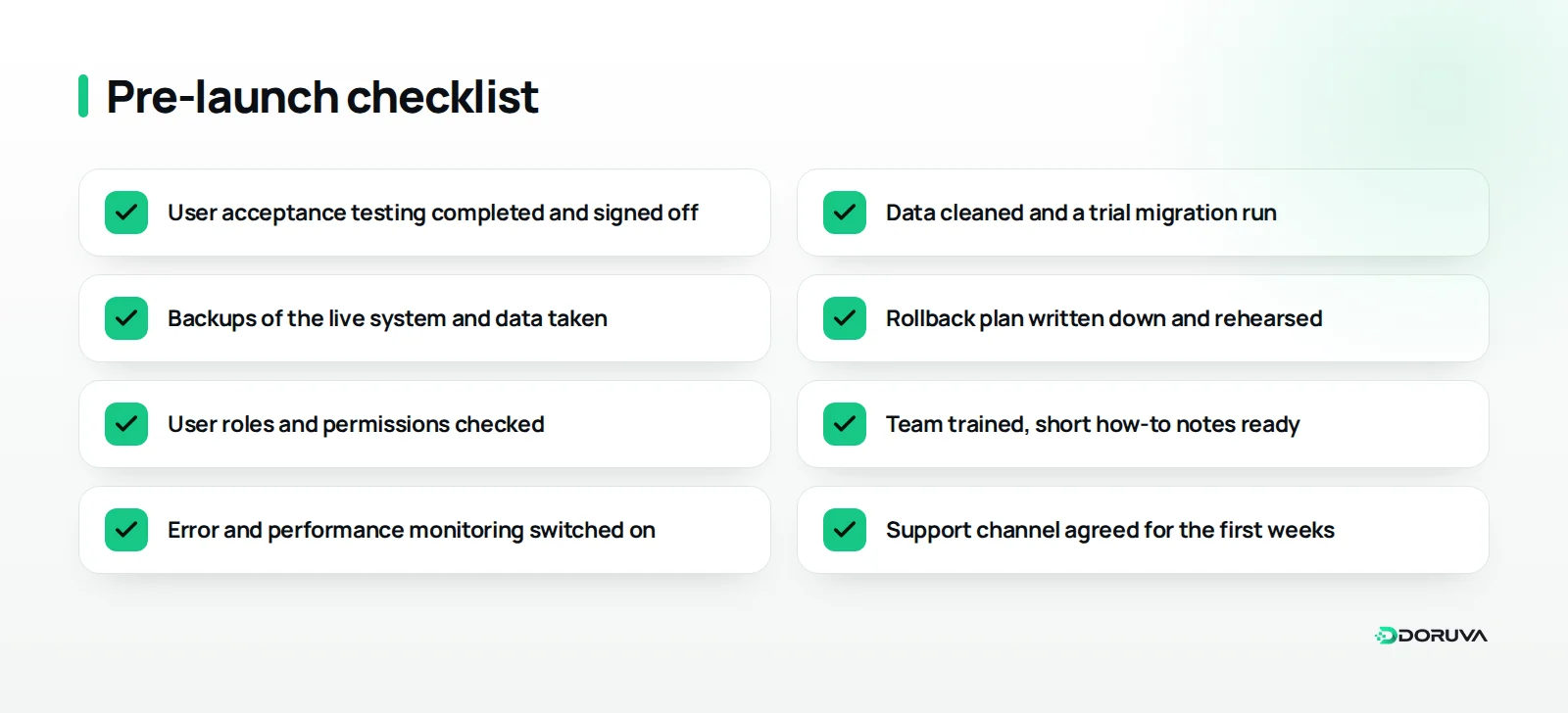
Plan launch day so that it holds no surprises. Data coming from the old system or from spreadsheets should be cleaned and migrated in a trial run first, the team should be trained, and everyone should know how to return to the previous state if something goes wrong. That fallback plan is called a rollback, and it deserves as much attention as the launch itself.
After launch: why maintenance and improvement matter
Launch is not the end of the project; it is the moment the product meets real use, and feedback from the first weeks is the most valuable input you will get. Small fixes should ship quickly during this period, while bigger requests go onto the list for the next release.
Over the longer term, maintenance covers security updates, library upgrades, monitoring of backups and system health, and keeping performance where it should be. Who handles maintenance, with which response times and within what scope, belongs in the project contract or a separate support agreement.
A good habit is a short review a few weeks after launch, measured against the success criteria set in discovery. Are orders being taken with fewer errors? Are fewer appointments being missed? Are reports ready sooner? The answers set the priorities for the next release.
Summary and next steps
Successful custom software projects run on good decisions as much as good code. Use discovery to define the problem and the edges of version one, see the design before you build it, develop in short cycles with regular demos, log scope changes, tie testing and acceptance to written criteria, launch with a rollback plan and budget for maintenance from the start.
That is exactly how we run custom software projects at Doruva: we begin with a short discovery, show working software at the end of every cycle and stay alongside the product after launch. If you would like to walk through your own project using these phases, get in touch about your custom software project.
Frequently Asked Questions
Can we skip the discovery phase?
You can, but it is rarely wise. Anything left unclear in discovery resurfaces during development, where it takes far more time and budget to resolve.
Who is the product owner, and why do they matter so much?
The product owner is the client-side person who sets priorities and signs off interim deliveries. When decisions are slow, the development team waits and the project stretches.
What happens if I want a new feature halfway through?
The request is captured in writing and its effect on time and scope is assessed. The product owner then either swaps it for existing work or schedules it for a later release.
Who carries out user acceptance testing?
The product owner and representatives of the people who will use the system every day. The aim is to confirm the software meets the need in real business scenarios.
Do we still need the development team after launch?
Yes. Security updates, bug fixes, backup monitoring and new requirements never stop, so the scope of maintenance should be spelled out in the contract.