

What is X-Robots-Tag?
Definition
X-Robots-Tag is an HTTP response header that carries the same directives as the robots meta tag, but in the server's response rather than in the HTML. It is how indexing and serving rules are applied to non-HTML files such as PDFs, images and videos, and it lets you set rules in bulk at server or CDN level by file type, directory or entire hostname.
Also known as: X-Robots-Tag header, robots HTTP header, X-Robots header
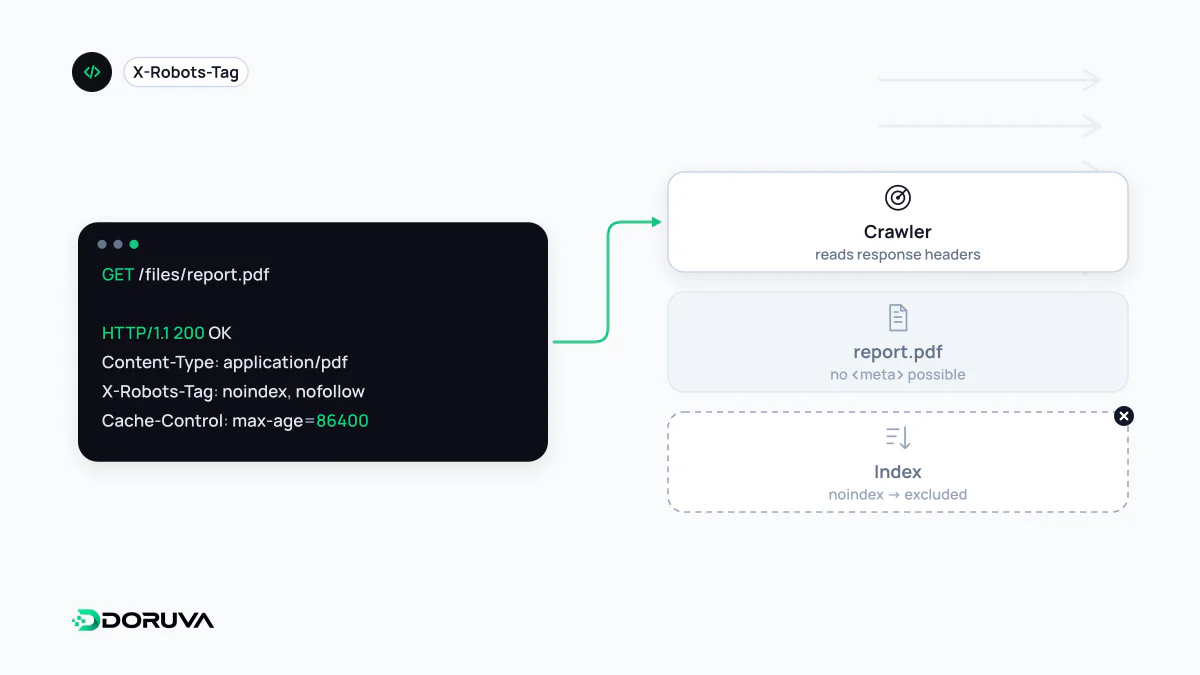
What the header looks like
X-Robots-Tag travels with the other HTTP headers in the server's response. For a PDF, a typical response looks like this:
HTTP/1.1 200 OK
Content-Type: application/pdf
X-Robots-Tag: noindex, nofollow
Several rules can share one header, separated by commas, or sit on separate header lines. Prefix a rule with a crawler name and it binds only that crawler. The header name, the user agent name and the values are all case-insensitive:
X-Robots-Tag: googlebot: nofollow
X-Robots-Tag: otherbot: noindex, nofollow
The available directives are identical to those of the meta robots tag; only the delivery mechanism differs.
Where a meta tag cannot help
- Non-HTML files. PDF catalogues, Word documents, images and videos have no
<head>. A header is the only way to keep them out of results. - Bulk rules. Applying one line to thousands of files in a directory, or to every file with a given extension, is safer than adding tags template by template.
- Test environments. A server-level
noindexacross a staging environment protects it without touching application code. Password protection is still the sturdier solution. - Application output. Public JSON endpoints, exports and other responses that have no business appearing in search.
nginx and Apache examples
In nginx, for every PDF:
location ~* \.pdf$ {
    add_header X-Robots-Tag "noindex, nofollow" always;
}
Two nginx details are easy to miss. By default add_header only applies to certain status codes such as 200, 301, 302 and 304; the always parameter adds it to every response. And as soon as a location block defines any add_header of its own, it no longer inherits the add_header lines from the enclosing level, so security headers can silently disappear. The nginx headers module documentation has the details.
The same rule in Apache, with mod_headers enabled:
<Files ~ "\.pdf$">
  Header set X-Robots-Tag "noindex, nofollow"
</Files>
Verifying it
A header never shows up in "view source", so check the response itself. The command line is fastest:
curl -sI https://example.com/catalog.pdf | grep -i x-robots-tagThe Network tab in browser developer tools and URL Inspection in Search Console show it as well. The SEO Checker reports a noindex delivered by HTTP header as a separate finding.
Mistakes that recur
- Rules leaking from shared config. A header written for staging reaches production through a shared include file.
- Also blocking the file in robots.txt. A blocked file is never fetched, so its header is never read. Don't combine robots.txt disallows with X-Robots-Tag on the same URL.
- Contradicting the meta tag. If an HTML page's header says
noindexand its meta tag saysindex, the restrictive rule wins and the page stays out. - Forgetting the CDN. A CDN or reverse proxy may add or strip the header; check the response visitors actually receive, not just the origin server.