

What is HTTP Header?
Definition
An HTTP header is a name-value line of metadata, written as “Name: value”, that comes before the body of an HTTP request or response. Request headers tell the server which host is wanted, what formats the client accepts and who is calling; response headers describe the content type, caching rules, cookies and security policies. Header names are case-insensitive, and the standard fields are defined in RFC 9110 and related specifications.
Also known as: HTTP header field, request header, response header, HTTP headers
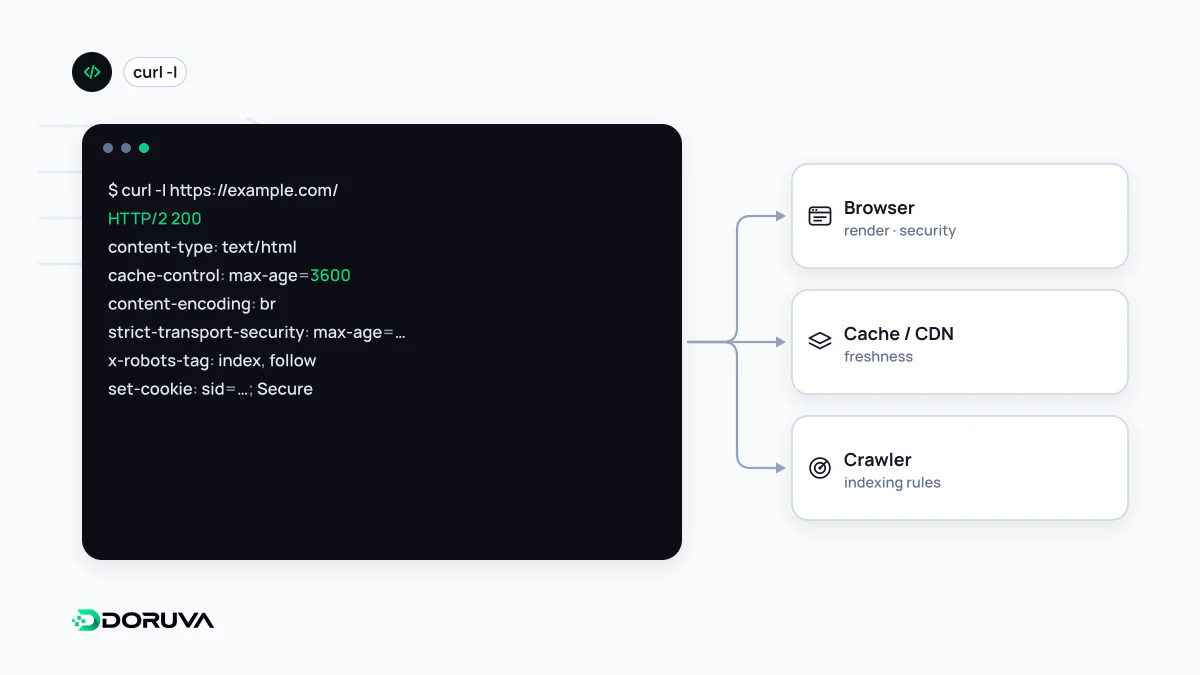
Metadata that travels with every message
An HTTP message has three parts: a start line (the method and target in a request, the status code in a response), a block of headers, and an optional body. The HTML of a page is the body. Everything about that HTML, such as its character set, whether it was compressed and how long it may be reused, lives in the headers. The overall exchange is covered under HTTP request and response; this entry is about the headers themselves.
Here is what a browser sends for a blog post and what comes back, with the bodies left out:
GET /blog/choosing-a-cms HTTP/1.1
Host: www.example.com
User-Agent: Mozilla/5.0 (Macintosh; Intel Mac OS X 14_5)
Accept: text/html
Accept-Language: en-GB,en;q=0.9
Accept-Encoding: gzip, br
Cookie: theme=darkHTTP/1.1 200 OK
Content-Type: text/html; charset=utf-8
Content-Encoding: br
Cache-Control: public, max-age=300
Vary: Accept-Encoding
Last-Modified: Tue, 29 Sep 2026 08:12:00 GMTWhich side sends what
Some headers only ever flow from client to server, some only the other way, and a few, like Content-Type, appear in both directions.
| Header | Sent in | Purpose |
|---|---|---|
Host | Request | Names the site being requested, which is what lets many sites share one IP address |
User-Agent | Request | Identifies the client software; browsers and search engine crawlers both announce themselves here, though anyone can fake the value |
Accept-Language, Accept-Encoding | Request | Preferred languages and compression formats, used for content negotiation |
Authorization | Request | Credentials, for example a token in the Bearer scheme |
Cookie / Set-Cookie | Request / Response | Returns stored cookies to the server / asks the browser to store one |
Location | Response | The target of a redirect, or the URL of a newly created resource |
Cache-Control | Both | Caching rules for browsers and intermediaries, covered in depth under Cache-Control |
Vary | Response | Which request headers change the response, so caches do not serve the wrong variant |
Headers that matter for SEO
A crawler receives the headers before it parses a single tag, and some decisions are made on headers alone:
X-Robots-Tagis the HTTP equivalent of the robots meta tag. It is the only way to applynoindexto PDFs, images and other files that cannot carry HTML, and an X-Robots-Tag added site-wide by mistake will quietly pull pages out of the index.Linkcan declare a canonical URL for non-HTML files:Link: <https://www.example.com/price-list.pdf>; rel="canonical".Locationcarries the destination of 301 and 302 redirects. A malformed value breaks the redirect for users and bots alike.Content-Typedecides how the body is treated. An HTML page served astext/plainis shown as raw text and is not processed as a page.
To see what a live URL actually returns, open the Network panel in browser developer tools or run curl -sD - -o /dev/null https://www.example.com/. The SEO Checker also reports the X-Robots-Tag and security headers it finds in the response.
Security policy is delivered as headers
Telling a browser to use HTTPS only, to refuse to render a page inside another site's frame, or to run scripts only from approved sources is done with response headers. HSTS, Content-Security-Policy and X-Content-Type-Options belong to this group and are covered under security headers. CORS, which governs when a page from one origin may read responses from another, is also expressed entirely through headers. The advice runs the other way too: advertising exact software versions in Server or X-Powered-By gives attackers a head start, so trim them where you can.
Conventions and common mistakes
- Case:
Content-Typeandcontent-typeare the same field. HTTP/2 and HTTP/3 transmit names in lowercase, which is why developer tools often display them that way. - The
X-prefix: prefixing custom headers withX-was deprecated in 2012 by RFC 6648. A clear, descriptive name is enough for a new custom header. - Two sources of truth: the application sets
Cache-Control, then the CDN or web server config appends a second, conflicting value. Pick one layer to own each header. - Testing the wrong hop: reverse proxies, CDNs and WAFs add and strip headers. Check the public URL your visitors hit, not just the app server behind it.