

What is Security Headers?
Definition
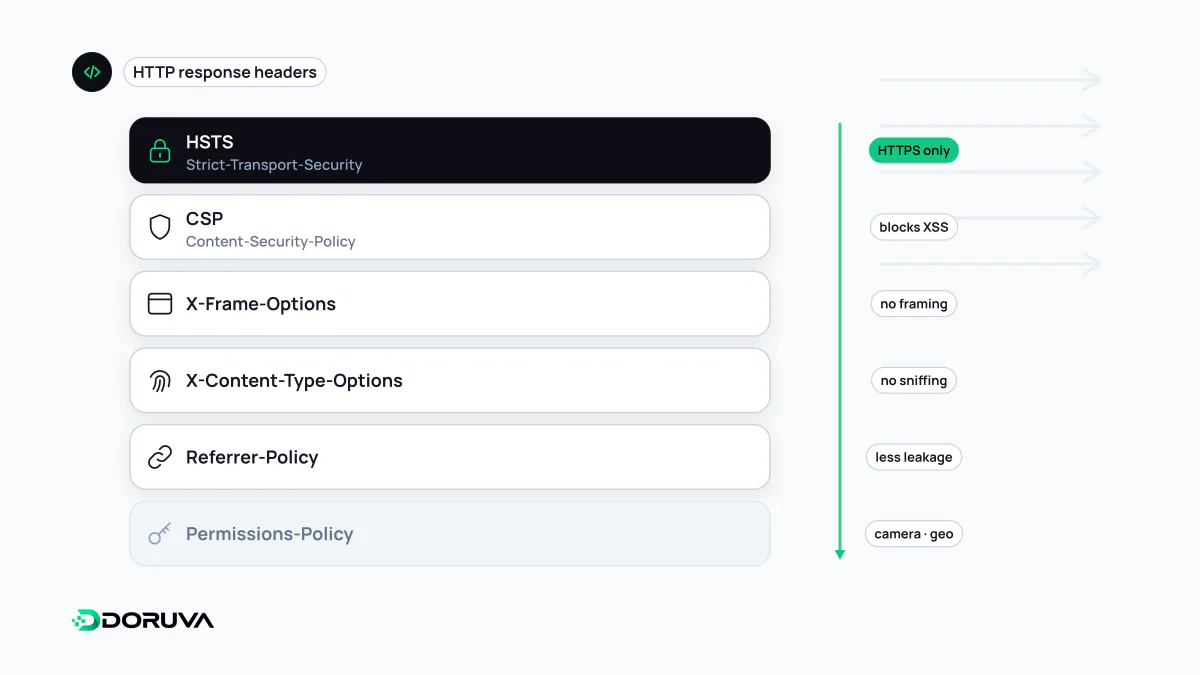
Security headers are HTTP response headers that tell the browser how to handle a page more safely. Strict-Transport-Security forces HTTPS, Content-Security-Policy restricts which sources may load scripts and other resources, X-Content-Type-Options disables MIME type sniffing and X-Frame-Options stops the page from being framed. They reduce the impact of attacks such as XSS and clickjacking but do not replace secure application code.
Also known as: HTTP security headers, security response headers, secure headers
Header by header
Each of these is an HTTP header that switches off or restricts a specific browser behaviour. Following OWASP's HTTP Headers Cheat Sheet, the core set looks like this:
| Header | What it does | Typical value |
|---|---|---|
| Strict-Transport-Security | Makes the browser connect only over HTTPS for a set period. | max-age=63072000; includeSubDomains |
| Content-Security-Policy | Defines where scripts, styles, images and frames may load from. | Site-specific |
| X-Content-Type-Options | Stops the browser guessing file types (MIME sniffing). | nosniff |
| X-Frame-Options | Prevents other sites from showing the page in an iframe. | DENY or SAMEORIGIN |
| Referrer-Policy | Limits how much of the URL is shared when users follow links to other sites. | strict-origin-when-cross-origin |
| Permissions-Policy | Disables or scopes browser features such as camera, microphone and geolocation. | camera=(), microphone=(), geolocation=() |
| Cross-Origin-Opener-Policy | Isolates the page from windows opened by other origins. | same-origin |
The modern way to control framing is CSP's frame-ancestors directive; X-Frame-Options can be sent alongside for older browsers. Both defend against clickjacking.
A real response
HTTP/2 200
content-type: text/html; charset=utf-8
strict-transport-security: max-age=63072000; includeSubDomains
content-security-policy: default-src 'self'; frame-ancestors 'none'
x-content-type-options: nosniff
referrer-policy: strict-origin-when-cross-origin
permissions-policy: camera=(), microphone=(), geolocation=()
To inspect your own site, open DevTools → Network, select the main document and read the response headers, or run curl -I https://example.com.
Headers to retire
- X-XSS-Protection: controlled the legacy browser XSS filter. OWASP notes it can create vulnerabilities in otherwise safe sites and recommends sending
0or omitting it. CSP is the real tool against XSS. - Public-Key-Pins (HPKP) and Expect-CT: deprecated; remove them if they linger in old configs.
- Server and X-Powered-By: not security headers, but they advertise software and versions; remove them or set a generic value.
Where to set them, and an Nginx trap
Headers can be set in the application framework (for example headers() in a Next.js next.config), in the web server or at the CDN. Picking one place avoids conflicting and duplicated values. Two Nginx behaviours catch people out. By default add_header only applies to successful and redirect responses; error pages need the always parameter. And as soon as a location block defines a single add_header of its own, it stops inheriting the ones from the level above. Since version 1.29.3 the add_header_inherit directive can change that.
server {
    add_header Strict-Transport-Security "max-age=63072000; includeSubDomains" always;
    add_header X-Content-Type-Options "nosniff" always;

    location /downloads/ {
        add_header Content-Disposition "attachment";
        # The two headers above are no longer sent for this block!
    }
}
What headers cannot do
Security headers limit damage; they do not remove the underlying flaw. A form without input validation, an API endpoint without authorization checks or an outdated plugin remains exploitable however good the headers are. An “A+” from a header scanner means certain headers are present, not that the site is secure. Roll out restrictive policies such as CSP in report-only mode first so you can see what would break. For a quick check, the SEO Checker reports whether CSP, nosniff, Referrer-Policy and framing protection are in place. Current recommendations are kept in the OWASP HTTP Headers Cheat Sheet.