

What is HSTS (HTTP Strict Transport Security)?
Definition
HSTS (HTTP Strict Transport Security) is a mechanism by which a site uses the Strict-Transport-Security response header to tell browsers to connect to it only over HTTPS for a set period. During that time the browser rewrites http:// addresses to https:// before sending anything and refuses to let users click through certificate errors, closing the gap that attacks on the first plain-HTTP request rely on.
Also known as: HTTP Strict Transport Security, Strict-Transport-Security, HSTS header, HSTS preload
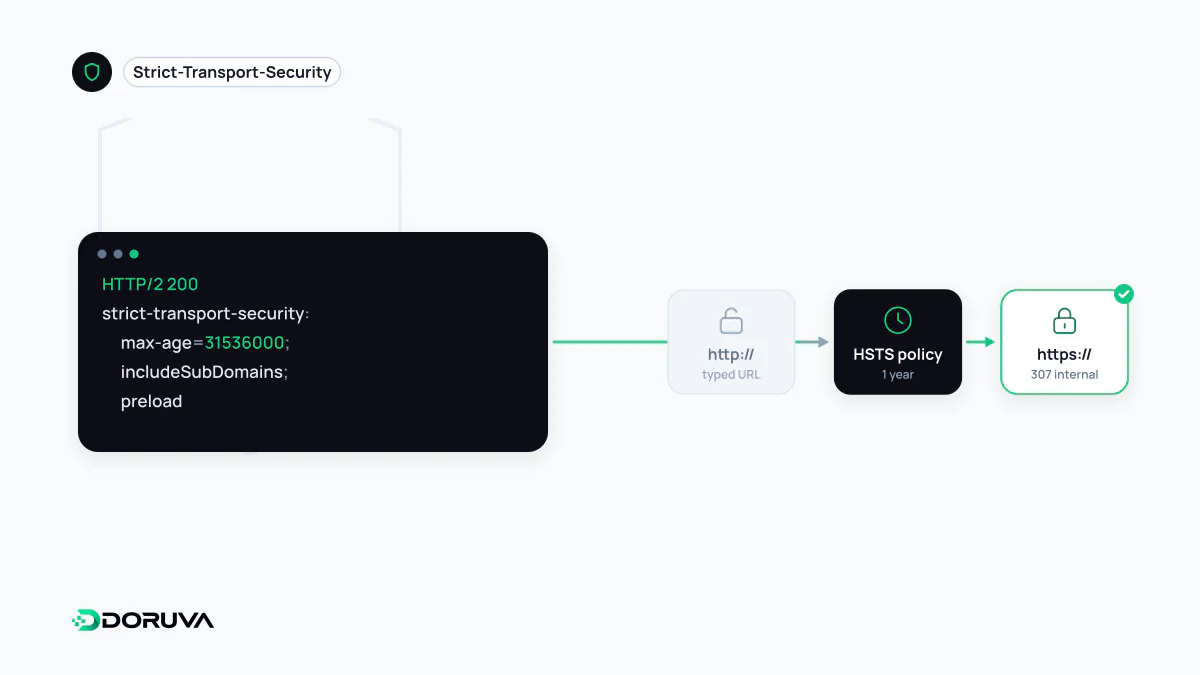
The gap a redirect leaves open
Most sites send HTTP requests to HTTPS with a 301 redirect. But when someone types just the domain name or follows an old http:// link, that first request travels unencrypted. An attacker on the same network can intercept it and keep the victim on a plain or spoofed version instead of passing the redirect through, a technique known as SSL stripping. HSTS lets the browser skip that vulnerable first hop entirely.
Once a browser has received the header over HTTPS, it converts every http:// request for that host to https:// internally, before anything leaves the machine, for as long as the policy lasts. Chrome DevTools shows this as a "307 Internal Redirect"; the server never sends such a response. HSTS also removes the "proceed anyway" option on certificate errors.
Reading the header
Strict-Transport-Security: max-age=63072000; includeSubDomains; preloadmax-age: how long, in seconds, the browser should remember the policy. It is refreshed with every response, andmax-age=0clears it.includeSubDomains: extends the policy to every subdomain.preload: signals consent to inclusion in the browser-shipped HSTS list. On its own it does nothing; you still have to submit the domain.
The header only counts when it arrives over HTTPS; browsers are required to ignore it on plain HTTP responses. HSTS therefore complements the HTTP-to-HTTPS redirect rather than replacing it, and it is one of the core security headers worth setting on any HTTPS site.
Solving the first visit with preloading
A browser can only learn the policy after reaching the site over HTTPS at least once. The preload list closes that gap: maintained for Chrome and also used by other major browsers, it ships inside the browser itself. The requirements are published at hstspreload.org: a valid certificate, a redirect from HTTP to HTTPS on the same host, every subdomain served over HTTPS, and a header with max-age of at least one year (31536000 seconds) plus both includeSubDomains and preload.
Rolling it out without locking yourself out
The real danger is turning HSTS on with the wrong scope. Add includeSubDomains and any HTTP-only subdomain, such as an intranet tool, a printer interface or a legacy mail admin page, becomes unreachable in browsers immediately. Preloading extends that to internal subdomains that are not publicly reachable at all. Removal from the list is possible, but it takes months to reach users through browser updates, and other browsers update on their own schedules.
- Inventory every subdomain and confirm each one serves HTTPS correctly.
- Start with a tiny value such as
max-age=300, then step up to a week and a month as long as nothing breaks. - Add
includeSubDomainsand repeat the gradual increase. - Only after months of clean operation, move to a year or more, add
preloadand submit.
The SEO Checker reports whether the HSTS header is present as part of its HTTPS checks.