

What is Tag Manager?
Definition
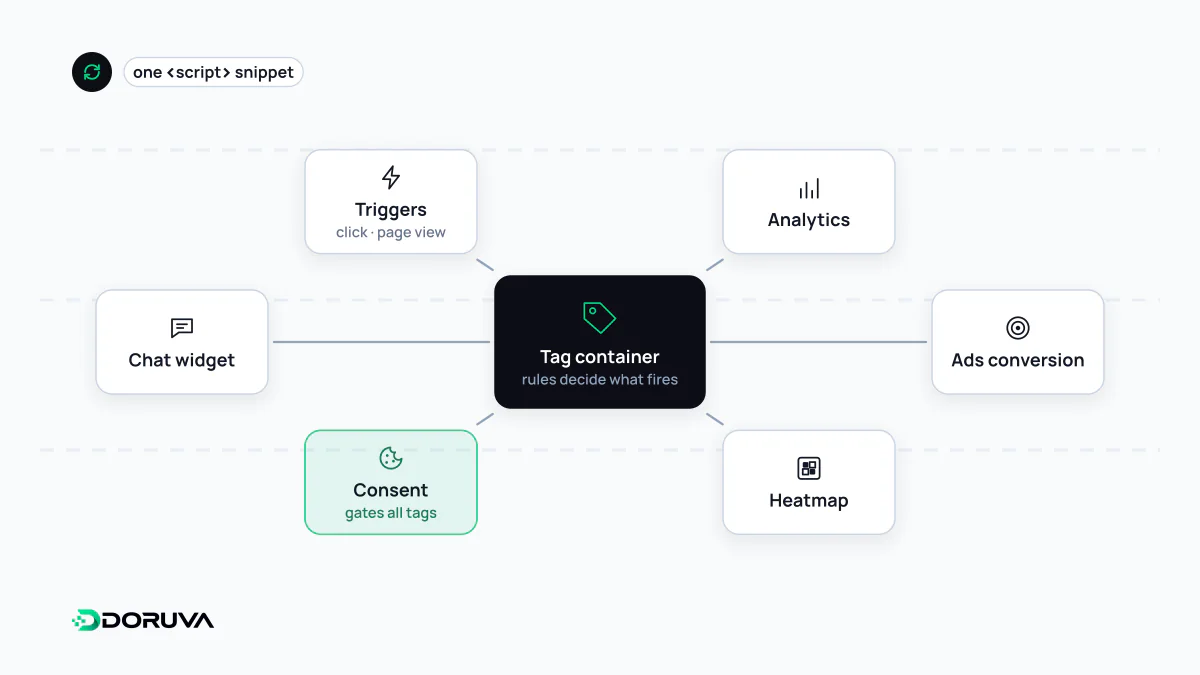
A tag manager is a system for deploying and controlling the analytics, advertising and marketing snippets (tags) on a website from one interface, without editing the site's source code for every change. A single container snippet installed on the site decides which tag runs under which condition, based on triggers and variables. Google Tag Manager (GTM) is the most widely used example.
Also known as: Google Tag Manager, GTM, tag management system, TMS
The building blocks
Google Tag Manager's vocabulary is shared, with small variations, by most tag management systems:
- Container: everything that belongs to one site, namely its tags, triggers and variables. The single snippet on the site loads the container's published version.
- Tag: the code that runs, for example a GA4 measurement tag, an ad platform's conversion tag or a block of custom HTML.
- Trigger: the condition that fires a tag, such as a page view, a link click, a form submission or a custom event sent by the site.
- Variable: a value that triggers and tags read, such as the page path, the text of a clicked element or an order total.
Robust setups rely on a data layer. Instead of the tag manager guessing from CSS classes or button labels, the site itself pushes structured data at meaningful moments:
window.dataLayer = window.dataLayer || [];
window.dataLayer.push({
  event: "quote_form_submitted",
  form_location: "service_page"
});
When the design changes, tracking keeps working. Planning that data is covered under event tracking.
Governance is the real job
The promise of a tag manager is that marketers can ship tags without waiting for developers. The flip side is that anyone with publish rights can add JavaScript to production. Custom HTML tags run with the same privileges as the site's own code, so a careless or compromised tag can read what users type into forms. Sensible rules:
- keep publish rights with a few people and separate editing from publishing (GTM offers read, edit, approve and publish permissions per container);
- publish every change as a described version, and test it in preview mode first;
- remove unused tags on a schedule;
- if the site runs a Content Security Policy, allowlist what the tag manager may load deliberately rather than with broad wildcards.
Every tag has a price
A tag manager loads code in a more orderly way; it does not make the code free. Each tag is more JavaScript competing for the main thread. A container that has collected a chat widget, two ad pixels and a session-recording script over the years can create long tasks and worsen INP. Fire tags when they are actually needed instead of all on page load, merge duplicates that do the same job, and measure a new tag's cost before it goes live.
Wiring in consent
Analytics and advertising tags can process personal data, so in most cases they depend on the visitor's consent. A tag manager lets you declare which consent type each tag requires, and Google's tags receive that state through Consent Mode. Managing consent from one place, rather than as conditions scattered across dozens of triggers, keeps both audits and debugging manageable.