

What is Cookie Consent?
Definition
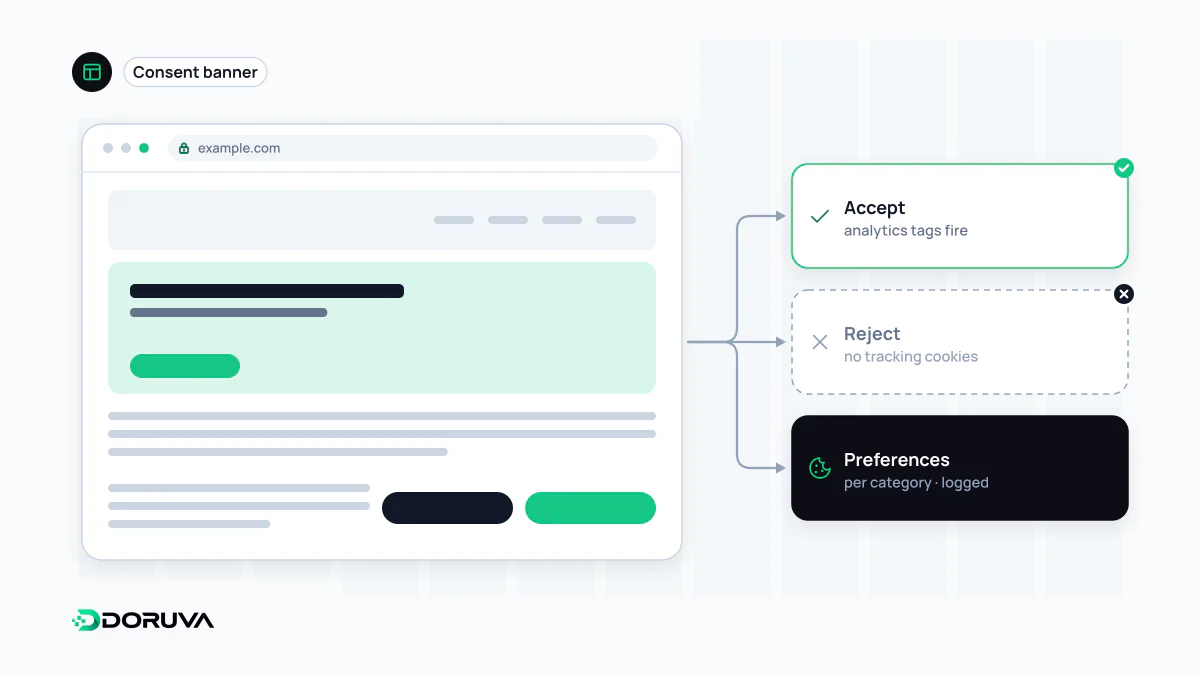
Cookie consent is the practice of informing visitors and obtaining their permission before a website uses non-essential cookies and similar tracking technologies, then recording and honouring that choice. It is usually implemented as a banner with a preferences panel, often through a consent management platform (CMP). Strictly necessary cookies, such as session or security cookies, can generally be exempt, while advertising and tracking cookies require consent.
Also known as: cookie banner, cookie notice, cookie consent banner, CMP, consent management platform
Which cookies need permission
Not every HTTP cookie requires consent. In the EU, the ePrivacy rules require consent for storing or reading information on a user's device unless it is strictly necessary for a service the user has requested; consent itself must then meet the GDPR standard. Turkey's data protection authority takes a comparable line in its cookie guidance, first published in 2022 and most recently reissued in July 2025. It lists as candidates for legal bases other than consent:
- session cookies holding user input, such as login state or a shopping cart
- security cookies, for example one a web application firewall uses for rate limiting
- load-balancing cookies and the cookie that remembers the visitor's consent choice
- first-party analytics, but only for anonymous statistics, with measures such as IP masking, no cross-site tracking and no sharing with third parties
Behavioural advertising cookies and social plugin tracking cookies need consent under both regimes. EU regulators differ on analytics: some allow a narrow exemption for audience measurement, many expect consent. This entry is general information, not legal advice.
What a CMP does behind the banner
A consent management platform handles several distinct jobs:
- Classifies the site's cookies by purpose and ties them to the cookie notice.
- Records each visitor's choice and keeps proof of it.
- Prevents scripts in non-consented categories from running at all.
- Passes the choice to the tag manager and, for Google tags, to Consent Mode.
- Lets visitors change their mind later.
Step three is where most implementations fail. If the analytics tag or ad pixel has already fired while the banner is still on screen, the banner is decoration.
Designing choices of equal weight
Turkey's guidance describes as good practice a panel shown on arrival with “accept”, “reject” and “preferences” buttons of equal colour, size and font. EU regulators make similar points. Other recurring principles:
- Categories that need consent should start switched off in the preferences panel.
- Entering the site or scrolling is not consent; it requires an affirmative action.
- Cookie walls that block content until everything is accepted may undermine free choice.
- Asking on every visit causes consent fatigue; re-prompt at intervals that match cookie lifetimes.
- A small persistent icon makes withdrawing consent as easy as giving it.
Hiding or burying the reject option is a well-known dark pattern and puts the validity of the consent in doubt.
Gating scripts in code
// Without consent, analytics and ad scripts are never loaded
const choice = cmp.getConsent(); // e.g. { analytics: false, ads: false }

if (choice.analytics) loadScript("https://analytics.example/tag.js");
if (choice.ads) loadScript("https://ads.example/pixel.js");

cmp.onChange((next) => { /* load on later opt-in, stop on withdrawal */ });
cmp and loadScript are placeholders; every CMP has its own API. The point is the order: decision first, script second.
Auditing a site in five minutes
- Open the site in a private window and, without touching the banner, check DevTools → Application → Cookies. Only strictly necessary cookies should be there.
- In the Network panel, look for requests to analytics and advertising domains.
- Click “Reject”, reload and repeat the check.
- Compare the cookie list in your notice with what actually loads.
For the legal background, see explicit consent.