

What is Consent Mode (Google)?
Definition
Consent Mode is a Google mechanism that passes a visitor's consent choices about cookies and data use to Google tags such as Google Analytics, Google Ads and Floodlight, which then adjust whether they store cookies. Version 2 added the ad_user_data and ad_personalization signals to ad_storage and analytics_storage. Consent Mode does not collect consent itself; a cookie banner or consent management platform does that.
Also known as: Google Consent Mode, Consent Mode v2, GCM, gtag consent
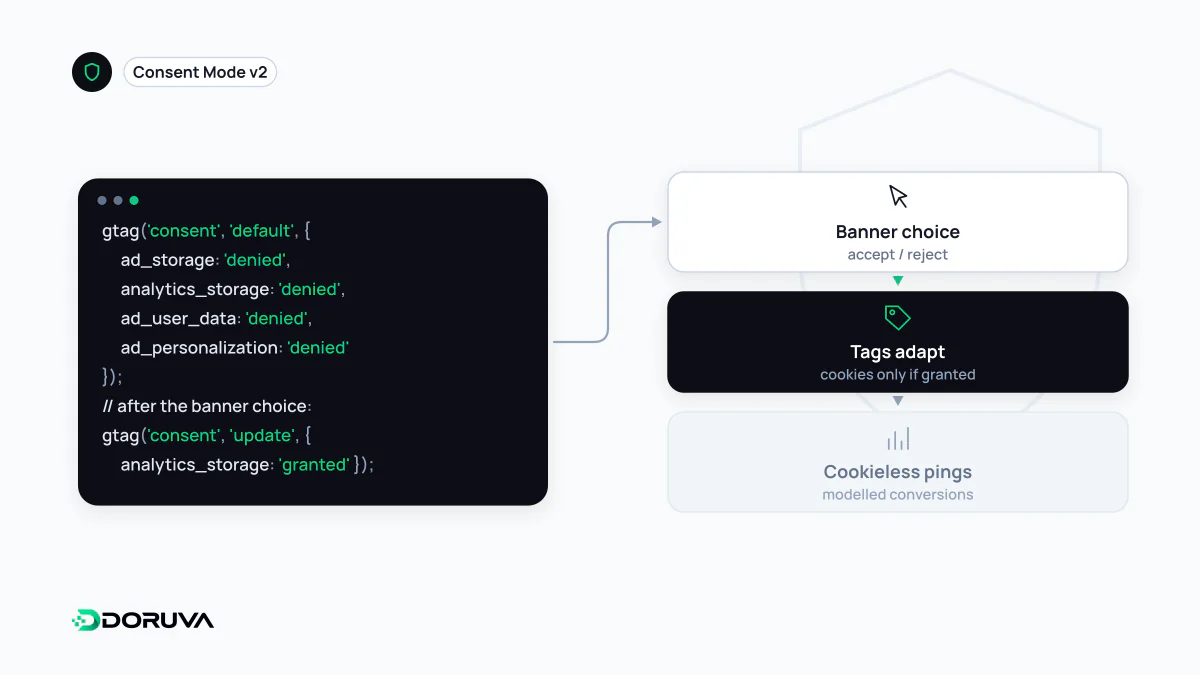
A signal layer, not a banner
Consent Mode is often mistaken for a cookie banner. It asks visitors nothing and stores nothing. It takes the decision recorded by your cookie consent tool and translates it into a state Google's tags understand, and the tags change their behaviour accordingly: without consent they neither write nor read advertising or analytics cookies.
Of the consent types Google documents, four are central to Consent Mode v2:
| Signal | Controls |
|---|---|
ad_storage | Storage of advertising cookies and device identifiers |
analytics_storage | Storage for analytics, such as measuring visit duration |
ad_user_data | Sending user data to Google for advertising purposes |
ad_personalization | Personalised advertising, including remarketing |
The last two arrived with v2, which Google describes as part of its response to its EU user consent policy. Separate types also exist for functionality, personalisation and security storage.
Default first, update second
An implementation boils down to two calls: declare a default state before any tag runs, then update it once the visitor chooses.
gtag('consent', 'default', {
  'ad_storage': 'denied',
  'ad_user_data': 'denied',
  'ad_personalization': 'denied',
  'analytics_storage': 'denied'
});

// The visitor accepts analytics only:
gtag('consent', 'update', {
  'analytics_storage': 'granted'
});
Defaults can differ by region, and when the consent tool loads asynchronously, wait_for_update makes tags hold off for a short time. Google's Tag Assistant shows the default and updated states in event order, which is the quickest way to verify a setup.
Basic or advanced
In a basic implementation, Google tags do not load at all until the visitor consents; if consent is declined, nothing reaches Google, not even the default consent state. In an advanced implementation, tags load immediately with denied defaults. No cookies are written, but cookieless pings carrying things like a timestamp, user agent, referrer and the consent state are sent. Google uses them to build advertiser-specific conversion models, whereas basic mode only supports more general modelling.
The choice is not purely technical. Sending requests to Google before consent raises the question of which legal basis covers them. That assessment belongs to the data controller and its legal counsel under GDPR, Turkey's KVKK or other applicable law; this entry is information, not legal advice. Under the ePrivacy rules in the EU and the Turkish authority's draft cookie guidance alike, non-essential cookies generally require an active choice by the visitor.
A stricter alternative
Some sites go further than Consent Mode and keep the scripts out of the page entirely until consent is given. On Doruva's own site, analytics and marketing snippets added through the admin panel are served as inert scripts with no source loaded; they only become real scripts after the visitor accepts analytics, and resource hints that would contact the provider early are stripped. The approach resembles basic mode: it gives up modelling in exchange for a guarantee that no third party is contacted before consent. Which way to go depends on how much measurement you need and how much risk you are willing to carry.