

What is Long Task?
Definition
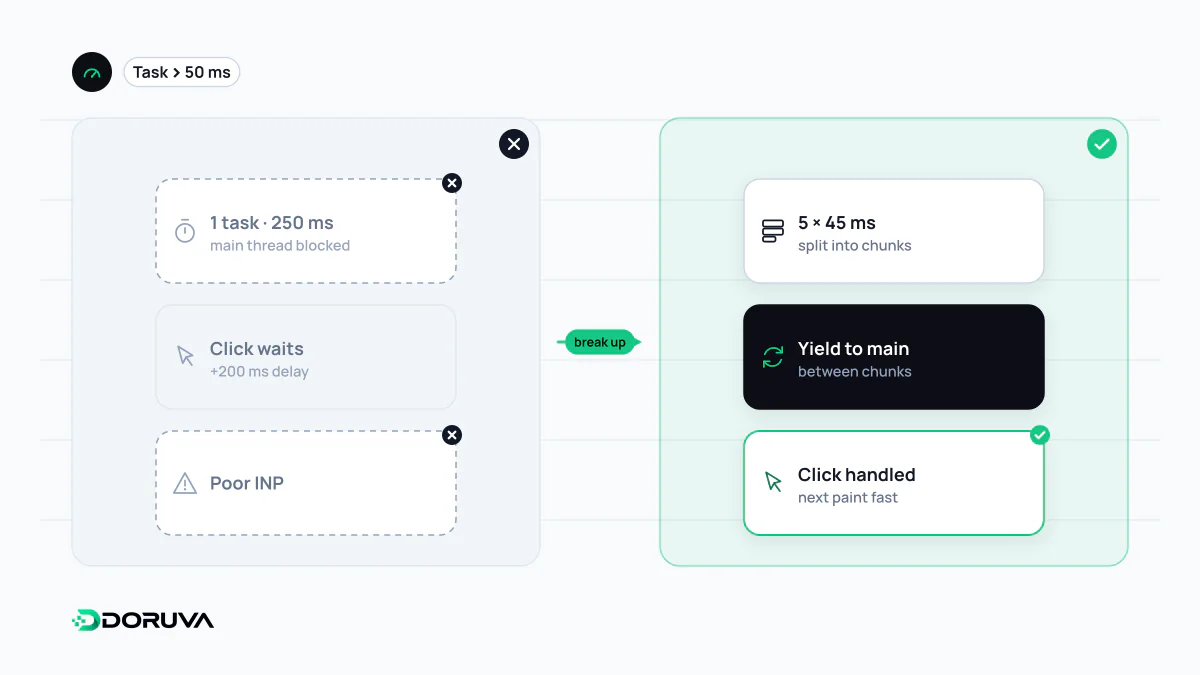
A long task is a unit of work that occupies the browser's main thread without interruption for 50 milliseconds or more, typically a large chunk of JavaScript, heavy style recalculation or layout. Because the main thread can only do one thing at a time, the page cannot respond to clicks, taps or key presses while a long task is running. Long tasks directly worsen INP and the lab metric TBT.
Also known as: main thread, long tasks, Long Tasks API, main-thread blocking, blocking task
A single-lane road
Most of what a page does in the browser, from running JavaScript and calculating styles to layout, preparing paint and handling user input, happens in sequence on one thread: the main thread. Once a task starts, nothing else can cut in until it finishes. If a user taps a button halfway through, the browser can only react after the task completes.
The W3C Long Tasks API specification defines a long task as one lasting 50 milliseconds or more. The number is not arbitrary: to show a visible response to input within 100 milliseconds, the work an input might have to wait behind should stay under 50. A 300 ms burst of JavaScript can make a page feel frozen for its whole duration.
The metrics it moves
- INP: an interaction's latency splits into input delay, event handler processing and presentation delay. A long task already running when the user interacts stretches the input delay, and a slow event handler is itself a long task.
- TBT: in a lab run, the portion of each long task beyond 50 ms between FCP and Time to Interactive is summed. A 250 ms task adds 200 ms to TBT.
Common sources are parsing and executing large JavaScript bundles, the hydration step in which a framework makes server-rendered HTML interactive, third-party tags for ads, chat or analytics, and code that rewrites a large DOM in one go.
Finding them
Record a trace in the Performance panel of Chrome DevTools and tasks over 50 ms appear as grey "Task" bars marked with a red corner flag. The Bottom-Up view shows which scripts and functions consumed the time. To collect data from real visitors, use the browser's own APIs:
new PerformanceObserver((list) => {
  for (const entry of list.getEntries()) {
    console.log("Long task:", Math.round(entry.duration), "ms");
  }
}).observe({ type: "longtask", buffered: true });
The Long Tasks API only offers the duration and coarse attribution to a frame or container. The Long Animation Frames (LoAF) API, which shipped in Chrome 123, uses the same 50 ms threshold but reports delayed frames made up of several tasks, along with the source URLs of the scripts responsible. That detail is especially useful when diagnosing INP problems with real user monitoring data.
Breaking the work up
The fix is rarely to do less work; it is to leave gaps in which the browser can respond. Split a long loop into chunks and hand control back to the browser between them (yielding). Use scheduler.yield() where it is supported and fall back to setTimeout elsewhere:
function yieldToMain() {
  if (globalThis.scheduler?.yield) return scheduler.yield();
  return new Promise((resolve) => setTimeout(resolve, 0));
}
Beyond yielding: keep unused code out of the initial load with code splitting, load third-party scripts only when they are needed, move heavy computation to a Web Worker, and apply the update the user can see first, deferring work such as analytics until afterwards.