

What is Product Variant?
Definition
A product variant is a sellable version of a base product that differs in one or more attributes such as colour, size, capacity or material. Each variant usually has its own SKU, stock level and sometimes its own price. Variants are grouped under a shared parent product, and shoppers pick the version they want on a single product page before adding it to the cart.
Also known as: variant, product option, child product, variant SKU, product variation
Variant or separate product?
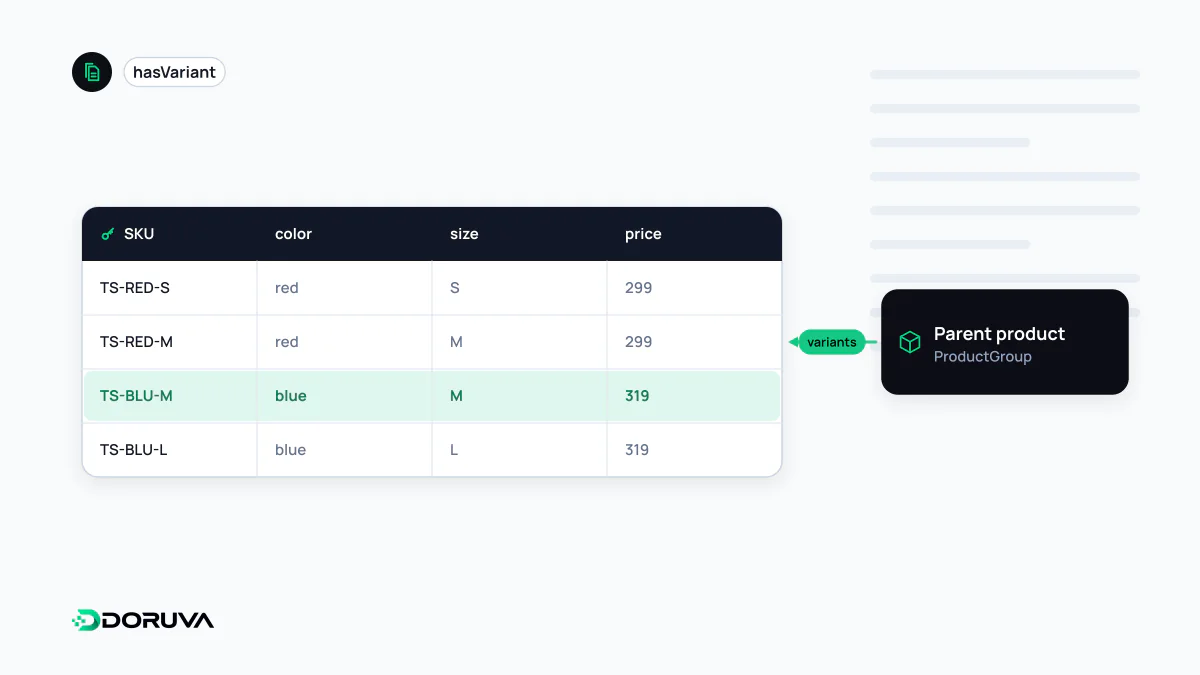
A T-shirt sold in red and blue, sizes S to XL, is one product with eight variants. Each variant gets its own SKU because it sits in its own bin and has its own stock count. The same brand's hoodie, even in the same fabric, is a different product. A useful test is how shoppers think: do they see the options as versions of one item, or do they compare them as distinct items? Versions belong on one product with variants; distinct items deserve their own pages.
Over-modelling variants causes problems too. Three colours, five sizes and four sleeve lengths make sixty combinations. If many of those are never produced, the system fills up with empty variants and the selector becomes confusing.
One page for all variants, or one page each?
Google's variant documentation describes two valid set-ups:
- Single page: all variants are selected on one page, and each can be opened directly with a query parameter such as
/cotton-tee?color=red&size=m. The product group has one canonical URL without variant parameters. - Multiple pages: every variant has its own URL and page, and there is no single canonical page for the group.
Either way, Google expects each variant to be preselectable through a distinct URL that shows the right image, price and availability and lets the user add that variant to the cart. A page whose URL never changes when a colour is picked, with JavaScript swapping only the image, does not meet that expectation.
Canonicals without self-inflicted duplication
Variant pages tend to share almost all of their copy, so careless set-ups produce duplicate content and split signals. In the single-page model, parameterised variant URLs should point their canonical at the clean group URL. Separate variant pages make sense when variants have search demand of their own, for example when "black leather boots" is a real query distinct from the brown version. Colour and size filters on category listings are a different matter, governed by your faceted navigation rules.
Marking up a ProductGroup
Schema.org's ProductGroup type describes a set of variants with shared properties. variesBy names the dimensions that change, hasVariant lists the variants, and productGroupID holds the parent identifier. Each variant needs a unique ID such as sku or gtin:
{
  "@context": "https://schema.org",
  "@type": "ProductGroup",
  "name": "Cotton T-Shirt",
  "productGroupID": "TEE-CTN",
  "variesBy": ["https://schema.org/color", "https://schema.org/size"],
  "hasVariant": [{
    "@type": "Product",
    "sku": "TEE-CTN-RED-M",
    "color": "Red",
    "size": "M",
    "offers": {
      "@type": "Offer",
      "url": "https://example.com/cotton-tee?color=red&size=m",
      "price": "24.90",
      "priceCurrency": "USD",
      "availability": "https://schema.org/InStock"
    }
  }]
}
When variants live on separate pages, each Product can reference the group with isVariantOf instead of being nested. Google's product variant documentation covers both patterns.
Variants in feeds and when stock runs out
In a product feed, every variant is its own item and all of them share one item_group_id, with colour and size filled in. When a single variant sells out, show it as unavailable rather than removing it. The group URL stays alive, and when stock returns the variant keeps its history instead of starting from zero.