

What is Performance Budget?
Definition
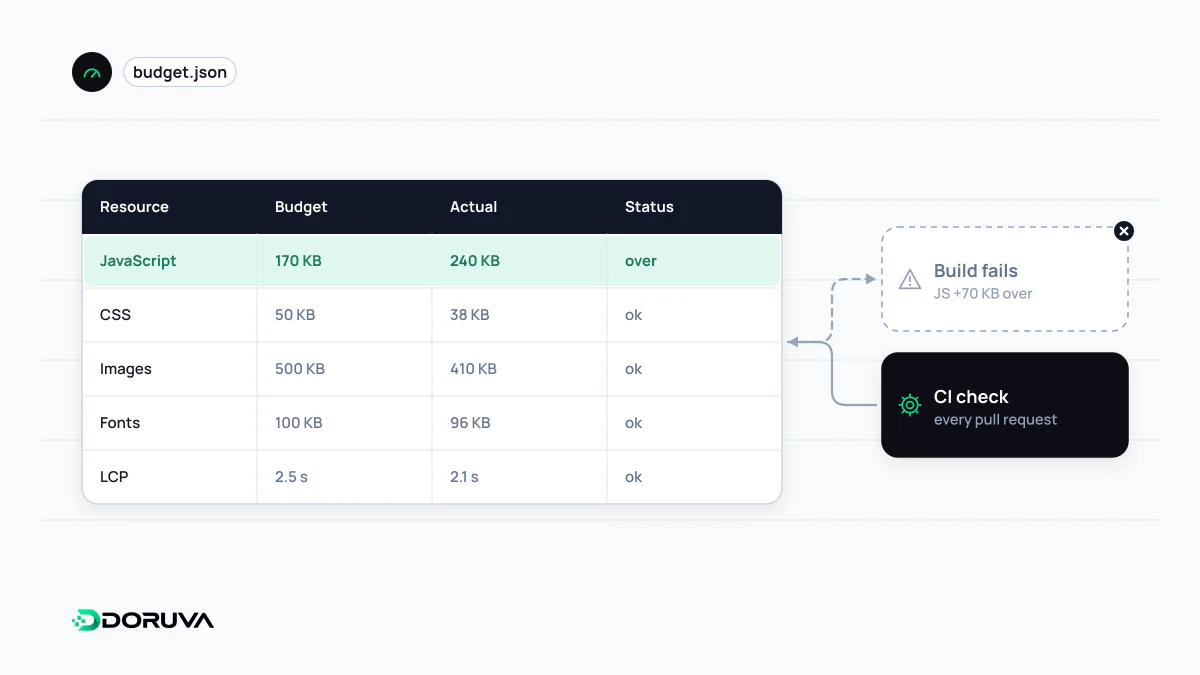
A performance budget is a set of written limits that a website or page type must not exceed. The limits can be quantities such as JavaScript or image weight, timing metrics such as LCP, or rule-based scores such as a Lighthouse performance score. A budget turns speed into an explicit decision whenever a feature, library or marketing tag is added, and it is usually enforced automatically in CI.
Also known as: perf budget, web performance budget, page weight budget
Why speed needs a budget
Sites do not get slow in a day. One sprint adds a carousel, the next month marketing asks for two more tracking tags, then a date library arrives. Each looks reasonable on its own; a few months later the main content appears a second later on mobile and nobody remembers which change did it. A performance budget makes that slow creep visible. The limit is written down, a check fails when it is crossed, and the team has to ask out loud whether the new feature is worth the cost.
Kinds of budget
| Kind | Example limits | Strength | Weakness |
|---|---|---|---|
| Quantity-based | Compressed JavaScript per page ≤ 170 KB, at most 2 web font files, at most 10 third-party requests | Concrete for developers; measurable at build time | Reflects user experience only indirectly |
| Milestone timings | Mobile LCP ≤ 2.5 s, INP ≤ 200 ms | Closest to what users feel | Sensitive to test conditions; noisy in the lab |
| Rule-based | Lighthouse performance score ≥ 90 | Easy to set up | A composite that can hide what actually got worse |
These numbers are examples, not universal standards. web.dev's introduction to performance budgets suggests keeping critical-path resources around 170 KB compressed on mobile as a starting point; the right figure depends on your audience and page type. Combining kinds works well in practice: the timing target says what matters, and the quantity limit tells developers what to watch day to day.
Deriving a realistic budget
- Measure where you are: record lab and field values for each page type, such as home, category, product and article.
- Set the timing goal from users: Core Web Vitals thresholds plus your visitors' real device and network mix define the target.
- Convert time into bytes: work out how many kilobytes of critical resources can be downloaded and processed within 2.5 seconds on your target connection, then split that between JavaScript, CSS, fonts and images.
- Budget per page type: an interactive configurator and a blog post do not need the same limits.
- Put it on a calendar: review budgets every quarter or two. If you are currently worse than the target, start with a “no worse than today” limit and tighten it gradually.
Enforcing it in CI
A budget nobody checks is forgotten within weeks. The usual approach is to add it to the CI/CD pipeline. In Lighthouse CI, limits are written as assertions, with sizes in bytes and timings in milliseconds:
{
  "ci": {
    "assert": {
      "assertions": {
        "largest-contentful-paint": ["error", { "maxNumericValue": 2500 }],
        "resource-summary:script:size": ["error", { "maxNumericValue": 170000 }],
        "resource-summary:font:count": ["warn", { "maxNumericValue": 2 }]
      }
    }
  }
}
An error fails the pull request; a warn only flags it. Bundler size warnings and small bundle-size tools do the same job at build time without launching a browser. Lab timings vary from run to run, so asserting on the median of several runs cuts down false alarms.
When a change goes over
A budget breach is a decision point, not an automatic veto. Three options usually come up: make room by optimising what exists (for example with code splitting, so each page loads only the code it needs), remove something else, or build the new feature in a lighter way. The biggest benefit is organisational rather than technical: design, marketing and engineering get a shared language in which speed is a cost like any other. Third-party scripts added through a tag manager never pass through the repository and so never hit CI checks; they need field monitoring and an approval step of their own.