

What is Lighthouse?
Definition
Lighthouse is an open-source, automated auditing tool from Google that loads a web page in a controlled environment and scores it from 0 to 100 in categories such as performance, accessibility, best practices and SEO, along with concrete improvement suggestions. It runs in Chrome DevTools, behind PageSpeed Insights, from the command line and as a Node module in CI pipelines. Its results are lab data, not measurements from real users.
Also known as: Google Lighthouse, Chrome Lighthouse, Lighthouse score, Lighthouse report, Lighthouse CI
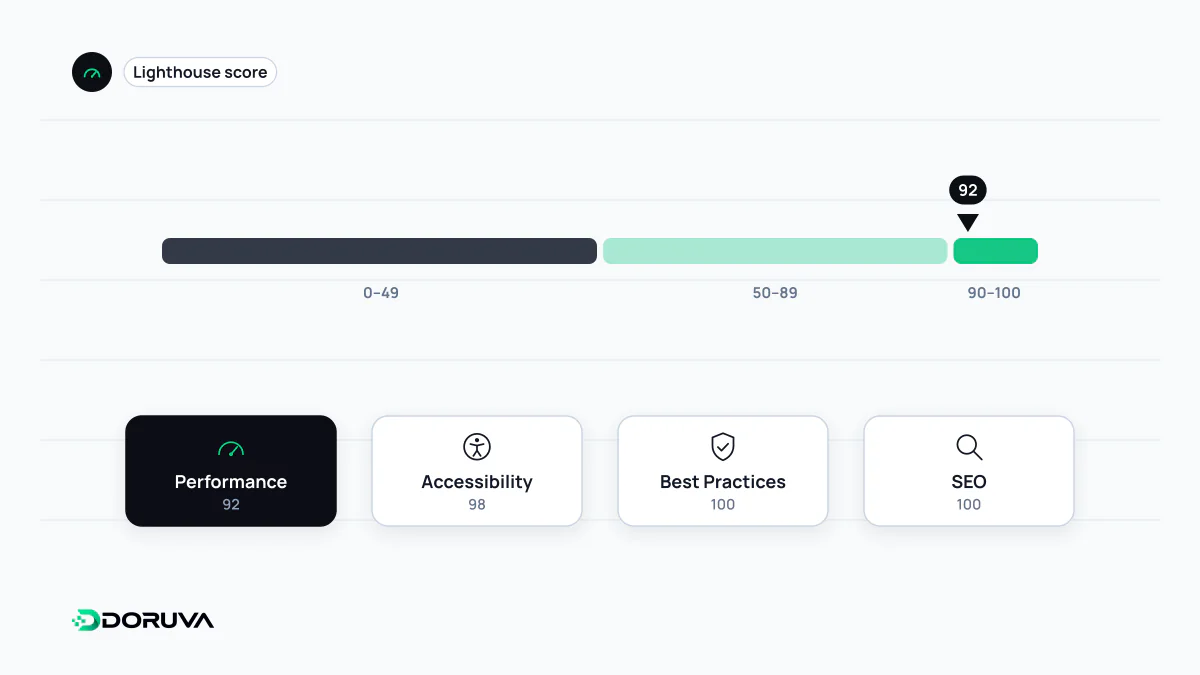
What a report contains
Lighthouse loads a page, records a trace of what the browser did and runs dozens of audits against that trace. Results are grouped into categories:
- Performance: loading metrics, a score, and diagnostics estimating how much time each fix could save.
- Accessibility: automatically testable checks such as contrast, form labels and ARIA usage.
- Best Practices: general quality checks such as HTTPS, console errors and libraries with known vulnerabilities.
- SEO: basic technical checks including crawlability, title and meta description, canonical and the mobile viewport.
The tool moves quickly. The 13.x releases in 2026 added an "agentic browsing" category to the default configuration, auditing how usable a page is for AI agents. New versions ship roughly monthly and reach DevTools and PageSpeed Insights within weeks, so small differences between tools measuring the same page with different Lighthouse versions are expected.
How the performance score is built
The performance score is a weighted average of five lab metrics:
| Metric | Weight |
|---|---|
| First Contentful Paint (FCP) | 10% |
| Speed Index | 10% |
| Largest Contentful Paint (LCP) | 25% |
| Total Blocking Time (TBT) | 30% |
| Cumulative Layout Shift (CLS) | 25% |
Each raw value is mapped to a 0–100 score along a log-normal curve derived from real-site data in the HTTP Archive. Scores of 90 and above are green, 50–89 orange and 0–49 red. Because the curve is not linear, going from 50 to 70 is relatively easy while going from 95 to 100 is very hard, and rarely worth the effort.
What a lab run cannot tell you
For mobile, Lighthouse simulates a mid-range phone on a slow mobile network, assumes a first visit with an empty cache, and nobody touches the page. That controlled setup is excellent for diagnosing problems and comparing before and after a change. It is not a record of what real visitors experience; the gaps are covered in detail under field data and lab data. The clearest example is INP, which needs a real interaction and therefore is not measured in a standard Lighthouse load; TBT serves as the lab stand-in.
Scores also vary between runs. Network routing, A/B tests, browser extensions and antivirus software can all shift the result. Taking the median of several runs, and running DevTools audits in an incognito window without extensions, avoids chasing noise.
Running it from the CLI and in CI
npx lighthouse https://example.com/ --only-categories=performance --output=json --output-path=./report.jsonAdd --preset=desktop for the desktop profile. With the Node module or Lighthouse CI you can generate a report on every CI/CD run and stop a change that breaks your performance budget before it ships. Lighthouse is not limited to page loads either: navigation mode audits a load, timespan mode audits a period of user interaction, and snapshot mode audits the page in its current state.
Reading the score sensibly
- The score is not the Core Web Vitals assessment. The pass or fail verdict in Search Console and PageSpeed Insights comes from real-user data. A page scoring 100 in Lighthouse can still struggle in the field, and the reverse happens too.
- The SEO category covers basics only. A perfect score means the page is crawlable and technically tidy; it says nothing about content quality or rankings.
- Accessibility needs more than the score. Automated checks catch only part of the problems; keyboard navigation and screen reader testing still have to be done by hand.
The SEO Checker includes one mobile Lighthouse run alongside its other technical checks and labels it clearly as a lab result. The scoring model is documented by Chrome for Developers.