

What is Page Experience?
Definition
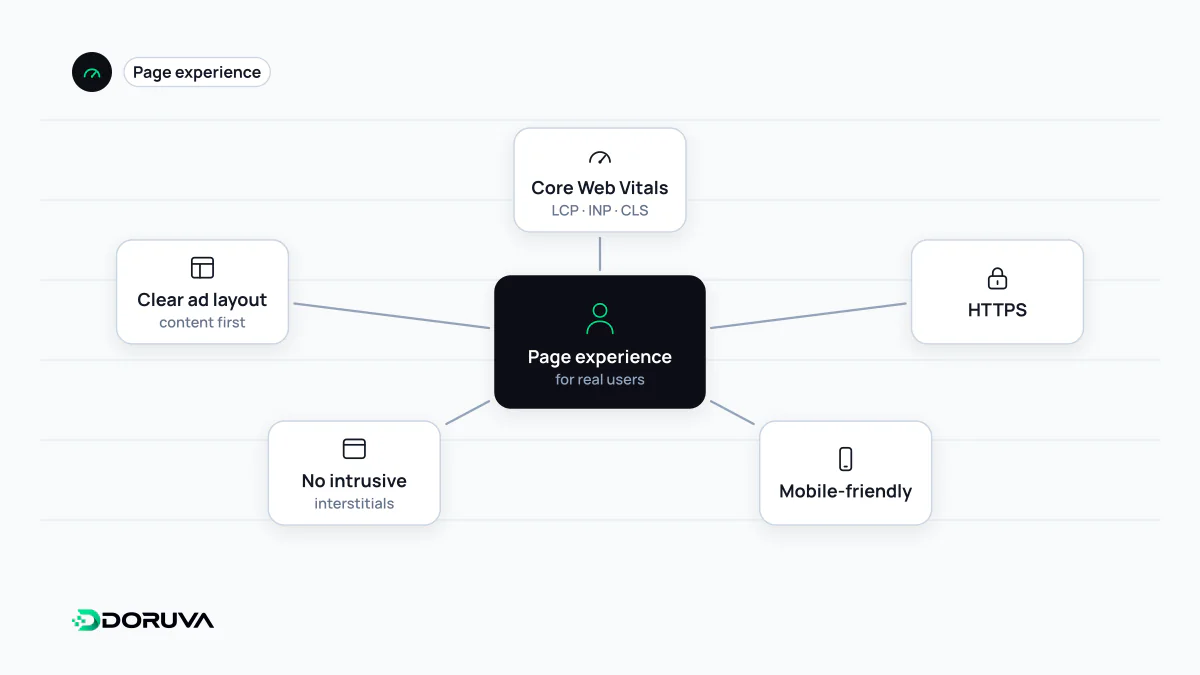
Page experience is Google's term for how good an experience a page offers users beyond its information content. It covers Core Web Vitals, HTTPS, displaying well on mobile, and avoiding ads that swamp the main content and intrusive interstitials. Google says there is no single page experience signal; its ranking systems look at a variety of signals that align with these aspects.
Also known as: intrusive interstitials, page experience update, page experience signals
A concept, not a single signal
Around the 2021 "page experience update", page experience was presented as a bundle of signals: Core Web Vitals, mobile-friendliness, HTTPS and no intrusive interstitials. In 2023 Google streamlined that framing and stated plainly that there is no single "page experience signal". The current description is that its core ranking systems aim to reward content that offers a good page experience, and look at a variety of signals that align with it.
Google draws an unusually explicit line here. Core Web Vitals are used by its ranking systems. Other aspects of page experience don't directly help a site rank higher, though they make a site more satisfying to use, which is in line with what ranking systems try to reward.
Google's self-assessment questions
- Do your pages have good Core Web Vitals?
- Are they served securely over HTTPS?
- Does the content display well on mobile devices?
- Do you avoid an excessive amount of ads that distract from or interfere with the main content?
- Do you avoid intrusive interstitials?
- Can visitors easily tell the main content apart from everything else on the page?
Google notes that these questions don't cover every aspect. Assessment is generally page-specific, although some site-wide assessments also exist.
Intrusive interstitials and dialogs
Google distinguishes between interstitials, which overlay the whole page, and dialogs, which cover part of it; both become a problem when they block access to content, usually for promotional reasons. Its recommendation is to use banners that take up a small fraction of the screen instead of full-page overlays. Two mistakes to avoid unless legally required: covering the entire page, and redirecting the visitor to a separate page to collect consent or input.
Mandatory interstitials such as age gates are exempt, but Google still suggests overlaying them on the content rather than redirecting every URL to one gate page. Redirecting all requests to a single page can remove every other page from search, because that one page is all Googlebot can fetch. Cookie consent prompts are best built on the same principle: a layer over the content that doesn't hide it completely.
Misconceptions worth dropping
- "All green metrics mean top rankings." Google states that good results in Core Web Vitals reports don't guarantee top positions. Search always tries to show the most relevant content, even when its page experience is sub-par; experience tips the balance when many results are similarly helpful.
- "Search Console has a Page Experience report." In 2023 Google turned it into a page that points to its general guidance and to the Core Web Vitals and HTTPS reports, and the Mobile Usability report and Mobile-Friendly Test were retired on 1 December 2023. The Core Web Vitals and HTTPS reports remain; Lighthouse covers mobile checks.
- "Page experience just means speed." Filling the area above the fold with ads or blurring where the main content starts is a poor experience even on a fast page.
For a quick technical pass, the SEO Checker reports performance, HTTPS, mixed content and viewport findings together. Google's page experience documentation holds the current definition and FAQ.