

What is Organization Schema?
Definition
Organization schema is structured data that describes a company or institution with schema.org's Organization type: its name, website, logo, contact details, official identifiers and profiles on other platforms. Google can use it to understand the organisation and to decide which logo to show in search results and the knowledge panel. It has no required properties and usually lives on the home page or the about page.
Also known as: Organization markup, Organization structured data, company schema, organisation schema
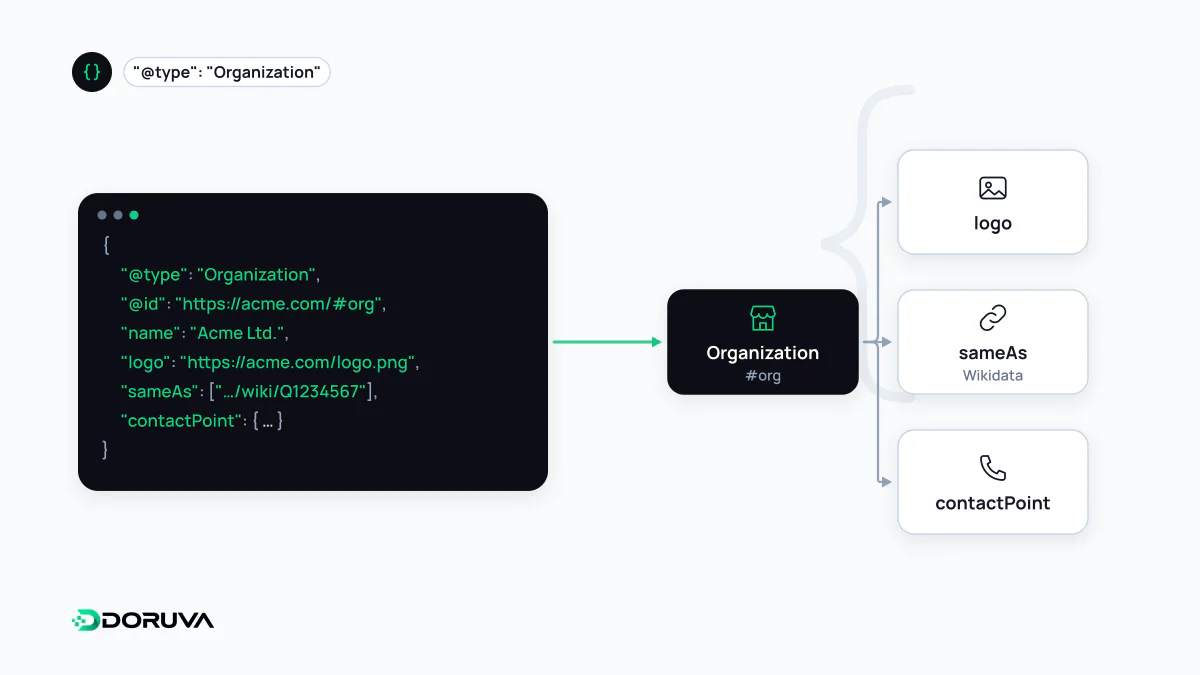
What Google does with it
According to Google's documentation, Organization markup helps it understand an organisation's administrative details and can influence which logo appears in search results and in the knowledge panel; it may also feed the merchant knowledge panel and brand profile. The wording is deliberately "can influence": markup doesn't guarantee a panel or a logo.
There are no required properties; Google asks you to add the ones that apply. The placement advice is clear too: put the information on your home page or on one page that describes the organisation, such as the about page. It doesn't need to appear on every page of the site.
A lean, correct example
<script type="application/ld+json">
{
  "@context": "https://schema.org",
  "@type": "Organization",
  "@id": "https://examplesoftware.com/#organization",
  "name": "Example Software",
  "legalName": "Example Software Ltd",
  "url": "https://examplesoftware.com/",
  "logo": "https://examplesoftware.com/logo-512.png",
  "email": "[email protected]",
  "address": {
    "@type": "PostalAddress",
    "addressLocality": "Manchester",
    "addressCountry": "GB"
  },
  "sameAs": [
    "https://www.linkedin.com/company/examplesoftware",
    "https://github.com/examplesoftware"
  ]
}
</script>
Google's recommended properties include name, url, logo, address, telephone, email, description and sameAs, plus official identifiers such as vatID and iso6523Code. The logo must be at least 112×112 pixels, its URL must be crawlable and indexable, and it should be in a format Google Images supports; a version that reads well on a white background is advised.
@id: one identity across the site
A stable @id on the Organization node lets every other piece of markup that mentions the company point to the same entity. An article's publisher, the website's publisher or a service's provider can all reference {"@id": "https://examplesoftware.com/#organization"} instead of redefining the company, so the name doesn't drift between "Example Software" on one page and "Example Ltd" on another.
The sameAs list points to the organisation's official profiles elsewhere. It should only include active accounts that genuinely belong to the organisation; padding it with random directory listings creates ambiguity rather than resolving it. How AI-powered search systems weigh these signals isn't publicly documented, but an organisation is easier to identify as one consistent entity when the site, its profiles and its markup all use the same name, address and logo.
Local businesses: use LocalBusiness
For a physical local business such as a restaurant or shop, Google recommends providing administrative details with the most specific LocalBusiness subtype, for example Restaurant, Dentist or AutoRepair. LocalBusiness is itself a subtype of Organization, so nothing is lost; you simply gain local details such as opening hours and location. For local SEO the critical point is that name, address and phone (NAP) match exactly across the markup, the website and the Google Business Profile.
Mistakes we see often
- Several Organization nodes on one page with different names and logos, usually because a theme and an SEO plugin both output markup.
- A logo file stored in a folder blocked by robots.txt.
- Putting the founder's personal accounts in the company's sameAs; a separate Person node is the right place for them.
- Contact details that appear only in the markup and nowhere on the page.
The GEO Checker reviews the organisation node's sameAs links, whether contact details are visible, and how it connects to the rest of the markup.