

What is HTTP Compression (Gzip, Brotli)?
Definition
HTTP compression is the server shrinking text-based responses such as HTML, CSS, JavaScript and JSON with a lossless algorithm like gzip, Brotli or Zstandard (zstd) before sending them, and the browser decompressing them on arrival. The browser lists the methods it supports in the Accept-Encoding header; the server names the one it used in Content-Encoding. Compression often cuts the transferred size of text files by more than half.
Also known as: gzip, Brotli, zstd, Zstandard, Content-Encoding, text compression
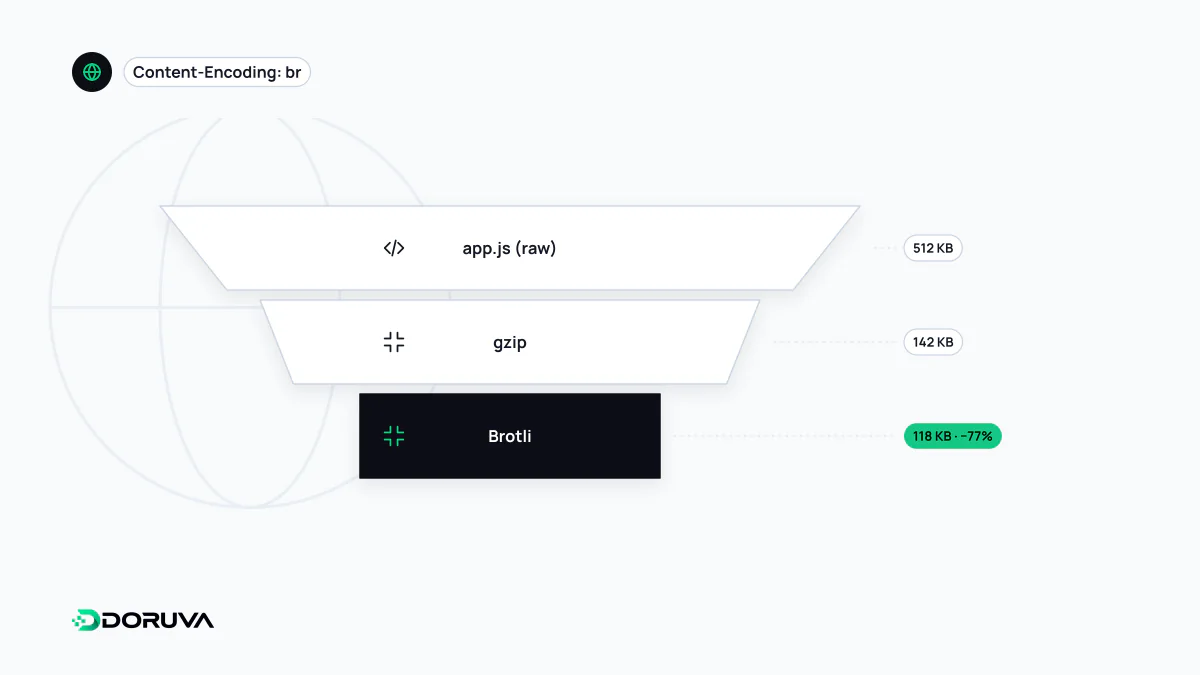
Negotiating an encoding
Compression starts with a short negotiation. On every request the browser lists the encodings it can decode in Accept-Encoding; the server picks one, compresses the response body with it and states its choice in Content-Encoding:
GET /assets/app.js HTTP/1.1
Host: example.com
Accept-Encoding: gzip, deflate, br, zstd

HTTP/1.1 200 OK
Content-Type: text/javascript
Content-Encoding: br
Vary: Accept-Encoding
The Vary: Accept-Encoding line matters. It tells CDNs and other caches that one URL has several encoded variants. Without it, a cache can hand a Brotli-compressed response to a client that cannot decode Brotli. A server should never pick an encoding the client did not offer; if there is no overlap, the response goes out uncompressed.
gzip, Brotli and zstd compared
| gzip | Brotli (br) | Zstandard (zstd) | |
|---|---|---|---|
| Specification | RFC 1952 | RFC 7932 | RFC 8878 |
| Browser support | Universal | All current browsers | Chrome and Edge 123, Firefox 126, Safari 26.3 and later |
| Strength | Works everywhere, fast | Better ratios than gzip on text; built-in dictionary tuned for web content | Good ratios at high compression speed |
| Watch out for | Lowest ratio of the three | Top levels are slow; use mid levels for dynamic responses | Needs a gzip or Brotli fallback for older browsers |
The support figures come from the compatibility data on MDN's Content-Encoding reference. Most sites today prefer Brotli with gzip as the fallback; zstd is increasingly used for responses generated on the fly, because it compresses well without loading the server's CPU. Chrome also supports dictionary-based compression via the dcb and dcz encodings (Compression Dictionary Transport), which can use, for example, a previously downloaded version of a file as the dictionary; that is not yet available in every browser.
Static versus dynamic compression
With static compression, CSS and JavaScript are compressed once at build time at the highest level and written to disk as .br and .gz siblings; the server just sends the ready-made file. Compression time does not matter, so you get the best ratio. With dynamic compression, HTML or API responses are generated per request and compressed on the fly, and very high levels can cost more in CPU time than the few kilobytes they save.
A typical Nginx configuration (gzip is built in; Brotli needs a separate module):
gzip on;
gzip_comp_level 5;
gzip_min_length 1024;
gzip_types text/css application/javascript application/json image/svg+xml;
gzip_vary on;
gzip_static on;   # serve a pre-compressed .gz file if one exists
Compression does not replace minification; they stack. Minification strips whitespace and comments, and compression then encodes the repetition that remains.
What not to compress
- Formats that are already compressed: JPEG, PNG, WebP, AVIF, video, audio and WOFF2 fonts gain nothing from a second pass; sometimes the output grows and the CPU time is wasted. Savings there come from image optimization. SVG, being text, should be compressed.
- Tiny responses: for a few hundred bytes, header and algorithm overhead can outweigh the saving, which is what
gzip_min_lengthabove is for. - Responses that reflect user input alongside a secret: the attack class known as BREACH infers a secret on the page, such as a CSRF token, from changes in compressed response size, even over HTTPS. The usual defences are masking such tokens differently on every response or not compressing those responses.
Confirming that it works
In the browser's developer tools, the Network panel shows the Content-Encoding response header and lets you compare transferred size with actual resource size. From the command line:
curl -s -o /dev/null -D - -H "Accept-Encoding: br, gzip" https://example.com/ | grep -i content-encodingNo output means the response was not compressed. Usual culprits: compression enabled only for text/html, a CDN stripping the origin's encoding, or an application streaming responses in a way that bypasses the compression layer. The SEO Checker also flags an uncompressed HTML document.