

What is Minification?
Definition
Minification is the process of removing characters that code does not need in order to run, such as whitespace, line breaks and comments, from JavaScript, CSS and HTML files without changing what the code does. For JavaScript it can also shorten local variable names. It normally happens automatically during the build and complements, rather than replaces, gzip or Brotli compression applied by the server.
Also known as: minify, minifying, code minification, JS minification, CSS minification
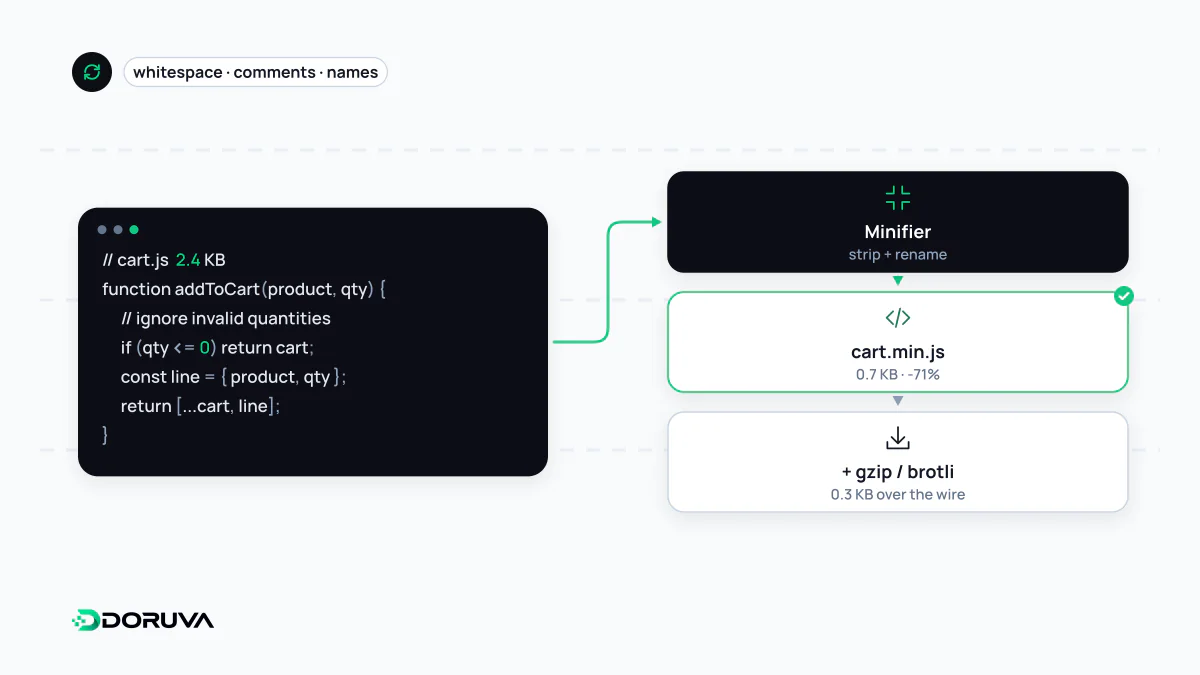
What a minifier removes
Code written for people is full of indentation, descriptive names and comments. The browser needs none of it. A minifier strips that overhead and outputs shorter text that behaves identically:
// Before
function cartTotal(items) {
  // total including 20% VAT
  let sum = 0;
  for (const item of items) {
    sum += item.price * item.qty;
  }
  return sum * 1.2;
}

// After
function cartTotal(t){let n=0;for(const o of t)n+=o.price*o.qty;return 1.2*n}
Comments and whitespace are gone and local variables shrink to single letters. The exported function name and the object properties (price, qty) survive, because other modules or API responses may depend on them. In CSS, minifiers also drop redundant semicolons and shorten values such as #ffffff to #fff. HTML can be minified too, though the gains are usually smaller and whitespace-sensitive content such as pre blocks needs care.
Minification is not compression
The two are often confused. Minification rewrites the file itself, once, at build time. HTTP compression such as gzip or Brotli wraps the file for transfer, and the browser unpacks it back to the original text. You want both; neither replaces the other. Because compression already handles repetitive patterns well, the saving from minification looks smaller once files are compressed than it does on raw sizes. It still counts, and it also reduces the amount of text the browser has to parse.
Where it happens in a modern build
Almost nobody minifies by hand any more. Bundlers and frameworks such as Vite, webpack and Next.js run minifiers like terser, esbuild, SWC or Lightning CSS automatically in production builds. Within the build process the usual order is bundling modules, dropping unused exports through tree shaking, minifying, then fingerprinting file names with a content hash for long-term caching. The thing worth verifying is that production really receives a production build; a bundle compiled in development mode is unminified and often carries extra debugging code.
Debugging minified code
An error in minified output points to something like line 1, column 48213, which tells you nothing. Source maps fix this by letting browser developer tools and error-tracking services translate minified positions back to the original file and line. Whether to publish source maps publicly is a policy choice, since they expose a readable copy of your front-end code.
What minification cannot fix
Shrinking a 900 KB JavaScript bundle to 600 KB helps, but the browser still has to parse and execute 600 KB of code on the main thread. The larger wins usually come from not shipping code at all: removing heavy dependencies, splitting bundles per route with code splitting and loading features on demand. Treat minification as the cheap final layer on top of those decisions, not as a substitute for them.