

What is Build Process?
Definition
A build process is the automated sequence of steps that turns source code and its dependencies into output that can run on a server or in a browser and be deployed. For web projects it typically covers installing dependencies, compiling languages such as TypeScript to JavaScript, bundling and minifying files, and pre-rendering static pages. The result is a versionable build artifact.
Also known as: build, build step, production build, compilation, build pipeline
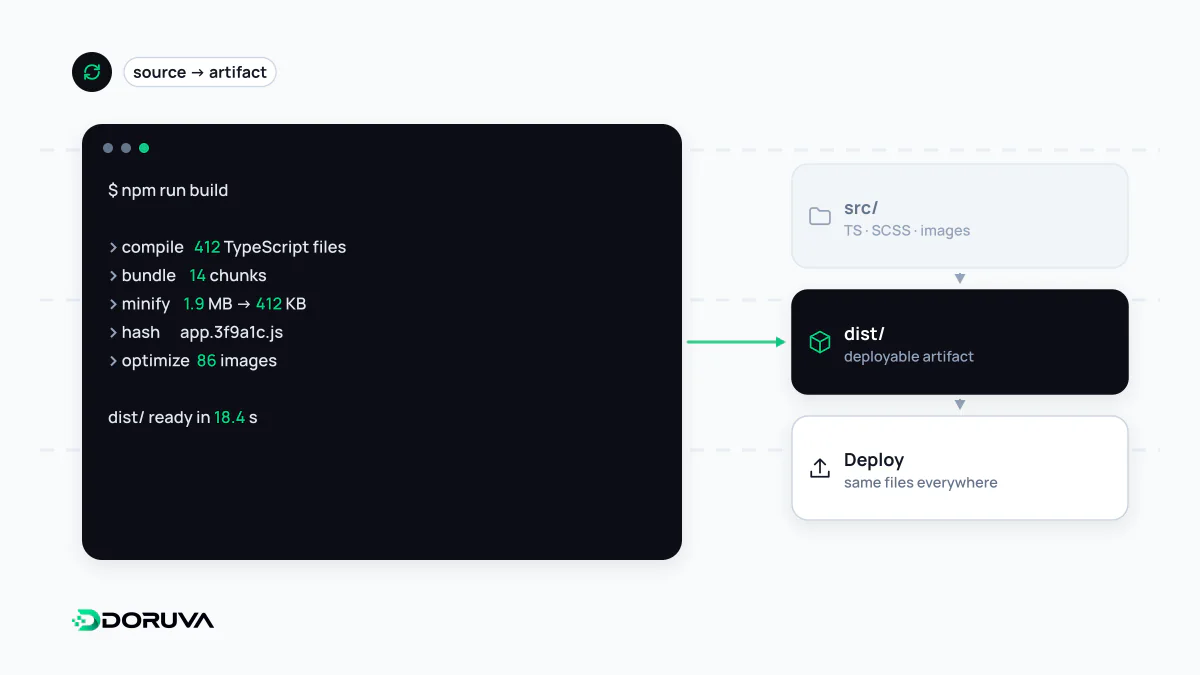
From source to something you can ship
The code developers write is rarely what actually runs. In compiled languages such as Go or Java, the build turns source into a binary or a packaged archive. In web development, "the build" mostly means preparing the files that will be sent to browsers and servers. A modern web project usually goes through these steps:
- Install dependencies exactly as pinned in the lockfile, such as
package-lock.json. - Transform TypeScript and JSX into JavaScript the browser understands, catching type errors along the way.
- Bundle hundreds of modules into fewer files the browser can download efficiently, drop dead code through tree shaking and split the result per route.
- Optimise by minifying JavaScript and CSS, resizing images and extracting critical CSS.
- Pre-render pages whose content doesn't depend on the request.
- Emit one output directory or container image that is ready to deploy.
Content-hashed filenames
Build tools append a hash of each file's contents to its name, producing app.3f9a1c7e.js instead of app.js. The name changes only when the content does, which means these files can be cached by browsers and CDNs for a very long time:
Cache-Control: public, max-age=31536000, immutableWhen a new version ships, changed files get new names and the HTML references them. Users fetch fresh assets without ever being stuck on a stale cache.
Build-time vs runtime values
One of the sneakiest sources of bugs is when a value is read. Server code usually reads environment variables at runtime. Code shipped to the browser, however, has its values baked in during the build. In Next.js, variables prefixed with NEXT_PUBLIC_ work exactly this way: changing them after the build has no effect until you build again. Two consequences follow:
- If you want to promote one build from staging to production, anything that differs between environments must not be inlined into client code.
- Putting a secret into a browser-exposed variable writes it into a JavaScript file anyone can download.
Reproducible builds
Most "works on my machine" problems come from builds that produce different results in different places. The fixes are well known: pin dependency versions with a lockfile, use npm ci, which installs strictly from the lockfile, rather than npm install, pin the Node.js version in the project, and build in a clean CI/CD environment rather than on a laptop.
The natural next rule is "build once, deploy many". The artifact that passed testing should be the exact artifact that reaches production. Rebuilding for production means shipping something nobody has tested.
When builds get slow
As a project grows, builds can stretch to many minutes and delay feedback on every change. Caching dependency directories and compiler caches in CI, skipping unchanged packages in a monorepo and ordering Dockerfile layers so that rarely changing steps come first all cut build time noticeably.