

What is CSR (Client-Side Rendering)?
Definition
CSR (client-side rendering) is a rendering approach in which page content is built by JavaScript in the user's browser rather than on the server. The server typically sends a near-empty HTML shell plus JavaScript bundles; the browser runs that code, fetches data from APIs and writes the interface into the DOM. It enables fluid, app-like transitions but makes first paint, and what search engines can see, depend on JavaScript.
Also known as: client-side rendering, client rendering, browser rendering
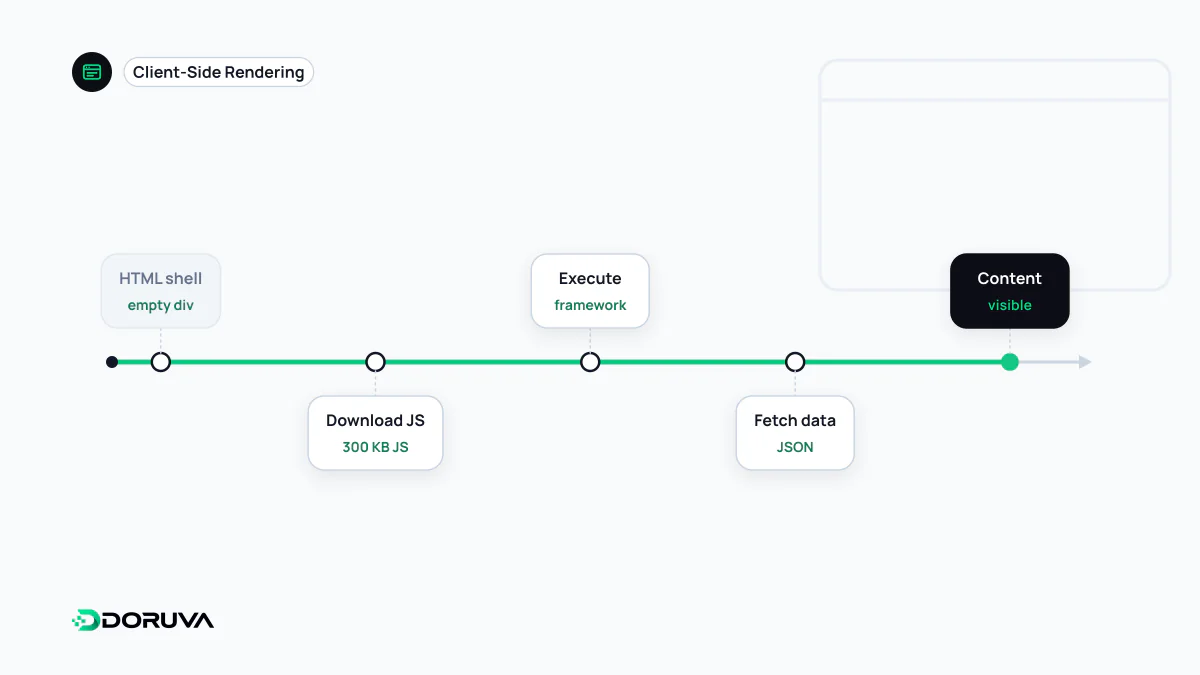
From request to first pixel
On a fully client-rendered page, the HTML the server returns often amounts to this:
<body>
  <div id="root"></div>
  <script type="module" src="/assets/index-4f2a9c.js"></script>
</body>
Before the user sees anything meaningful, the browser has to work through a chain:
- The HTML arrives, with nothing in it to display.
- The JavaScript bundle downloads, then is parsed and executed.
- The app requests the data it needs from APIs and waits.
- Once the data is back, components are written into the DOM and the main content appears.
Each step waits for the previous one. A large bundle, or a data request that only starts once the code has run, stretches the time until the main content shows, which is your LCP. With a server-rendered page, the results of steps two and three are already baked into the HTML.
Where CSR is the right call
Client-side rendering is not a mistake in itself; in the right place it's a sound architectural choice. Logged-in dashboards, CRM screens, heavy interactive tools such as map or design editors, and internal apps that never need to appear in search are typical cases. Nobody wants those screens indexed, and users load the app once and stay a while, so the upfront cost is spread over a long session. Not needing a server rendering layer, and being deployable as static files, is a practical bonus.
Risks for search and AI crawlers
For content that people need to find, such as marketing pages, articles, products and categories, the picture changes:
- Dependence on rendering: Google only sees the content after running the JavaScript in a separate phase. A script error, a timeout or a blocked API call can leave the page indexed as empty, and bots that don't execute JavaScript never see it filled in.
- Every URL returns 200: because the server sends the same shell for every route, even a non-existent product gets a 200 status, a classic source of soft 404s.
- Meta tags written by JavaScript: if the title, description, canonical or hreflang are missing from the initial HTML or changed later, the raw response and the rendered page send different signals.
Diagnosis and fixes are covered in depth in the JavaScript SEO entry. Doruva's SEO Checker reports separately whether content is present in the raw HTML or only after rendering.
Making client-side rendering faster
- Split the bundle by route and load only the code for the screen being opened
- Start the critical data request without waiting for all the JavaScript to execute, for example with
<link rel="preload"> - Size loading skeletons to match the real content, or the layout jumps when data arrives
- Defer long lists and heavy components until after the first paint
Hybrid models: CSR rarely works alone now
Most modern frameworks apply client rendering per component rather than per page. The first load is rendered on the server or at build time (SSR or static generation), and later navigations update the page on the client without a full reload. Crawlers find the content in the first response, and users keep the app-like feel. The fully client-side model that boots from a single HTML document is covered under SPA.