

What is Soft 404?
Definition
A soft 404 is a URL that shows users a "page not found" message, or an empty page with no meaningful content, while the server responds with 200 OK instead of 404. Google detects these pages from their content, keeps them out of the index and lists them under the "Soft 404" reason in Search Console's Page indexing report. The fix is to make the status code match what the page really is.
Also known as: soft 404 error, soft 404 page, fake 404
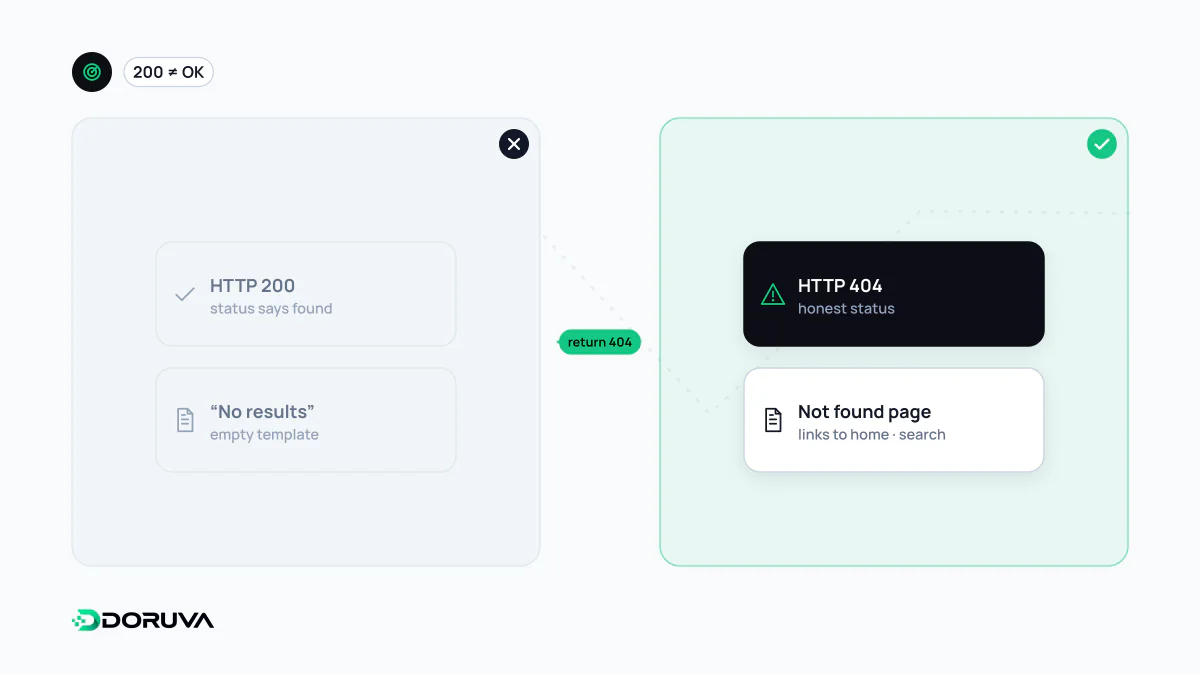
When the page and the status code disagree
When a URL doesn't exist, the server should answer with 404 Not Found. With a soft 404 it sends 200, the code for "all good", while the page itself says "Sorry, we couldn't find that product" or is close to empty. Visitors don't notice the difference. Search engines receive two contradictory signals.
Google settles the contradiction by looking at the content. Its documentation says that if a page returning 2xx has content that suggests an error, an empty page or an error message, Search Console will report a soft 404. Such pages are not indexed.
Where soft 404s come from
- A catch-all error template: the CMS or framework renders its "not found" view with a 200 status.
- Single-page applications: the server returns the same HTML shell with 200 for every path, and the "not found" message is produced by JavaScript in the browser.
- Empty listings: category filters or internal search results that say "no products match your selection".
- Deleted pages redirected to the homepage: when the target is no real substitute for what disappeared, Google may treat the redirect itself as a soft 404.
- Rendering failures: the page had content, but a script error or blocked resources made it look blank to Googlebot.
Fixes by scenario
| Situation | Correct response |
|---|---|
| Content is gone and nothing replaces it | 404, or 410 for a deliberate permanent removal, with a helpful error page that matches the site's design |
| Content moved to another URL | A 301 redirect to the new address |
| The page is valid but was flagged anyway | Check the rendered output and strengthen the page |
Single-page apps can't always produce meaningful status codes. For that case Google suggests two options: use JavaScript to redirect to a URL where the server really does return 404 (such as /not-found), or add a robots noindex tag to the error view with JavaScript.
<meta name="robots" content="noindex">Telling a false alarm from a real one
Not every URL Search Console flags as a soft 404 is actually broken. Run a live test in the URL Inspection tool and open "View tested page" to see how Google rendered it. A blank screenshot means the problem is rendering. If the page renders correctly but is extremely thin, for instance a one-line product description and an "out of stock" note, it needs genuinely useful information; this overlaps with the thin content problem.
Why it is worth fixing
Because soft 404 pages stay out of the index, they don't trigger a penalty as such. But Googlebot keeps treating those URLs as real pages and recrawling them, which wastes crawl capacity on large sites. Worse, when a page that should rank gets misclassified as a soft 404, the traffic loss happens silently. The SEO Checker requests a random URL that doesn't exist on your site to see whether the server answers with 404, and also flags 200 pages whose title says "not found".