Technology
From Lead to Client in One Flow: Web Forms, Meta Lead Ads and Proposals
Lead management means collecting enquiries from every channel in one place and following each one, with an owner, a status and a proposal, all the way to a signed client. This guide covers lead sources, lead statuses, the Sales Pipeline board, proposals and the Convert to Client step in Doruva One.
By Mehmet ÇalışırPublished 9 min read
Contents
This guide is for agency owners and the sales and account people who handle new business. You probably know the pattern: website enquiries land in a shared inbox, ad leads sit in the ad platform, and phone enquiries end up in someone's notebook. Below, we turn that into one flow, using the actual screens and steps in Doruva One.
One practical note: the Brand Tracking screens currently show Turkish labels even in the English interface, so we add the Turkish label in parentheses the first time a key term appears.
What is lead management, and why keep it in one flow?
A lead is a potential client who has shown interest in your services and left their contact details; lead management is how you follow that person from first contact to a decision. When the flow is spread across tools, nobody is sure who called back, which proposal went out or which enquiry was simply forgotten.
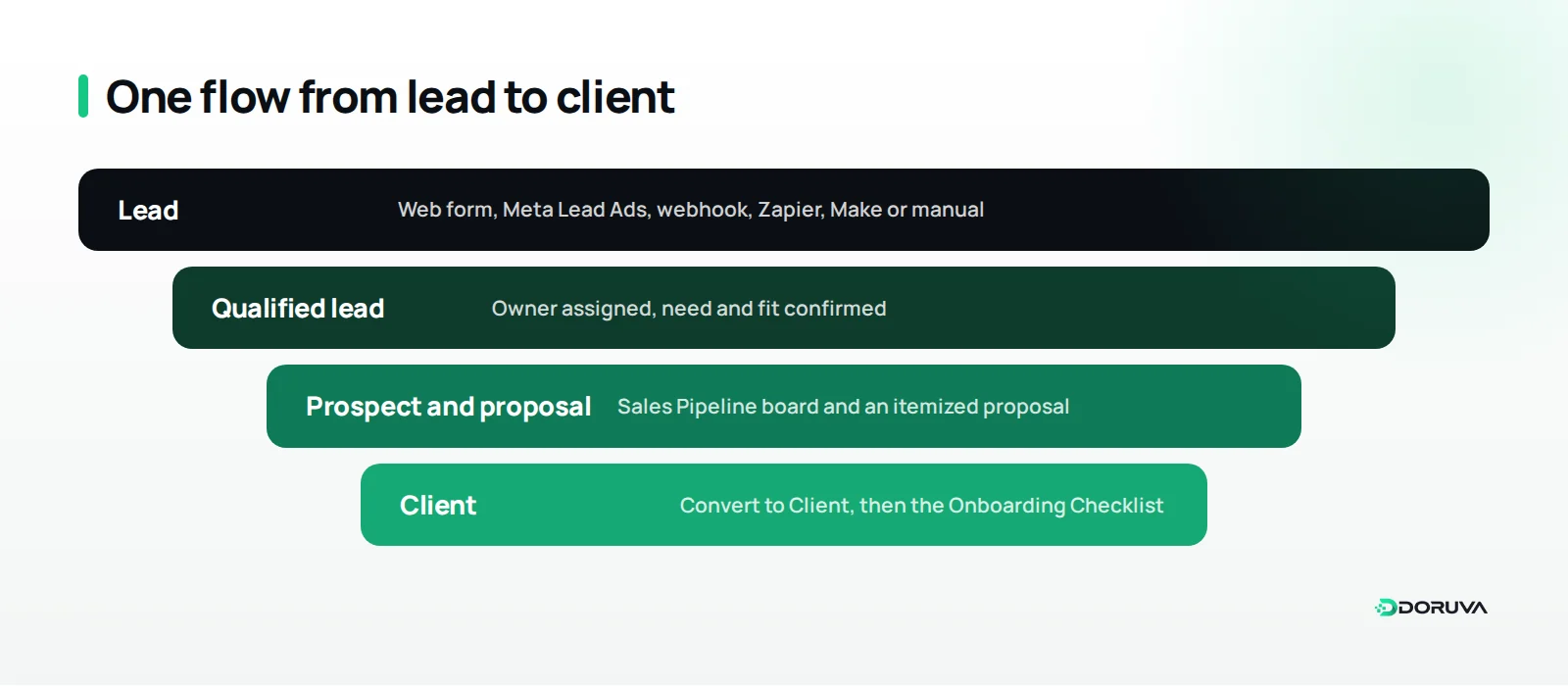
The path from lead to client is a conversion funnel: at every stage some prospects drop out and the rest move on. Keeping the whole funnel in one system means no enquiry falls through the cracks, and you can see exactly where deals get stuck.
| Stage | Where it lives in Doruva One | Question it answers | Next step |
|---|---|---|---|
| Lead | Brand Tracking → Leads (Leadler) | Is this person genuinely interested and a good fit? | Convert to prospect |
| Prospect | Prospects (Süreçte Olan Markalar) and the Sales Pipeline board | What do they need, and will they accept a proposal? | Convert to Client |
| Client | Active Brands (Çalıştığımız Markalar) | How, and with whom, do we start the work? | Onboarding Checklist and first project |
Where do leads in Doruva One come from?
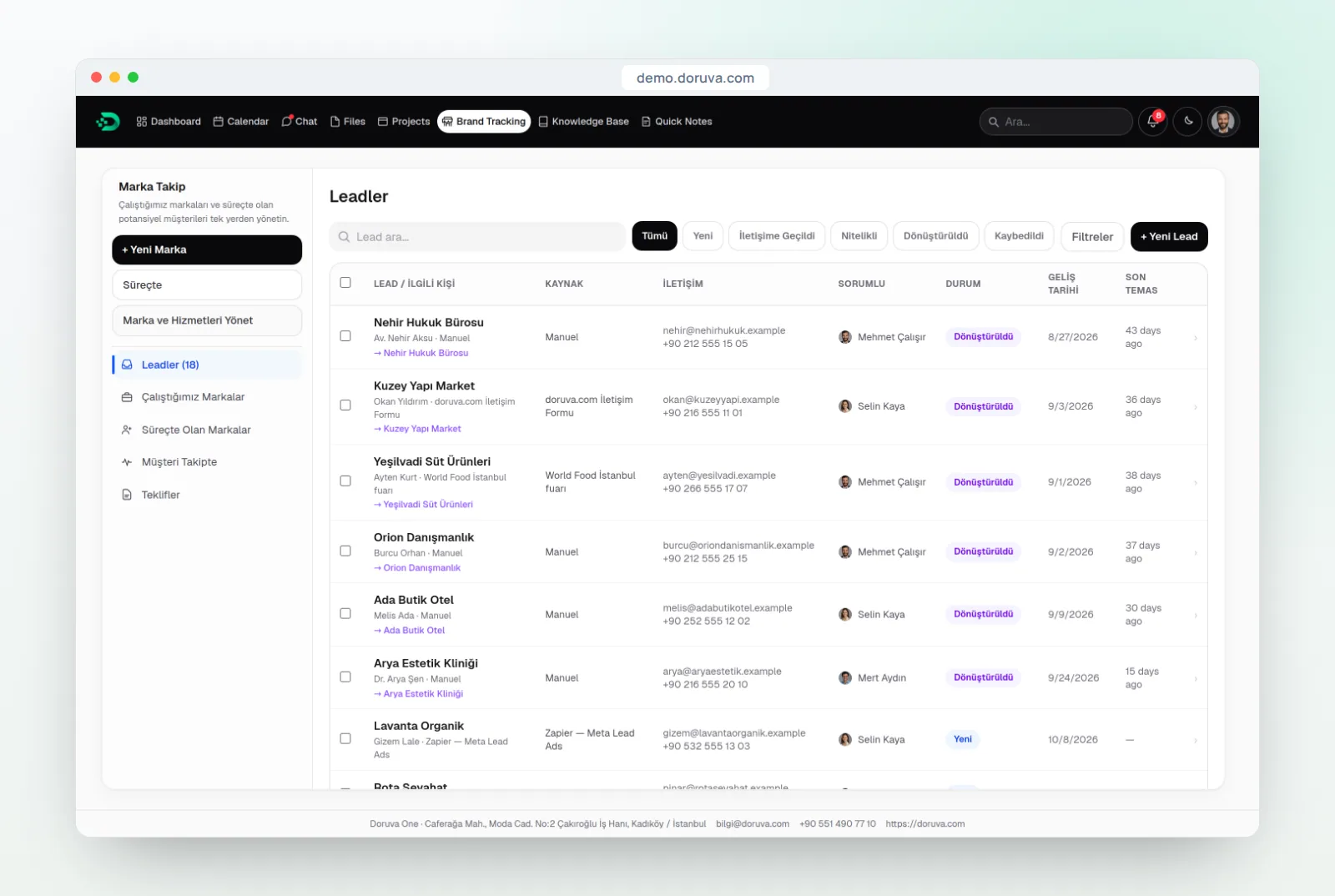
Every lead in Doruva One is recorded with a source: Manual, Website, Website Form, Instagram / Meta, Facebook, Zapier, Webhook, Make or Other. Knowing the source is the first step to seeing which channel actually brings in business.
Your website form
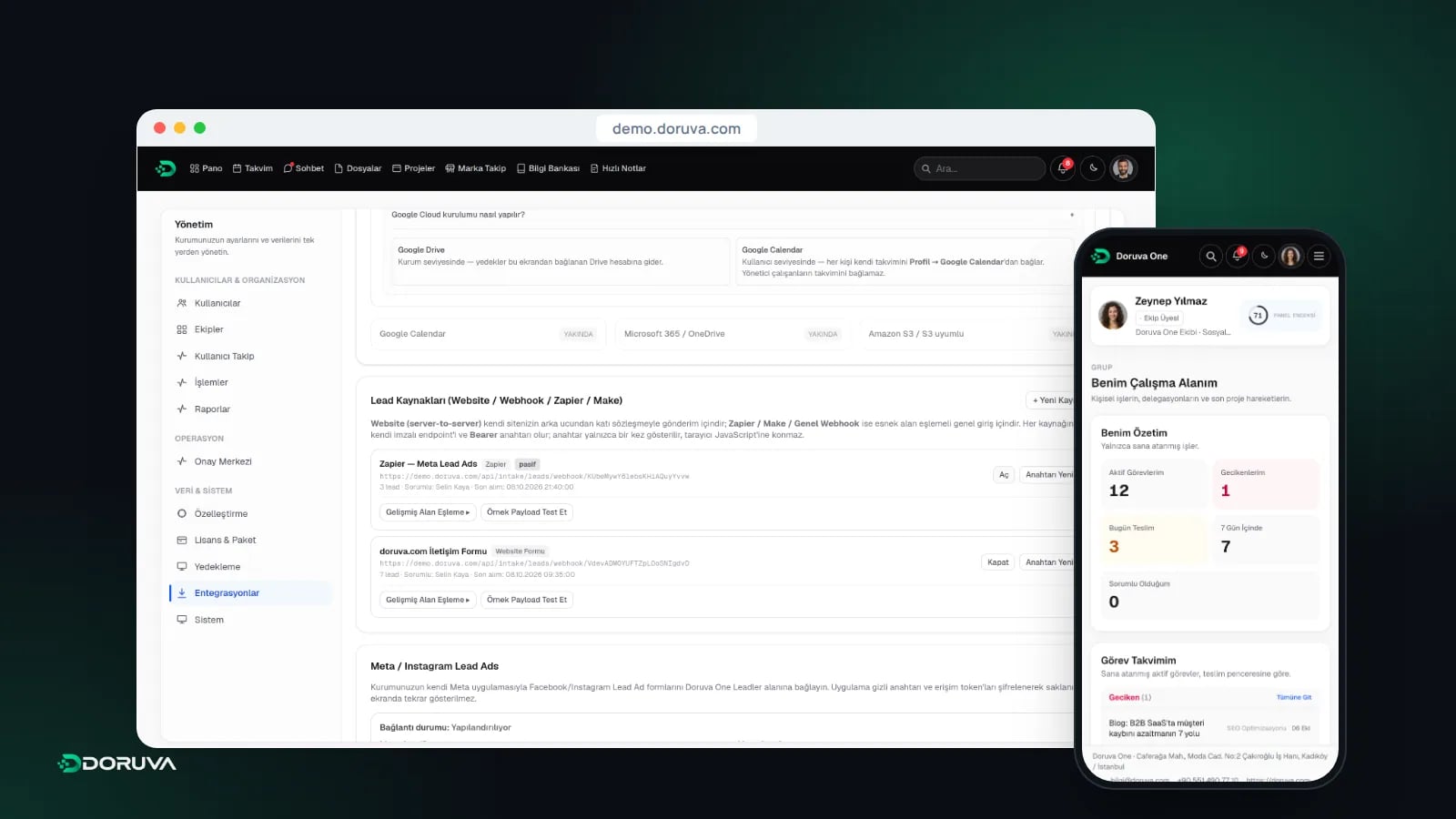
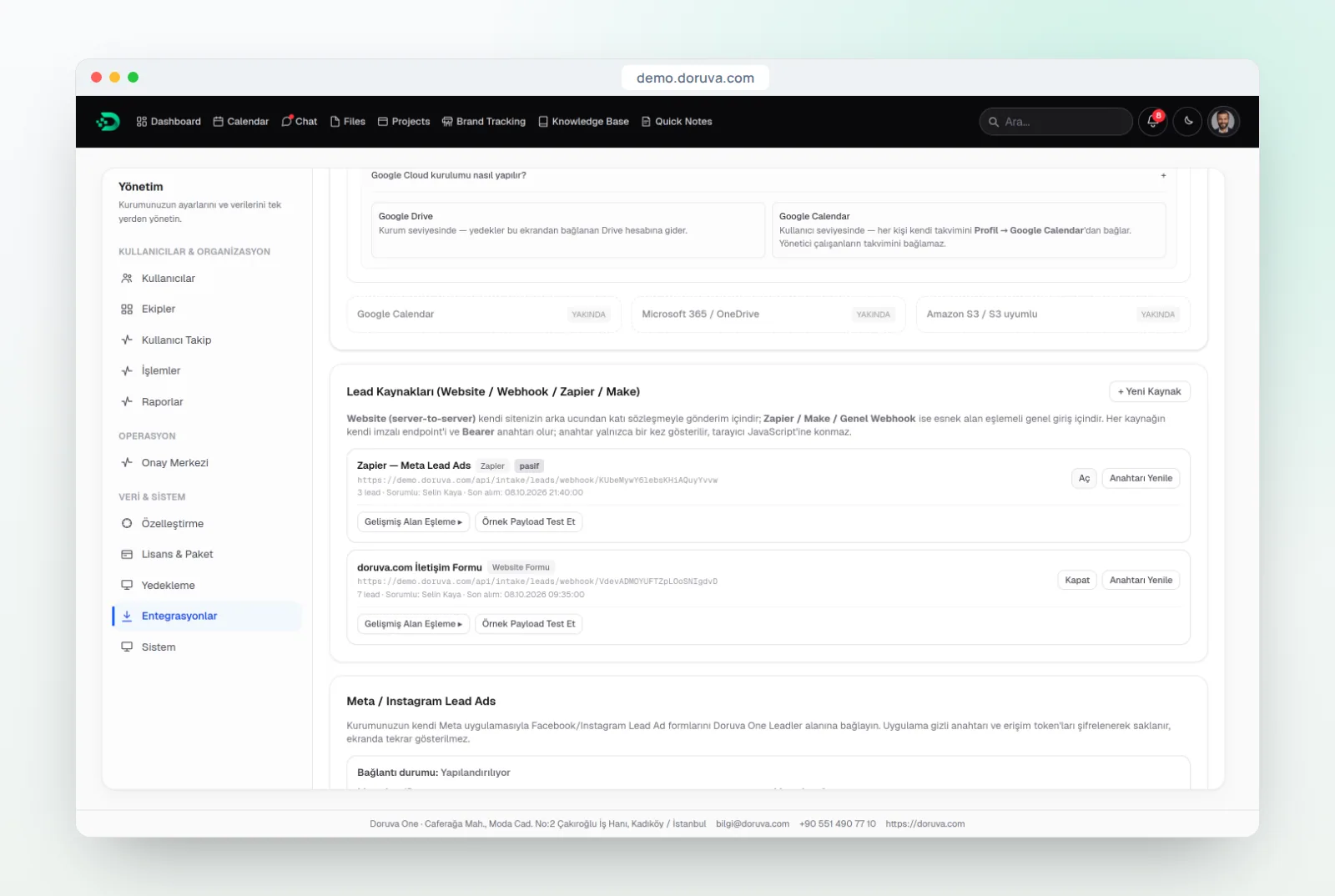
The contact or quote form on your website connects to Doruva One through an endpoint address and a secret key, which you set up under Administration → Integrations → Lead Sources. The connection itself is usually set up by whoever maintains your website. Because form responses and UTM parameters are stored on the lead record, you can later see which campaign produced which enquiry.
The form is part of the flow, too. A form that asks clearly for what you need brings in better leads, and our high-converting landing page checklist helps with exactly that. You can also run the page through our free SEO checker to catch technical problems.
Meta and Instagram Lead Ads
The Meta / Instagram Lead Ads connection is also set up from the Integrations screen. Once it is connected, enquiries from your ad forms go straight into the Leads list instead of waiting in the ad platform, and they follow the same rules as every other source.
Webhook, Zapier and Make
If you use another form builder, a booking tool or an automation, choose the Webhook, Zapier or Make source. A webhook sends data from one system to another automatically when something happens; Zapier and Make let you build those connections without writing code. All of them work the same way: an endpoint address plus a secret key.
Manual entry
A brand you met at a trade fair, a referral from a happy client or a direct phone call goes in through the New Lead form. That way even your warmest enquiries stay on the record.
Forms collect personal data, so data protection rules are part of the flow as well. If you work with people in Turkey, that includes KVKK, the Turkish Personal Data Protection Law No. 6698; the official guidance is on kvkk.gov.tr. Requirements depend on where you and your leads are, so get legal advice for your specific situation.
How should you use lead statuses?
Lead statuses give the whole team one shared vocabulary for where each enquiry stands. Doruva One has five:
- New
- The enquiry has arrived and nobody has replied yet. A short New list is the simplest sign that you respond quickly.
- Contacted
- The responsible person has made first contact; needs and fit are not clear yet.
- Qualified
- The enquiry matches your services and capacity, and it is ready to enter the sales process.
- Converted
- The lead has been converted into a prospect, and the process now continues on the prospect record.
- Lost
- The enquiry went nowhere. Marking a lead as lost asks for a reason, and over time those reasons show which channels bring in poor-fit enquiries.
Each lead record holds full name, company, phone, email, message, service of interest, responsible person, first and last contact, form responses and UTM data. When you assign a responsible person, they get a notification, and when a batch of enquiries comes in at once, bulk actions let you assign them in one go.
Agree as a team on what "Qualified" means before you start. For an e-commerce store, three simple criteria might be a budget range, a clear service need and contact with the actual decision-maker. The Leads view is open to Owners and Admins by default; other people on the sales team can be given access through the Permissions panel. If you have the right permissions, the search bar in the top menu (Ctrl/⌘ + K) also returns results from Leads and Proposals, so typing a company name takes you straight to the lead or proposal.
How does a qualified lead become a prospect?
From the lead detail page, "Convert to prospect" moves a qualified lead into Prospects, where it starts on the Sales Pipeline board at the New Lead stage. From here on you track a company rather than a person, because proposals, meetings and decisions now belong to a business.
A prospect's detail page has General Information, Proposals, Brand Memory and History tabs. The lead record has no separate follow-up date field; follow-up happens through the prospect's stage and brand notes. That is why a short note after every conversation matters: it becomes the memory of the deal.
How do you run the Sales Pipeline board?
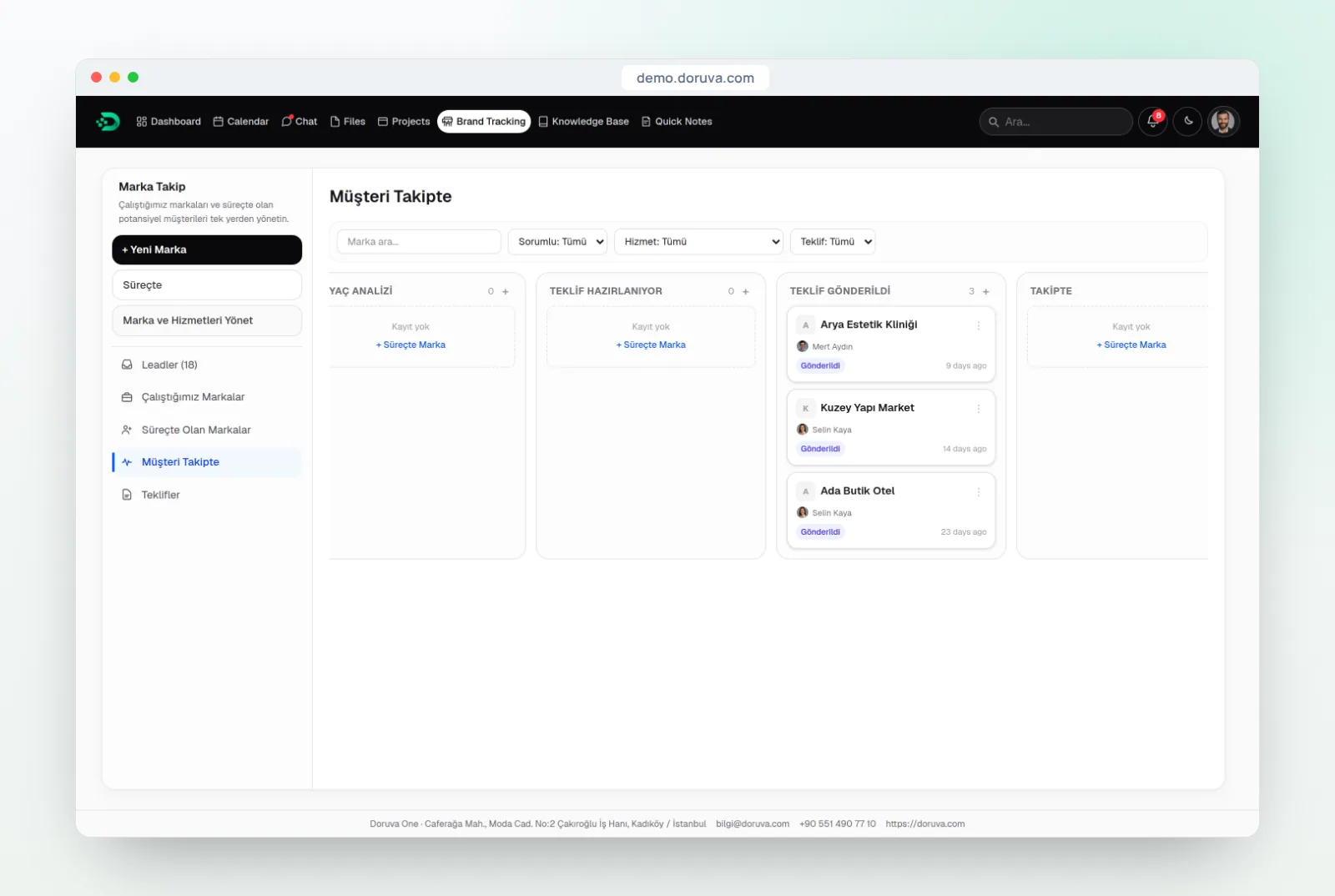
The Sales Pipeline (Müşteri Takipte) board shows where every prospect stands in your sales process. The stages are:
- New Lead
- First Meeting
- Needs Analysis
- Preparing Proposal
- Proposal Sent
- Following Up
- Positive
- Negative
- Won
- Lost
The board earns its keep by exposing bottlenecks. If Proposal Sent and Following Up keep filling up, the problem is not writing proposals but chasing them. If prospects pile up in First Meeting, the team simply does not have enough time set aside for discovery calls.
Take a dental clinic as an example. Its website enquiry is marked Qualified and converted into a prospect. The first meeting covers local SEO and social media, the scope is written up during Needs Analysis, and the card moves to Preparing Proposal. Every step is visible on the board, so nobody has to ask "what happened with that clinic?".
Positive and Negative are useful for recording which way a prospect is leaning before the decision is final. If the client says they like the proposal but are waiting for sign-off from their management, move the card to Positive and add a brand note summarizing the call, so everyone works from the same information. Won and Lost close the process; writing down why a prospect was lost helps you build a stronger proposal next time.
How do proposals work in Doruva One?
Proposals are built line by line from the services in your Service Catalog and tracked with a single set of statuses. Every proposal follows the same structure, and you can see at a glance which ones are still waiting for an answer.
The Service Catalog
You open the Service Catalog from "Manage Brands and Services" on the Brand Tracking screen. Each service has a name, category, description, default unit price, currency (TRY, USD or EUR), an active or inactive state and a sort order. A tidy catalog ends the habit of describing the same service three different ways in three different proposals.
Itemized proposals and statuses
Proposal lines include the service, quantity, price, discount and VAT. A proposal's status is tracked as Draft, Ready, Sent, Accepted, Rejected, Expired or Canceled. Each proposal has a printable and PDF view, and your logo and proposal details come from the proposal settings under Administration → Customization.
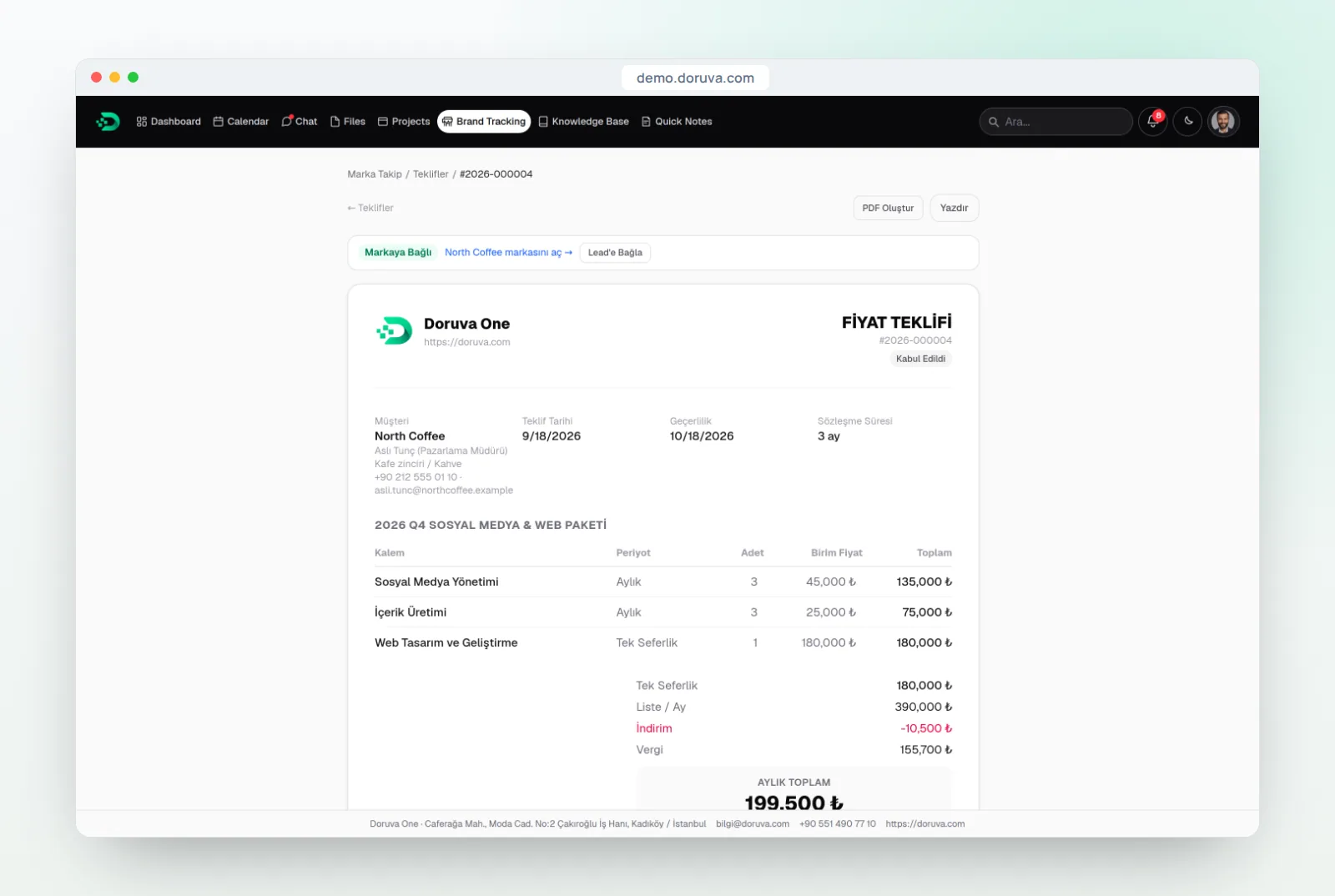
Creating and viewing proposals is limited to the Owner and Admin roles. The Proposals view in Brand Tracking lists every proposal in one place, while the Proposals tab on a prospect shows only that brand's proposals.
What happens after "Convert to Client"?
Once the proposal is accepted and the prospect reaches Won, "Convert to Client" (Müşteriye Dönüştür) moves the brand into Active Brands. The sales process ends here and the client relationship begins.
An active brand's detail page adds tabs such as Health & Risk, Client Relationship, Onboarding Checklist and Brand Guide. The first job is to open the 10-item Onboarding Checklist and work through items like the contract, the brief and the first meeting. We cover the first 30 days in our guide to client onboarding for agencies, and how to keep an eye on the relationship afterwards in spotting client churn early.
Because the notes and proposal history from the sales stage stay on the brand record, the delivery team knows from day one what the client was promised. That alone prevents one of the most common disappointments in the sales-to-delivery handover.
Where should you start?
You do not need to build the whole flow in one day. This order usually goes smoothly:
- Update your Service Catalog and write down your "Qualified" criteria.
- Connect your website form under Lead Sources and test the flow with a dummy enquiry.
- If you run lead ads, add the Meta / Instagram Lead Ads connection.
- Give every lead an owner, and close lost leads with a reason.
- Make the Sales Pipeline board the main screen of your weekly sales meeting.
Lead management is not part of every plan; availability depends on yours. To see how Doruva One connects sales with projects, chat and the knowledge base, read what Doruva One is and visit the Doruva One product page. If you would like to talk through your own lead sources, get in touch about Doruva One.
Frequently Asked Questions
Which lead sources does Doruva One support?
Manual, Website, Website Form, Instagram / Meta, Facebook, Zapier, Webhook, Make and Other. Automatic intake runs through Lead Sources under Administration → Integrations and the Meta / Instagram Lead Ads connection.
What is the difference between a lead and a prospect?
A lead is a record of a person or enquiry that left contact details. Once a lead is qualified and converted, it becomes a prospect, a company record that moves through the Sales Pipeline board.
Does a lead record have a follow-up date?
No, there is no separate follow-up date field on the lead record. After conversion, follow-up happens through the prospect's stage and brand notes.
Who can create proposals?
Creating and viewing proposals is limited to the Owner and Admin roles. Proposal lines are built from the services in the Service Catalog.
Can team members see leads?
By default, the Leads view is open only to Owners and Admins. An Admin can grant access to other users individually through the Permissions panel.