Technology
Spotting Client Churn Early: Brand Health and Risk Tracking for Agencies
Agency client churn usually announces itself weeks ahead: cooling communication, recurring issues, late deliveries and payment friction. This guide shows how to track those signals with a weekly brand health assessment and open risk records, using the Brand Tracking tabs in Doruva One.
By Mehmet ÇalışırPublished 10 min read
Contents
This guide is for agency owners, account teams and operations leads who look after several clients at once. The goal is simple: ask "why did this client leave?" long before the goodbye email arrives. We start with what churn looks like in an agency, then show how to track the warning signs in Doruva One and turn them into a weekly habit.
A quick note on labels: some Brand Tracking screens still show Turkish labels even when the interface is set to English. Where it helps, we give the Turkish label in parentheses the first time it appears.
What is client churn, and why do agencies notice it so late?
Client churn means a client stops working with your agency, or noticeably shrinks the scope of what they buy from you. In practice it shows up when a contract is not renewed, a budget is cut, or one service quietly moves to another team or in-house.
It gets noticed late because the knowledge is scattered. The account manager knows the last meeting felt tense. The designer sees revision rounds piling up. Finance spots that the client has paid late twice. None of these facts live in the same place, so nobody sees the whole picture.
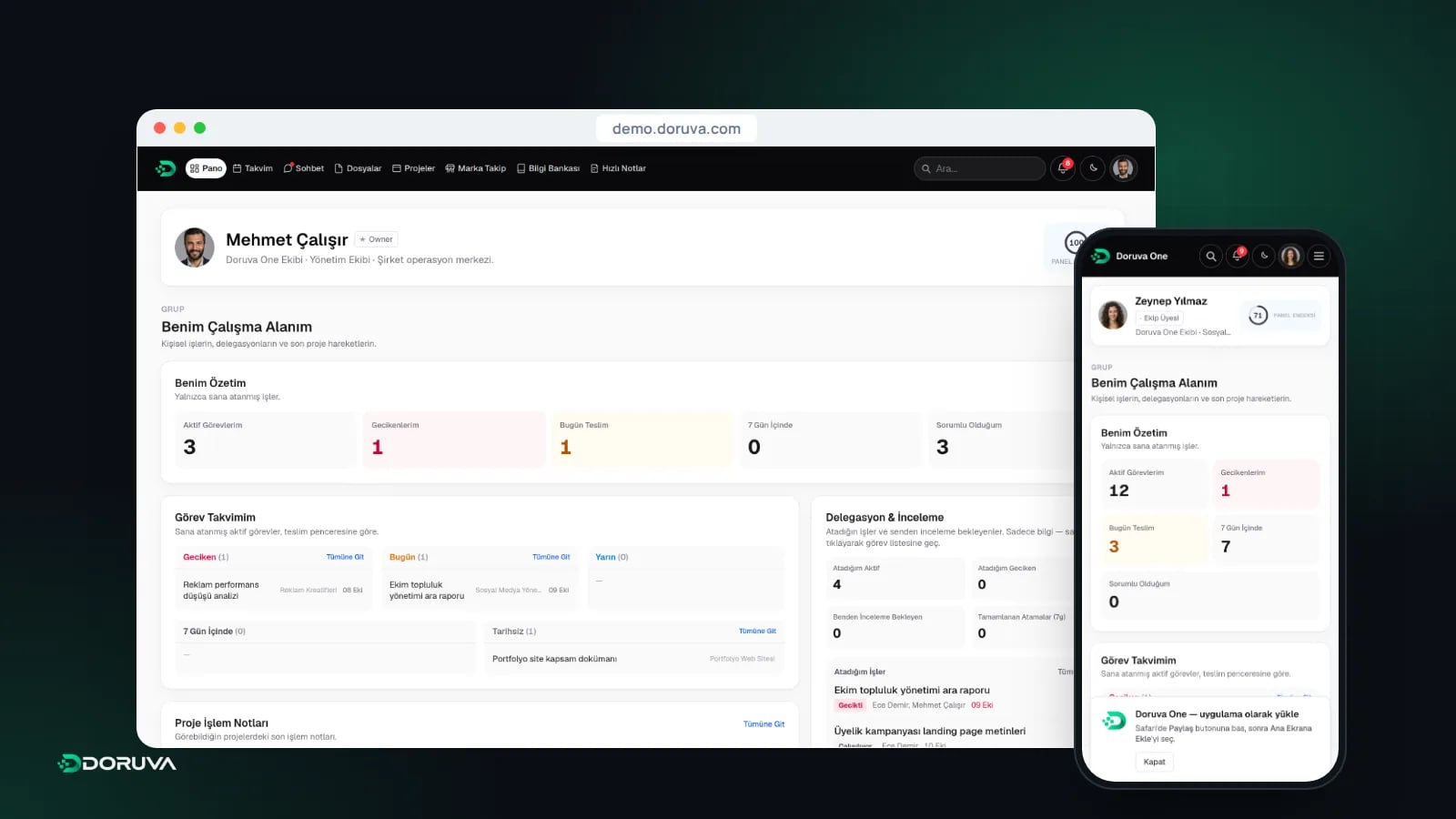
Keeping everything about a client in one record is the whole point of customer relationship management (CRM). In Doruva One that record is the brand itself: projects, chats, notes, risks and health assessments all come together on the brand detail page.
Which warning signs show up before a client leaves?
The most reliable early warnings are behavioral: how often and how warmly the client communicates, whether complaints repeat, whether work arrives on time and whether invoices are paid on schedule. None of them proves a client is about to leave. When several appear together, though, they deserve a conversation.
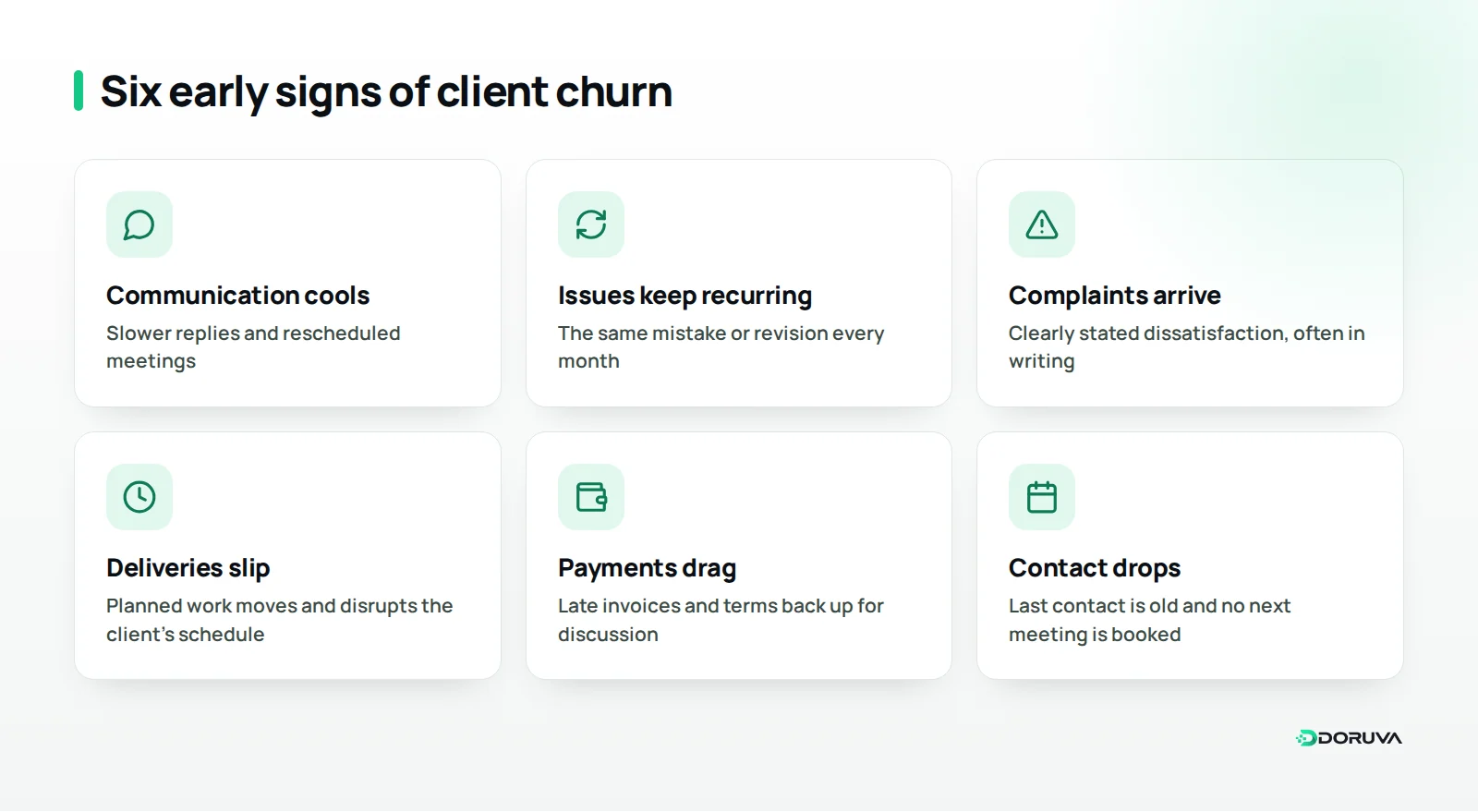
- Communication cools off: slower replies, rescheduled meetings, the decision-maker no longer joining calls.
- Recurring issues: the same kind of mistake or revision request coming back month after month.
- Complaints: clearly stated dissatisfaction, especially when it arrives in writing.
- Late deliveries: planned work slipping and starting to disrupt the client's own schedule.
- Payment friction: late invoices, or payment terms suddenly back up for discussion.
- Less contact: the last contact date drifting further back and no next meeting on the calendar.
What these signals have in common is that you can observe them. Saying "communication was marked Cold this week" is very different from "the client seems a bit distant". The first is something the team can discuss, assign and follow up on.
What is brand health, and how do you assess it?
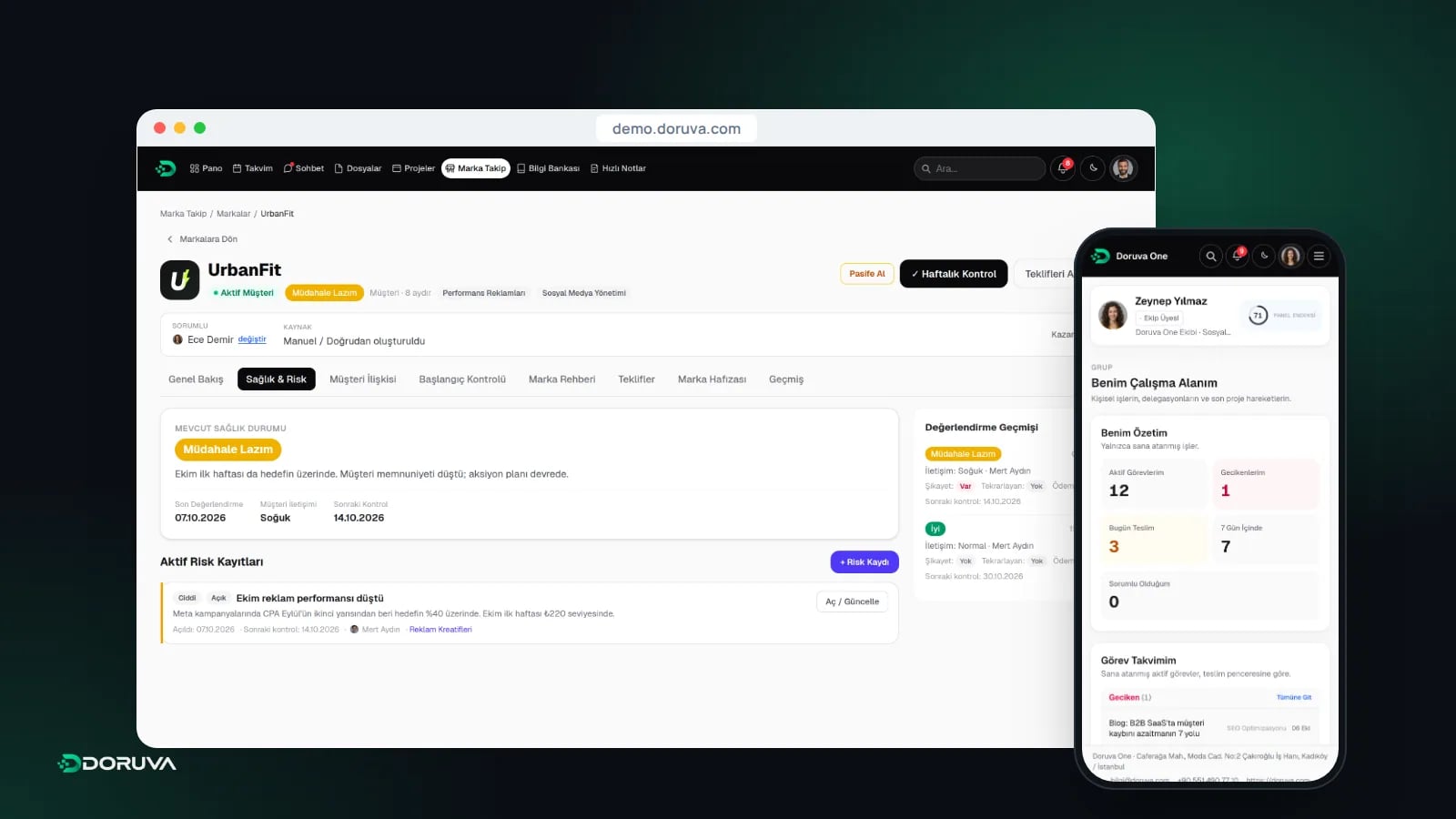
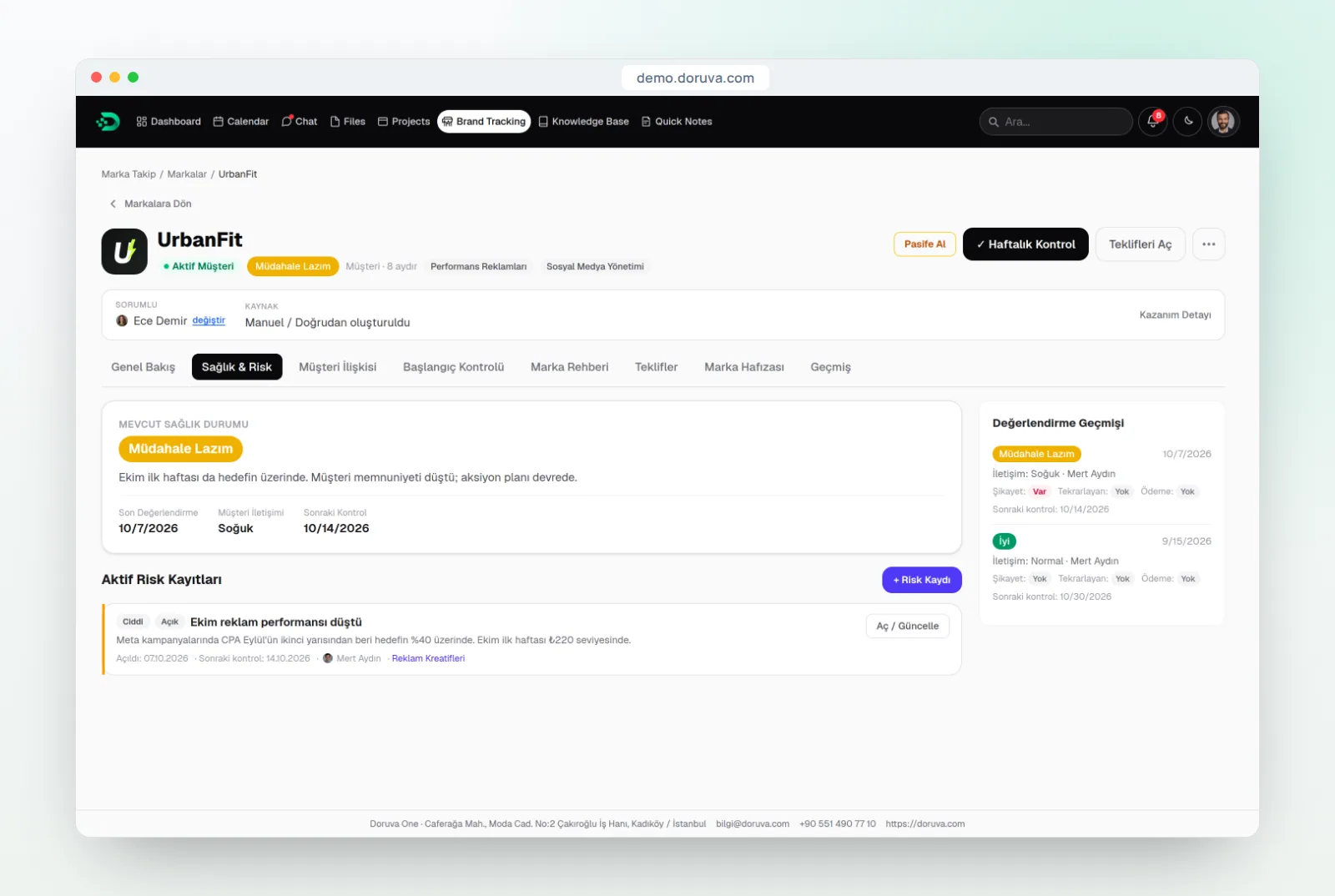
Brand health is a single rating that sums up where your relationship with a client stands right now. Doruva One rates every brand on one of five levels: Very Good, Good, Needs Intervention, Crisis, and Not Assessed for brands nobody has reviewed yet.
You do not set the level by gut feeling. It comes from the weekly health assessment in the Health & Risk (Sağlık & Risk) tab, which covers:
- Communication: Good, Normal or Cold.
- Complaint: whether a complaint came in during the period.
- Recurring issue: whether a known problem has resurfaced.
- Payment issue: whether anything went wrong on the payment side.
- Per-service health: for each service you deliver, No Issues, Attention, At Risk, Critical or Out of Service.
The per-service view is where the real insight sits. For a coffee brand, social media management might be running smoothly while paid ads are At Risk. The overall rating may still read "Good", but knowing which service is under strain tells you exactly who needs to have which conversation.
Health levels and a sensible first response
| Level | What it usually means | Suggested first step |
|---|---|---|
| Very Good | Regular communication, no complaints or recurring issues | Keep the rhythm and talk about new needs and growth |
| Good | Minor friction, but the relationship is solid | Keep up the weekly assessment and note the friction |
| Needs Intervention | Several warning signs at the same time | Open a risk, choose a resolution type and an owner |
| Crisis | The relationship is in serious danger | Book a senior-level conversation with the client now |
| Not Assessed | Nobody has reviewed this brand yet | Complete the first assessment this week |
How should you log and follow up on risks?
Logging a serious signal as an open risk is what turns "we noticed" into "we are dealing with it". Every risk in Doruva One is described by three things: level, status and resolution type.
- Level
- Operational, Serious or Critical. It tells the team at a glance whether the risk threatens day-to-day work or the relationship itself.
- Status
- Open, Monitoring or Resolved, so you can see what is still waiting, what is being watched and what is closed.
- Resolution type
- Fix, Accelerate, Restructure, Change Resource/Process, Save the Relationship or Management Decision.
Choosing a resolution type forces a real decision. If a dental clinic's campaign visuals keep arriving late, "Accelerate" may be enough. If the same designer has struggled on that account for months, "Change Resource/Process" is the more honest call. And if the client's decision-maker has stopped showing up to meetings, the problem is not the workflow at all; it is the relationship, and "Save the Relationship" is the right label.
A lot of recurring issues trace back to weak planning. If a brand's monthly content calendar is squeezed into the last few days every month, the fix might be a content calendar built with Planning Groups. Open risks also appear under Open Risks on the brand's Overview, so anyone who opens the brand sees unresolved problems before they dive into projects and chats.
Why do Client Relationship and Brand Memory matter so much?
The health assessment answers "where do we stand?". Client Relationship and Brand Memory answer "how did we get here?". Without both, any conversation about risk is guesswork.
The Client Relationship (Müşteri İlişkisi) tab holds communication notes and meetings. The note types match how agencies actually talk to clients: WhatsApp, Meeting, Phone, Email, Other and Weekly Summary. If the account manager adds two lines after a phone call, the designer working on that brand the next morning knows what the client reacted to.
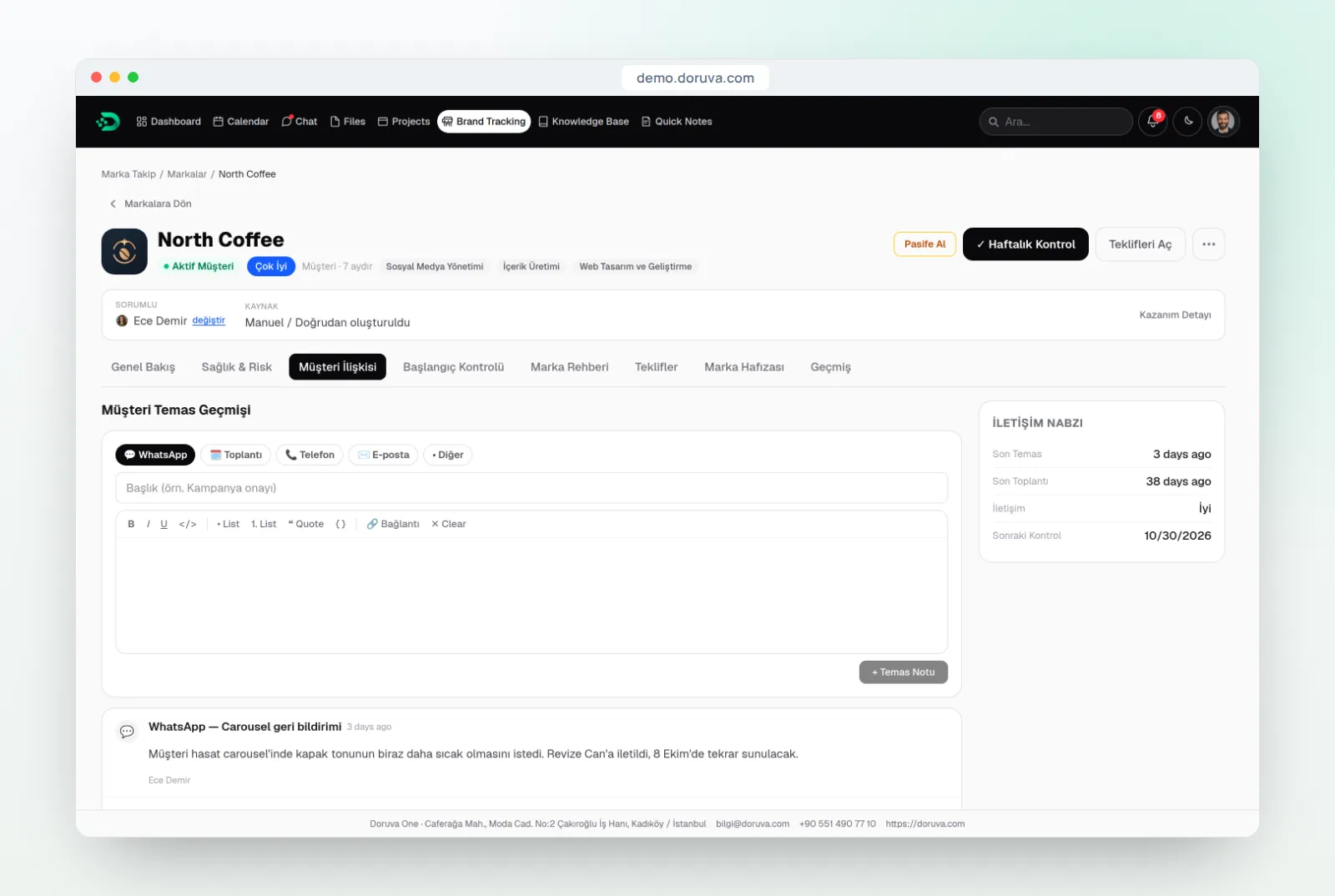
The brand record's first and last contact fields, and its last and next meeting fields, complete the picture. A next-meeting field that has stayed empty for weeks is a warning sign in its own right.
Brand Memory (Marka Hafızası) is the brand's timeline. Seeing what happened, in order, is especially useful when people change roles: an account manager taking over a client can read the story of the relationship there instead of digging through old threads.
Note permissions are deliberately narrow. Owners and Admins can add notes to any brand; Team Leads and Members can add notes when they are the brand's responsible person or on its brand team. It is the principle of least privilege applied to everyday work: everyone can see the brands, and the people closest to the work keep the record.
How does the Onboarding Checklist prevent churn from month one?
Many lost clients were already at risk in their first few weeks: an incomplete brief, fuzzy expectations, a kickoff meeting that never got booked. The Onboarding Checklist (Başlangıç Kontrolü) gives every new client a 10-item onboarding list, with items such as "contract process completed", "brief forms received" and "first meeting scheduled". You can add your own items and change the order to match your process.
Its real value is making the unfinished items visible. A brand that started without a completed brief can come back months later with "you never really understood us". We walk through the first 30 days step by step in our guide to client onboarding for agencies.
The Brand Guide tab supports the same goal. It is a Knowledge Base space linked to the brand, so it is the natural home for tone of voice, visual rules and approval preferences, and keeping them there stops the same revision from happening again and again.
How do you build a weekly brand health routine?
Software alone does not prevent churn; a routine that someone actually follows does. The flow below runs once a week and takes a few minutes per brand.
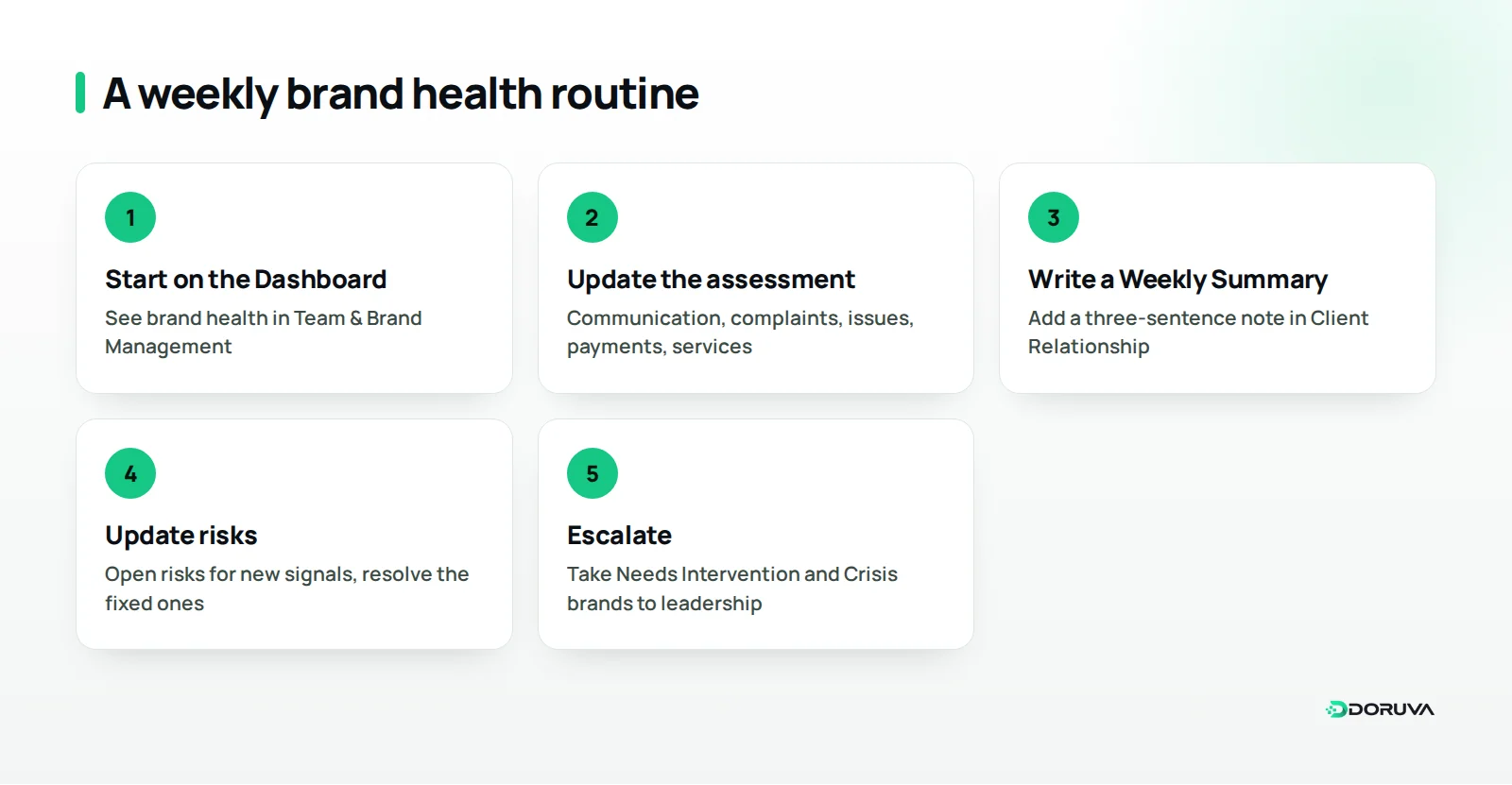
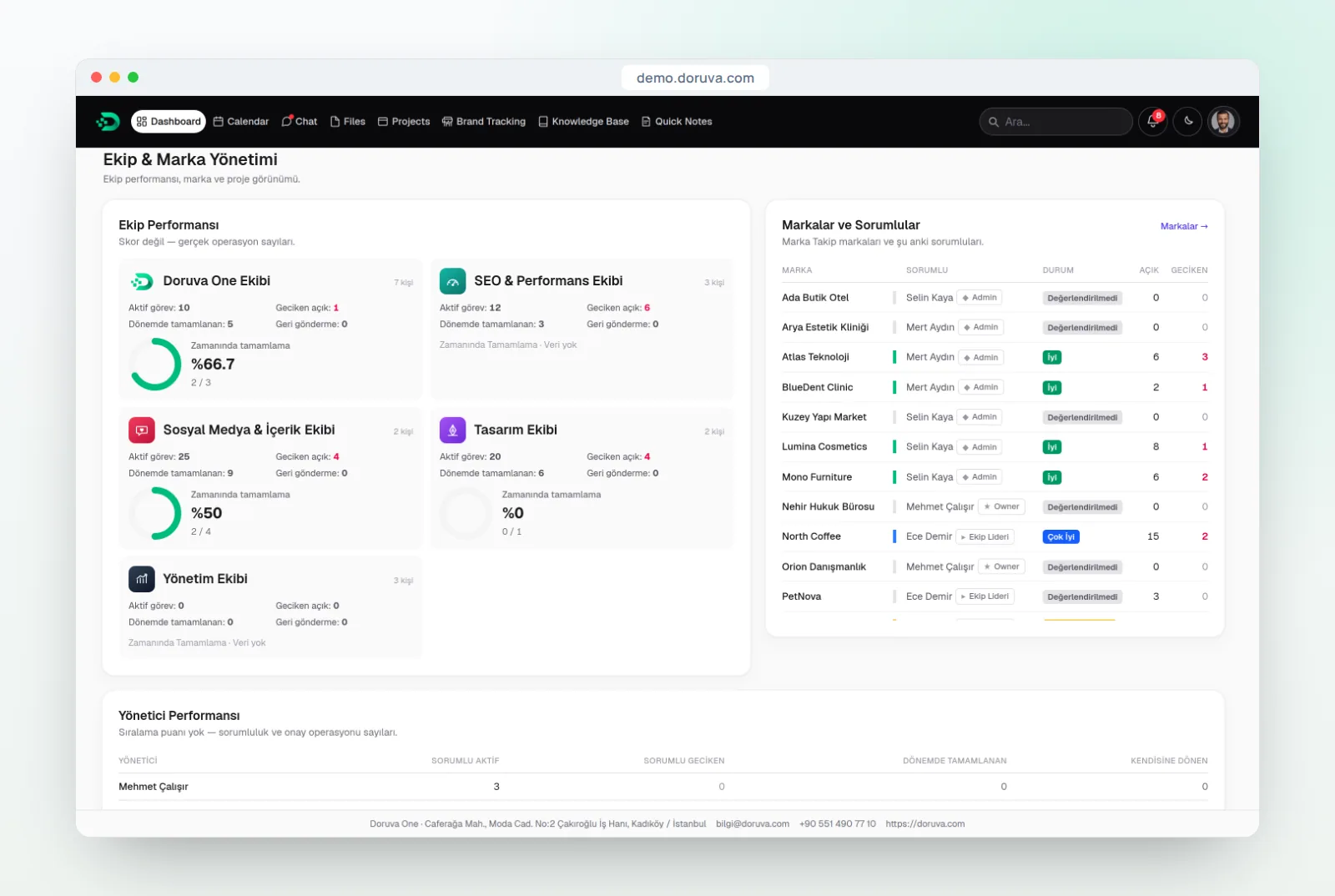
- Start on the Dashboard: Owners, Admins and Managers see brand health and brand responsibilities together in the Team & Brand Management section.
- Update the assessment: go through communication, complaints, recurring issues, payments and per-service health with each brand's responsible person.
- Add a Weekly Summary note: three sentences in the Client Relationship tab are enough.
- Check deliveries: the Deliveries tab in Reporting shows statuses such as On Time, Late, Open and Overdue, and Approaching, so you can see where delays are piling up.
- Update risks: open risks for new signals and mark solved ones as Resolved.
- Escalate the critical ones: discuss every Needs Intervention or Crisis brand with leadership and pin down the next meeting date.
If your agency already holds a weekly operations meeting, add brand health as a standing agenda item. For broader ways to stop work falling between teams, see our guide to project management for digital agencies.
What if a client leaves anyway?
Not every loss can be prevented, but every loss can teach you something if you record it. When you deactivate a brand in Doruva One, you pick a reason: Work stopped, Budget, Project completed, Client request or Other. The brand can be reactivated later if needed.
Over time those reasons become a useful mirror. If "Budget" keeps coming up, look hard at how your services are packaged and scoped. If "Client request" dominates, look at delivery quality and how often you talk to clients. Because a deactivated brand keeps its history instead of being deleted, a client who returns a year later does not start from zero.
Where should you start?
Spotting churn early does not require a sophisticated analytics stack. It requires a few records that are kept up to date. You can start this week with three steps:
- Run a first health assessment for every active brand, so none is left on Not Assessed.
- Open a risk, with a level, status and resolution type, for every brand rated Needs Intervention or Crisis.
- Make the Weekly Summary note a fixed habit for the account team.
To see how Brand Tracking connects to the rest of the platform, start with what Doruva One is and who it is for, and find the full feature set on the Doruva One product page. Brand Tracking availability depends on your plan. The web panel works in mobile browsers today, and the Doruva One mobile app is coming very soon to the App Store and Google Play. To see it with a client portfolio like yours, request a Doruva One demo.
Frequently Asked Questions
What are the most common early signs of agency client churn?
Cooling communication, recurring issues, written complaints, late deliveries, payment friction and no next meeting on the calendar. None is conclusive alone, but several together mean it is time to talk to the client.
How often should we assess brand health?
The health assessment in Doruva One is designed for a weekly rhythm. A few minutes per brand, once a week, is usually enough to catch signals in time.
What brand health levels does Doruva One use?
There are five: Very Good, Good, Needs Intervention, Crisis and Not Assessed. Each service can also get its own status: No Issues, Attention, At Risk, Critical or Out of Service.
Can team members add notes to a brand?
Owners and Admins can add notes to any brand. Team Leads and Members can add notes when they are the brand's responsible person or part of its brand team.
Should we delete a client that has left?
It is better to deactivate the brand with a reason than to delete it. Its history stays intact, and the brand can be reactivated if the client comes back.