

What is Search Query?
Definition
A search query is the exact text a person types or speaks into a search engine or AI-powered search interface, including typos, question phrasing and everyday wording. It differs from a keyword: a keyword is the abstract term a page or campaign targets and stands for many similar searches, while a query is what a real person actually entered at a specific moment.
Also known as: query, search term, user query
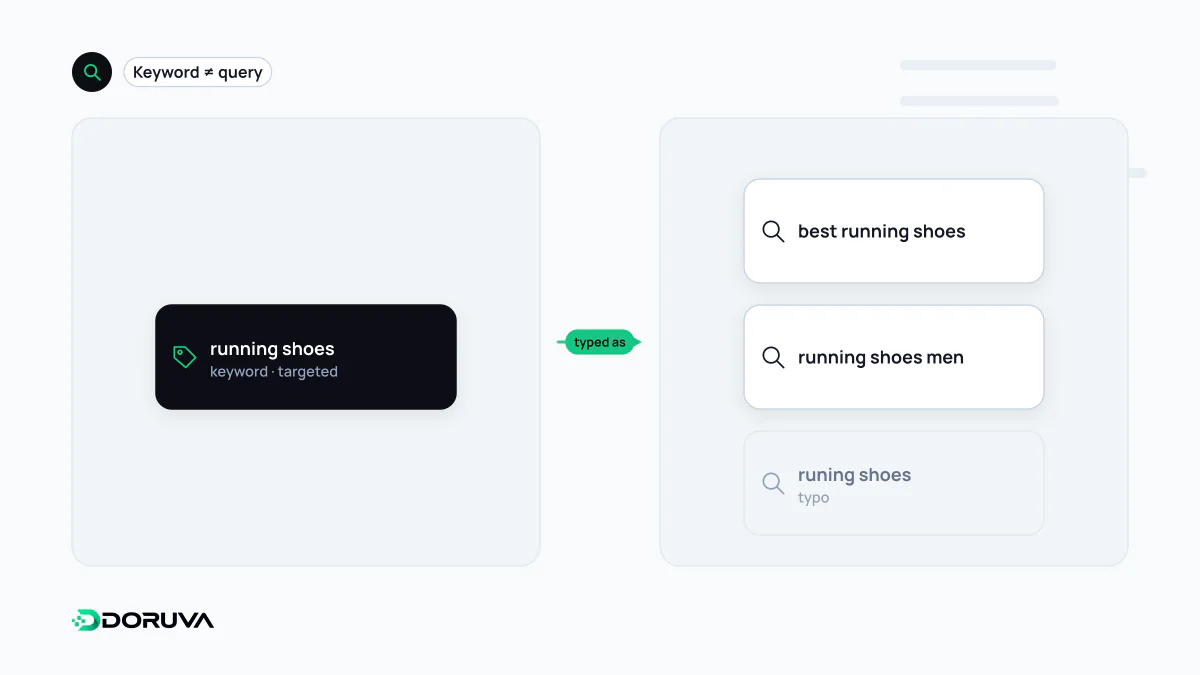
Queries are what people type; keywords are what you target
The two words are often used interchangeably, but they describe different things. A keyword lives in your content plan: it is a target term, a strategic decision. A search query is what someone actually typed, and it rarely matches your target term word for word.
| Target keyword | Real queries behind the same need |
|---|---|
| boiler service | how often should a boiler be serviced boiler servcie cost what happens if you don't service your boiler boiler engineer near me |
Google Ads makes the distinction official. A keyword is the word or phrase an advertiser adds to an ad group; a search term is what a person enters when searching. The search terms report shows which of your keywords matched which real searches and triggered an ad. Organic search works the same way: a single page can appear for hundreds of queries it never explicitly targeted.
What a query tells you
A query is short, but it carries a lot of signal. Question words such as "what", "how" or "why" point to an information need. Modifiers like "price", "buy" or "best" suggest commercial intent. A brand name or the word "login" usually means the person wants a specific site. Location terms ("near me", a district name) bring local results forward. Reading these cues is the first step in understanding search intent.
Length matters too. One-word queries are usually ambiguous: "jaguar" could be the animal or the car. Queries of four or five words say much more precisely what is wanted. Each of them is searched rarely, but together they make up a large share of all searches, which is the observation behind long-tail keywords.
Search engines don't read queries literally
Google explains that understanding a query involves steps such as correcting spelling mistakes, and that it runs a synonym system able to find relevant documents even when they don't contain the exact words used. Its own example: someone searches for "change laptop brightness" while the manufacturer wrote "adjust laptop brightness", and the systems recognise that both describe the same need. In information retrieval this interpretive layer is called query expansion.
In AI-powered search experiences, queries become longer and more conversational. Instead of "boiler service", a person may describe their situation in two full sentences. Content built around one target term therefore needs to be complete enough to answer the different ways the same question gets asked.
Where to see your real queries
- Google Search Console: the queries dimension of the Performance report lists the searches your site was shown for, with clicks, impressions and average position. The interface shows up to 1,000 rows per table.
- Google Ads search terms report: shows how paid keywords mapped to actual searches.
- Site search logs: what visitors search for on your own site reveals content they couldn't find in the navigation.
The Search Console list will always look incomplete. Google treats queries that weren't issued by more than a few dozen users over a two-to-three-month period as anonymized queries: to protect privacy they are omitted from the tables but still counted in the totals. That is why the rows rarely add up to the total clicks shown in the chart.
Common mistakes with query data
- Creating a separate page for every query variant. "boiler service cost" and "boiler service price" are the same need, and separate pages end up competing with each other.
- Mistaking keyword-tool volume estimates for query data. Third-party tools group and round similar searches; Search Console shows the queries your site actually appeared for.
- Looking only at the top-clicked queries. Queries with many impressions but few clicks point to titles and snippets that don't match what people were looking for.